DNS Speed Test — Find Your Fastest DNS in 30 Seconds
Compare the fastest, most consistent DNS resolvers from your browser. Jitter-first scoring, cached vs. uncached measurement, and encrypted DoH – no install or account required.What is a DNS speed test, and why should you care?
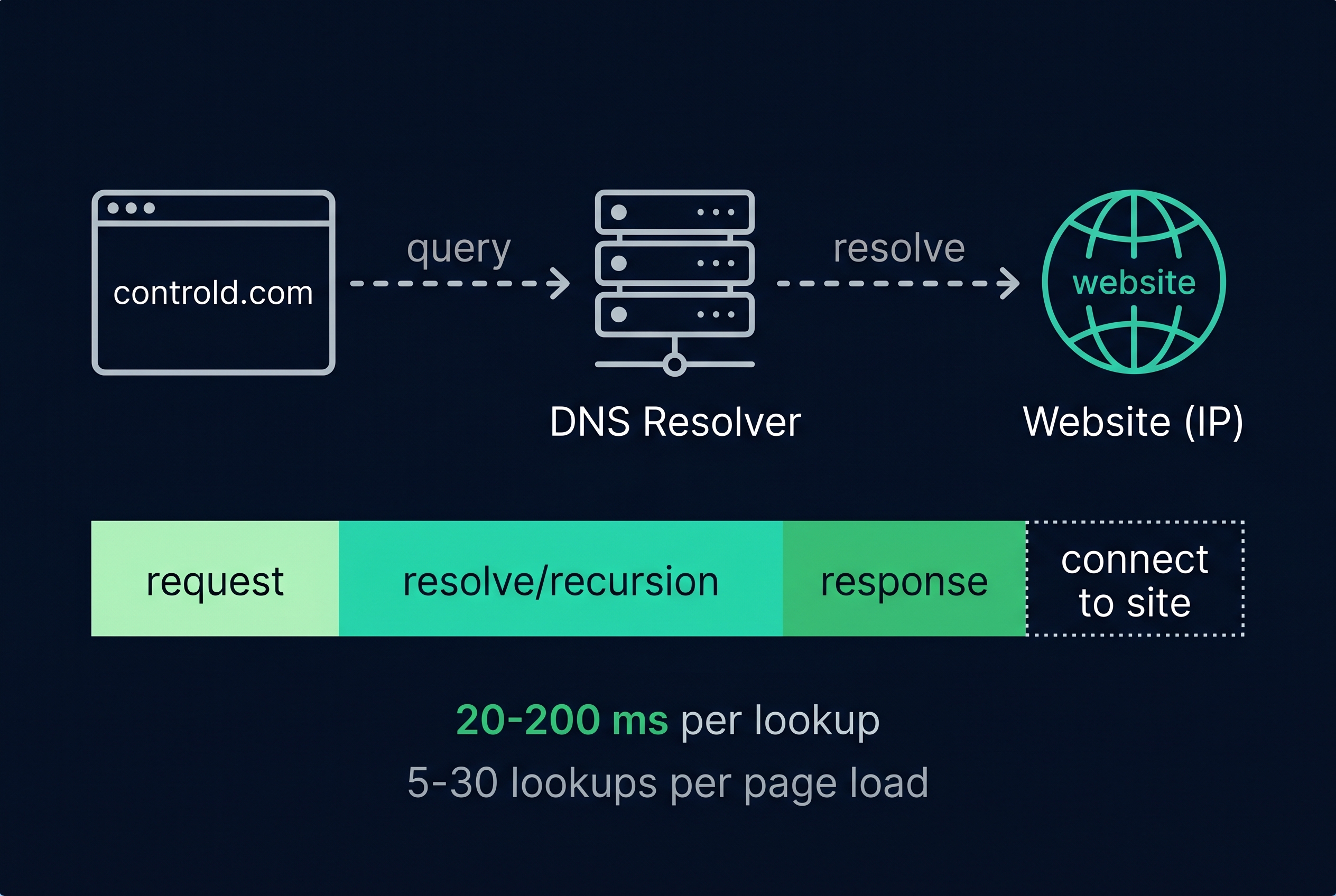
Every page load on the internet triggers somewhere between 5 and 30 DNS lookups. Each one adds 20 to 200 milliseconds of waiting, depending on your resolver.
A DNS speed test measures exactly how much delay your DNS is costing you, and whether a different resolver would save you seconds per page. The answer is usually yes. The difference between your current setup and the fastest option can exceed 100ms per lookup.
DNS is the phonebook of the internet. When you type controld.com into your browser, a DNS resolver translates it to an IP address so your computer knows where to connect. The time this takes is called DNS latency, and it's one of the fastest-to-fix performance bottlenecks on modern networks.
This page runs a comprehensive test comparing the built-in public DNS resolvers plus any custom DoH endpoint you add, then shows you the one metric most tools hide: jitter. Because speed is only half the story. The other half is how consistent those speeds are.
Understanding your results — the metrics that matter
Most DNS speed tests report average, minimum, and maximum. Those are incomplete, and sometimes misleading. Here's what we report and why it matters more.DNS Speed Test Methodology and Limitations
Every speed test makes methodology choices that affect results. Most tools bury these choices or misrepresent them. Here's ours, including what we can't measure.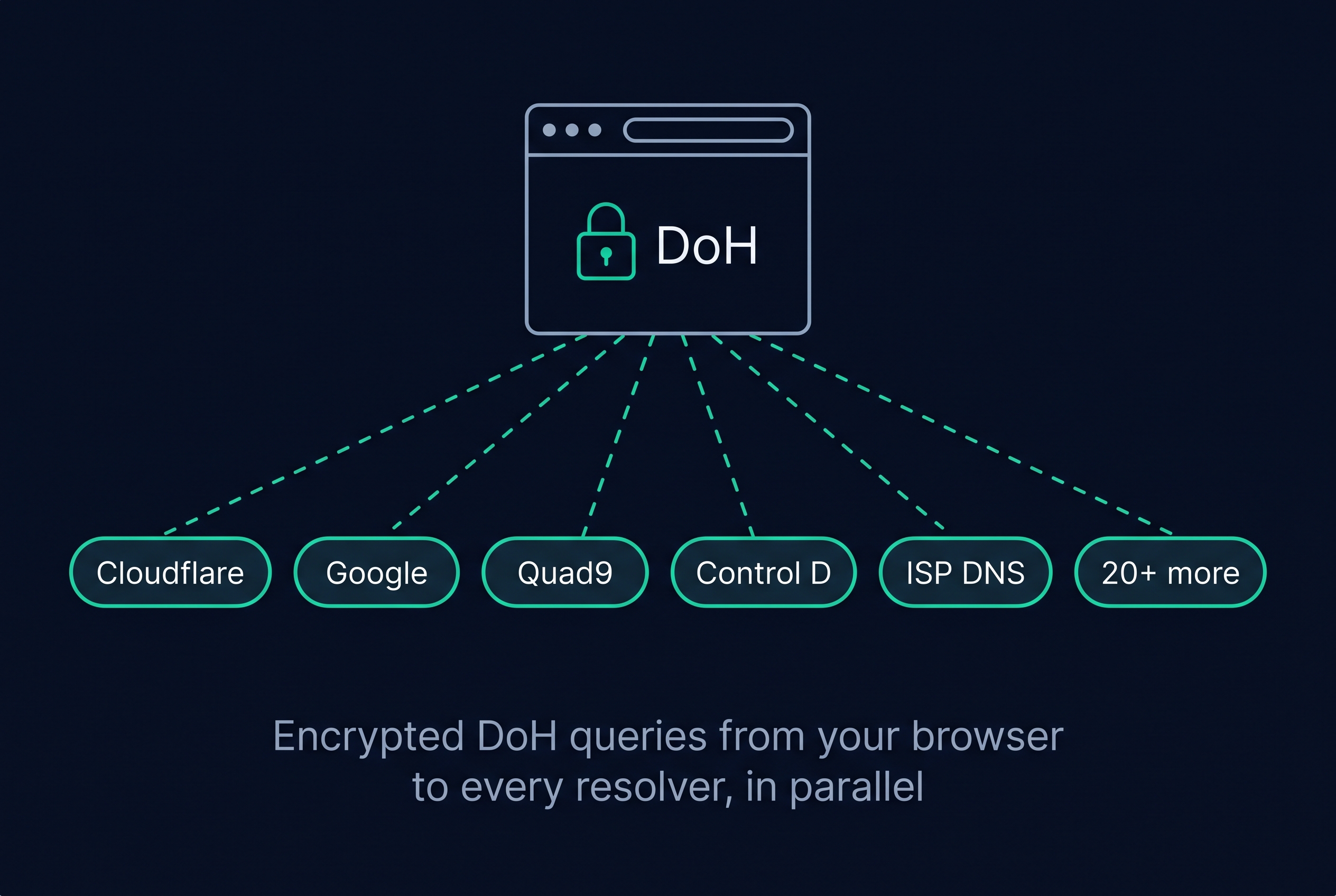
- 1.Warm-up phaseTwo throwaway queries to each resolver. Not counted. Primes the TCP/TLS connection so the first real query isn’t measuring handshake overhead.
- 2.Cached lookup test (10 queries)Repeated queries for a popular domain the resolver has almost certainly cached. Tests cache hit speed and raw RTT.
- 3.Uncached lookup test (10 queries)Random subdomains of rotating short-TTL domains. Forces a cold lookup, testing the resolver’s upstream recursion. This is the test most browser tools skip.
- 4.Availability & timeout checkAny query that doesn’t return in 5 seconds counts as failed. A resolver must complete more than half of its measured queries to be marked available.
- 5.ISP detectionA query to a DNS probe endpoint reveals which resolver forwarded the lookup upstream. We show that DNS provider as context; it is only scored if it exposes a public DoH endpoint you add manually. Not happy with your ISP DNS? Try Control D's free DNS resolvers.
- 6.ScoringComposite score weights p50 (30%), p95 (30%), jitter (30%), availability (10%). Presets shift these weights to match your use case.
Our honest limitations
The fastest DNS servers in 2026 — our honest comparison
Speed is one axis. Filtering, protocol support, privacy policy, regional coverage all matter. Every resolver gets a “when not to choose this” column, including Control D.Best DNS for Gaming, Streaming, Privacy, and Everyday Browsing
Select a preset in the tool above to rerun with that use case's scoring weights. Each one prioritizes a different metric based on what actually hurts your experience.How to Change Your DNS on Windows, macOS, iOS, Android, and Router
Found a faster resolver? Here is how to switch.Pick your device below. Each set of instructions is short and current as of April 2026. Applying DNS at the router covers every device on your network at once.- Open Settings → Network & internet
- Select your active connection (Wi-Fi or Ethernet)
- Click Hardware properties
- Next to DNS server assignment, click Edit
- Switch to Manual, enable IPv4, enter Preferred: 1.1.1.1, Alternate: 1.0.0.1
- Enable DNS over HTTPS → select On (automatic template)
- Save, reconnect to the network
- Open System Settings → Network
- Select your active connection, click Details
- Go to DNS tab
- Remove existing entries, click + to add: 1.1.1.1 and 1.0.0.1
- Click OK, then Apply
- Open Settings → Wi-Fi
- Tap the ⓘ next to your current network
- Scroll to Configure DNS, tap it
- Switch to Manual, remove existing, add: 1.1.1.1
- Tap Save
- Open Settings → Network & internet
- Tap Private DNS
- Select Private DNS provider hostname
- Enter: one.one.one.one (Cloudflare) or dns.controld.com
- Tap Save
- Log into your router admin panel (usually 192.168.1.1 or 192.168.0.1)
- Find WAN, Internet, or DHCP settings
- Locate DNS Server fields (may be labeled Primary / Secondary)
- Enter: 1.1.1.1 and 1.0.0.1
- Save and restart the router
- Go to Settings → Network → Settings
- Choose Set Up Internet Connection
- Select your network, then Advanced Settings
- Set DNS Settings to Manual
- Primary: 1.1.1.1, Secondary: 1.0.0.1
- Save, test connection
- Press the Xbox button to open the guide
- Go to Profile & system → Settings
- Navigate to General → Network settings
- Select Advanced settings
- Select DNS settings → Manual
- Primary DNS: 1.1.1.1, Secondary DNS: 1.0.0.1
- Save, then restart your Xbox
- For systemd-resolved: edit /etc/systemd/resolved.conf
- Under [Resolve], set DNS=1.1.1.1 and FallbackDNS=1.0.0.1
- Optionally enable DoT: set DNSOverTLS=yes
- Restart: sudo systemctl restart systemd-resolved
- For resolvconf: edit /etc/resolvconf/resolv.conf.d/head and add nameserver 1.1.1.1
- Apply: sudo resolvconf -u
Frequently asked questions
We test each resolver using DNS-over-HTTPS (DoH) from your browser. For every resolver, we run cached lookups (domains likely in the resolver cache) and uncached lookups (unique subdomains that force fresh resolution). We report median latency (p50), tail latency (p95), jitter (standard deviation), and availability. The composite score weights all four metrics.
Average latency hides the spikes that make browsing feel slow. A resolver averaging 20ms with occasional 400ms spikes feels worse than one averaging 35ms with rock-solid consistency. Jitter measures that consistency — it is the standard deviation across all test queries. Lower jitter means a more predictable, smoother browsing experience.
Cached lookups test how fast a resolver returns domains it already knows about — this is the best-case scenario. Uncached lookups force the resolver to query upstream authoritative servers from scratch, which is what happens when you visit a site for the first time. Most tools only test cached performance. We test both because uncached speed is what you actually feel during normal browsing.
Results reflect your real-world experience because tests run from your browser, on your network, from your location. We use high-resolution timing for sub-millisecond accuracy. The uncached test uses best-effort cold-cache methodology — some resolvers may have recently cached our test domains from other users, which can slightly understate the cached/uncached difference. We document this limitation openly.
Most people never change their DNS and use whatever their ISP assigned. We detect your current DNS provider when possible, then show which public DoH resolver tested fastest from your network. Your ISP DNS is shown as context, but it is not scored directly unless it also exposes a public DoH endpoint you add manually.
No. Resolver speed queries go directly from your browser to the resolver being tested using encrypted DNS-over-HTTPS (DoH). We never see, log, or proxy that DNS traffic. To identify your current ISP DNS, the page also contacts our DNS detection service (bigdig.energy) and makes a few browser probes to generated test subdomains before the speed test runs.
Different use cases care about different metrics. Gaming prioritizes low jitter and tail latency (p95) because spikes cause lag. Streaming prioritizes availability and median speed. General balances everyday browsing signals, and Power User applies equal weight to p50, p95, jitter, and availability.
Yes. Use the custom resolver field to add any DNS-over-HTTPS (DoH) endpoint. Enter the full URL (e.g., https://your-resolver.example/dns-query) and it will be included in the next test run.
DNS performance varies with network conditions, resolver load, cache state, and routing changes. This is normal and expected. We store your previous results locally so you can compare over time — the trend matters more than any single test.
After running the test, expand the setup instructions below the results for step-by-step guides for Windows, macOS, Linux, iOS, and Android. The easiest method for most people is changing DNS in your router settings, which applies to every device on your network.
Usually yes — Cloudflare (1.1.1.1) is faster than Google DNS (8.8.8.8) for most users because Cloudflare operates a larger edge network with more points of presence globally. However, the gap is location-dependent. In some regions, Google's infrastructure routes queries faster. Run the test above to see which is actually faster from your location — the answer varies by city and ISP.
For cached lookups, 10–30ms is excellent, 30–80ms is acceptable. For uncached lookups, 30–80ms is good, 80–150ms is typical. If your cached latency exceeds 100ms, the resolver's nearest point of presence is likely far from you — try a geographically closer provider. If uncached latency exceeds 200ms, the resolver has slow upstream recursion or routing issues. Jitter matters as much as the raw number: a resolver at 40ms with ±2ms jitter feels faster than one at 25ms with ±60ms jitter.
DNS does not affect file download speeds or streaming throughput — once a domain resolves to an IP address, your data transfer speed is unrelated to DNS. What DNS does affect is how quickly pages start loading. Every domain lookup must complete before a connection can open, and a modern page can trigger 50–100 lookups. Slow DNS makes pages feel unresponsive even on a fast connection because the browser stalls waiting for addresses before it can begin fetching resources.
DNS-over-HTTPS (DoH) sends your DNS queries inside standard HTTPS connections on port 443, making them indistinguishable from regular web traffic. This encrypts your queries against eavesdropping, prevents tampering by ISPs or networks, and hides your DNS lookups from anyone monitoring your connection. Traditional DNS uses plain UDP on port 53, which is visible to any network observer. DoH is supported by Windows 11, macOS, iOS, Android, Firefox, Chrome, and all resolvers tested here.
Yes. Changing DNS is one of the safest network settings you can modify — it is instantly reversible and does not affect your connection speed, VPN, or firewall. Choose a resolver that publishes a clear privacy policy: Cloudflare, Google, Quad9, and Control D all publish annual audits and explicit data-retention policies. Avoid random or unknown DoH endpoints, which could log or manipulate your queries. If you are on a work device, check whether your employer requires the company DNS resolver for internal services before switching.
Why Use Control D After Running a DNS Speed Test
If speed is all you care about, use whatever ranked #1 in your test. If you want speed plus DNS filtering, malware blocking, analytics, traffic redirection, and per-device policies — Control D is the upgrade path. It's not always the fastest resolver in every location. But it's consistently fast, encrypted, and gives you control over your DNS that no free resolver offers.