
Control D Updates: November 2026
November's updates: preview Filter changes, block common DNS exfiltration techniques, let Barry make changes for you, block weapons sites, and more.

It's been a busy couple of months, with 12 releases since our September roundup.
Two long-teased features have finally landed, along with DNS Exfiltration Blocking and a new Weapons Filter.
Here's what's new.
1. Filter Preview
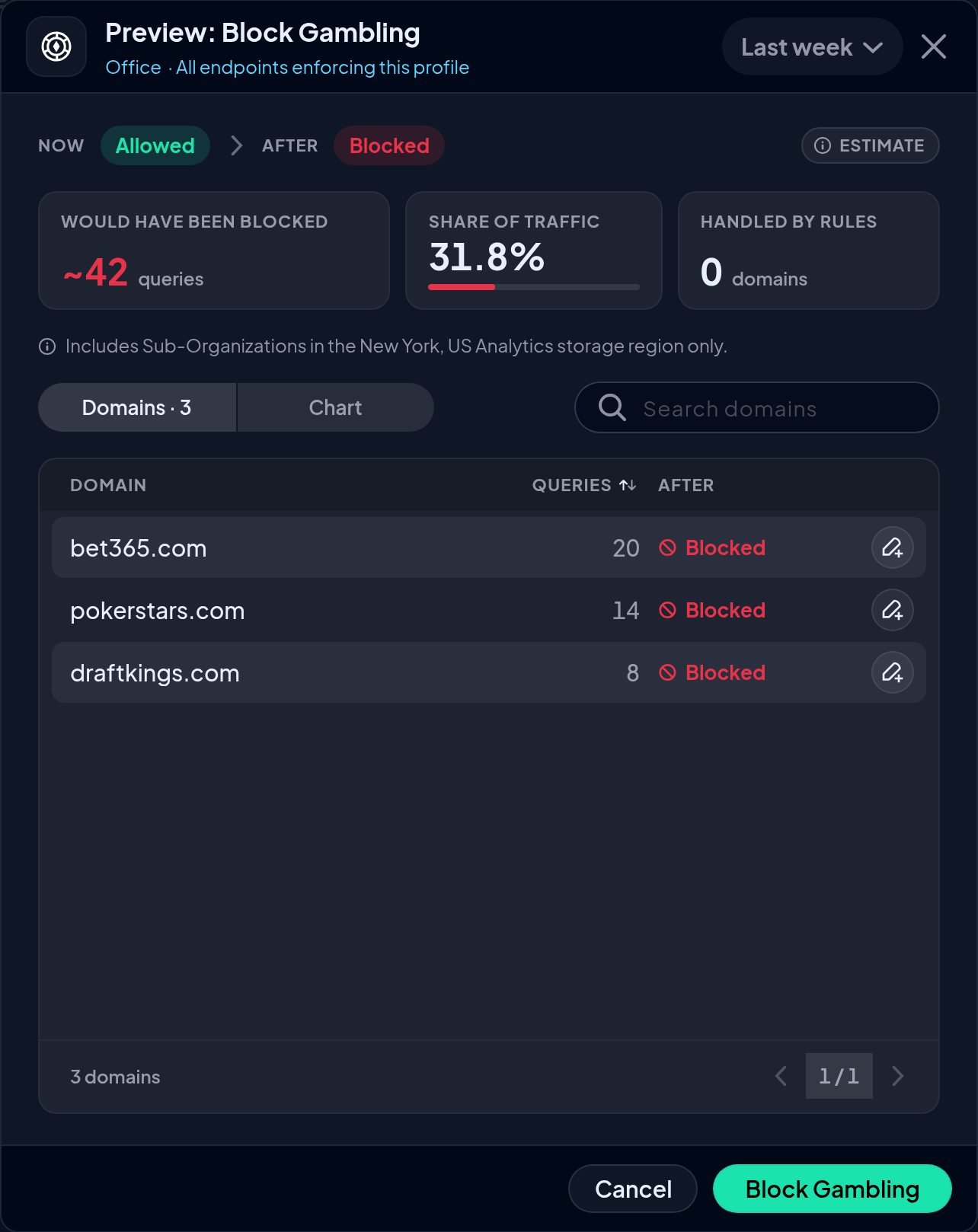
Testing what a Filter would block used to mean switching it on and waiting to see what it caught.
Filter Preview shows you the impact before you commit. Click the Preview icon on any Filter card, and Control D replays the change against your recent traffic. You'll see how many queries would have been blocked, what share of your traffic that is, and which domains are affected, over the last day, week, or month.
It works in the other direction too, so you can see what turning a Filter off would let through. If a domain on the list needs to keep working, add a Custom Rule for it from the same window.
It's the "What If" testing we teased in September, and every account has this functionality.
2. DNS Exfiltration Blocking
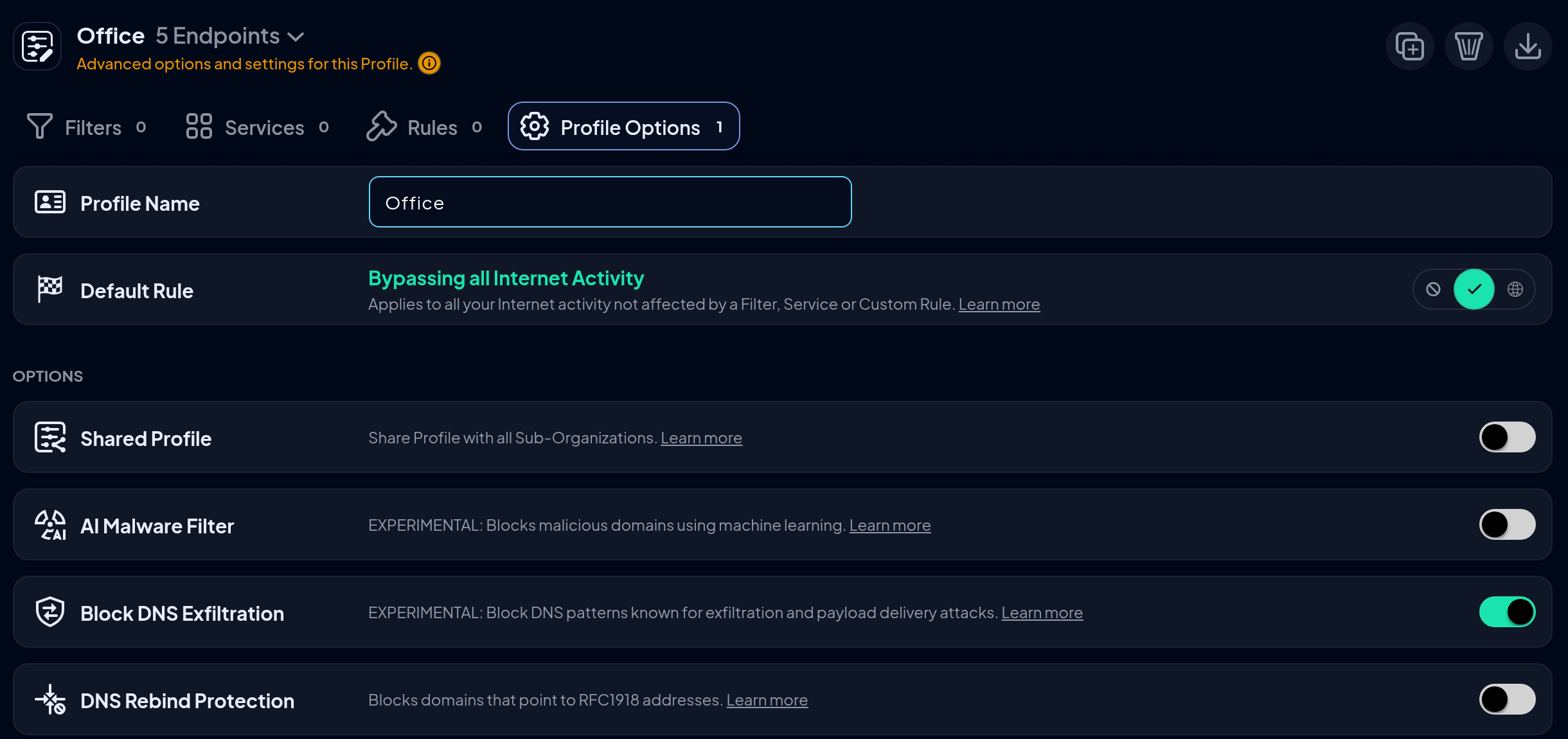
DNS Exfiltration Blocking blocks the most common ways attackers use DNS to sneak stolen data out of networks/devices and slip malicious payloads in. It catches lookups that carry encoded data out of a device and blocks the DNS record types most often used to deliver payloads. Because DNS tunneling relies on the same tricks, it also helps disrupt common tunneling techniques.
One toggle in Profile Options covers every Endpoint using that Profile. Blocked attempts show up in Activity Log and Statistics, so you can see which devices tried, and it's one of the guardrails in our guide to securing AI agent internet access.
3. Supercharged Barry
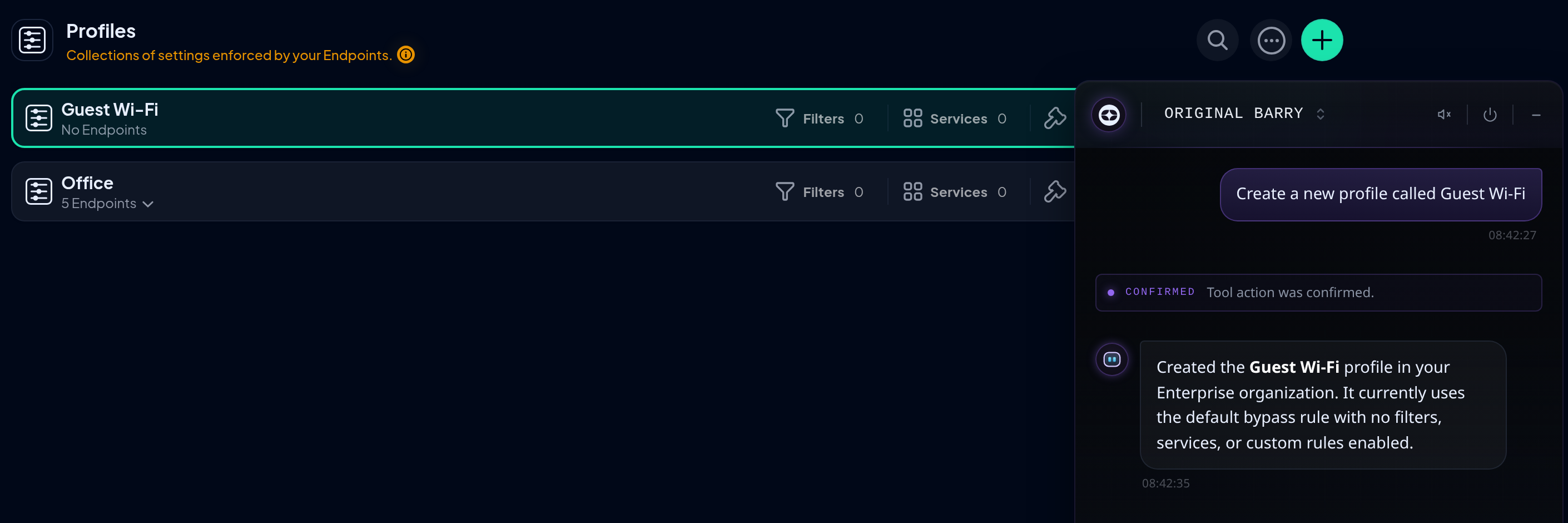
Barry has gone from explaining fixes to making them.
When you're signed in, tell him what you need, like "block gambling on the kids' Profile" or "clone our staff Profile for the new office," and he'll make the change once you confirm it. He can handle a lot of what you'd do in the Dashboard, from Filters, Services, and Custom Rules to Endpoints, Sub-Organizations, and scheduled ctrld upgrades.
Every change he makes is briefly highlighted, so you can see exactly what moved, and he can only do what your own role allows.
4. New Weapons Filter
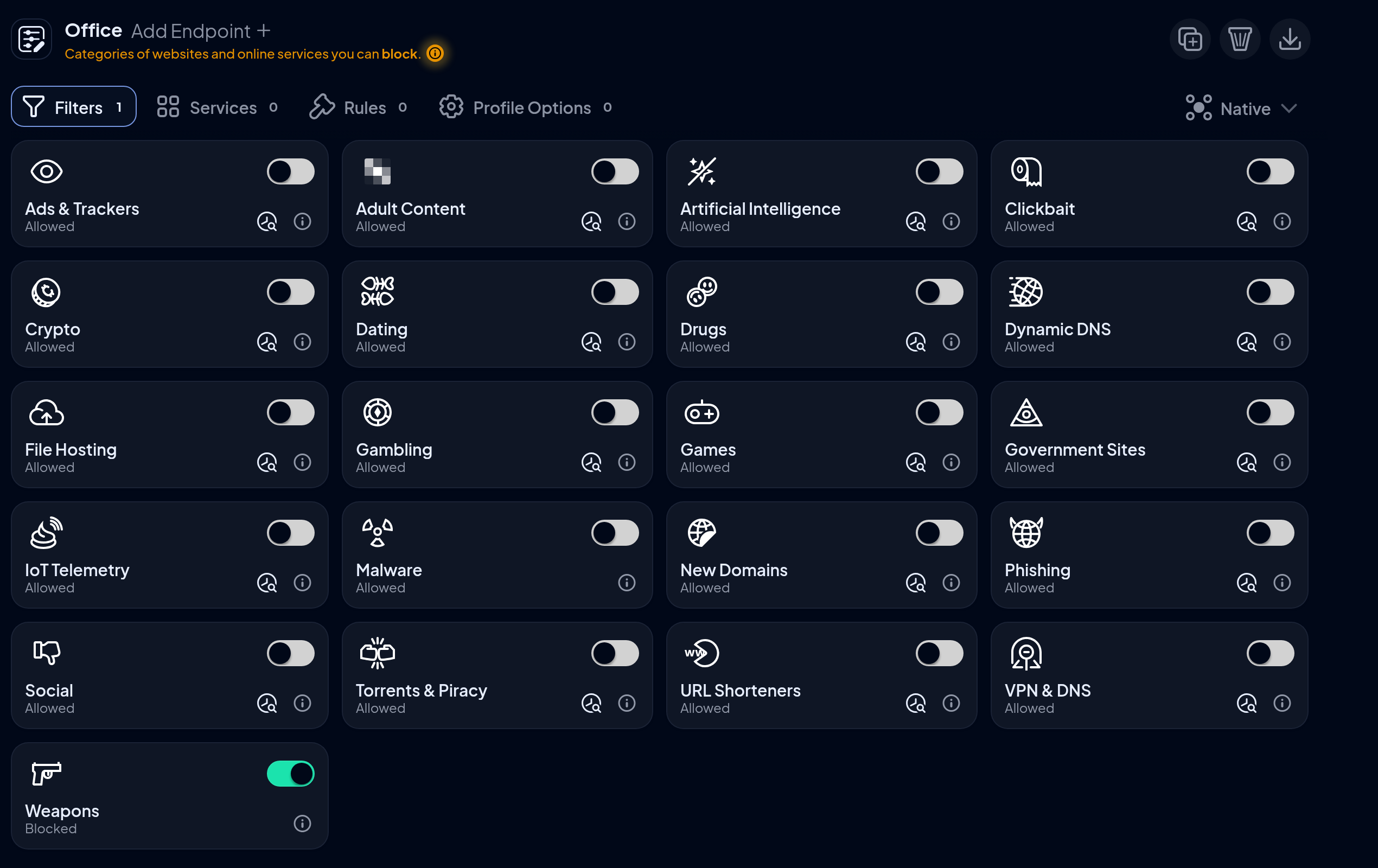
Customers asked for a dedicated way to block weapons sites, so we built one.
The new Weapons Filter blocks sites that sell or promote firearms, ammunition, and other weapons, along with sites that promote terrorism or violent extremism. It's powered by Dragonfly, our in-house domain categorization engine. Like every Filter, Weapons is included for every user.
Dragonfly also feeds more of our existing Filters, with Dating, Games, Crypto, Dynamic DNS, and URL Shorteners all drawing on its categories.
5. Endpoint Groups and Export to CSV
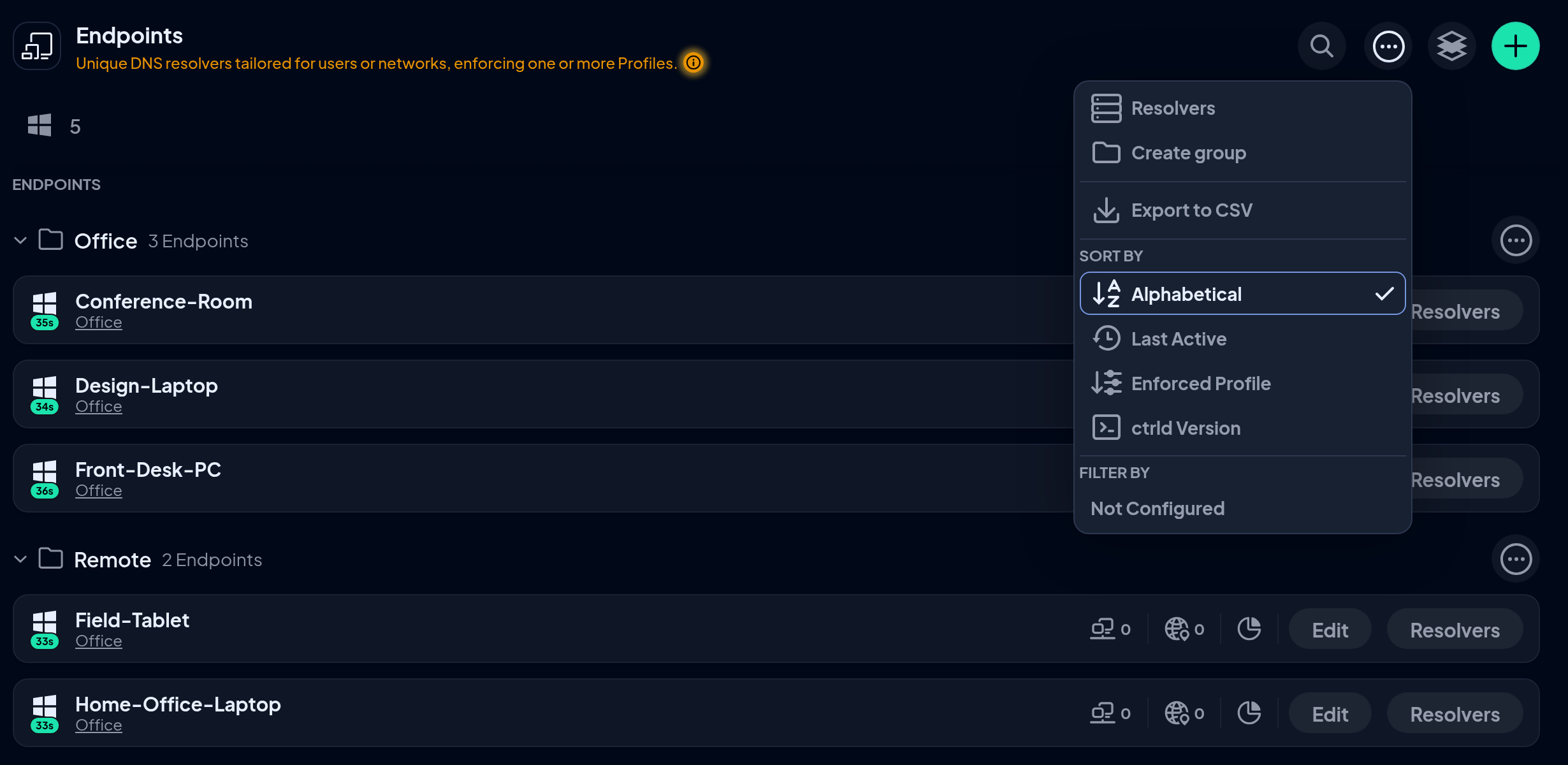
Open the ⋯ menu on the Endpoints page, and you'll find two new options.
The first creates Endpoint Groups, which sort devices into named, collapsible groups by team or location. Groups only change how the list is organized, so Profiles and settings stay as they are.
The second is Export to CSV. It downloads every Endpoint with its device type, app version, Profile, status, and group, even when you've filtered the list on screen, so you can show what's deployed where for an audit.
6. Internal Domains & More for Parent Orgs
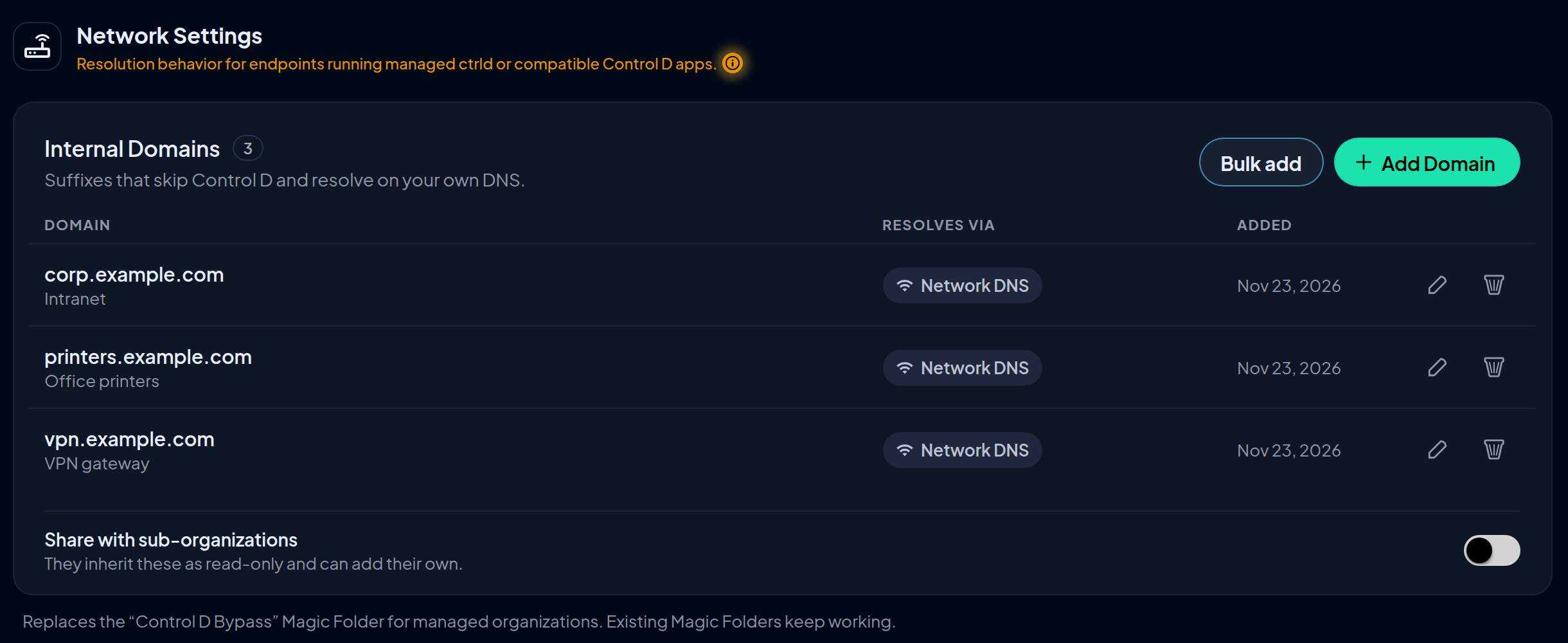
Private domains, like an Active Directory zone or a company intranet, need to resolve on your own network rather than through Control D. Until now, that meant the Control D Bypass Magic Folder, set up Profile by Profile.
Internal Domains replace that workaround for Organizations. Add your private domain suffixes once under Network Settings, and Endpoints running ctrld send those queries to their local network or VPN DNS, or to resolver IPs you choose. Changes reach Endpoints without a reinstall.
If you manage Sub-Organizations, a few more changes cut down on account switching:
- Shared Internal Domains: Share yours with every Sub-Org in one toggle
- One View of All Traffic: See Sub-Org traffic in Statistics and Activity Log
- Shared Profiles: See which Sub-Org Endpoints use them
- Unblock Requests: Receive Sub-Org requests when your Profile caused the block
7. Live Service Status
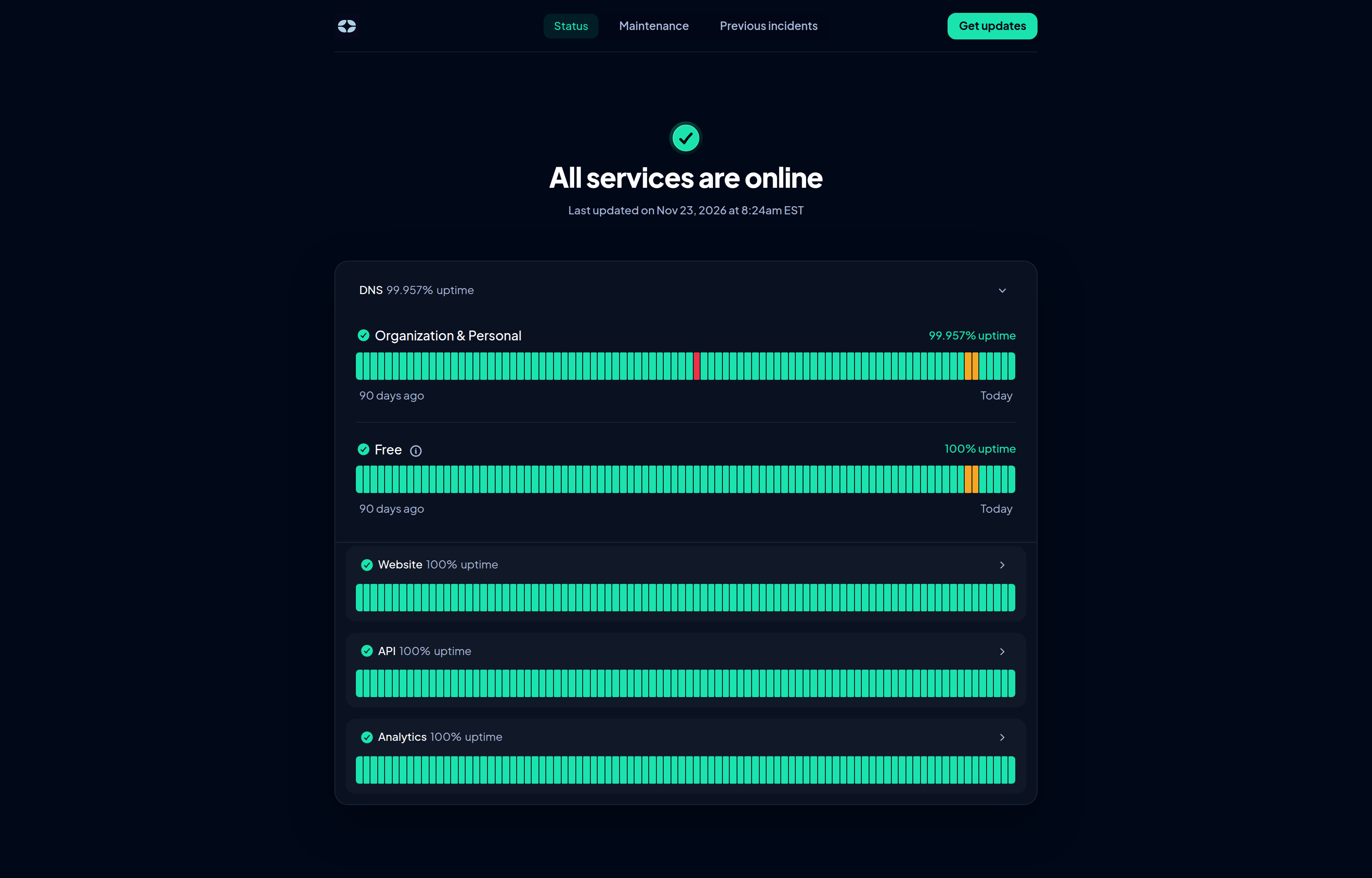
In our October 11 incident report, we promised a better way to keep you informed during an outage. That's status.controld.com.
It's a hosted status page that runs independently of our own infrastructure. Subscribe by email, Slack, webhook, or RSS, and you'll hear about incidents as soon as we post them.
There's also a live service badge on the Config page, formerly the Status page, so you can tell whether a problem is with your setup or with Control D.
What Else?
- A new location in Accra, Ghana, our first in West Africa
- Wildcard rules on subdomains take priority over rules on the parent domain, so allowing
*.live.comletsoutlook.live.comthrough even whenlive.comis blocked - ctrld keeps resolving during API maintenance, keeps Active Directory lookups on your local network, and adds DNS64 for IPv6-only networks
- New ctrld installs on Windows and macOS default to DNS Intercept mode
- Mandatory 2FA covers the API too, and Owners need their own 2FA set up before switching it on
- A new "Viewer access for users outside mapped groups" switch for Okta and Entra ID SSO
- My Organization has been split into Network Settings, Data & Retention, and Identity & Access
- Legacy DNS has been renamed Do53, and Personal accounts are now Individual
- Choose whether a Custom Rules folder upload adds only new rules or updates existing ones too
- A new Services column in Activity Log CSV exports shows the Service each domain belongs to
- Install a specific ctrld version, or roll back, with
ctrld upgrade --versionandctrld rollback - New case study on how Hoburne brings AI governance to 9 sites with Control D
- A refreshed Network page with an interactive 3D globe
- Fixed issues in checkout, billing, two-factor authentication, SSO, Custom Rules, Activity Log, Statistics, Clients, schedules, and Admin Logs
As always, head over to our Changelog for a full breakdown of every update.
What's Coming Soon?

We've got more in the pipeline. Here's a sneak peek:
- One view of all Endpoints across your Sub-Organizations
- Multiple report templates, including Coverage Gaps and Top Talkers
- Negative search terms in Activity Log
- Hiding chosen Filters and Services from logs and Analytics
- Cache TTL controls in ctrld
- Managed ctrld update policies for organizations
- Real-time new-domain threat detection
We're constantly improving Control D to make it the best customizable DNS service on the market, and your feedback remains integral to that process.
If there's a feature you'd like to see or a suggestion you'd like to share, let us know via our Suggest a Feature page.