
Control D Updates: September 2026
September's updates: buy through Tailscale, deploy to Macs via MDM, clean up stale resources automatically, handle admin tasks in bulk, and more.


Fall has just arrived, and so has a fresh round of updates.
You can now buy Control D through Tailscale, Mac fleets get a proper MDM deployment path, and a couple of items from our last Coming Soon list have made it out of the pipeline and into the Dashboard.
Here's what's new.
1. Control D & Tailscale Partnership
You can now buy Control D directly through Tailscale and filter every device on your tailnet. Tailscale connects your devices over a private network and controls access within it, while Control D controls what those devices can reach on the public internet.
Instead of dealing with a second vendor, you get one provider, one bill, and filtering policies that can be assigned by user, group, or tag.
2. Automatic Cleanup
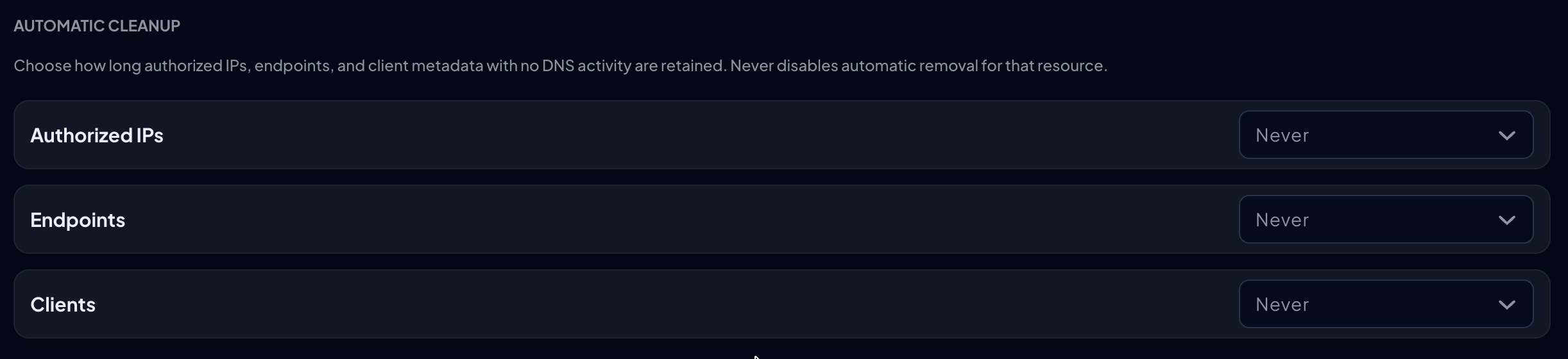
Team changes, replaced devices, and new IP addresses all leave stale records behind.
Those old Endpoints, Clients, and Authorized IPs pile up fast, especially in larger organizations, and end up collecting dust in the Dashboard. As more keep appearing, hunting old ones down by hand can become tedious.
Automatic Cleanup, which we teased back in July, now takes care of that for you. It can remove anything with no DNS activity for 30, 60, or 90 days. Each type has its own threshold under My Organization, so you get to decide what’s cleared and what stays.
3. macOS MDM Deployment Support
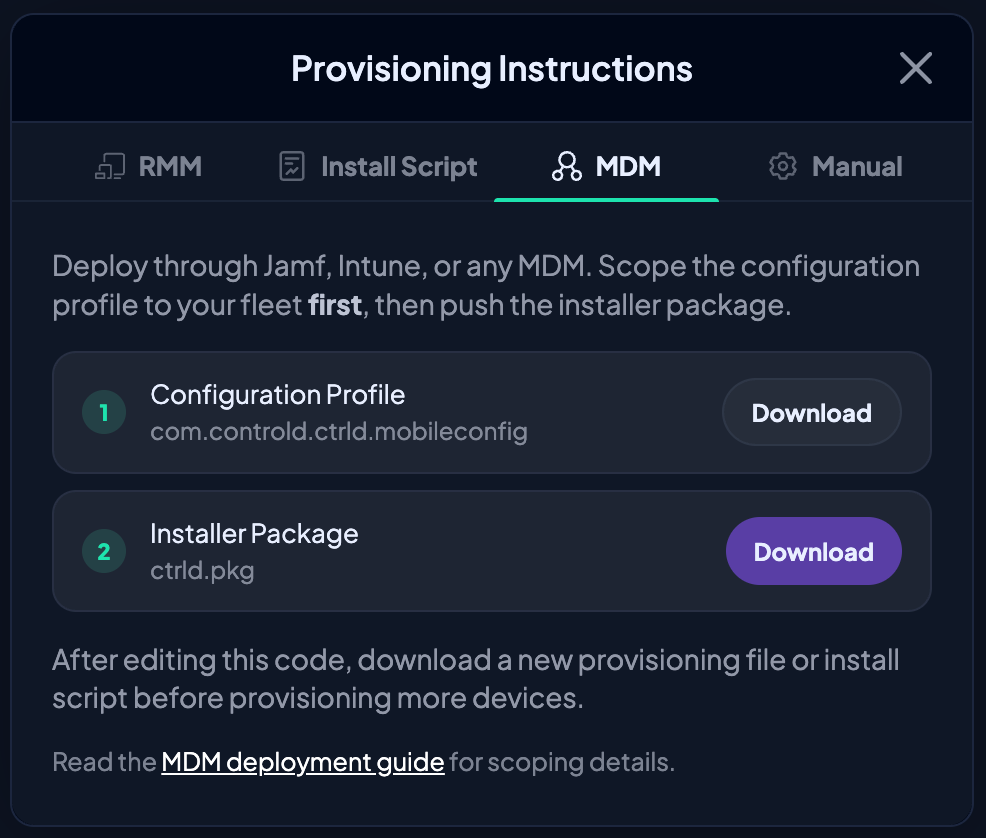
Rolling Control D out across a fleet of Macs is now a lot less manual.
From the Mac provisioning instructions in the Dashboard, organizations can download a signed and notarized universal .pkg, a generated configuration profile, and files tied to Mac provisioning codes.
If you use Jamf or another MDM, this slots right into your usual deployment pattern. Simply push the config profile, install the package, and enroll managed Macs without asking anyone to configure Control D by hand.
4. Clearer Statistics and Activity Log Context
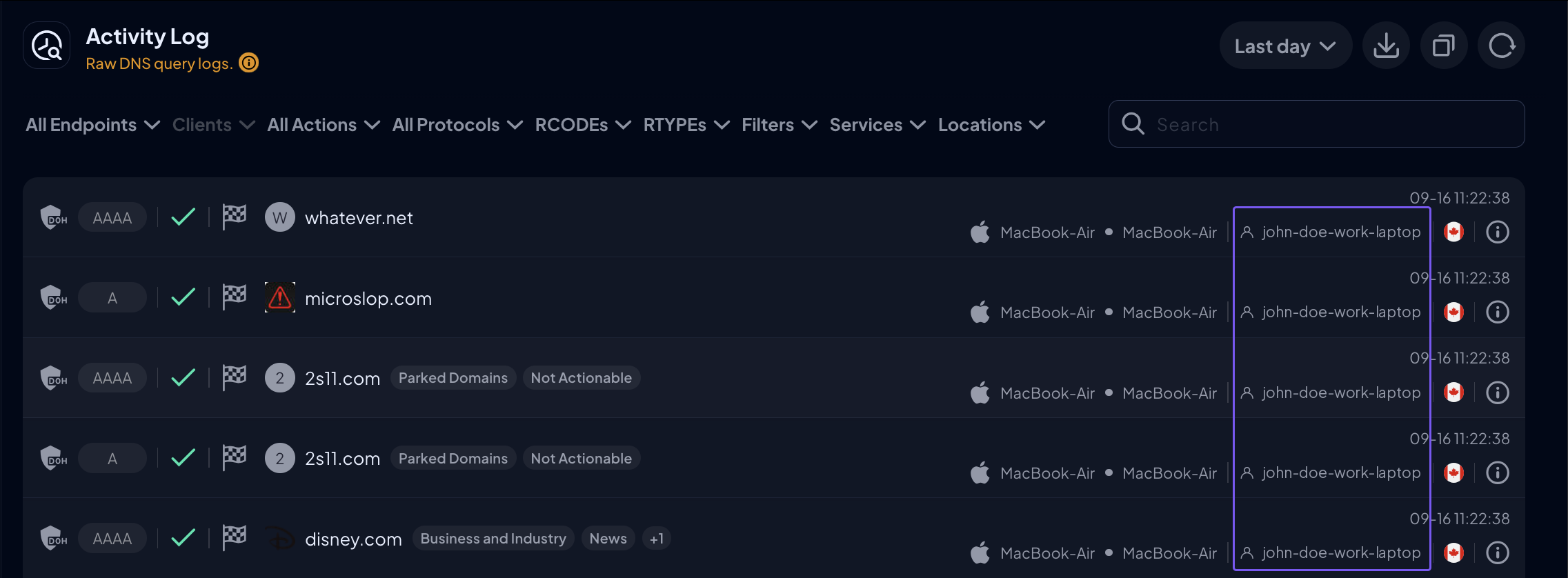
Statistics and Activity Log both got upgrades aimed at making your data easier to read and investigate:
- Tidier Statistics: Charts, loading states, empty states, and error states have been tightened up, so it's easier to tell what you're looking at
- Endpoint-user context in Activity Log: When available, entries can show reported Endpoint-user context
- Richer CSV exports: Exports can include that same Endpoint-user context
So when you're trying to work out which Endpoint or user a piece of DNS activity belongs to, you now have a useful signal right where you're already looking.
5. Better Status Page Diagnostics
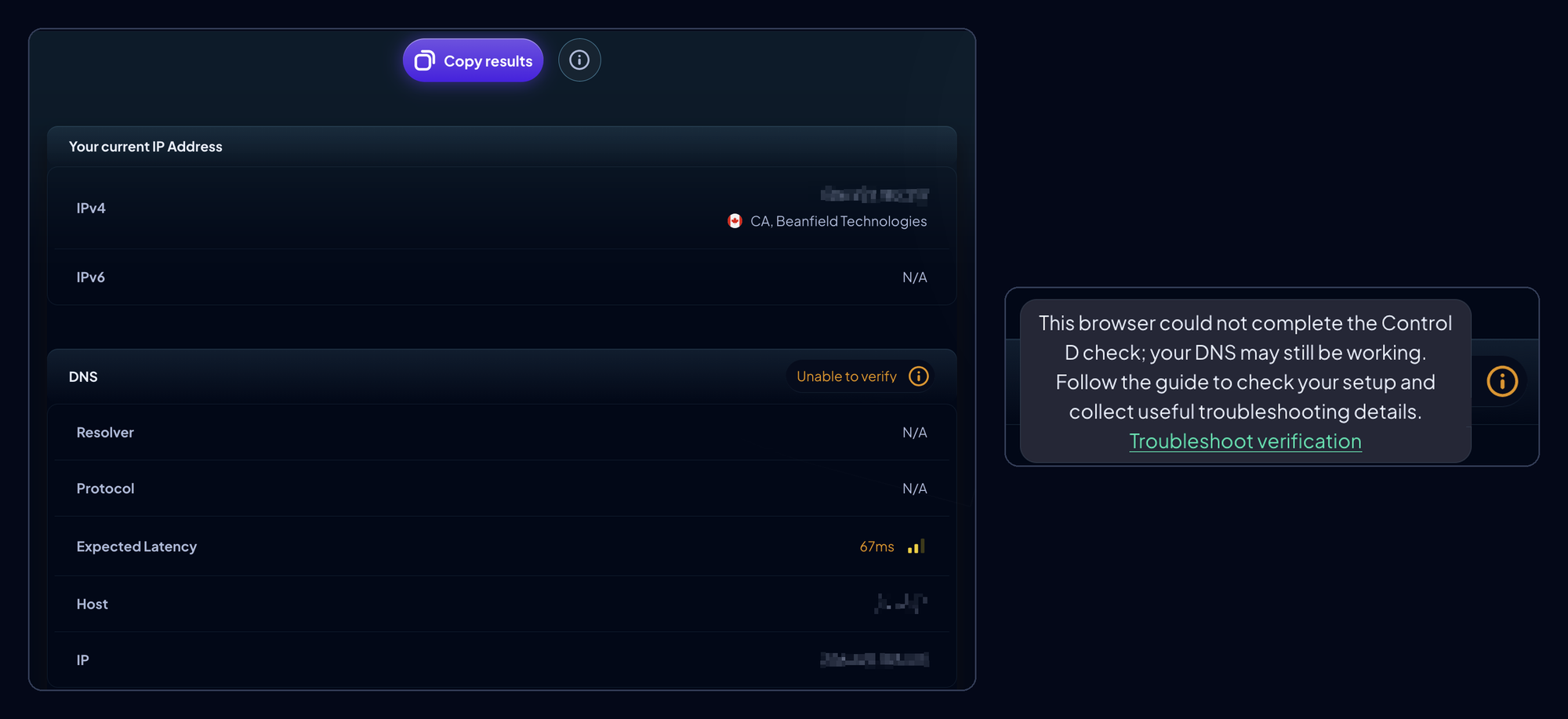
When something looks off, the Status page should now give you a lot more to go on.
It does a better job of separating confirmed negative results from "Unable to verify" cases. Those two outcomes point to different next steps, so telling them apart saves you from chasing the wrong fix.
We've also added clearer explanations, plus browser-side diagnostics like web-request timing and STUN/UDP reachability checks, so you'll have better troubleshooting signal before anyone needs to open a support ticket.
6. Bulk Admin Actions at Scale
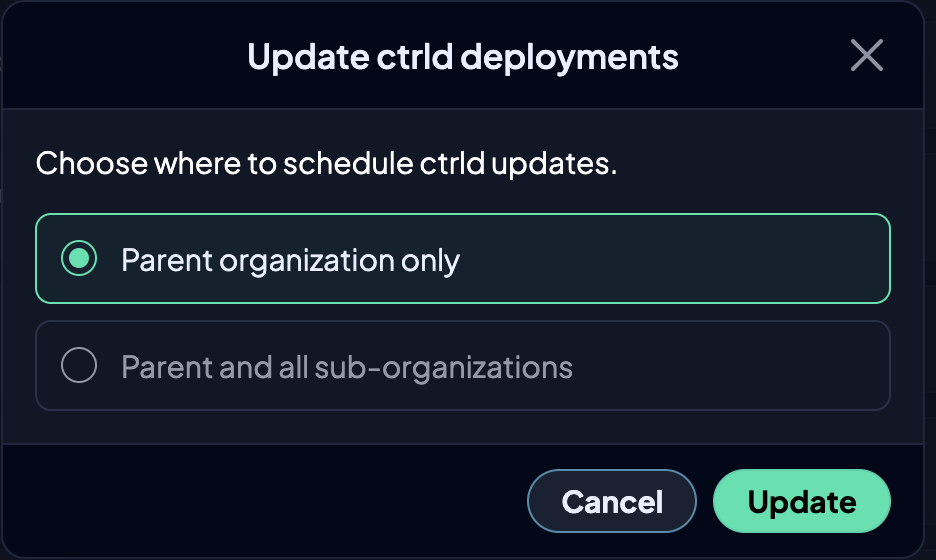
Some admin tasks are only painful because you have to repeat them over and over. A handful of those workflows now work in bulk:
- Reporting incorrectly blocked or allowed domains
- Service actions
- ctrld updates across Sub-Organizations
Pending ctrld updates also come with clearer failure reporting, plus retry and cancel controls.
What Else?
- No more three-country limit on Home Countries, plus more countries to choose from and better flag previews
- Copy a day's schedule to other days straight from the schedule editor
- See which scheduled Profile is active on each Endpoint
- Geo rules and domain rules are now easier to tell apart in Custom Rules
- Healthy results are easier to spot with clearer Benign Blocks on the Statistics page
- Clearer provisioning-code availability, plus a confirmation step before invalidating a code
- Microsoft SSO is now labeled Entra ID
- Turn off onboarding hints once, and they stay off across sessions and devices
- Resend verification emails from the confirmation screen
- Refreshed website navigation and a simpler organization signup flow
- New Resources page that brings our case studies, guides, free tools, docs, and podcast together in one place
- Fixed billing issues with checkout discounts, billing periods, and Change Plan calculations
- Fixed bugs in Custom Rules search, Folder Rules, profile imports, Admin Logs, SSO organization pages, Statistics totals, and Traffic Categories in light mode
- Custom Analytics retention is now available for consumer accounts
As always, head over to our Changelog for a full breakdown of every update.
What's Coming Soon?

We've got more in the pipeline. Here's a sneak peek:
- Supercharged Barry (3.0)
- Multiple report templates, including Coverage Gaps and Top Talkers
- More Analytics enhancements (e.g., refining by apex domain/TLD)
- “What If” testing for Filters and Services
- Managed ctrld update policies for organizations
- Real-time new-domain threat detection
We're constantly improving Control D to make it the best DNS service on the market, and your feedback remains integral to that process.
If there's a feature you'd like to see or a suggestion you’d like to share, let us know via our Suggest a Feature page.