
Control D vs. Quad9: Which DNS Service Is Right For You?
Control D vs. Quad9: compare free DNS resolvers, malware block rates (99.98% vs. 96.66%), privacy, ad/tracker blocking, and customization capabilities.

Picking a DNS resolver can feel like choosing a lock for your front door. Both locks might “work” until you learn that one also comes with an alarm, a camera, and a log of who tried to break in.
That’s the heart of Control D vs. quad9:
- Quad9 is a free public DNS resolver focused on blocking malicious domains. It’s built to stop “known bad” sites (phishing, malware, exploit kits). It does not do content filtering
- Control D also provides free DNS resolvers (with different preset blocking styles), and it can grow into a full DNS filtering platform with deep customization, analytics, and business features when you upgrade
Below is a practical comparison of the two, focused on what “free” actually means, where Quad9 shines, where it falls short, and why Control D is often the better long-term fit.
Control D vs. Quad9: Quick takeaway
Choose Quad9 if you want a set-and-forget, no-cost resolver that blocks malicious domains, and you don’t need content controls, reporting, or per-user policies.
Choose Control D if you want:
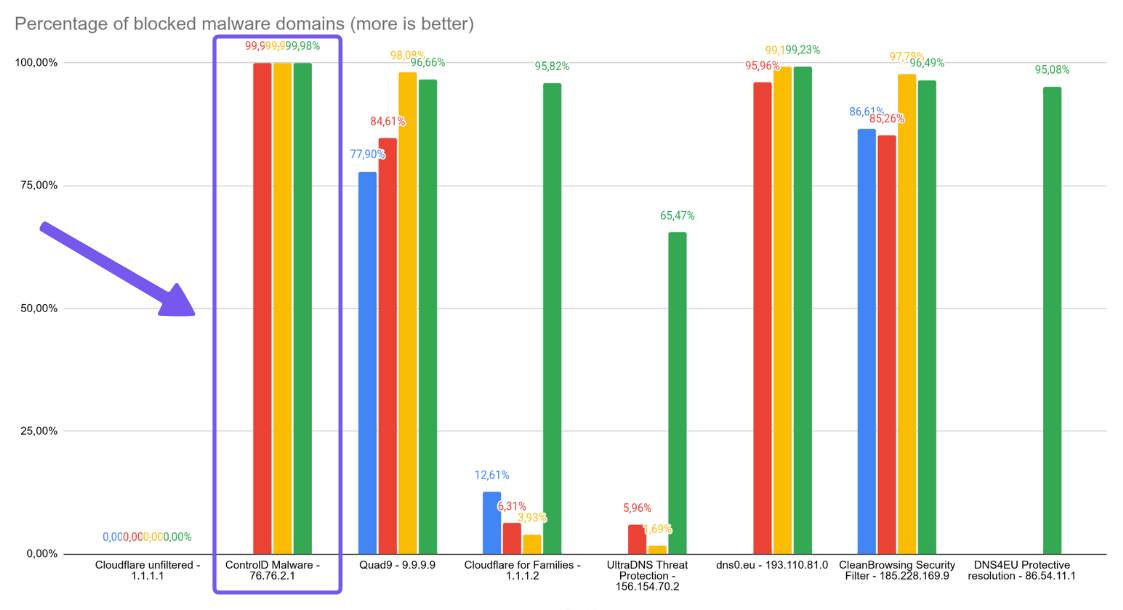
- Better malware blocking performance based on independent public DNS testing (99.98% vs Quad9’s 96.66%)
- Free DNS: free resolver with the option to block ads/trackers, use a community blocklist, or build a custom configuration – still without needing an account
- Personal/Business: managed DNS filtering platform with profiles/policies per device or group, analytics/activity logs, and (for business) multi-admin organization structure and features like admin logs
If you’re asking “which is better” in the broad sense, Quad9 is good at what it’s designed to do, but Control D is the better fit for most people because it can cover the same basic “secure DNS” use cases on the free tier, and scale up into granular customization when your needs change.
Control D vs. Quad9: At-a-glance comparison table
| Feature | Quad9 (Free public resolver) | Control D Free DNS | Control D Personal/Business |
|---|---|---|---|
| Cost | Free | Free | Paid (personal + org pricing) |
| Primary focus | Security-only DNS blocking | Security + optional filtering | Managed policies + org controls |
| Malware filter effectiveness | 96.66% | 99.98% | 99.98% |
| Content filtering | ❌ | ✅ | ✅ |
| Ad & tracker blocking | ❌ | ✅ | ✅ |
| Custom config builder | ❌ | ✅ | ✅ |
| Community blocklists | ❌ | ✅ | ✅ (rules + policies) |
| Analytics / query logs | ❌ | ❌ | ✅ |
| Multi-admin / org features | ❌ | ❌ | ✅ (Organizations, admin logs, multi-tenancy) |
| Encrypted DNS | DoH, DoT, DNSCrypt | DoH, DoT, DoH3, DoQ | DoH, DoT, DoH3, DoQ |
| Best for | “Set and forget” network security | “Set and forget” network security + customization | More control + management at scale |
Understanding Quad9 and Control D: The Two Approaches
Before we dive into the comparison, let's quickly cover what these services actually do.
What Is Quad9?
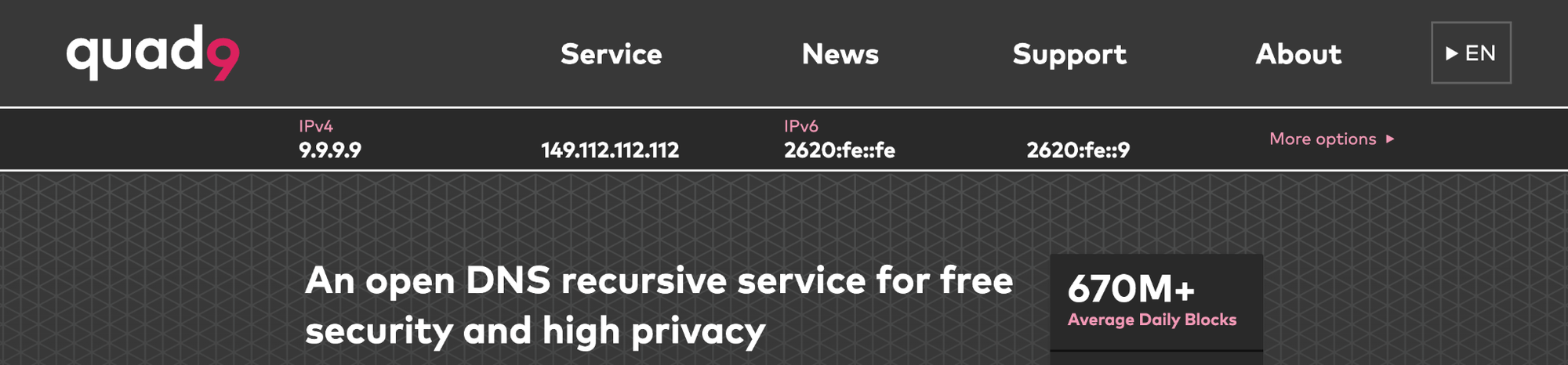
Quad9 is a non-profit DNS resolver launched in 2017 with backing from IBM, Packet Clearing House, and the Global Cyber Alliance. It's supported by organizations like the National Cyber Security Centre and focuses on one thing: blocking access to malicious domains while keeping your DNS queries private.
When you use Quad9, your DNS requests get filtered through their threat intelligence feeds. If a website is known to host malware, phishing attacks, or other threats, Quad9 blocks it before your device can connect. It's completely free and doesn't log your IP address or track what websites you visit.
What Is Control D?
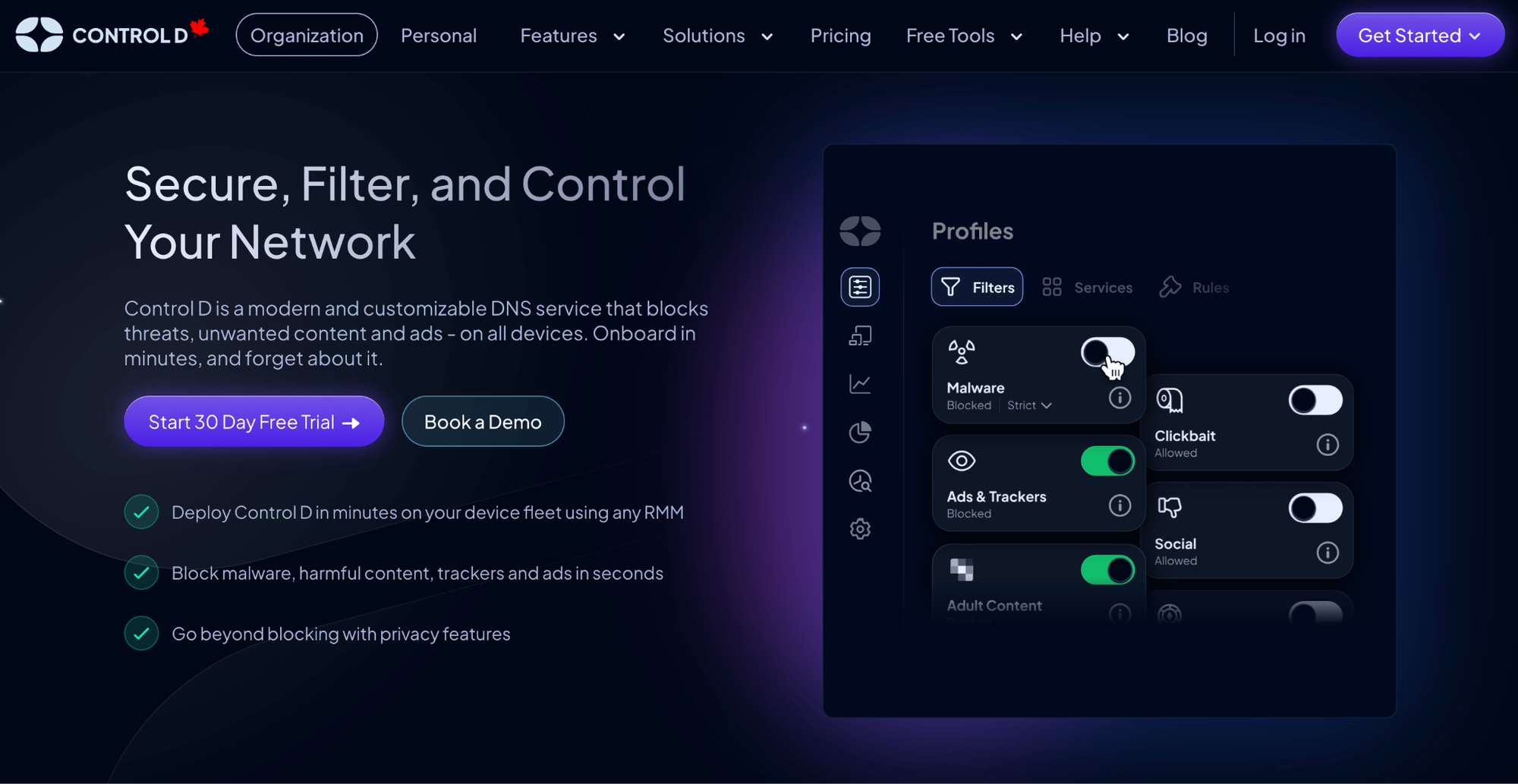
Control D also provides DNS servers you can use as a free resolver. It starts with the same foundation as Quad9, blocking threats and protecting your privacy, but adds layers of customization and features on top – all while still being on the free tier.
On top of that, Control D offers personal plans for individuals who want more control and analytics, and business pricing for organizations that need enterprise-grade DNS security and filtering without the enterprise cost or bloat.
Best for: Anyone who wants a free DNS resolver with strong privacy and security, plus upgrade paths for individuals tweaking their home network and businesses managing entire organizations.
Free DNS Resolvers: Where They Actually Compete
| Feature | Quad9 (Free) | Control D (Free) |
|---|---|---|
| Malware/Phishing Protection | ✅ 96.66% block rate | ✅ 99.98% block rate |
| Privacy Protection | ✅ | ✅ |
| Custom Configurations | ❌ | ✅ |
| Community Blocklists | ❌ | ✅ |
| Ad Blocking | ❌ | ✅ |
| Tracker Blocking | ❌ | ✅ |
| Analytics / Query Logs | ❌ | ❌ |
| DNS Protocols | DoH, DoT, DNSCrypt | DoH, DoT, DoQ, DoH3 |
| Sign Up Required | ❌ | ❌ |
| Cost | Free | Free |
Since Quad9 only offers a free service, this is the only place we can directly compare it to Control D head-to-head.
Quad9's Free DNS Resolver
The Quad9 DNS approach is simple. You point your device or router to their DNS servers (9.9.9.9 is their primary resolver), and you're protected. Their threat intelligence comes from multiple sources, and they update their blocklists constantly to catch new threats.
What you get:
- Threat blocking for malicious domains (phishing/malware/exploit infrastructure)
- Quad9 states that it does not log end-user IP addresses and does not share data with marketers
- Encrypted DNS support (DoH, DoT, and DNSCrypt)
- Global anycast network with 200 server locations in 90 nations
- Set it and forget it: change your DNS settings to point towards Quad9, and you’re set up
What you don't get:
- Any customization beyond choosing their pre-set resolvers
- The ability to block specific categories of content or services
- Analytics or visibility into what's being blocked
- Ad blocking or tracker blocking
- Dedicated support when things break
- No team/business-focused features
It's DNS security in its purest form. You can't tweak anything, but you also don't need to. You set it and forget it.
Control D's Free DNS Resolvers: Already Better Than Quad9
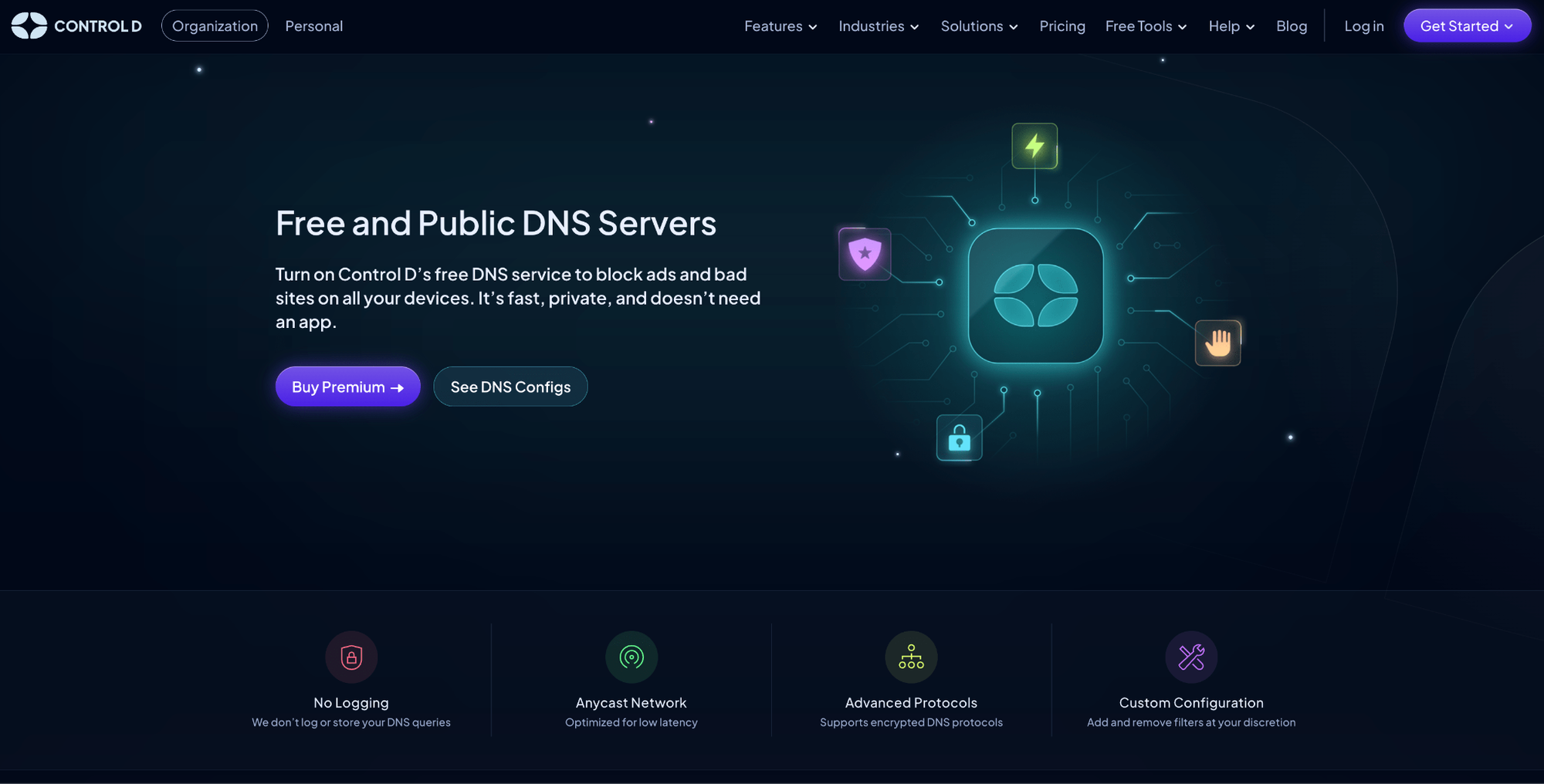
Control D also offers free and public DNS servers that compete directly with Quad9, but with much greater flexibility.
Instead of one configuration, you get multiple options:
- Malware and phishing blocking: basically the Quad9 experience
- Malware + phishing + ad blocking: security plus ad and tracker blocking
- Malware + phishing + social media blocking: for people who want to limit Facebook, Twitter/X, etc.
- Malware + phishing + adult content + drug sites + ad blocking: family-friendly DNS
The free tier also gives you access to community blocklists, including those from OISD, Hagezi, AdGuard, Steven Black, and 1Hosts.
In addition to that, you can create a custom configuration where you mix and match categories to create your own setup from the following options:
- Ads & Trackers
- Adult Content
- Dating
- Drugs
- Gambling
- Government Sites
- Malware
- Phishing
- Social
You still get the same benefits as with Quad9, including no logging of DNS queries or data sharing, encrypted DNS support, a global anycast network, and an easy, set-and-forget deployment.
And here's the kicker: independent testing found that Control D blocks malware more effectively than any other public DNS services, including Quad9. So you're not just getting more options, you're also getting better protection.
When You Need More: Control D's Paid Plans
Quad9 doesn't offer paid plans because it's a non-profit focused solely on providing free DNS protection. That's admirable, but it means if you outgrow what Quad9 offers, you need to look elsewhere.
Control D is built to scale from personal use to enterprise deployments. The free tier is genuinely free forever – no bait-and-switch here – but if you need additional capabilities, they've got you covered.
Why Paid Plans Matter
Free DNS works great until you need:
- Analytics: See what devices are querying what websites, track blocked threats, and understand network usage
- Team Management: Set different policies for different family members, users, or departments
- Better Support: Get help from actual humans when something breaks
- Business Features: API access, SIEM integration, compliance reporting
- More Endpoints: The free tier covers personal use; businesses need to cover dozens or hundreds of devices
Control D Personal Plans
Control D offers two paid personal plans:
- Some Control: $3/month or $30/year
- Full Control: $6/month or $60/year
Both personal paid plans include:
- Comprehensive analytics dashboard: You can see what's being blocked, when, and from which devices (or opt for no logging if you don’t care about analytics)
- Service blocking and custom rules: Create sophisticated filtering beyond basic categories. Block specific Services (apps, tools, etc.), and allow exceptions for sites you need. Set up rules that make sense for your situation
- Multiple devices and profiles: Different rules for different devices or different rules for each family member
- Email support: Access to email support if things break
The only difference between Some Control and Full Control is that Full Control unlocks the Traffic Redirection feature, which lets you route all traffic, specific domains, or specific Services through one of 100+ proxy servers in 60+ countries, without needing a VPN.
Control D Business Plans
For organizations, Control D offers four pricing tiers based on organization type:
- SMB: $2/endpoint/month
- School/Non-Profit: Contact
- MSP: Contact
- Enterprise: Contact
Business plans add a whole host of features and capabilities tailored to an organization's use cases.
Worth noting: every organization type gets Control D's core feature set on day one and receives new releases as they ship.
Schools, non-profits, MSPs, and Enterprise teams go through a quick conversation so the deployment, support model, and billing fit how their organization operates.
Policy Management
- Access to 20 filtering categories, compared to the free tier’s 9
- Ability to block over 1,000 individual Services (apps, tools, platforms)
- Create granular policies for different departments, user groups, or device types
- Time-based filtering rules (e.g., block social media during work hours)
- Custom block and allow lists based on your needs
- Multiple enforced profiles, so department policies override company-wide defaults
Analytics and Reporting
- Real-time view of threats being blocked across your organization
- Historical data for spotting trends and patterns
- Admin action logs for clear audit trails
- Export capabilities for compliance and security audits
- Per-device, per-user, or organization-wide reporting views
- SIEM log streaming for security teams
- Scheduled reports (daily, weekly, monthly)
Fleet Management
- Deploy DNS configurations across hundreds or thousands of devices with RMM/MDM integration
- Multi-tenancy to manage multiple clients or companies from one dashboard
- Roaming client support for securing remote workers
- Integration with your existing identity providers (e.g., Okta, Entra ID)
- API access to automate everything and integrate with other security tools
Support:
- Actual humans who respond to your questions
- Help with planning deployment and architecture
- Onboarding assistance so you don't figure it out alone
- An AI assistant, Barry, that can answer 99% of queries in seconds
These aren't features most individuals need, but they're essential for organizations managing network security across multiple locations or hundreds of employees.
Control D vs. Quad9: Feature Deep Dive
Let's get into the specifics of how these DNS services actually work in practice.
1. Security
| Feature | Quad9 Free DNS | Control D Free DNS | Control D Paid Plans |
|---|---|---|---|
| Malware & Threat Protection | 96.66% | 99.98% | 99.98% |
| No Logging | ✅ | ✅ | ✅ (Optional logging available) |
| Encrypted DNS Protocols | DoH, DoT, DNSCrypt | DoH, DoT, DoH/3, DoQ | DoH, DoT, DoH/3, DoQ |
Both Control D and Quad9 take your data privacy seriously, but they approach it differently.
a) Malware & Threat Protection
Quad9 uses threat intelligence from multiple sources, including IBM X-Force, and continuously updates its blocklists. In an independent test conducted in June 2025, Quad9 blocked 96.66% of known malware domains.
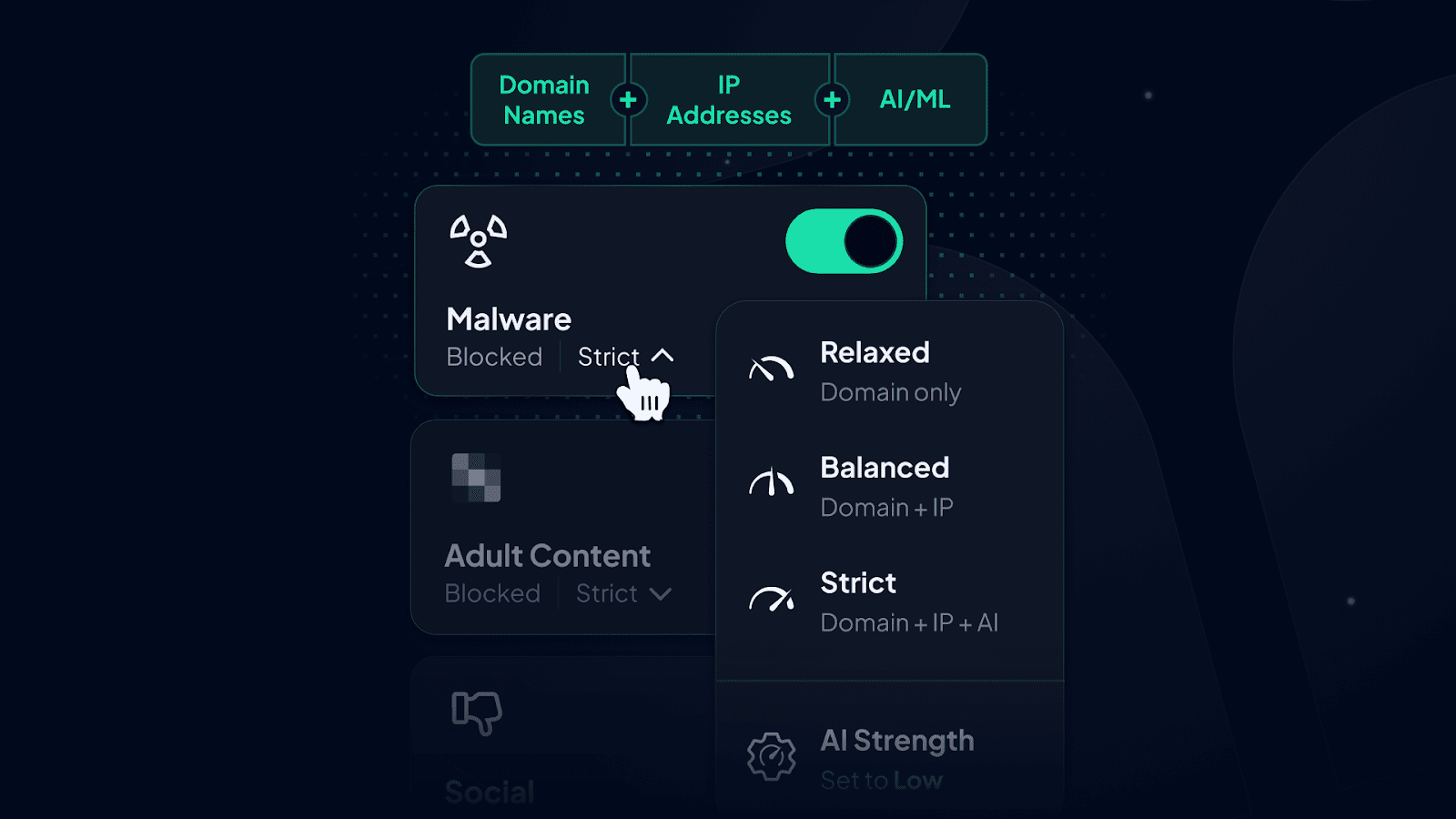
Control D uses AI and machine learning to identify malicious domains in real-time, not just relying on static blocklists. This means it can catch brand-new threats that haven't been reported yet. In that same test, Control D blocked 99.98% of malware domains – essentially a perfect score.
To put that in perspective: if both services saw 10,000 attempts to access malware sites, Quad9 would block 9,666 and let 334 through. Control D would block 9,998 and let only 2 through.
b) Encrypted DNS Protocols
Both services support modern, encrypted DNS protocols:
- DNS over HTTPS (DoH): Encrypts your DNS requests inside HTTPS traffic
- DNS over TLS (DoT): Encrypts DNS using TLS
Control D also supports:
- DNS over QUIC (DoQ): Faster and more efficient than DoH or DoT
- DNS over HTTP/3 (DoH3): The latest version with improved performance
2. Content Filtering & Customization
| Feature | Quad9 Free DNS | Control D Free DNS | Control D Paid Plans |
|---|---|---|---|
| Filtering Content Categories | ❌ | ✅ (9) | ✅ (20) |
| Ad & Tracker Blocking | ❌ | ✅ | ✅ |
| Services Blocking | ❌ | ❌ | ✅ (1,000+) |
| Geo-Custom Rules | ❌ | ❌ | ✅ |
| Traffic Redirection | ❌ | ❌ | ✅ |
This is where Control D absolutely dominates, because Quad9 doesn't offer any content filtering beyond malware.
a) Services Blocking
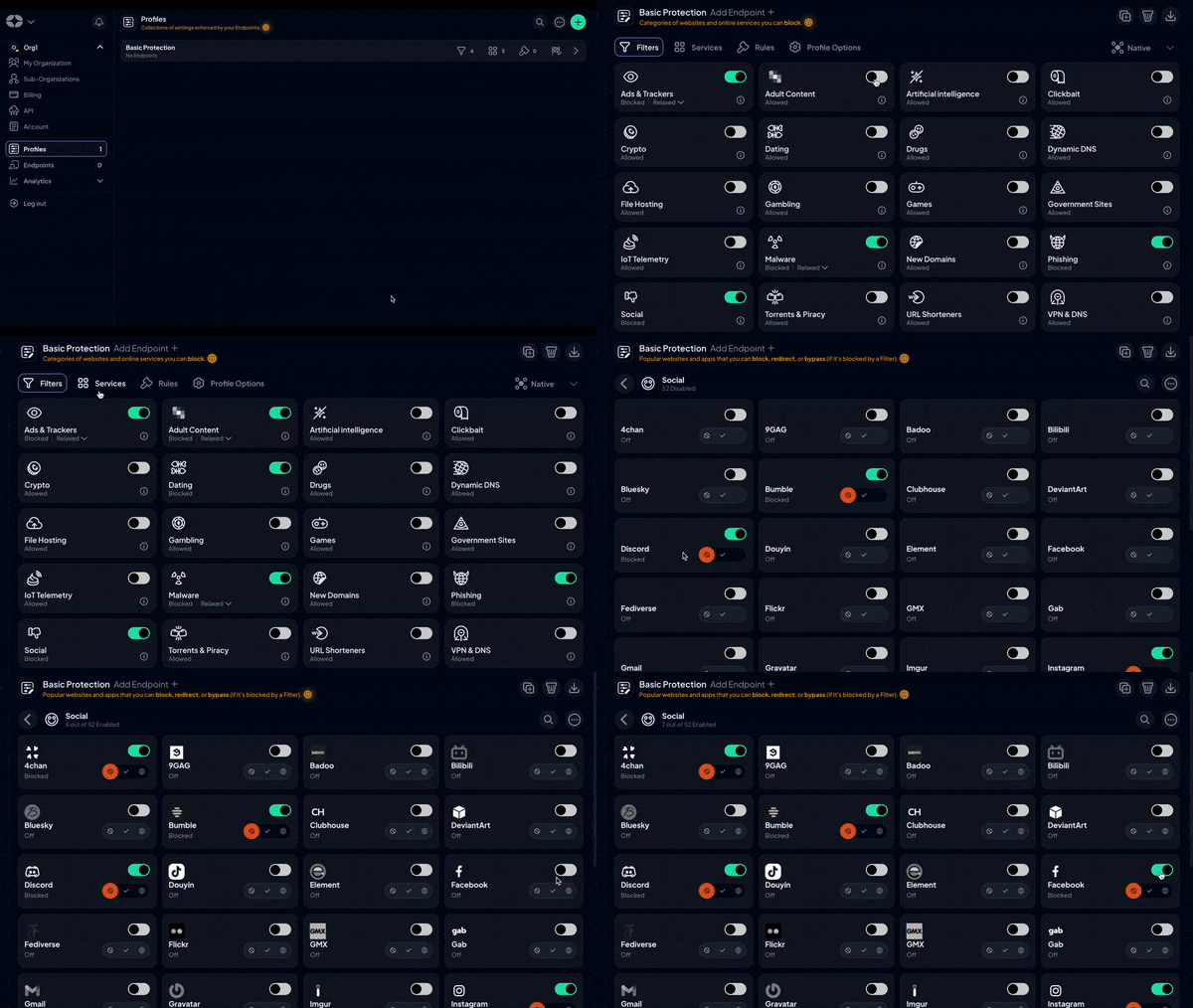
Control D's Services feature is one of its most powerful tools. Instead of just blocking categories, you can block specific platforms, apps, and services.
Here's a real example: Let's say you run a small business and want to block social media during work hours, but your marketing team needs access to LinkedIn. Quad9 does not give you this option; all social media platforms are accessible.
With Control D:
- Turn on the Social Media Filter to block all social media platforms
- Go to Services and toggle "Bypass" for LinkedIn, creating the exception
- Done
Your marketing team can access LinkedIn, but can't waste time on Instagram, TikTok, Facebook, or Twitter. It takes 10 seconds to set up.
Control D has over 1,000 services cataloged, including:
- Social media platforms (Snapchat, TikTok, Instagram, etc.)
- Streaming services (Netflix, Disney+, YouTube, etc.)
- Gaming platforms (Steam, Epic Games, Xbox, etc.)
- Messaging apps (WhatsApp, Telegram, Discord, etc.)
- Adult content sites
- Gambling platforms
- Cryptocurrency services
- Dating apps
You get granular, service-level control that isn't possible with Quad9.
b) Ad Blocking & Tracker Blocking
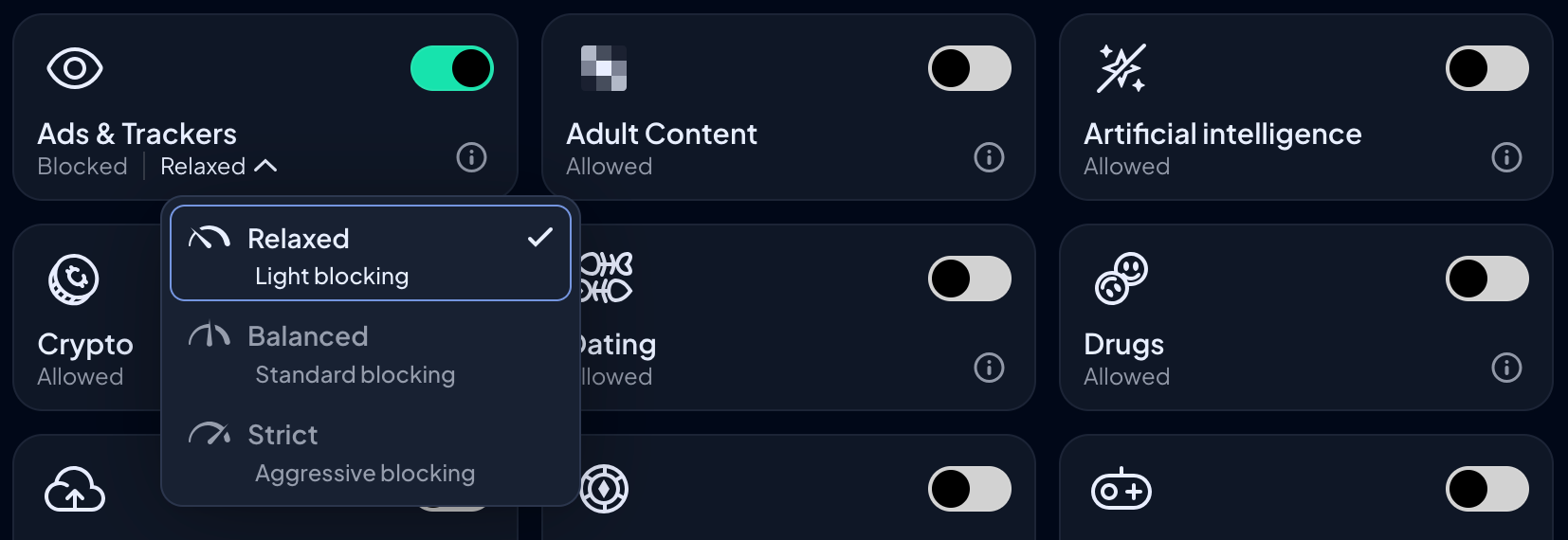
This is simple: Quad9 doesn't block ads or trackers. Control D does.
Control D blocks these ads and trackers at the DNS level. When a website tries to load an ad or tracking script, the DNS request fails, and it never loads. You get:
- Faster page loading (ads and trackers slow down websites)
- Better privacy (tracking scripts can't phone home)
- Less data usage (you're not downloading ad content)
- Cleaner browsing experience
Control D offers three blocking levels:
- Relaxed: Blocks the most common, annoying ads and trackers
- Balanced: Blocks more aggressively but still lets some ads through
- Strict: Blocks everything known to be an ad or tracker
If you've used Pi-hole or AdGuard DNS, this is similar, but you don't need to run any hardware or software. It's just built into the DNS service.
c) Geo-Custom Rules
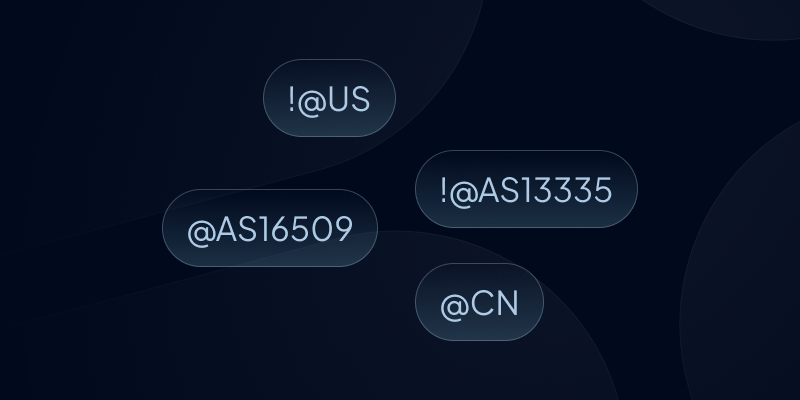
Control D lets you create Geo-Custom Rules based on location. For example, you could block DNS requests from specific countries or only allow requests to servers in certain regions. This is advanced stuff that most home users won't need, but it's incredibly powerful for businesses dealing with compliance or network security requirements.
Quad9 doesn't offer any of this. Their DNS servers are pre-configured, and you can't change how they work.
d) Traffic Redirection
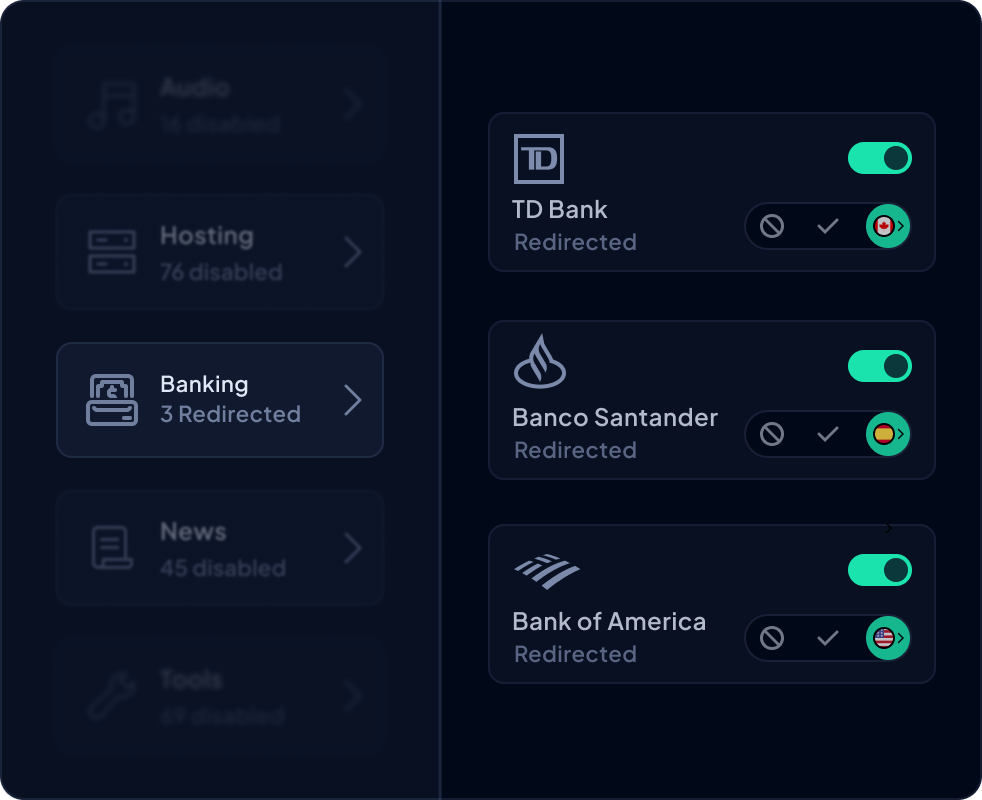
Control D's Traffic Redirection can reroute DNS-based traffic through 100+ proxy locations in 60+ countries to help mask your IP address and make it look like you’re browsing from another region. You can set a single default location for everything, or only redirect certain domains or Services.
For example: “send Netflix through this country, but keep everything else local.” That means you can get location control and IP-masking-style behavior without using a traditional VPN.
3. Privacy, Analytics, and Visibility
| Feature | Quad9 Free DNS | Control D Free DNS | Control D Paid Plans |
|---|---|---|---|
| (Optional) Query Logging | ❌ | ❌ | ✅ |
| Query Log Retention | ❌ | ❌ | 1 month |
| Report Retention | ❌ | ❌ | 30 days with hourly detail, 1 year with daily detail |
| Analytics Retention | ❌ | ❌ | Up to 1 year |
| Scheduled Reporting | ❌ | ❌ | ✅ |
| SIEM Log Streaming | ❌ | ❌ | ✅ |
| Data Export | ❌ | ❌ | ✅ |
| Admin Action Logs | ❌ | ❌ | ✅ |
| Data Storage Regions | ❌ | ❌ | 3 + custom |
Quad9's Approach: Maximum Privacy
Quad9 doesn't give you any analytics, logs, or visibility into what's happening. That's by design. They don't track your queries, so they can't show them to you.
This is great for privacy purists who want zero data collection. It's less great if you're a parent trying to figure out what websites your kids are accessing, or a business owner who needs to prove compliance with security policies.
Control D's Approach: Privacy, with Transparency and Control
Control D also lets you store no logs or analytics for complete privacy. However, for those who want data, you can toggle on Analytics for detailed insights about your network activity:
Query Logs: See every DNS request made from your devices for the last 30 days. This includes the domain requested, which device made the request, whether it was blocked or allowed, and why.
Real-Time Stats: Watch DNS queries happen in real-time. Helpful for troubleshooting connection issues or seeing if a device is infected with malware (you'll see it making tons of requests to suspicious domains).
Admin Action Logs: History of admin changes in an Organization account (who changed what, and when). They help you trace mistakes fast and keep an audit trail for compliance.
Reports: Generate reports showing:
- Total queries served, blocked, and redirected
- Most frequently blocked domains and services
- Most frequently visited domains
- Traffic flow by country and network
- Per-device and per-user breakdowns
Data Retention:
- Query logs: 30 days
- Reports: 30 days with hourly detail, 1 year with daily detail
- Analytics: Up to 1 year
For businesses, Control D can stream logs to your SIEM tool for unified security monitoring. You can also export data for compliance audits or analysis.
4. Support & Resources
| Feature | Quad9 Free DNS | Control D Free DNS | Control D Paid Plans |
|---|---|---|---|
| Documentation | ✅ | ✅ | ✅ |
| Community Support | ✅ | ✅ | ✅ |
| Email Support | ❌ | ✅ | ✅ |
| AI Assistant | ❌ | ✅ | ✅ |
| Suggest a Feature | ❌ | ✅ | ✅ |
When something goes wrong, or you have questions, what kind of help can you expect?
Quad9 Support
Quad9 offers:
- Documentation: Guides for setting up Quad9 on different devices and routers
- FAQ: Answers to common questions
- Email Support: Submit a ticket (there’s no guarantee you’ll get a response)
- Community Forum: Ask questions and get help from other users
It's basic but functional. Since Quad9's setup is so simple, most people don't need much support.
Control D Support
Control D offers more robust support:
Barry: An AI assistant named Barry that can answer most questions instantly. Barry's trained on Control D's entire documentation, common support issues, and technical details. For simple questions like "How do I set this up on my iPhone?" or "Why isn't a site loading?", Barry usually has the answer in seconds.
Community: Active communities on Reddit and Discord where you can get help from other users and Control D's team.
Comprehensive Docs: Detailed documentation covering everything from basic setup to advanced configurations, API usage, and troubleshooting.
Email Support: Submit a ticket for more complex issues.
Suggest a Feature: You can propose new features or vote on suggestions from other users. Control D actively implements popular requests.
The difference in support depth reflects the difference in complexity. Quad9 is simple enough that you rarely – if ever – need help. Control D has more functionality, so it offers more ways to get help when you need it.
Pros and Cons Summary
Let's lay out the pros and cons of each service.
Quad9
✅ Pros
- Simple setup
- Strong focus on network security
- Good at blocking malicious domains/malware domains
- Great “set and forget” option for a whole local network
❌ Cons
- Zero customization options
- No content filtering beyond malware
- No ad blocking or tracker blocking
- No paid tier for business features
- Slightly lower malware block rate than some competitors
Bottom Line: Quad9 is good at one thing: providing simple, private DNS protection to protect users. If that's all you need, it can do the job.
Control D
✅ Pros
- Free resolver options plus flexible filtering (block ads, trackers, content categories)
- Best-in-class malware blocking (99.98% block rate)
- Clear path to granular control via paid plans (personal/business) if you sign up
- Scales from free tiers to personal use to enterprise deployments
- Analytics dashboard with detailed insights
- Excellent support (community, Barry chatbot + human assistance) on paid plans
- Often, the better “one DNS provider for everything” approach
❌ Cons:
- More options mean you may want to spend a little time choosing the right configuration
- Requires sign-up for advanced features, analytics, and support
- More complex if you use advanced features (though simple if you don't)
- Paid plans required for analytics and support
Bottom Line: Control D offers better protection and significantly more features than Quad9 – even on the free tier – delivering far more value.
Final Thoughts
Both Quad9 and Control D are excellent DNS providers that take your privacy and security seriously. You can't go wrong with either one.
But here's the reality: Control D offers everything Quad9 does, plus significantly more, even on the free tier. The malware blocking is measurably better (99.98% vs. 96.66%). You get customization that Quad9 can't match, and ad and tracker blocking. And if you ever need business features, Control D scales while Quad9 doesn't.
If you want simple, free DNS privacy with no frills, Quad9 is solid. If you want better protection, more control, and the flexibility to grow, start with Control D's free DNS resolvers risk-free.