AdGuard DNS Pricing: Is It Worth It?
AdGuard DNS pricing explained: See what each plan really includes, hidden limits, and why Control D delivers better value for homes and businesses.

AdGuard DNS promises simple, network-wide ad blocking and security for just a few dollars a month. On the surface, it looks like an easy win: change your DNS settings, block ads and bad sites, and you’re done.
But once you dig into the details – query limits, plan caps, missing integrations, and inconsistent support – the real question becomes: is AdGuard DNS actually worth it, especially when better alternatives exist?
This guide walks through AdGuard DNS’s pricing model, how much it really costs, what you get for your money, and how it compares to Control D in terms of cost, value, and scalability for both personal and business users.
TL;DR
| Product / Plan | Cost USD |
|---|---|
| AdGuard DNS Starter | $0 |
| AdGuard DNS Personal | $2.49/month + VAT |
| AdGuard DNS Team | $29.99/month + VAT |
| AdGuard DNS Enterprise | Custom (Starts at $0.29/user/month) |
| Control D for Personal Use | $2/month |
| Control D for Organizations | $0.5–$2/month per endpoint |
AdGuard DNS Pricing Breakdown
AdGuard DNS offers four plans, ranging from free to contacting them for a custom quote. Let's break down how much AdGuard DNS costs and what you get at each level.
AdGuard DNS Starter: $0
Offering basic customization and ad blocking, AdGuard DNS Starter comes with a catch: you have a hard limit of 300,000 monthly DNS requests. This means it's helpful to test how AdGuard DNS works with your network before committing, but it probably isn't suitable for long-term or heavy use.
AdGuard DNS Personal: $2.49/month + VAT
The AdGuard DNS Personal plan is meant for families and costs $2.49/month + VAT. Here's what you get:
- 10 million monthly DNS requests
- Up to 20 devices
- 5 DNS servers (these are different filtering policies you can set up)
- Custom filtering rules
- Access to AdGuard's blocklists
- Basic parental controls
- ‘Some Control’ at $2/month or $20/year
- ‘Full Control’ at $4/month or $40/year
The only difference between the two is Full Control allows you to change your location.
AdGuard DNS Team: $29.99–$299.90/month + VAT
The Team plan targets small to mid-sized businesses and ranges from $29.99/month + VAT up to $299.90/month + VAT, depending on how much capacity you need.
It increases its usage limits from the Personal plan. At the low end vs the high end, you’re buying bigger “blocks” of usage:
| Limit | $29.99/month + VAT | $299.90/month + VAT |
|---|---|---|
| Monthly requests | 100M | 1B |
| Devices | 200 | 2,000 |
| Servers | 50 | 500 |
| Rules | 5,000 | 50,000 |
| Dedicated IP addresses | 2 | 20 |
| Support | Yes | Yes |
| Custom domains | Yes | Yes |
| Team access | Yes | Yes |
In between, you’re effectively stacking these blocks. For example, if you need 200M requests and protection for 400 devices, you’re paying for two base Team licenses, so your cost becomes $59.98/month + VAT.
This flexibility is nice for tuning cost to usage, but it also means you’re constantly thinking about your monthly query volume. Growing businesses might eventually run up against these limits.
AdGuard DNS Enterprise: Custom
For large businesses that need unlimited everything, AdGuard offers Enterprise plans. You'll need to contact their sales team for exact pricing since it's customized based on your needs, but AdGuard’s own website says it starts from $0.29/user/month.
If Team pricing is $29.99/month for 200 devices ($0.15/user/month), that means Enterprise pricing is effectively double. Also, you’ll either pay annually per user or per 100M DNS requests.
The Enterprise plan gets you:
- Unlimited requests
- Unlimited devices
- Unlimited servers
- 100K custom rules
- Dedicated IPv4 addresses
- Priority support
- Custom Domains
- Team access
In addition to unlimited requests, devices, and servers, the key difference is that the Enterprise plan unlocks priority support.
Additional Costs to Consider
1. Query Overages
AdGuard DNS doesn’t automatically charge overages like a cloud provider might, but the monthly requests cap is a hard limit.
If your router handles all DNS for dozens of devices (phones, laptops, smart TVs, IoT, game consoles), each background app and system service contributes to the query count. Larger companies or heavy power users sometimes find themselves bumping against those limits.
The issue is that once the limit has been reached, you either have to upgrade to a higher tier or be stuck with a regular, unprotected DNS service – no filtering for your connected devices, ad blocking, or logging – until the limit resets at the start of the next month.
2. VAT
Remember, all of the figures you see are the basic price; you then need to add VAT on top. Depending on your country, this could be a sizeable increase to your true per-month costs.
AdGuard DNS Features: What You Actually Get
Okay, so you know the AdGuard DNS cost. But what does your money actually buy you? Let's break down the features.
- Ad blocking & tracking protection
- Blocks ads and trackers across all configured devices
- Helps create a cleaner, faster online environment by removing ad traffic
- Security against malicious domains
- Maintains blocklists for malware, phishing, and other malicious domains
- Custom Rules
- Create custom block and allow lists with “User Rules,” useful if things slip through the cracks or you don’t like AdGuard’s default filters
- Parental controls
- “Family protection” mode to block adult content and enforce Safe Search
- Stats & analytics
- See basic data, such as top domains, top destinations, top companies, and request types
- View which DNS queries AdGuard DNS blocks or allows for each profile
- Query log and analytics retention for up to 90 days
- Customized filtering
- Choose from a limited (<100) selection of individual apps and tools to block
- Use a private DNS server with per-device rules
- Block domains manually or create exceptions
- Modern DNS protocols
- DNS-over-HTTPS (DoH), DNS-over-TLS (DoT), DNSCrypt, DNS-over-QUIC (DoQ)
- Multi-platform support
- Works with routers, Windows, macOS, iOS, Android, and Linux. No per-device installation is required if you configure it at the router level
In short, AdGuard DNS provides DNS-level, easy setup ad blocking and security that can cover all your devices with a relatively small configuration change. That’s why it’s such a popular tool for individuals and families.
Is AdGuard DNS Worth the Cost? Things to Consider
Before committing to an AdGuard DNS plan, let's talk about some important things you should think about first.
1. Who Is AdGuard DNS For?
AdGuard DNS is built for regular people, families, and small teams. The Personal and Team plans show this pretty clearly. If you're someone who wants to block ads at home or run a small business with basic filtering needs, AdGuard DNS fits the bill.
But if you're running a bigger company, managing IT for multiple clients, or need advanced features, AdGuard DNS might leave you wanting more – even the Enterprise plan might not have all the features and capabilities you need.
2. Lack of Enterprise Integrations
Piggybacking off the previous point, there are no official, ready-made integrations for:
- RMM platforms (like NinjaOne, Datto, etc.)
- SIEM tools (Splunk, Sentinel, QRadar)
- SSO/identity providers (Okta, Entra ID)
- Active Directory
You won’t find built-in connectors, syslog/SIEM streaming, or per-user policies based on AD groups as you do with products that are built for enterprise from day one.
AdGuard DNS does have a REST API, and you can script around it: pull logs into a SIEM, manage devices, or push settings via your RMM or MDM. But all of that requires additional time and custom work on your side.
For a typical business, this lack of native integrations is a key reason AdGuard DNS feels more like a strong B2C tool than a full enterprise platform.
3. Is AdGuard DNS Easy to Set Up?
Here's something AdGuard does really well: making setup simple. You don't need to be a tech wizard to get it working. Just change your DNS server settings to point to AdGuard's addresses, and you're good to go. The AdGuard website has clear instructions for different devices and systems.
The dashboard is simple and easy to understand. You can set up filtering policies, check your stats, and change settings without pulling your hair out. For people who want basic DNS control without complexity, AdGuard DNS hits a sweet spot.
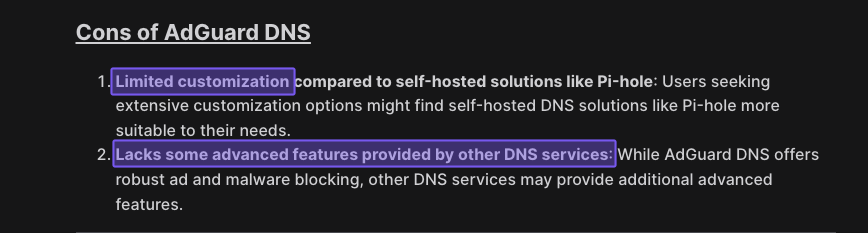
But that simplicity is also a pain point. As soon as you need granular configurations for more complex use cases, AdGuard DNS starts to feel very limiting.

4. Pricing Transparency
Give AdGuard credit here: they're upfront about Personal and Team pricing. You can see exactly what you're paying on their website before signing up. No games, no hidden surprises.
Enterprise pricing is slightly different. That's behind a contact sales button and makes cost comparisons tough for larger organizations. They do mention it starts at $0.29/user/month, but your actual cost will vary based on your needs and use cases.
5. Scalability
AdGuard DNS puts hard limits on monthly requests, devices, and servers for each plan. On paper, those numbers look generous, but even a small business with lots of devices (and a bit of growth) can hit them faster than expected. It’s worth measuring your (projected) DNS traffic and device count first so you don’t land on a plan you outgrow in a few months.
Naturally, as you scale, this can turn into a headache. Growing past your current limits means upgrading, and the jump from Team to Enterprise pricing is twice as expensive.
At the same time, AdGuard DNS is “simple by design,” which is great at the start, but can become a constraint later. Once you need granular policies, complex network layouts, and deeper integrations, that simplicity stops feeling like a safety net and starts feeling like a hard ceiling.
6. Support Quality
When you pay for AdGuard DNS, “support” mainly means:
- Online FAQ and Knowledge Base with setup and troubleshooting guides
- Email-based technical support team
- Forms to report incorrect blocking or send feedback
Enterprise customers get a bit more on top of that:
- Priority support (your tickets should be handled first)
- A dedicated account manager to help with onboarding and day-to-day questions
However, even at the Enterprise level, this all still runs through email, and AdGuard doesn’t publish any clear response-time guarantees (SLAs) for DNS support on its site.
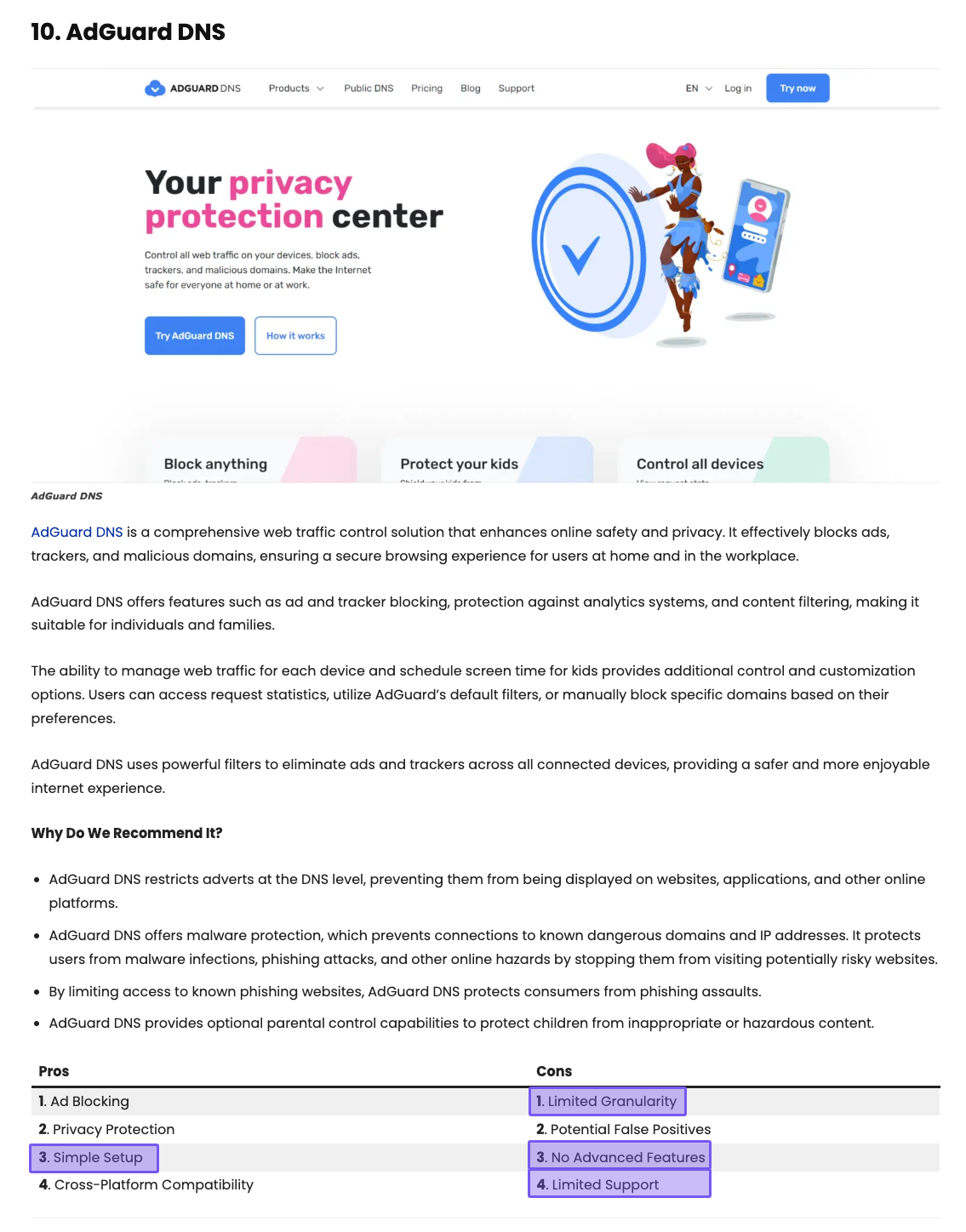
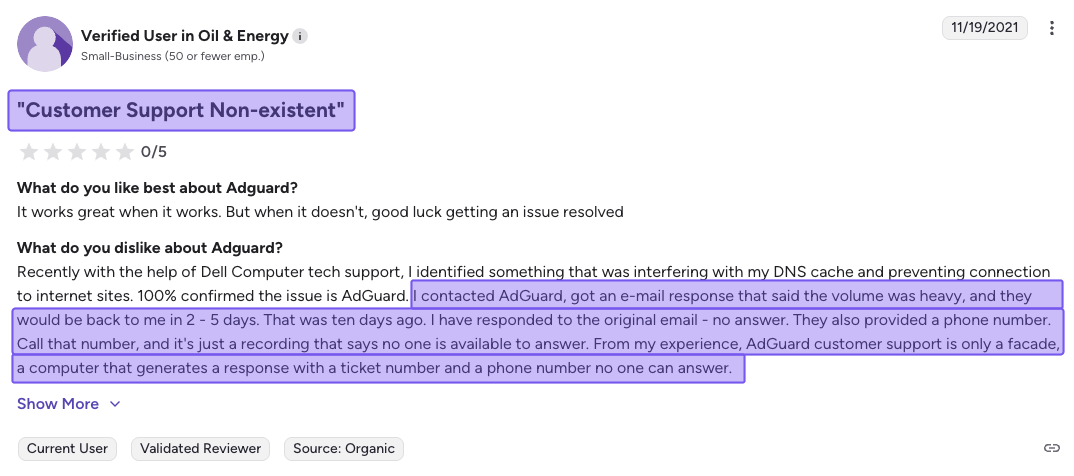
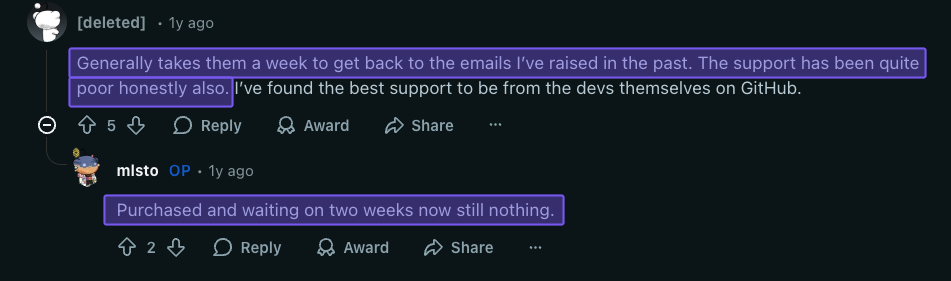
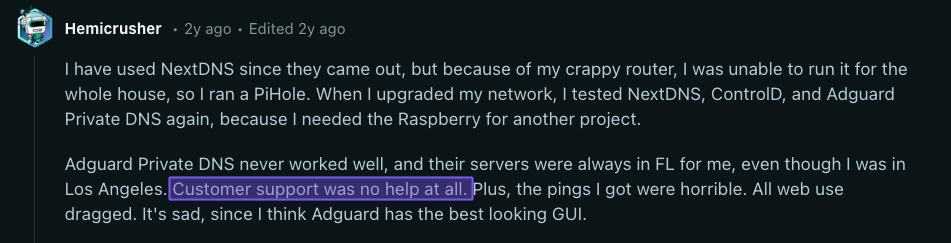
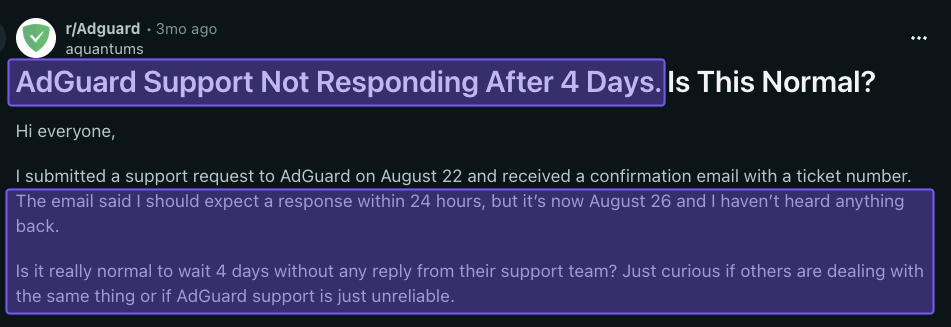
Most individual and family users seem happy with the help they get, especially for basic setup and simple issues. For businesses that treat DNS as critical infrastructure, this may feel a little thin – especially if something breaks and you need answers fast.
You can see this in the real-world examples below, where several users report slow or delayed responses, suggesting AdGuard’s support can be quite inconsistent.

Control D Offers More Value Than AdGuard DNS
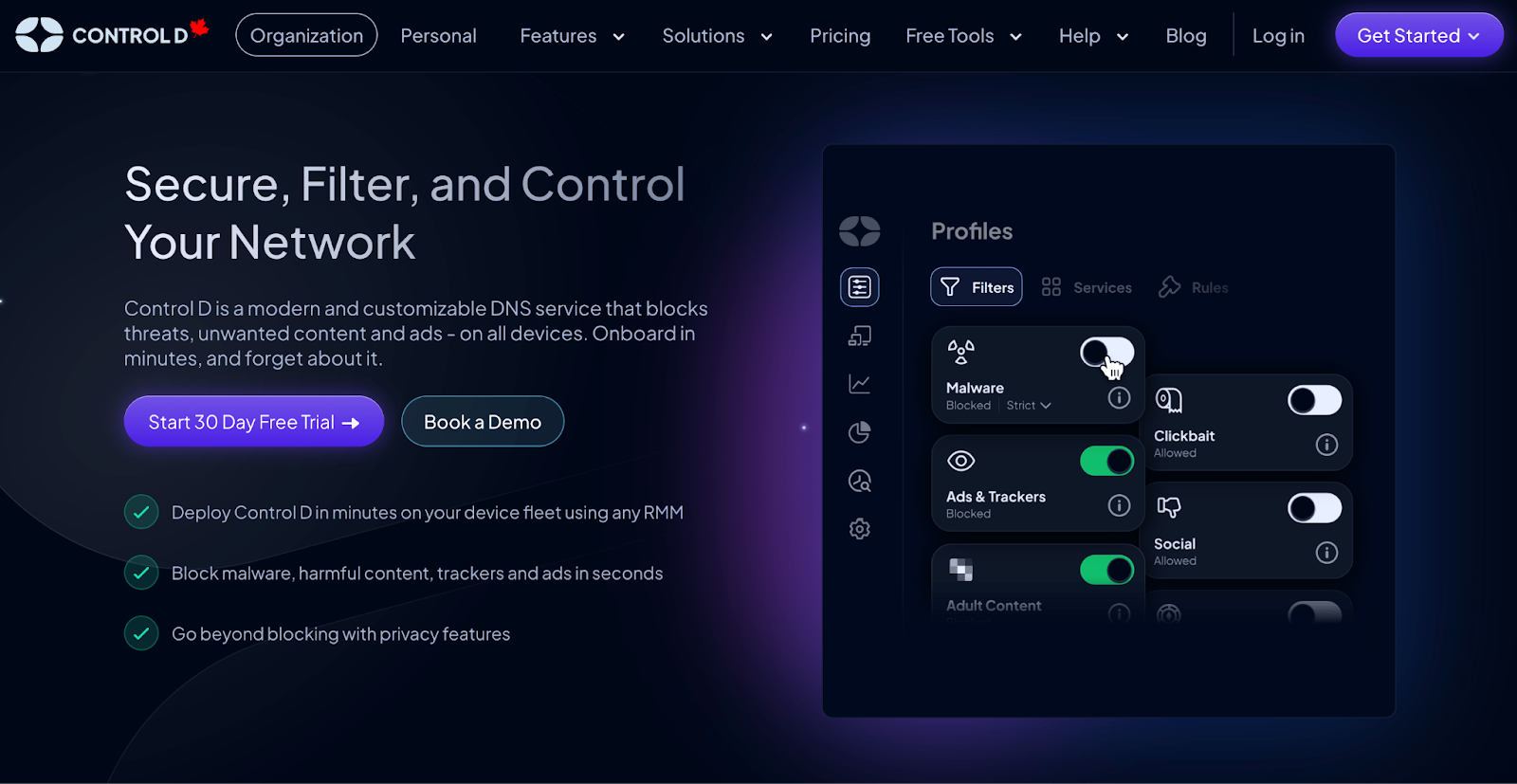
AdGuard DNS is great if you just want simple, set-and-forget ad blocking for a home or very small setup. But when you start thinking about growing device counts, more complex policies, or tying DNS into the rest of your tooling, you start to feel its limits.
That’s where Control D shines. It’s built to go further without blowing up your budget. It stays affordable for personal users on the Some Control plan, yet has the enterprise-grade security, features, analytics, and integrations to comfortably serve MSPs and larger organizations, all while keeping setup and day-to-day management straightforward.
Control D Pricing Breakdown
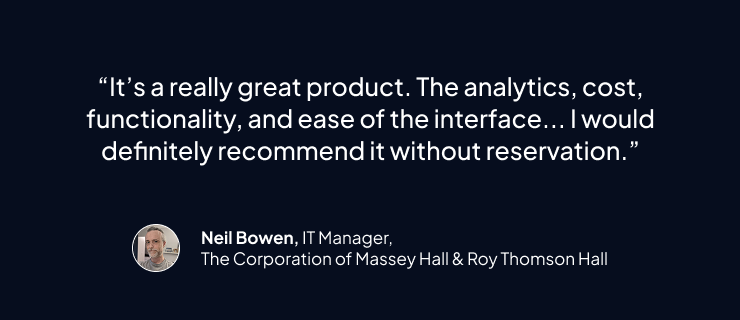
We’ve broken this down into two sections:
- Control D for Personal Use
- Control D for Business & Organizations
1. Control D Free & Personal Use Plans
| Feature | AdGuard DNS Starter |
Control D Free DNS |
AdGuard DNS Personal |
Control D Some Control |
Control D Full Control |
|---|---|---|---|---|---|
| Monthly Cost |
$0 | $0 | $2.49 + VAT | $2.00 | $4.00 |
| Annual Cost |
$0 | $0 | $29.88 + VAT | $20.00 | $40.00 |
| DNS Queries |
300,000/month | Unlimited | 10M | Unlimited | Unlimited |
| Device Limit |
5 | Unlimited | 20 | Unlimited | Unlimited |
| Servers | 2 | 5 | |||
| Custom Rules |
100 | No | 1,000 | 10,000 | 10,000 |
| Service Blocking |
<100 | No | <100 | 1,000+ | 1,000+ |
| Traffic Redirection |
No | No | No | No | Yes (69+ countries) |
| Analytics | Yes | No | Yes | Yes | Yes |
| Support | No | Community, Email, and Chat | Community, Email, and Chat | ||
| Typical Use Case |
Protect a few personal devices within free limits | Users wanting free, privacy-focused DNS resolvers with zero setup | Households wanting ad blocking plus filtering under 10M queries | Households wanting unlimited ad blocking and content filtering | Power users needing Traffic Redirection and more advanced routing |
Free DNS
Free DNS resolvers that anyone can point their devices to. There’s no account, dashboard, or per-device analytics, but you still get a lot of protection. You get:
- Preset profiles that can block malware, ads, trackers, adult sites, social networks, and more
- Support for encrypted DNS (DoH, DoT, DoH3, DoQ)
- No per-user DNS logs stored
You’re trading customization and visibility (like AdGuard’s dashboard) for a very simple, set-and-forget free resolver.
Personal Plans
For people who want dashboards, detailed stats, and per-device control, similar to AdGuard’s paid plans but with more granular control and customization, Control D offers two personal plans:
Some Control – $2/month or $20/year
- Unlimited usage
- Full security, privacy, and content filtering features
- Blocks 1,000+ specific services
- 20 filter categories
- Up to 10,000 custom rules
- Advanced malware filtering
- Detailed analytics
It competes directly with AdGuard DNS Personal but adds far more categories, service toggles, and rule capacity.
Full Control – $4/month or $40/year
- Everything in Some Control
- Traffic Redirection for 1,000+ services and general web traffic
Full Control gives you VPN-like location spoofing and routing flexibility without needing a separate VPN or proxy, something AdGuard DNS doesn’t offer at all.
Which Is the Better Value for Personal Use?
From a pure “how much does AdGuard DNS cost vs Control D” perspective for personal use:
- AdGuard DNS Personal and Control D Some Control are in the same ballpark on sticker price
- But AdGuard DNS Personal caps you at 10M DNS requests per month, while Control D personal plans give you unlimited DNS requests, devices, and 1,000+ Services for granular customization
2. Control D Business & Organization Plans
| Product / Plan | Public Pricing? | List Price (USD) | Minimums / Notes |
|---|---|---|---|
| Control D (Enterprise) | No | Contact | No minimums, no mandatory contracts; annual discounts available. |
| Control D (Startups & SMBs) | Yes | $2/endpoint/month | No minimums, no mandatory contracts; annual discounts available. |
| Control D (MSPs) | Yes | $1/endpoint/month | No minimums, no mandatory contracts; annual discounts available. |
| Control D (Schools / Non-Profits) | Yes | $0.5/endpoint/month | Discounted rates; no long-term contracts required; annual discounts available. |
| AdGuard Team | Yes | $29.99/month + VAT | Pricing increases based on usage |
| AdGuard Enterprise | No | Custom | Starts at $0.29/user/month |
Control D keeps its pricing straightforward: you pay a flat rate per endpoint, and that’s it. There are no usage limits, setup charges, or hidden add-on fees.
- School/Non-Profit: $0.50/endpoint/month
- MSP: $1/endpoint/month
- SMB: $2/endpoint/month
- Enterprise: Contact
Annual billing comes with extra discounts, but there are no monthly minimums or limits, so you can start small and scale up as you add devices.
Which Is the Better Value for Businesses and Organizations?
For businesses comparing AdGuard DNS to Control D, it mostly comes down to how you grow and how you budget.
If you want predictable, per-device pricing with no metering of DNS traffic, Control D is easier to forecast. You pay per endpoint, get unlimited queries, and don’t have to worry about hitting traffic caps as your business grows.
And that’s just the money side. In terms of what you actually get, Control D also brings a lot more flexibility and power for bigger teams and more complex networks, which we’ll get into next.
Control D Features: What You Actually Get
| Feature | Control D | AdGuard DNS |
|---|---|---|
| Advanced ML-Based Malware Protection | ✅ | ✅ |
| Flexible Content Blocking | ✅ | ✅ |
| Blockable Services | 1,000+ | Limited (<100) |
| Modern DNS Protocol Support | ✅ | ✅ |
| Ad & Tracker Blocking | ✅ | ✅ |
| Traffic Redirection | ✅ | ❌ |
| Geo-Custom Rules | ✅ | ❌ |
| Clients, Apps, Integrations | Control D | NextDNS Business/Education |
| Windows/MacOS/Linux | ✅ | ✅ |
| iOS/Android/Chrome | ✅ | ✅ |
| Full API Access | ✅ | ✅ |
| SSO/RMM/MDM Integration | ✅ | ❌ |
| Analytics & Reporting | Control D | NextDNS Business/Education |
| Admin Audit Logs | ✅ | ❌ |
| Query Log Retention | 1 month | 3 months |
| Analytics Retention | Up to 1 year | Up to 3 months |
| SIEM Log Streaming | ✅ | ❌ |
| Scheduled Reporting | ✅ | ❌ |
| Data Storage Regions | NA/EU/AU + custom | EU |
Control D isn’t just another ad-blocking DNS. At a glance, it looks a lot like AdGuard DNS – both block ads, trackers, and dangerous sites – but Control D adds much more control, routing, and visibility while still staying easy to set up and manage.
Here’s what you actually get and its key benefits.
1. Best-in-Class Malware Protection
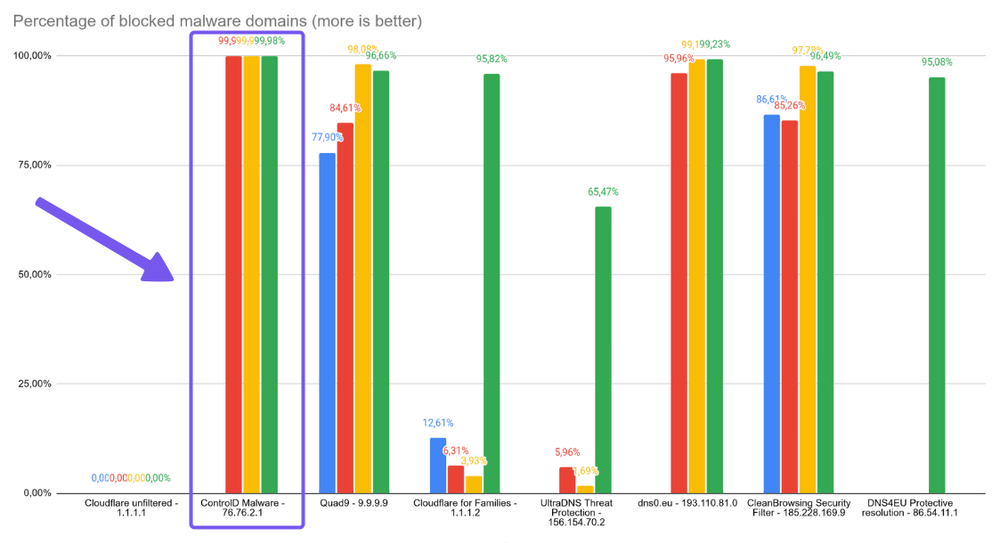
Independent tests rank Control D’s malware filter number one, with a block rate of 99.98%, ahead of big names like Google, Cloudflare, and Quad9.
Control D doesn’t just wait for static blocklists to update. It pulls from multiple threat feeds and uses AI and machine learning to flag suspicious or newly registered domains in real time, then blocks them before they appear on traditional lists.
2. Advanced Content & Service Filtering

Control D is built for fine-grained policy management and complete control rather than basic coverage:
- 20 built-in content categories (Filters)
- Cover malware, phishing, newly registered domains, adult content, gambling, social media, games, torrents, telemetry, and much more
- 1,000+ pre-defined Services you can toggle individually
- Apps, SaaS tools, social platforms, streaming services, games, etc
- Built-in ad and tracker blocking with adjustable modes (Relaxed, Balanced, Strict), so you can dial aggressiveness up or down instead of accepting one global level
How this comes together is you can use Filters to block whole categories (e.g., Gambling, Adult, Social Media). Then, use Services to allow or block specific apps inside a category (e.g., allow LinkedIn, block TikTok) – or vice versa – and add Custom Rules for the one-off “odd” domains.
This level of fine-tuning allows you to create policies tailored to the needs of different users, teams, or clients – without over- or underblocking – and keeping your whole network protected.
3. Support Quality
Control D’s support channels include:
- Email support available 7 days a week (9am-9pm ET)
- Active community on Reddit and Discord, where staff and developers are visibly present
- Thorough documentation and knowledge base for self-troubleshooting
- Barry, an AI assistant built into the dashboard, is available 24/7 and can answer 99% of questions or even open a support ticket for you
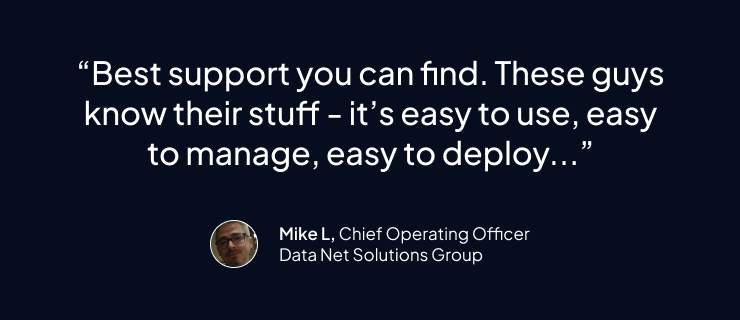
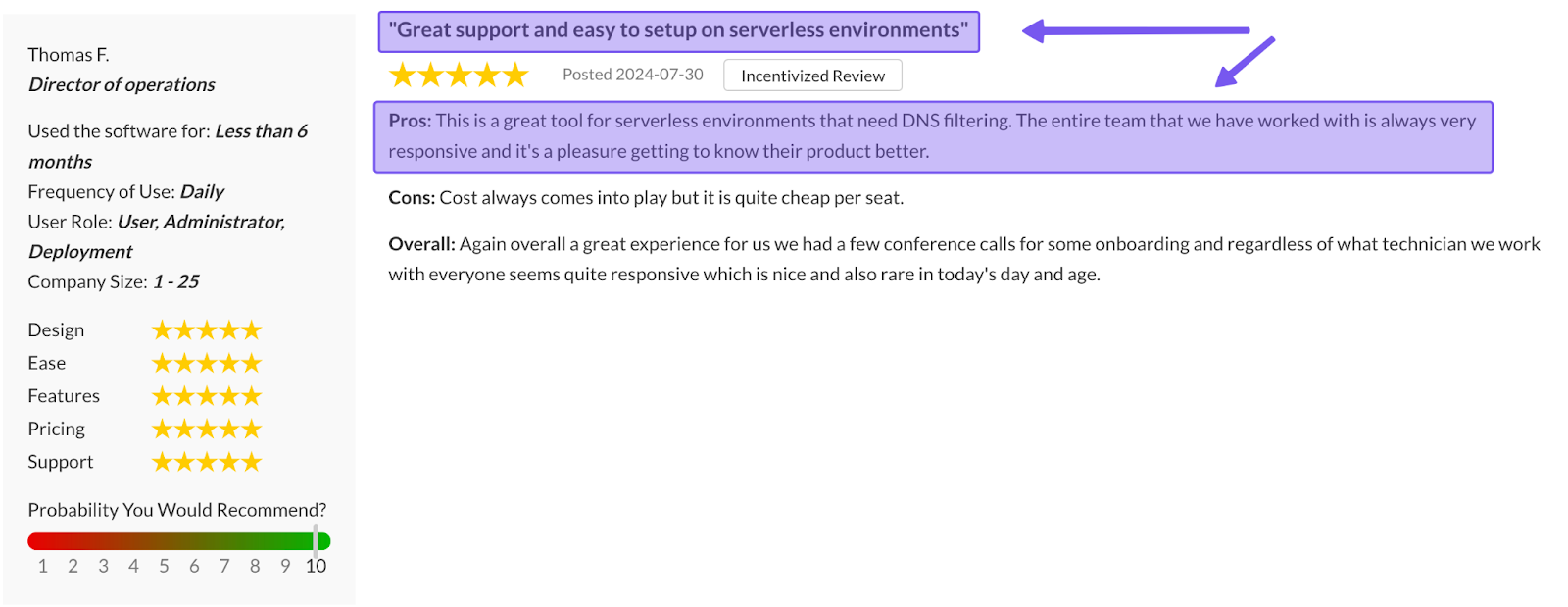
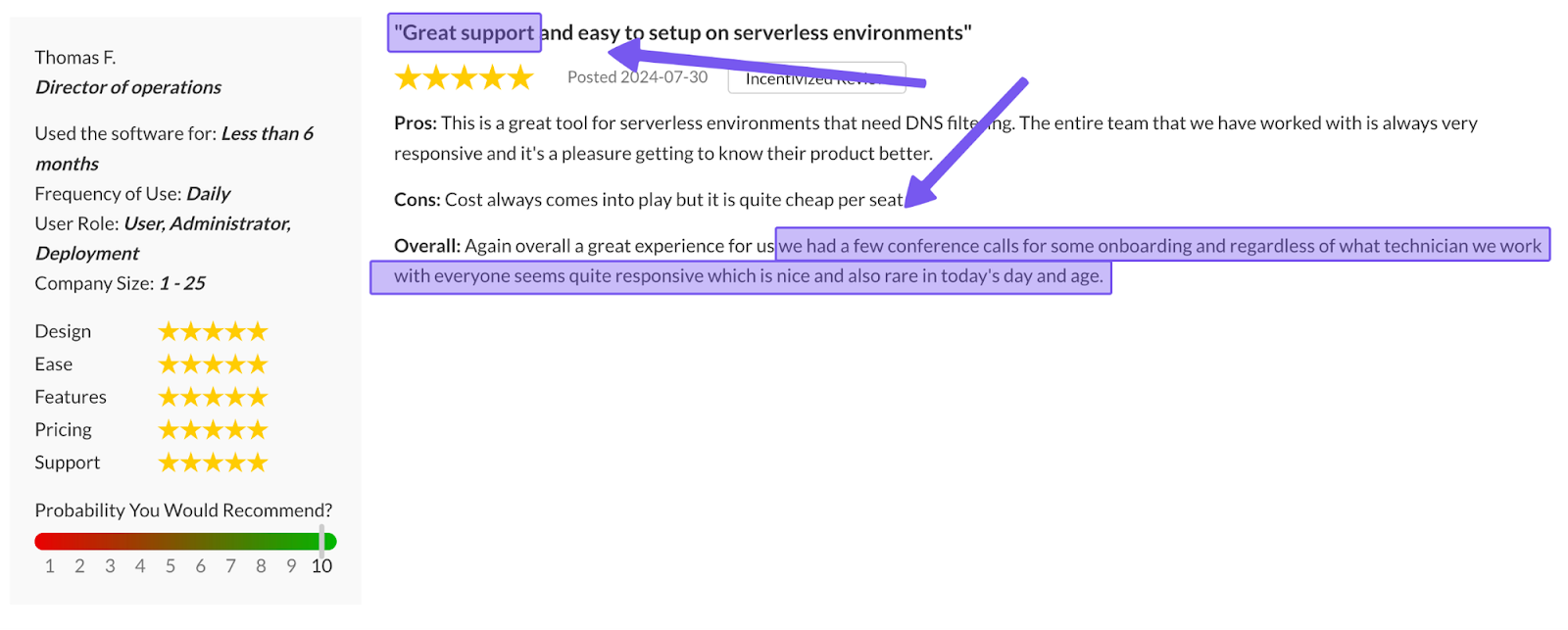
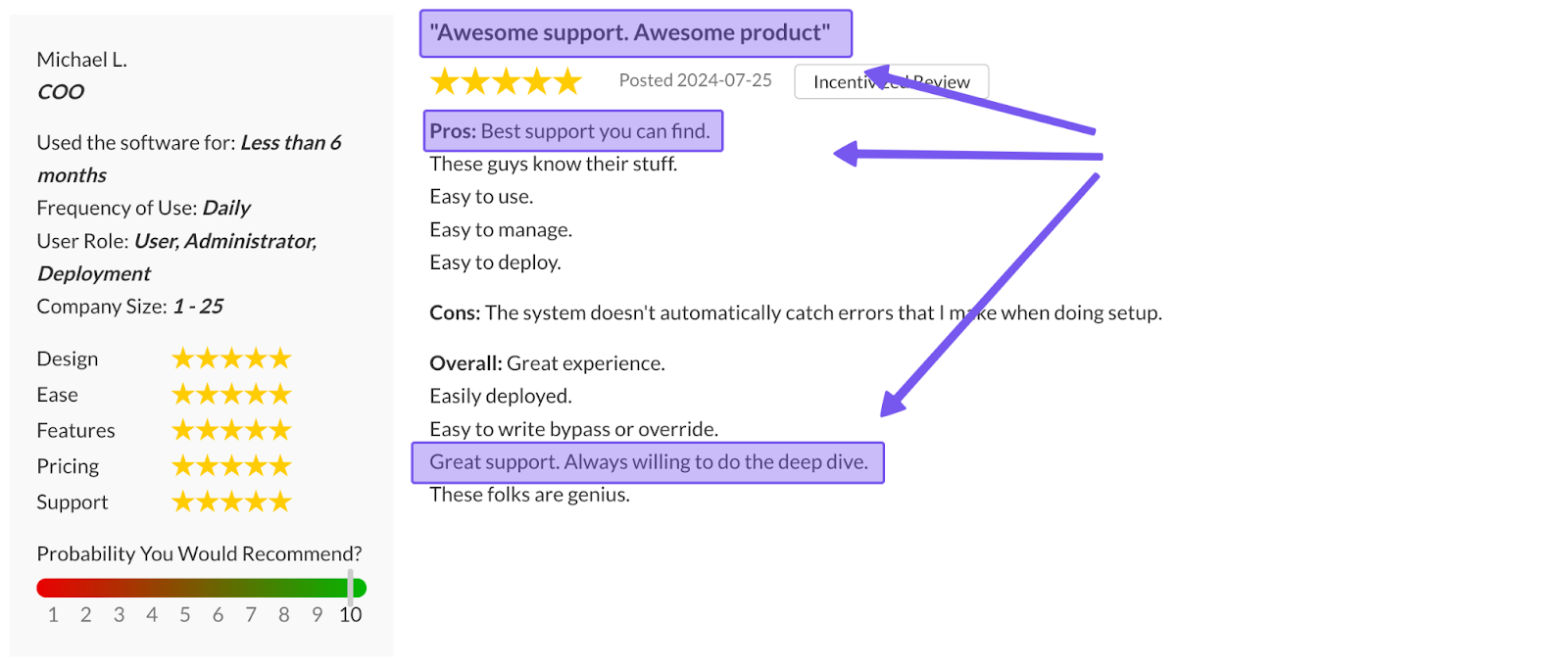
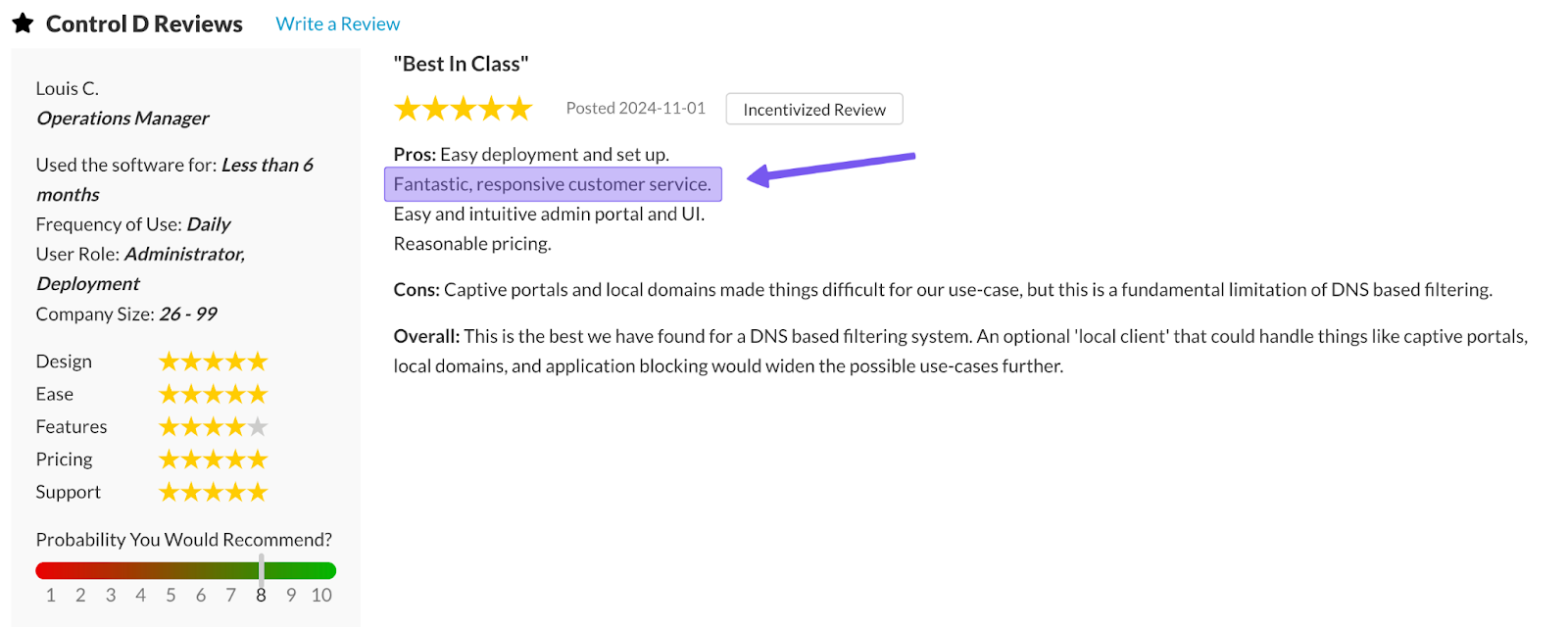
This means users consistently report fast responses, often within hours, not days. Many answers come straight from Control D's engineering team, and even founders jump in when necessary.
4. Multi-Tenancy & MSP Management
Control D has superior multi-tenancy capabilities. It lets you create Sub-Organizations under a single parent account, and group Profiles and Endpoints into those sub-orgs (departments, sites, clients, schools, etc.). You get:
- Centralized management with clear separation between tenants
- Per-tenant policies, analytics, and access control
- True multi-tenant MSP workflow from one dashboard
AdGuard DNS introduced role-based access and multi-account switching in 2025, where Owners can invite Admins and Viewers, and Admins can use one login to hop between multiple DNS accounts.
But there’s an important nuance:
- Control D: one tenant, many sub-organizations inside it, built specifically for MSPs and large orgs
- AdGuard DNS: many standalone accounts that an admin can switch between; no nested sub-org hierarchy, and each account is still managed independently
So, although AdGuard DNS now has some multi-account admin capabilities, Control D offers purpose-built multi-tenancy suited for bigger environments.
5. Traffic Redirection
This is one of the biggest functional differences between Control D and AdGuard DNS. Control D’s Traffic Redirection lets you route and control web traffic through 100+ proxy locations in 60+ countries. You can:
- Set a default exit location for all DNS traffic
- Redirect only specific Services (e.g., Netflix, YouTube, Steam) or domains via a different region
There’s no need to install a VPN either. Simply toggle a redirect rule and choose your destination, and it will work across your entire network.
6. Geo-Custom Rules
Control D’s Geo-Custom Rules let you build policies based on where queries come from and where they resolve to, using both country, IP, and ASN data:
- Block, bypass, or redirect queries that resolve to IPs in specific countries
- Block, bypass, or redirect queries that resolve to IPs outside specific countries
- Block, bypass, or redirect queries made from IPs in specific countries
- Block, bypass, or redirect queries made from IPs outside specific countries
- Block, bypass, or redirect queries that resolve to IPs owned by specific networks (ASNs) or not owned by them
- Combine multiple geo rules to build more complex location- or ASN-based policies
This helps keep sensitive traffic inside a region for data residency, blocking or redirecting traffic linked to high-risk regions, and enforcing policies based on which ISP or ASN is involved.
Check out Control D’s Geo Custom Rules documentation for more information.
7. Safe Search, YouTube Controls & Scheduling
Control D gives you all the “parental control” style features you’d expect – it just treats them as normal policy tools instead of hiding them in a kids-only section.
You can:
- Force Safe Search on Google and other major search engines across your whole network, so users can’t quietly turn it off in their browser
- Flip on Restricted YouTube at the Profile level, which forces YouTube into restricted mode (hiding mature content and disabling comments) for CIPA-style protection
- Use schedules to change rules based on time of day or day of week – for example, block games and social media during school/work hours, then loosen things up in the evenings or on weekends
That makes it just as useful for kids’ devices as it is for focus and productivity in workplaces.
8. Easy Deployment
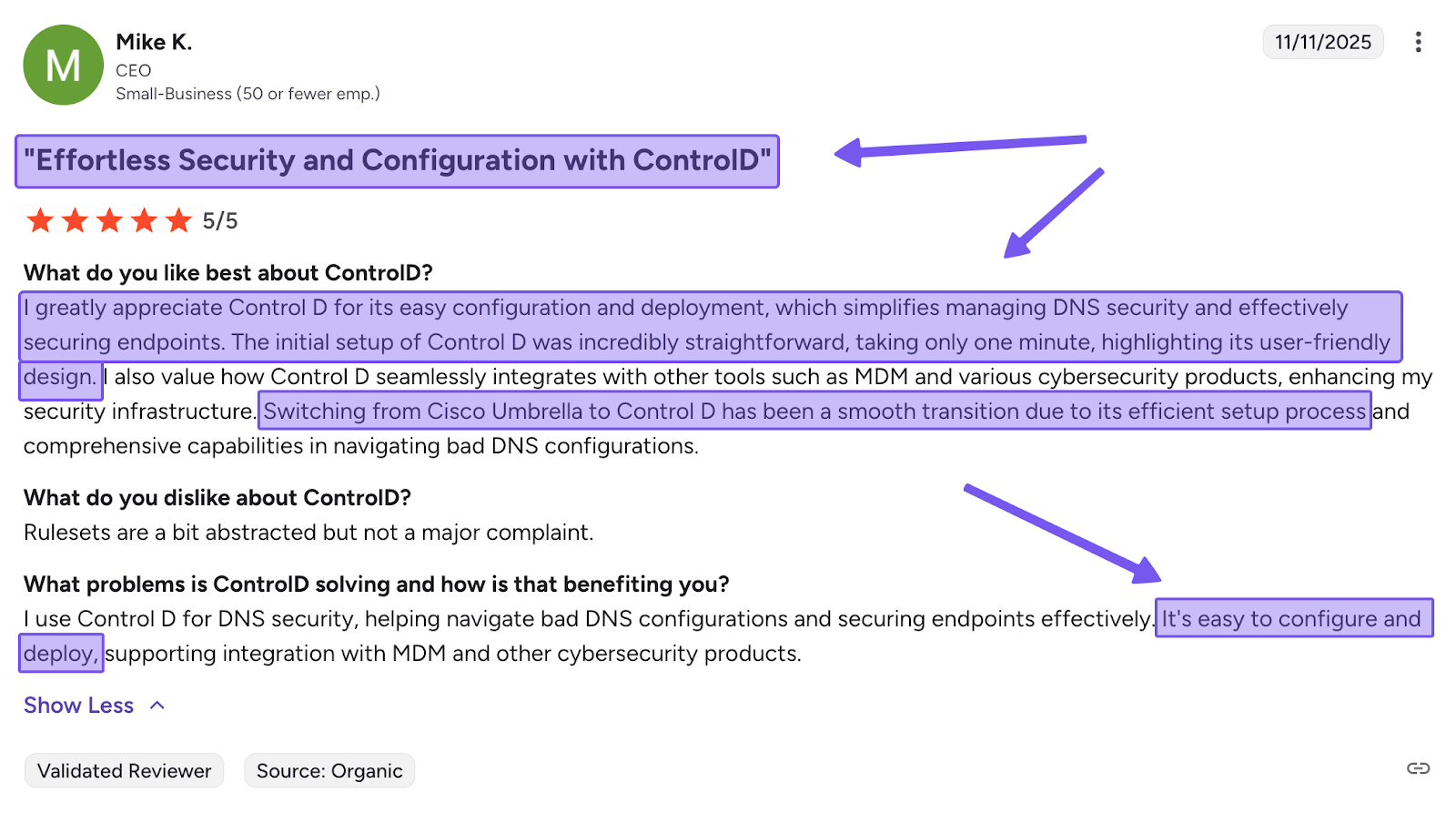
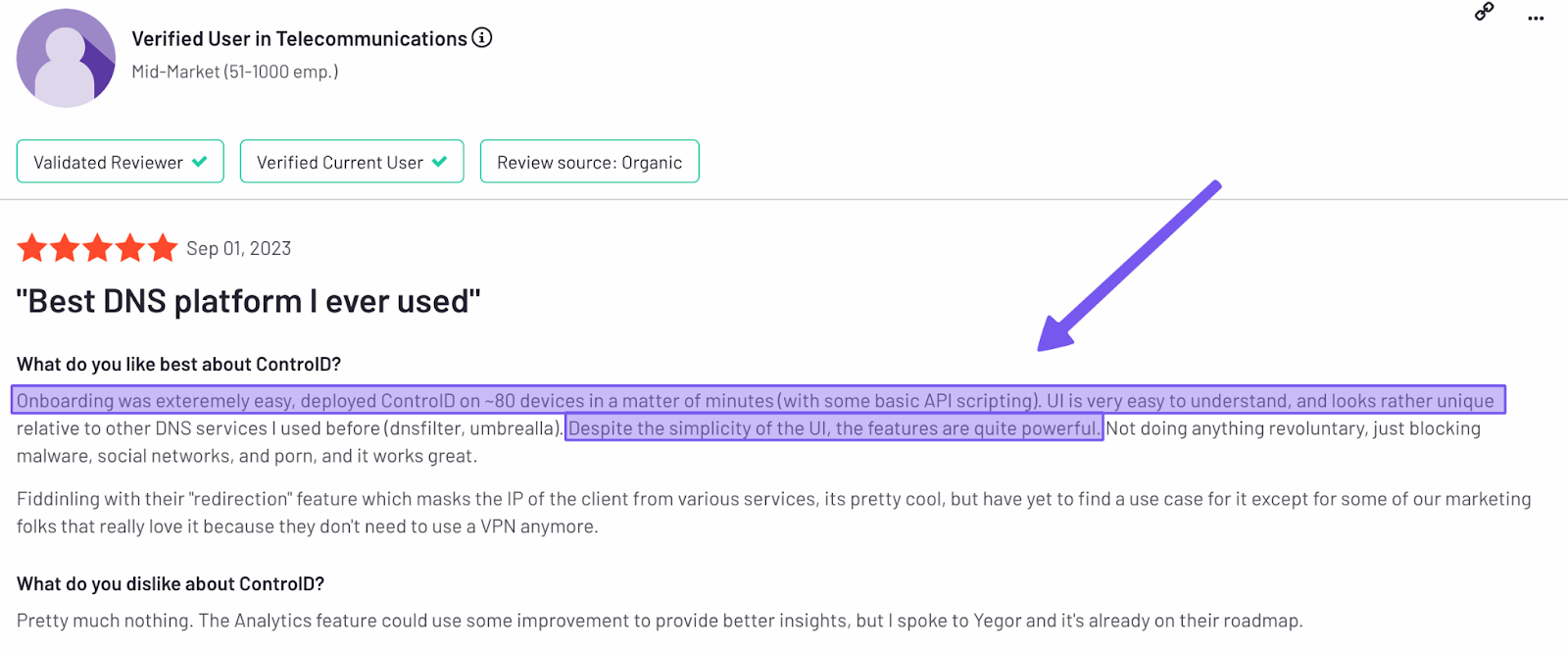
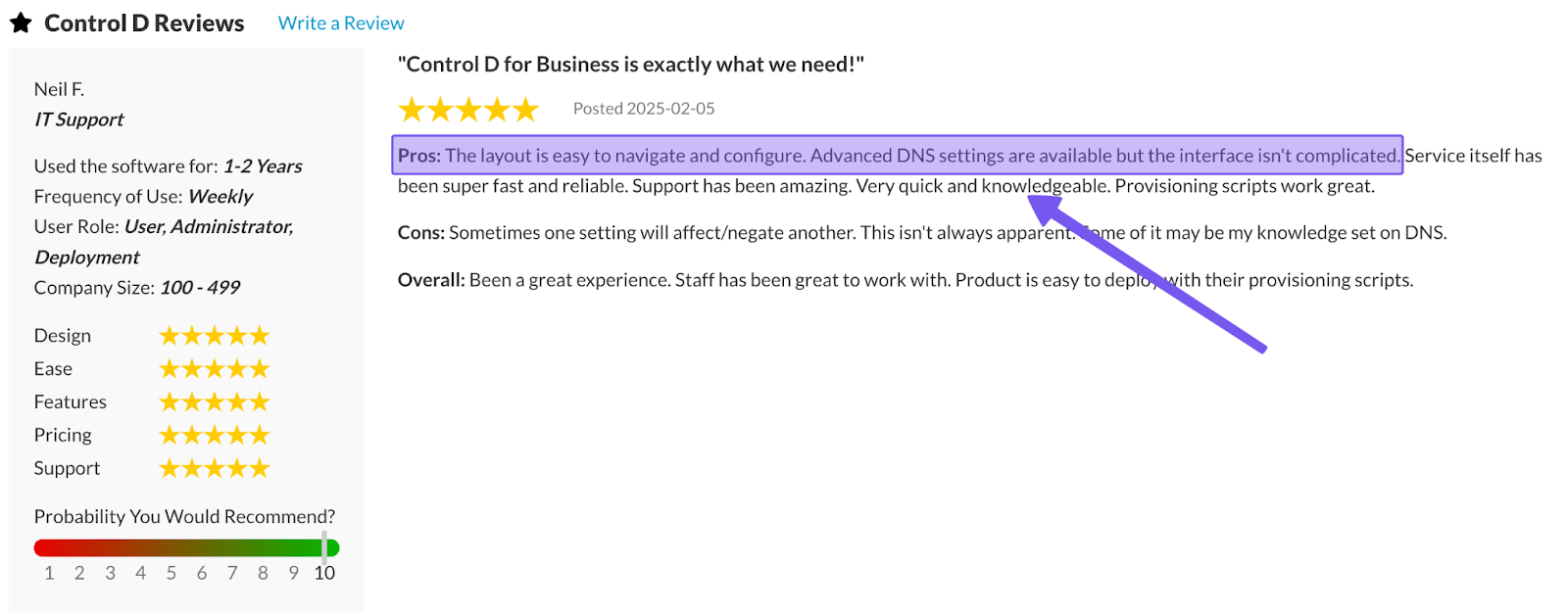
Control D is designed to be rolled out quickly across mixed environments. Simply change your DNS settings on routers or devices to Control D’s resolvers, or, for larger fleets, generate a Provisioning Code and deploy it to hundreds or thousands of endpoints via your RMM/MDM platform or scripting tools. With no per-device installation required, centralized management becomes much easier for busy IT teams.
9. Analytics & Reporting
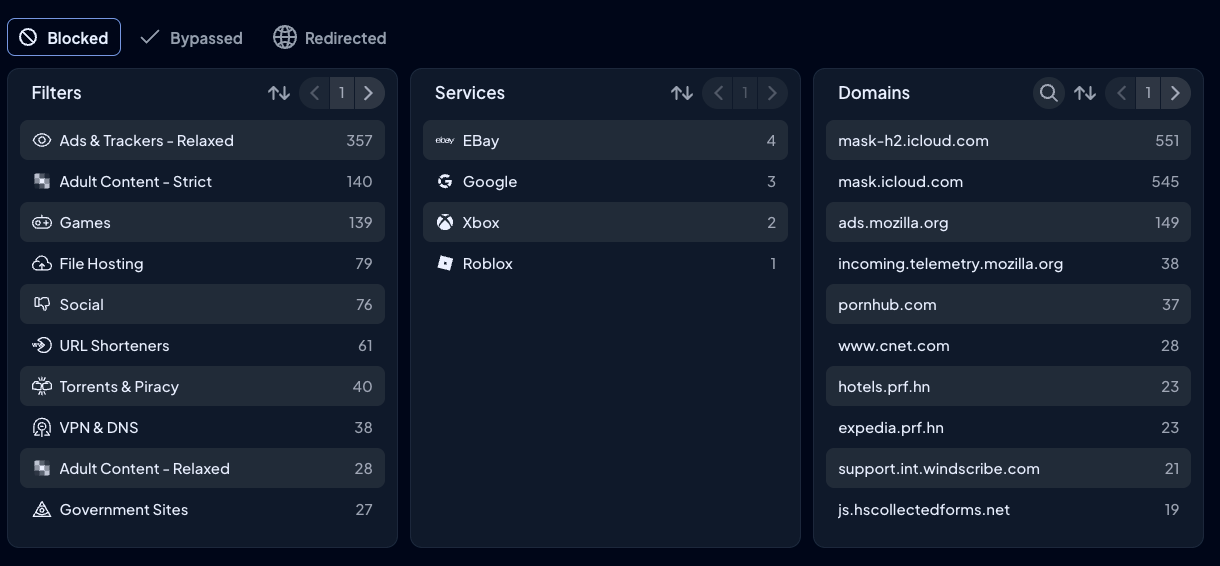
Control D treats analytics as a first-class feature, offering in-depth data, statistics, and reporting. You get:
- Full query logging with 1 month of granular logs and up to a year of summarized analytics
- Detailed filtering by device, Profile, Filter, Service, action (block/bypass/redirect), domain, geography, network, and time range
- Admin action logs and organizational audit trails
- Scheduled reports (daily/weekly/monthly) via email
- Real-time SIEM streaming and export via Fluent Bit and CSV, with no extra charges
10. Enterprise Integrations & Ecosystem Fit
Control D is designed to live inside a larger enterprise ecosystem. It advertises direct or well-documented integrations with:
- Directory services: Active Directory
- Identity providers: Okta & Entra ID
- RMM/MDM tools: NinjaOne, Datto, Kaseya, ConnectWise, Atera, etc
- SIEM platforms: Splunk, IBM QRadar, and other SIEMs via real-time log streaming
Plus, it exposes a full API and supports all modern DNS protocols, including:
- DoH
- DoT
- DoH3
- DoQ
- IPv4/IPv6 across all major OSes, routers, and browsers.
11. Performance
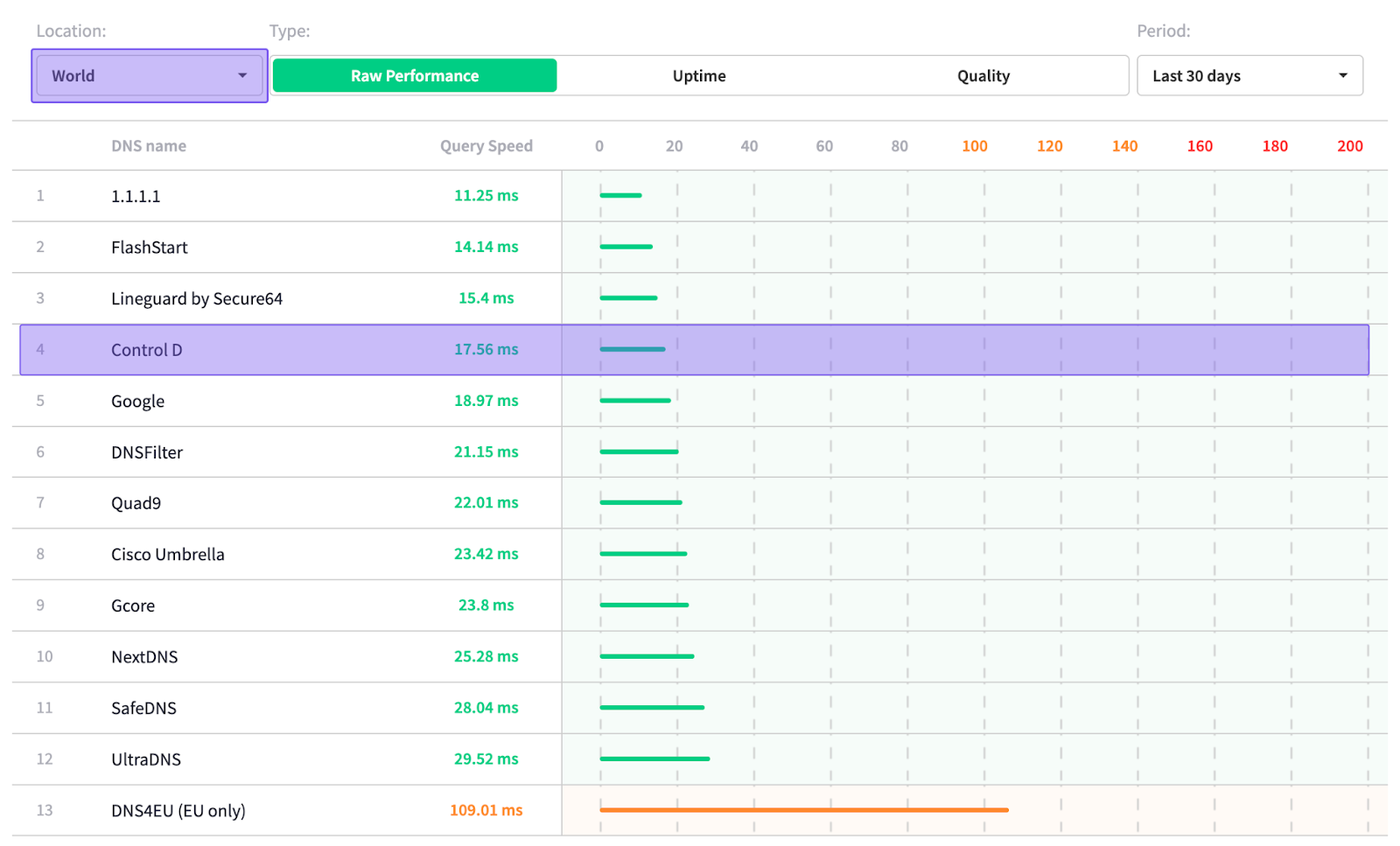
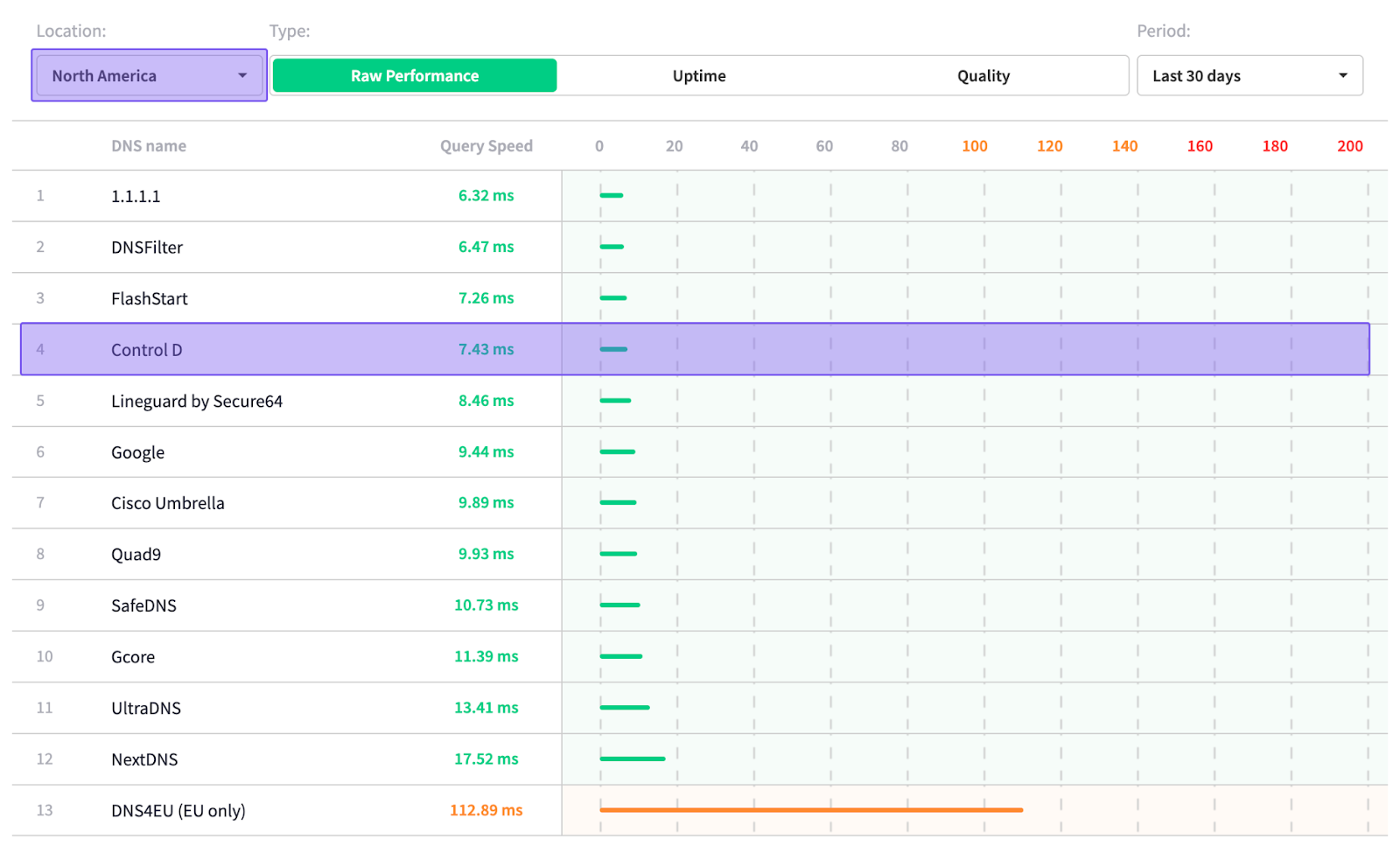
According to DNSPerf's independent data, Control D has one of the fastest average query speeds, both globally and in North America:
- Globally: 17.56 ms
- North America: 7.43 ms
Final Thoughts
So, is AdGuard DNS worth it? The answer is: it can be.
For individuals and families without a current DNS provider, AdGuard DNS absolutely works: it’s easy to set up, removes many ads, and adds basic parental controls with very little effort. But once you compare it to Control D’s Some Control plan at $2/month – with unlimited queries, unlimited devices, 20 filter categories, 1,000+ blockable services, and richer analytics – Control D delivers the same ease of use, more features, and more customization for less money.
Where AdGuard really starts to struggle is in business and heavier use. Hard caps on queries, devices, and servers, limited integrations, and basic analytics make it feel more like a polished consumer tool than a true business-ready platform. Sure, it’s cheaper, and it can work for small teams, but you’ll hit its edges as you add locations, endpoints, and compliance or reporting requirements.
That’s where Control D pulls ahead. You get unlimited DNS traffic, per-endpoint pricing, advanced customizable filtering (Filters + Services), Traffic Redirection, Geo-Custom Rules, true multi-tenancy, deep analytics, and native integrations with AD, SSO, RMM/MDM, and SIEM tools, while still being incredibly simple to roll out.
In short: AdGuard DNS is okay value for simple personal use, but for both home power users and growing organizations, Control D offers better value, more capability, and greater scalability long term.