Zorus Pricing: Is It Worth It?
Is Zorus worth it for MSPs? Learn what we know about pricing, the 100-seat minimum, CyberSight add-on costs, pros/cons, and a transparent alternative.


Zorus is an MSP-first web filtering platform that combines DNS protection, device-based web filtering, and optional user activity analytics (CyberSight). For MSPs managing lots of endpoints across multiple clients, that “all-in-one” approach can be appealing.
The hard part is understanding whether Zorus is actually worth it.
Zorus doesn’t publish pricing, there’s a confirmed minimum seat commitment, and optional components like CyberSight can increase total cost and introduce privacy/trust concerns depending on how it’s used.
In this article, we’ll break down what’s known about Zorus pricing, what you get for the money, and the key considerations to weigh before buying – plus when a simpler, more transparent alternative might make more sense.
TL;DR
| Product/Plan | Cost USD | Notes |
|---|---|---|
| Zorus | Unknown | Zorus does not disclose pricing. Based on user reports: $2-3/user/month |
| Control D | $0.5–2/endpoint/month | Exact price is dependent on organization type |
Zorus Pricing Breakdown
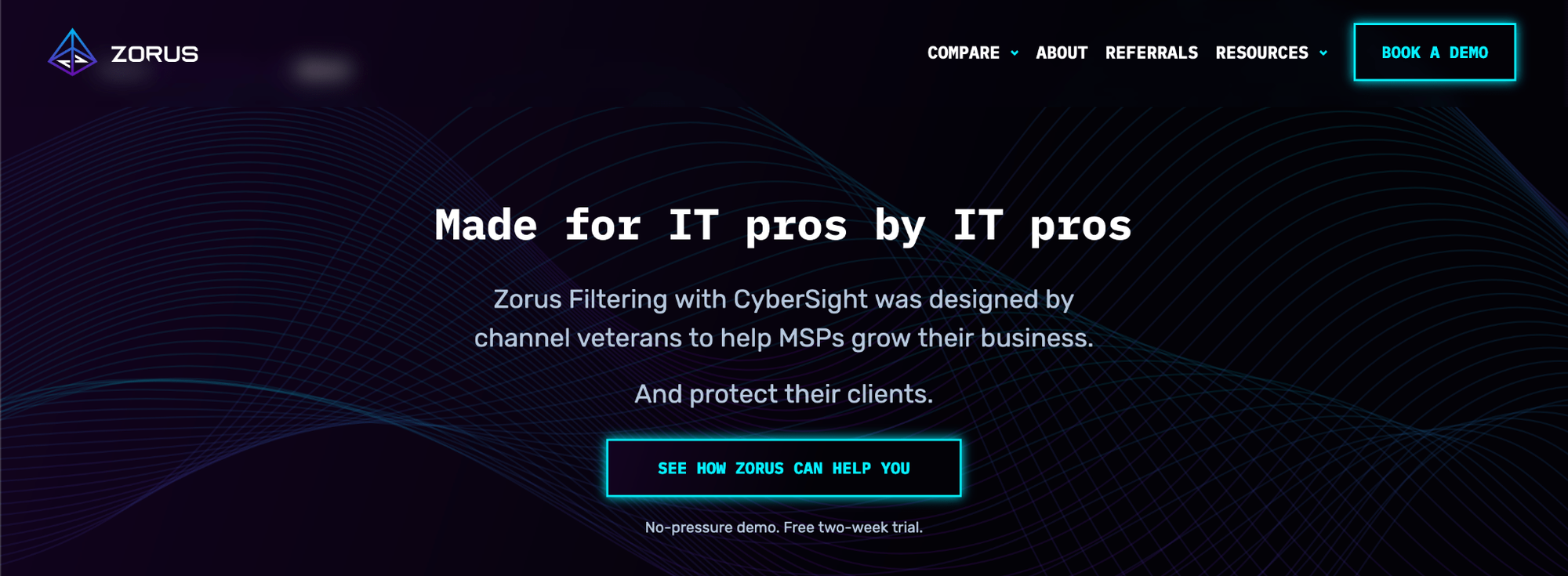
One of the first things you’ll notice when researching Zorus pricing is that there is no public price list.
Zorus is a channel-only vendor, sold exclusively through MSPs rather than directly to businesses. You must request a demo first; pricing is provided only after that.
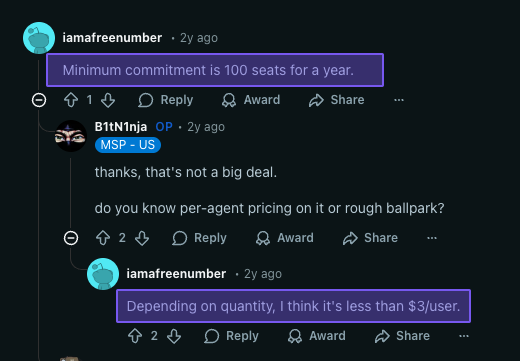
Based on community feedback, it’s estimated that Zorus costs between $2-3/user/month, but those numbers aren’t official.
Based on Zorus’ own website and billing documentation, here’s what we know for sure:
- You unlock a 14-day trial after booking a demo with their sales team
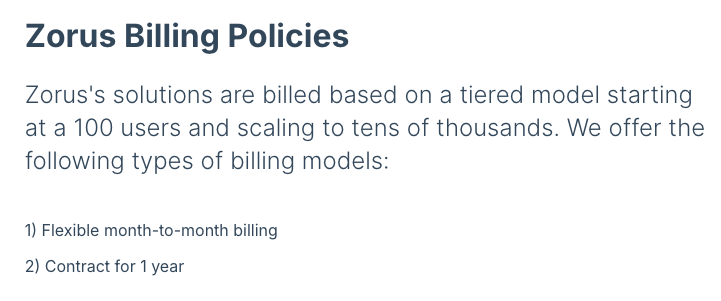
- Tiered pricing (per-endpoint price drops as seat count increases)
- Confirmed 100-seat minimum commitment
- Monthly billing or 1-year contract options
The downside of this model is that it makes early-stage evaluation harder:
- You have to invest time in a sales process just to get a baseline quote, which adds extra hassle
- It’s harder to budget without upfront pricing
- You don’t know what “normal” pricing is compared to what other MSPs are paying, which adds negotiation uncertainty
- Comparing Zorus to alternatives takes more effort because you can’t quickly line up costs
That doesn’t make Zorus bad, but it does mean you can’t easily compare Zorus' pricing to other MSP DNS filtering solutions without booking a call – something not everyone is willing to do.
Additional Costs to Consider: CyberSight
CyberSight is Zorus’s optional visibility layer that goes beyond DNS/content filtering by adding endpoint user activity analytics. It can be useful for investigations and shadow IT discovery:
- Detailed timelines of what employees are doing on their devices throughout the day (apps, websites, and SaaS activity), when they were active, and when they were idle
- Provides insight into Shadow IT
- Helps identify productivity vs. time-wasting tools and browsing patterns
- Optional CyberSight BI browser extension to add full URL context for endpoint activity (not available on Safari/macOS)
In the release notes screenshots below, Zorus references CyberSight seats/licenses and purchasing/activating CyberSight separately, supporting the idea that CyberSight is an additional cost on top of a filtering license, rather than something automatically included.
However, in typical Zorus fashion, there’s no mention of how much a CyberSight license costs.
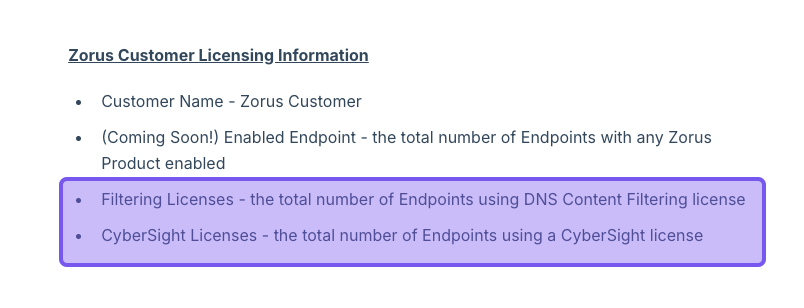
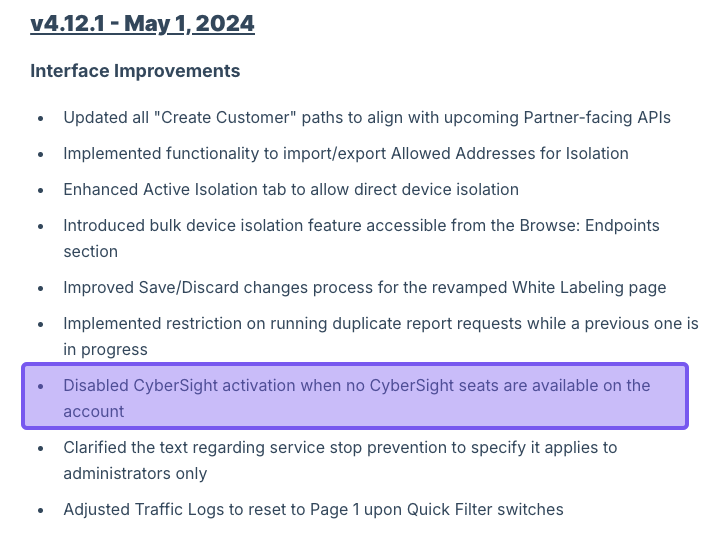
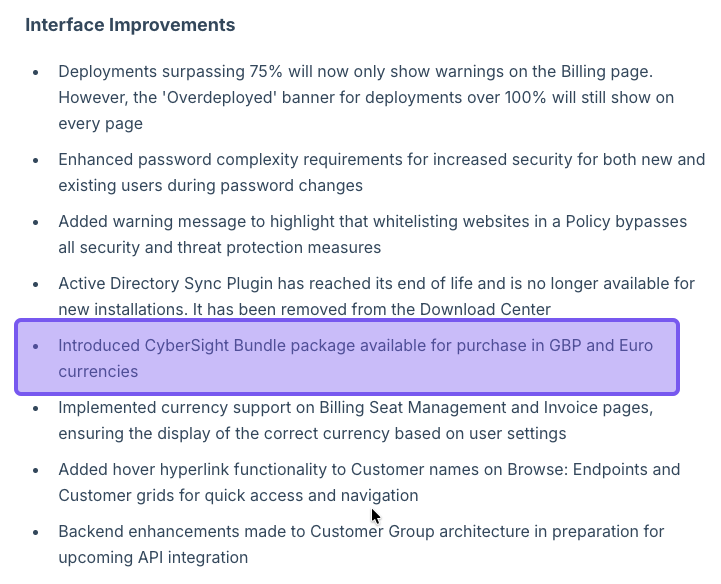
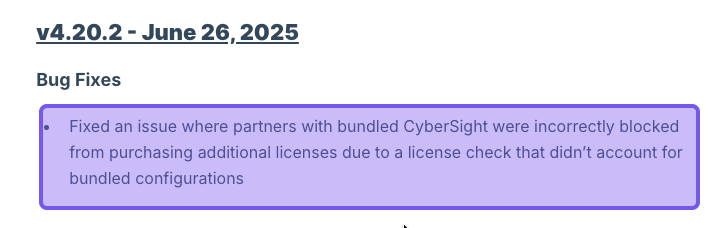
Zorus release notes suggest CyberSight seat licenses must be purchased in addition to its filtering seat license
Summary
Putting those clues together, a reasonable way to interpret Zorus' cost today is:
| Aspect | What’s known/reported |
|---|---|
| Billing model | Per endpoint (agent) |
| Minimums | 100-seat minimum, with volume tiers beyond that |
| Price range (anecdotal) | Community reports put it at slightly under $3/user/month at that 100-seat level |
| Add-ons | CyberSight license, in addition to the Zorus filtering license |
| Trial | 14-day trial after booking a demo |
| Target customer | MSPs (Zorus doesn’t sell directly to end-customer businesses) |
Reminder: these numbers are not official. To get a firm price, you still need to talk to Zorus (or your MSP, if they’re the ones buying licenses).
Zorus Features: What You Actually Get
Zorus doesn’t list “Basic / Pro / Enterprise” Zorus plans the way some vendors do. Instead, you get a single platform with an optional CyberSight module that MSPs can enable or disable per client.
Core Filtering Features:
- DNS filtering with proxy-based web filtering
- Blocks malicious websites, malware, and phishing attempts to protect your clients
- Content filtering with categories (like social media and adult content)
- Protection that travels with devices (whether they are in-office or remote)
- Geo-IP blocking
- URL/IP browser filtering (requires CyberSight)
Deployment & Management:
- Easy deployment through integrations with major RMM platforms
- No DNS changes required for endpoint-based deployment
- Centrally managed portal for multi-tenant management
- White-label capabilities (customize block pages, portal branding)
- Role-based access permissions
- API access
Reporting:
- 90-day query log retention
- Data export capabilities
- Scheduled reporting for clients (per-user and per-device)
- White-labeling for reporting
Support:
- U.S.-based support team
- Dedicated technical account manager and engineer for partners
- Free marketing collateral for MSPs to white-label
Is Zorus Worth It? 6 Considerations Before Buying Zorus
1. Who Is Zorus For?
Zorus is explicitly designed for MSPs and MSSPs and operates as a channel-only vendor. This focus means:
- Best fit: MSPs managing multiple clients with 100+ total seats
- Not suited for: Smaller MSPs with fewer endpoints, individual organizations looking for direct-purchase options, or companies that don't work through the MSP channel
If you're a direct buyer, Zorus won’t be accessible to you, as they work exclusively through the MSP channel.
2. Channel-Only Model
Piggybacking off the previous point, working exclusively through MSPs means:
- Advantages: Purpose-built features for MSPs, partner-focused support, white-label capabilities
- Disadvantages: No option for direct purchase by end-user organizations. MSPs act as intermediaries, adding their own markup
3. Is Zorus Easy to Use and Deploy?
From an MSP perspective, Zorus scores well on deployment ease. It’s an agent-based product – install it via your existing RMM, and it starts filtering, with no DNS changes or rerouting required.
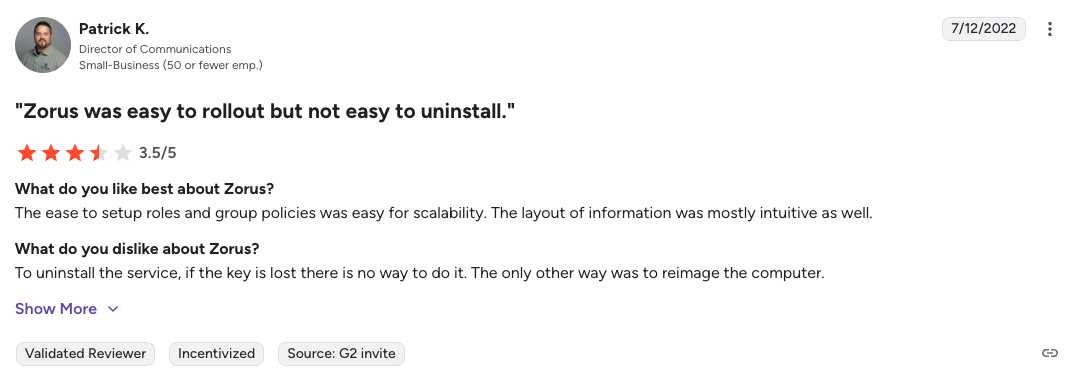
However, there is a slight wrinkle, which is agent removal and keys. One G2 reviewer notes that while rollout was easy, uninstalling can be painful if removal keys are lost, and that reimaging is the only fallback.
4. Scalability
Zorus plans are tier-priced with volume discounts, which can work well for growing MSPs since you can negotiate lower per-seat costs as you add more users. Plus, it’s built to manage many small businesses from a single MSP portal, with per-client dashboards and filtering.
That said, Zorus has historically skewed heavily toward Windows systems, with its macOS client still in beta. Also, it doesn’t support Linux or mobile devices, which can be an issue if your clients use multiple device types.
5. Support
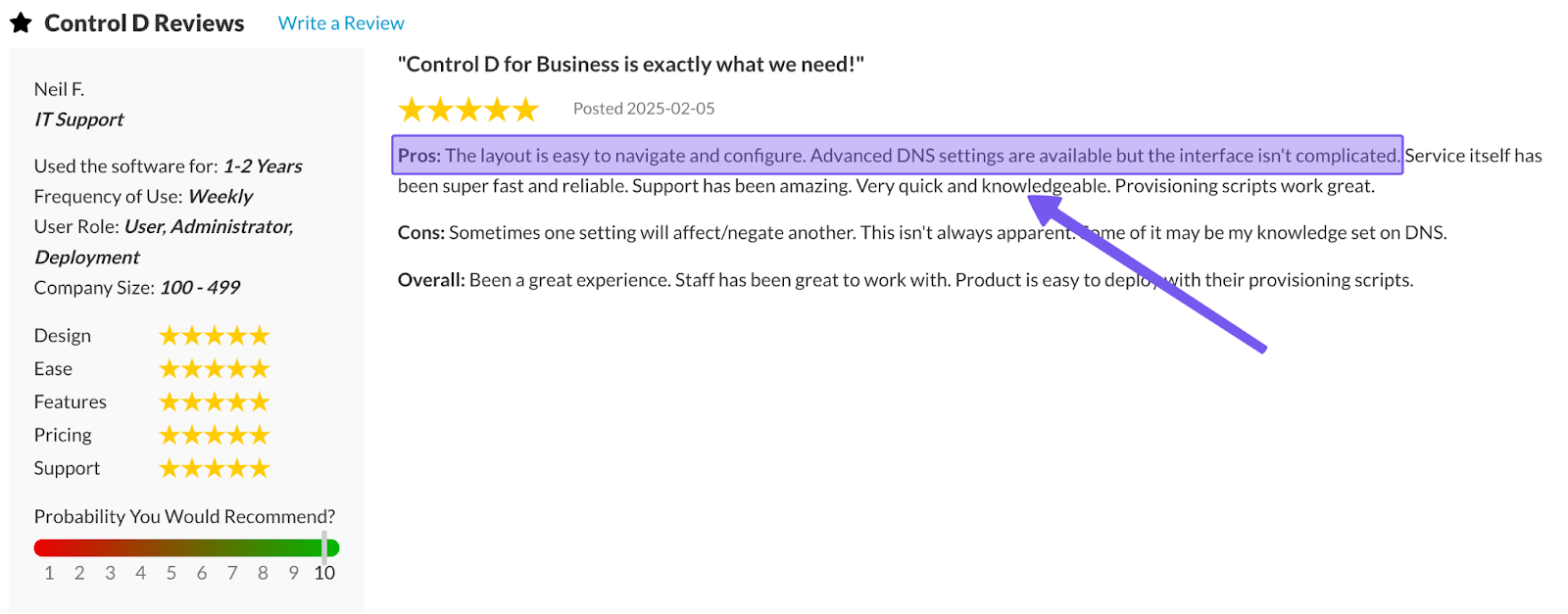
Based on user reports, Zorus’ support is one of its biggest strengths. You get access to:
- U.S.-based support team with quick response times
- Dedicated resources for partners (technical account manager and engineer)
- Generally positive feedback on support quality and availability
In other words, while pricing isn’t transparent, support quality is often cited as a key part of the value MSPs get from Zorus.
6. DNSFilter Acquisition & Roadmap
In April 2025, it was announced that DNSFilter acquired Zorus, and it’s definitely got users talking. Some customers chose Zorus specifically because they didn’t want to use DNSFilter for various reasons, while others chose it simply because it was the better fit at the time, so this acquisition has raised a few eyebrows.
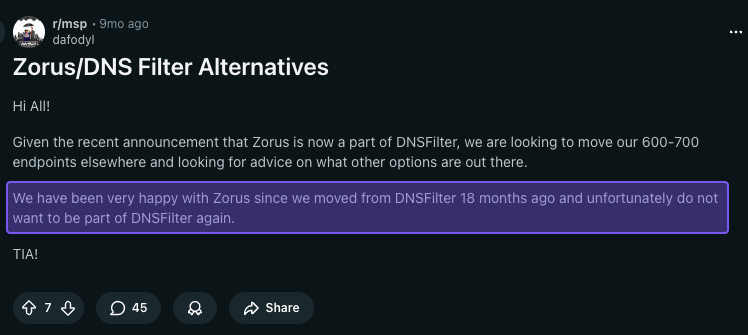
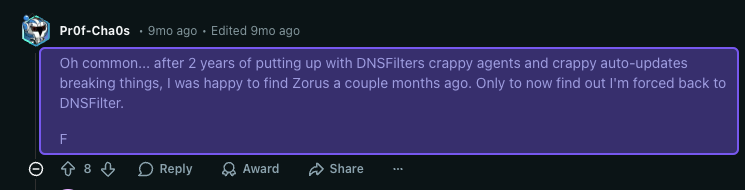
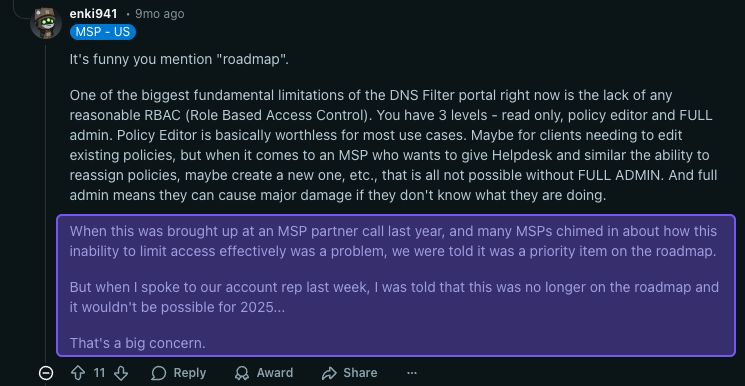
It’s still too early to say whether this will ultimately be a positive or negative change for customers. That said, acquisitions typically bring shifts – product packaging, branding, pricing, support processes, and roadmaps often evolve over time.
If Zorus products get folded into DNSFilter’s platform or commercial model, that will likely impact users, so it’s worth keeping on your radar and factoring into longer-term planning.
7. CyberSight Privacy & Trust Tradeoffs (Employee Monitoring Risk)
If you enable CyberSight, you’re moving beyond “security filtering” into user activity visibility (apps/sites/SaaS timelines). That can be useful for investigations, deeper usage context, and revealing Shadow IT, but it also creates a perception of workplace surveillance that can backfire with employees and even some clients.
The good news is CyberSight is optional, so you can use Zorus for filtering without turning on employee-activity analytics, making it easier to match different client privacy expectations.
If your goal is simply to uncover Shadow IT, it’s worth noting that many DNS/web filtering platforms can already surface it by showing which domains and SaaS tools users are accessing on the internet without needing user-level, timeline-style activity tracking.
 Dipak Odedra
Control D: A Transparent Alternative to Zorus
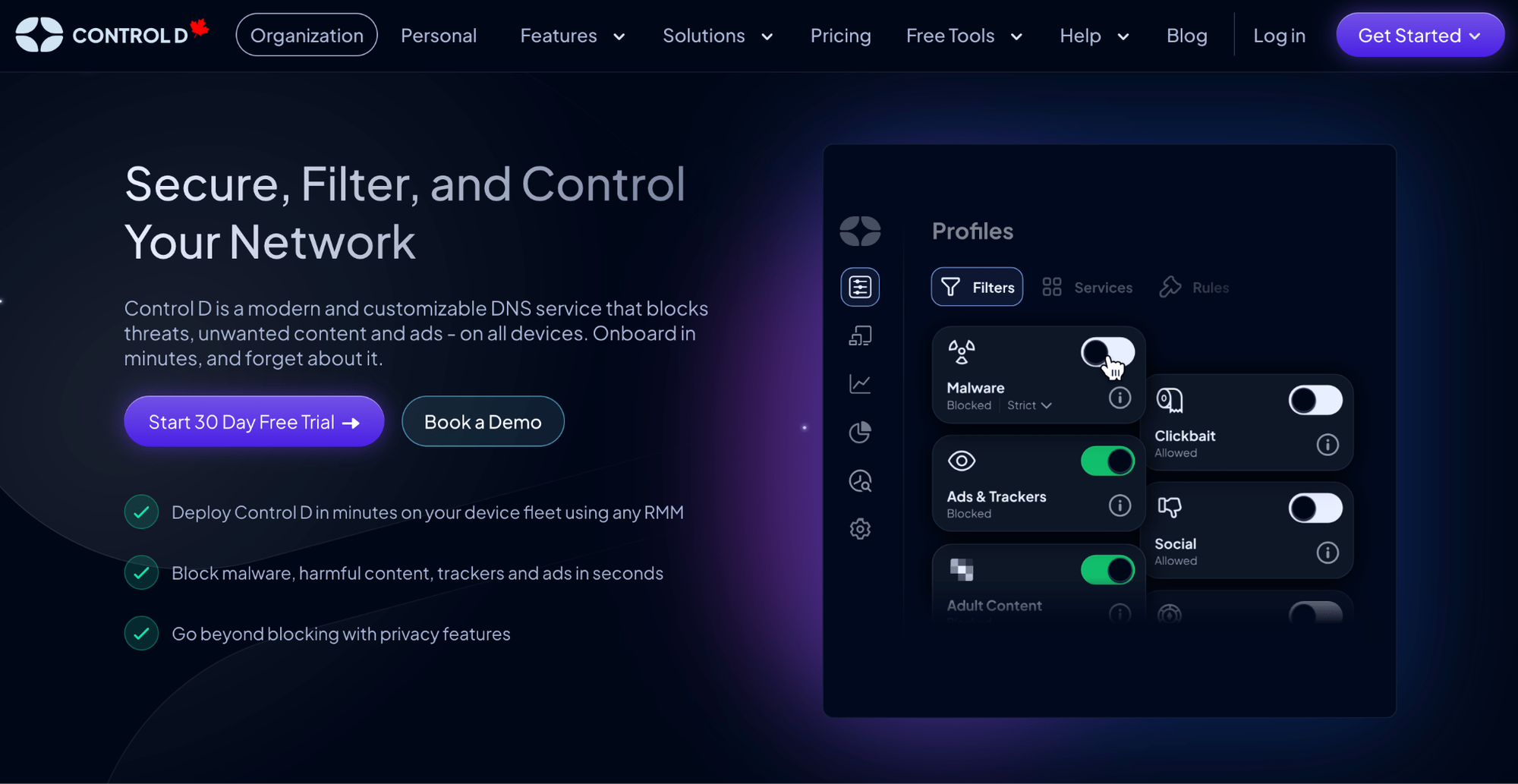
Control D takes a simpler, DNS-first approach to web filtering, with public per-endpoint pricing you can evaluate up front (no demo required).
At a high level, here’s what’s different:
- Available to MSPs, businesses, and schools (not MSP-exclusive)
- DNS-layer control (not positioned around employee monitoring)
- Broad deployment options across desktop/mobile/router/browser environments
Control D Pricing Breakdown
Unlike Zorus, Control D maintains pricing transparency with publicly available rates so you know what to expect:
- School/Non-Profit: $0.50/endpoint/month
- MSP: $1/endpoint/month
- SMB: $2/endpoint/month
- Enterprise: Contact
Key Pricing Advantages
- No minimum monthly spend
- No 100-seat commitment required (aside from a 5-endpoint minimum for routers/firewalls)
- Cost-effective public pricing you can evaluate without booking a sales demo
Here’s how that stacks up against Zorus, based on what’s publicly known and reported:
| Aspect | Control D (official) | Zorus (approximate) |
|---|---|---|
| Billing model | Per endpoint, direct or via MSP | Per endpoint, sold via MSPs |
| Public pricing | Yes – pricing published | No – must request demo |
| Typical price range | $0.5–2/endpoint/month, depending on org type | Reported < $3/user/month with ~100-seat minimum |
| Seat minimums | No minimums, no mandatory contracts | 100-endpoint minimum |
| Trial | 30-day free trial, no demo or credit card required | 14 days after demo |
| Feature tiers | Core platform features available across org types; Enterprise adds higher-touch support/services | Core filtering + CyberSight add-on |
Here’s what that looks like in real dollars for a small and mid-sized MSP deployment.
Pricing Example Comparison
For an MSP managing 50 endpoints:
- Zorus: Charged for 100 seats (minimum) = $200-300/month
- Control D: $1/endpoint x 50 = $50/month - no minimum required
For an MSP managing 150 endpoints:
- Zorus: Approximately $2-3/user x 150 = $300-450/month
- Control D: $1/endpoint x 150 = $150/month
Control D Features: What You Actually Get
Control D doesn’t hide functionality behind “Basic vs Pro” feature walls. MSPs, businesses, and schools get access to the same core platform and advanced controls from day one.
| General Features | Control D | Zorus |
|---|---|---|
| Advanced ML-Based Malware Protection | ✅ | ✅ |
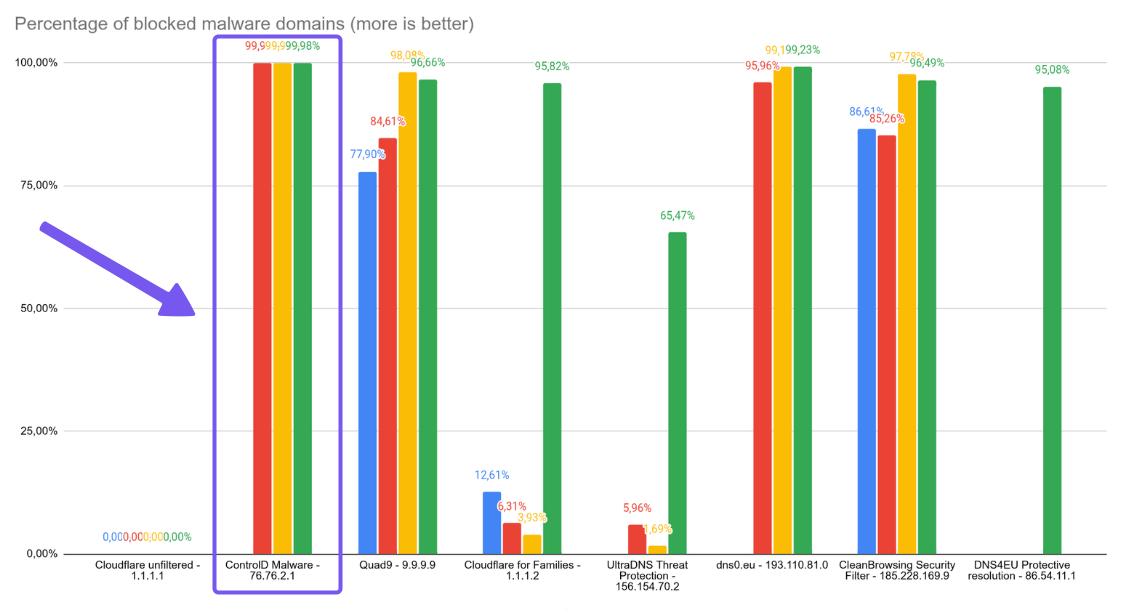
| Malware Filter Effectiveness | 99.98% | – |
| Flexible Content Blocking | ✅ | ✅ |
| Blockable Services | 1,000+ | Limited |
| Advanced Geo-Custom Rules | ✅ | Geo-IP blocking only |
| Modern DNS Protocols | ✅ | ✅ |
| Traffic Redirection | ✅ | ❌ |
| Endpoint-level Behavior Analytics | ❌ | ✅ |
| Clients, Apps, and Integrations | Control D | Zorus |
| Windows | ✅ | ✅ |
| MacOS | ✅ | Beta |
| Linux | ✅ | ❌ |
| iOS + Android | ✅ | ❌ |
| Single Sign-On | ✅ | ❌ |
| Analytics & Reporting | Control D | Zorus |
| Admin Action Logs | ✅ | ✅ |
| Query Log Retention | 30 days | 90 days |
| SIEM Log Streaming | ✅ | ❌ |
| Data Storage Regions | 3 | - |
The Enterprise plan builds on that same platform by adding higher-touch implementation and partnership support (like a shared Slack channel, migration support, custom onboarding, and custom API development), rather than unlocking a “better version” of the product
With that context, the more helpful question is what you can actually do with Control D day-to-day. Here’s what you get across the platform.
1. Best-in-Class Malware Protection
In Nexxwave’s June 2025 test of public DNS malware blockers, Control D blocked 99.98% of malware domains, which was the best score in the group, outperforming Cloudflare, Quad9, and DNS4EU.
Control D doesn’t rely on one “set it and forget it” blocklist. It combines multiple threat intelligence feeds with AI and machine learning to flag new or suspicious domains in real time before they appear on conventional blocklists. You can even dial the aggressiveness up or down to your liking.
2. Advanced Content & Service Filtering

Control D gives you two main “levers” for web control: Filters (broad categories) and Services (specific apps and platforms). That combo matters because most environments don’t fit neatly into one-size-fits-all categories. You usually want to block most of something while allowing a few exceptions.
Here’s what that looks like in practice:
- 20 native Filter categories you can toggle on/off with a single click (think malware, phishing, adult content, gambling, newly registered domains, torrents, and more)
- 3rd-party Filters (community blocklists), if you want to add extra coverage beyond the built-in Filters
- 1,000+ Services you can control individually, so you’re not stuck with “block the whole category or allow everything”
- Custom Rules so you can quickly handle weird domains that don’t fit a neat category
- For both Services and Custom Rules, you can choose what happens: Block, Bypass, or Redirect
- Ad & tracker blocking with adjustable modes (Relaxed/Balanced/Strict), so you can tune it instead of living with an “all or nothing” setting
- Scheduling for time-based enforcement when you need it (e.g., different rules during work hours vs. after hours)
3. Support Quality
DNS filtering is one of those tools where, if something goes wrong, everyone notices right away. But quality support matters, not just for breaks/fixes, but also for day-to-day management.
With Control D, you get a mix of human support, self-serve docs, and a built-in assistant that can handle quick questions when you’re stuck.
- Email support 7 days a week (9am–9pm ET)
- A solid knowledge base with setup guides and practical how-tos
- Community help through Reddit and Discord
- Barry, a built-in assistant in the dashboard that can answer common questions and even help you start a support ticket when needed
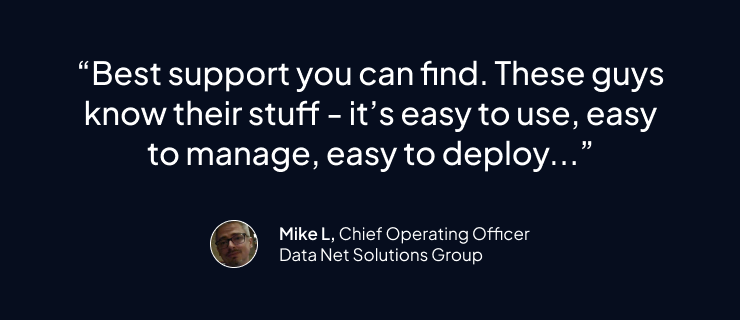
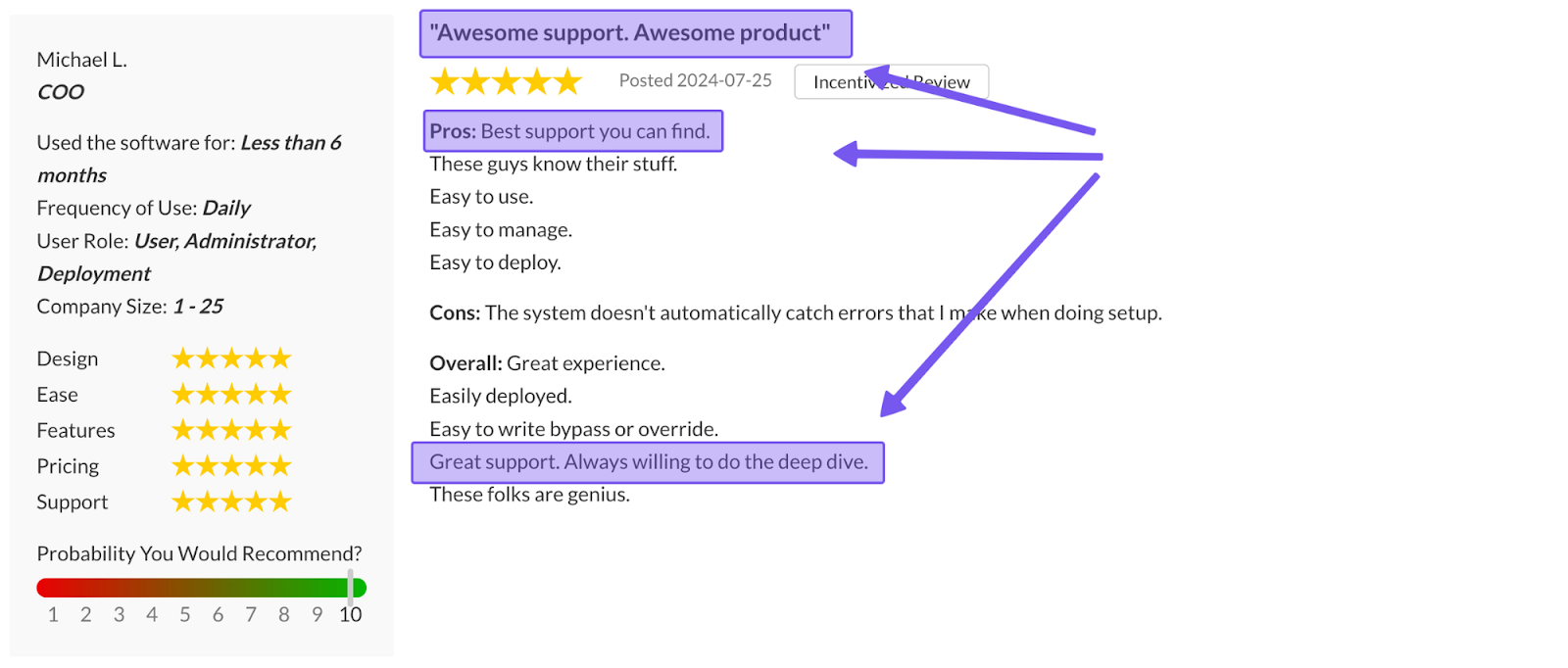
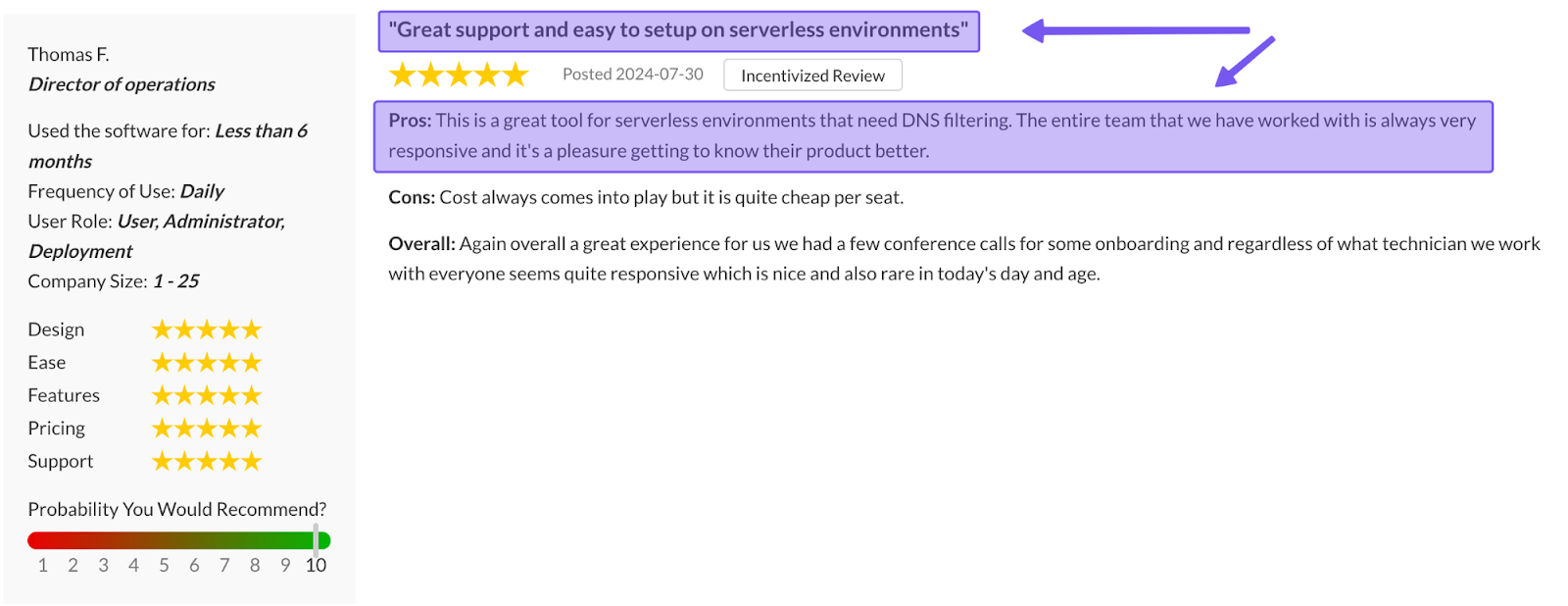
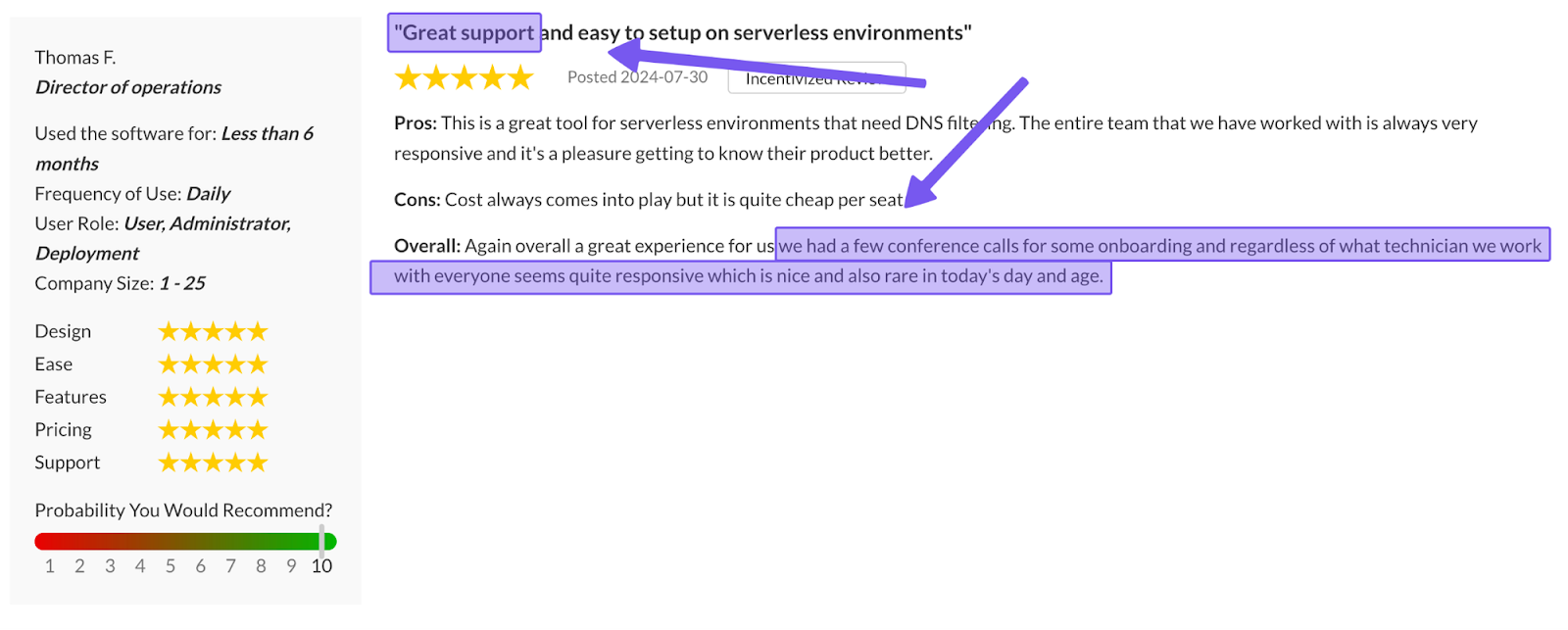
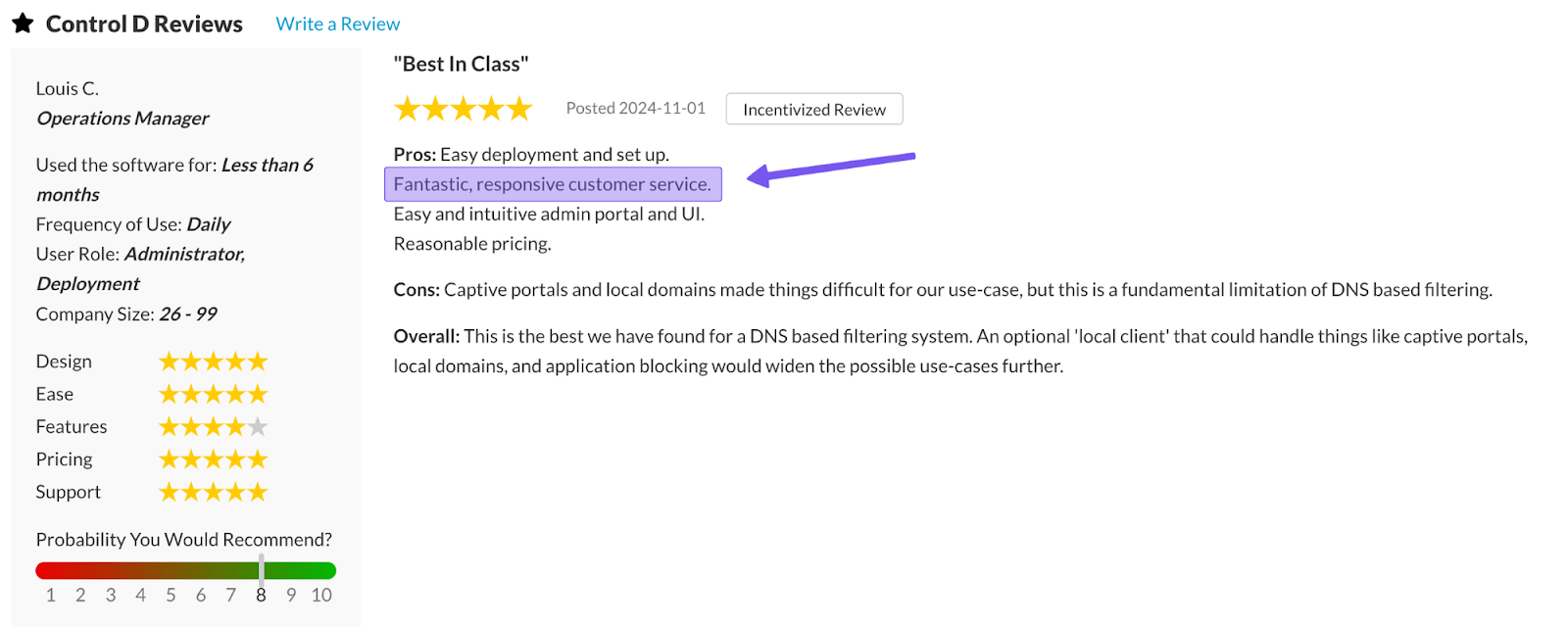
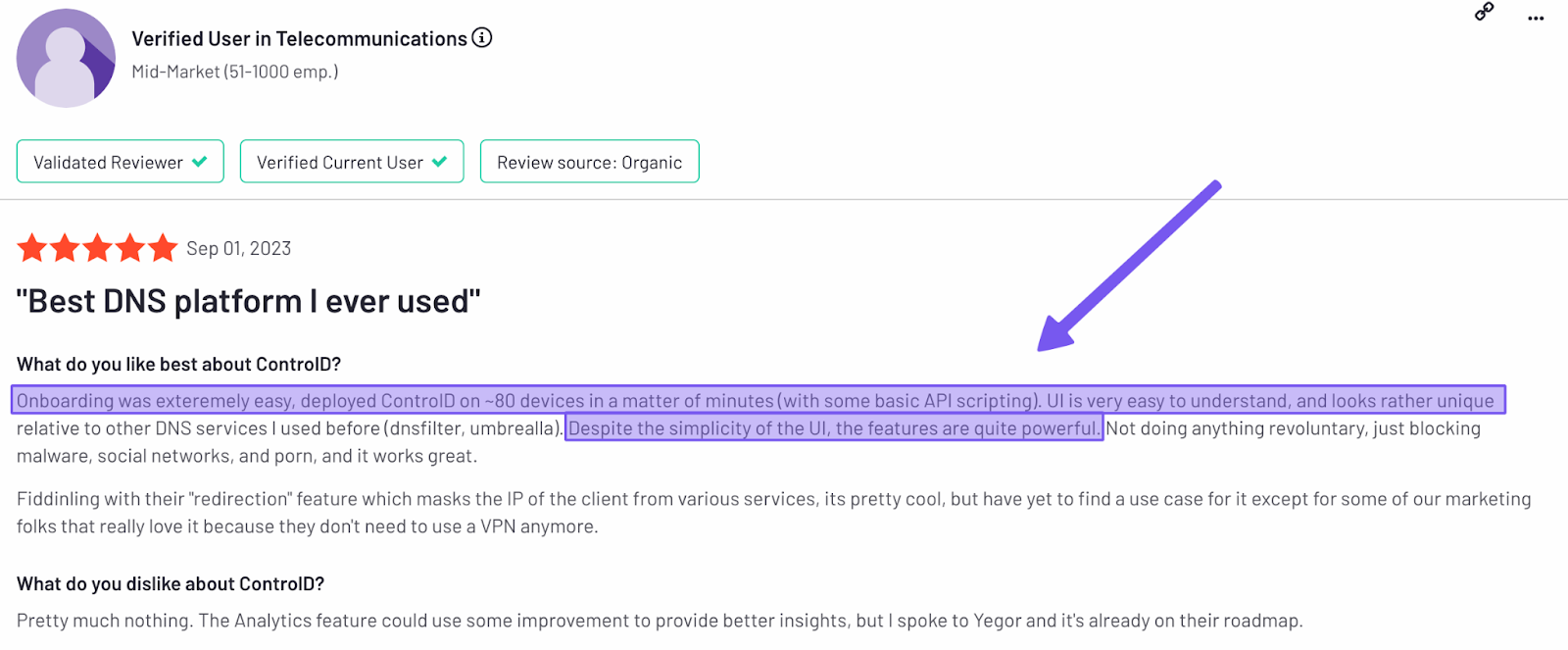
This results in a support experience in which users praise Control D for its fast responses, technical expertise, and engineers who jump in when needed.
4. Multi-Tenancy & MSP Management
Control D is built around a multi-tenant model (Organization → Sub-Organization), so you can keep clients (or departments/sites) separated while still managing everything from one interface:
- Sub-Organizations for each client/site/department (and you can create as many as you need)
- Clear separation of policies and devices: each Sub-Org groups its own Profiles and Endpoints, so tenants don’t bleed together
- One-login workflow with “impersonation”: admins in the parent Organization can click into a Sub-Org and manage it as if they were inside that tenant (handy for MSP operations)
- Role-based access with simple permission levels (Owner / Admin / Viewer) so that each team member gets the right level of access
5. Easy Deployment
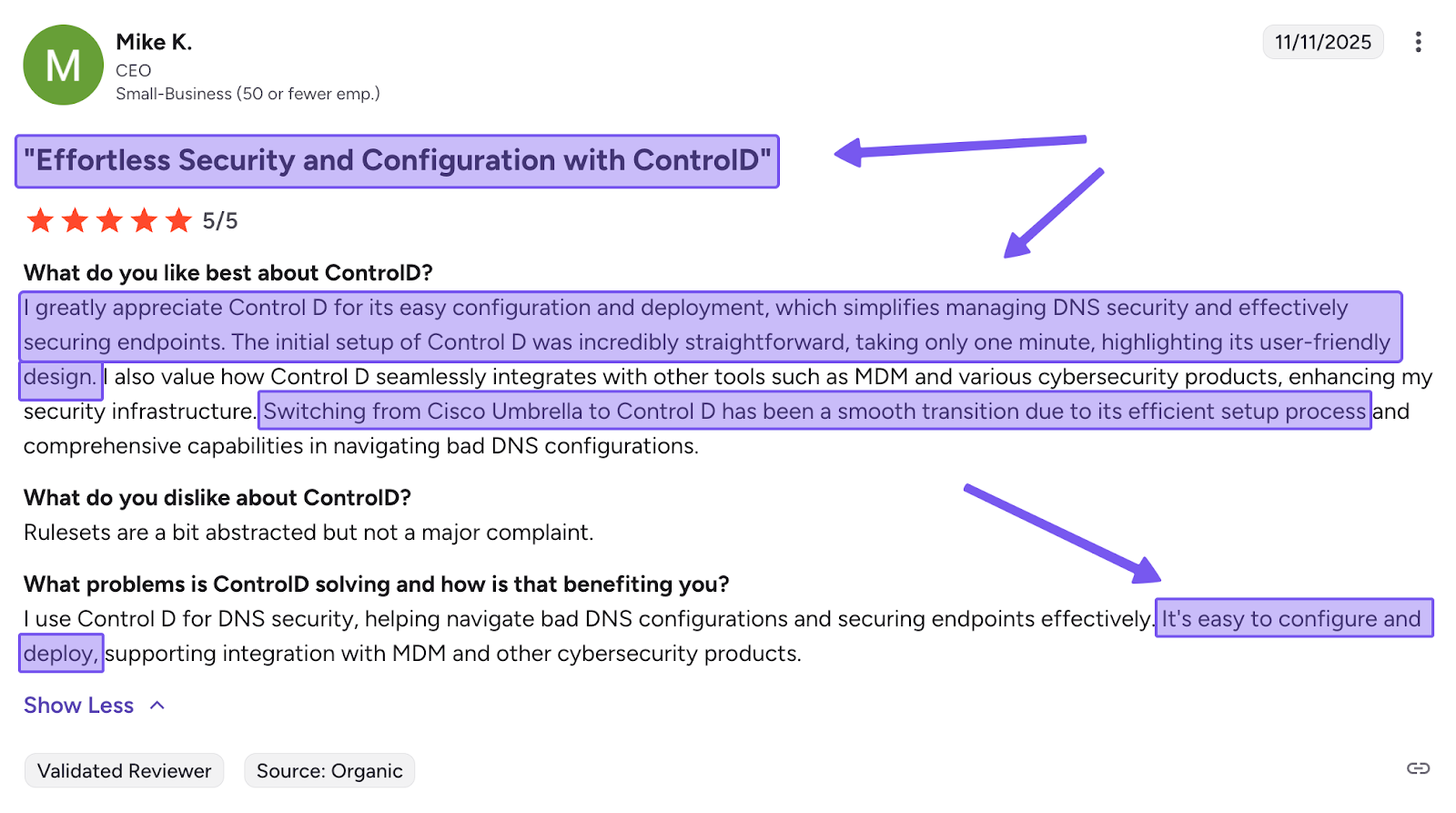
Control D is meant to be set up quickly, regardless of your technical expertise. In the simplest setup, you just point DNS settings to Control D, and you’re filtering right away. If you need per-device policies and roaming protection, you can still deploy Control D to endpoints.
Here are the common deployment paths:
- Network-level rollout: set your router/firewall/DHCP DNS to Control D’s resolvers for quick coverage across a site
- Endpoint rollout at scale: generate a Provisioning Code and push it via RMM/MDM or scripting to enroll lots of devices quickly
- Works across more device types: clients and setup options exist for desktops, mobile devices, browsers, and routers – useful if your customers aren’t Windows-only
- Simple operations for MSPs: once devices are enrolled, you can manage policies per customer in separate sub-orgs
6. Traffic Redirection
Sometimes the problem isn’t “block or allow” but rather where the traffic appears to originate. Control D’s Traffic Redirection lets you route DNS traffic through proxies in 100+ global locations, so a site sees the request as coming from that region, without you deploying a full VPN.
- Apply it broadly (a default redirect) or only for specific Services/domains, so you can keep most traffic local and redirect only what needs it
- Useful for cases like region-based access requirements, testing geo-specific behavior, or keeping certain web flows aligned with internal policy without adding VPN licenses or extra client software just for that one need
Because it’s built into DNS policy, you can manage it centrally alongside the rest of your filtering rules, making adjustments seamless as your requirements change.
7. Geo-Custom Rules
While Zorus offers geo-IP blocking, Control D goes further with Geo-Custom Rules, which let you write policies based on where a request is coming from and where it’s going, and then decide whether to block, bypass, or redirect that traffic.
Here’s what you can do with it:
- Block, bypass, or redirect queries that resolve to IPs in specific countries
- Block, bypass, or redirect queries that resolve to IPs outside specific countries
- Block, bypass, or redirect queries made from IPs in specific countries
- Block, bypass, or redirect queries made from IPs outside specific countries
- Block, bypass, or redirect queries that resolve to IPs owned by specific networks (ASNs) or not owned by them
- Combine multiple geo rules to build more complex location- or ASN-based policies
In plain terms, Geo-Custom Rules are helpful when you need more control than basic geo-IP blocking, such as reducing exposure to high-risk regions, enforcing regional access policies, or routing certain services through approved locations without changing your whole setup.
Check out Control D’s Geo Custom Rules documentation for more information.
8. Analytics and Reporting
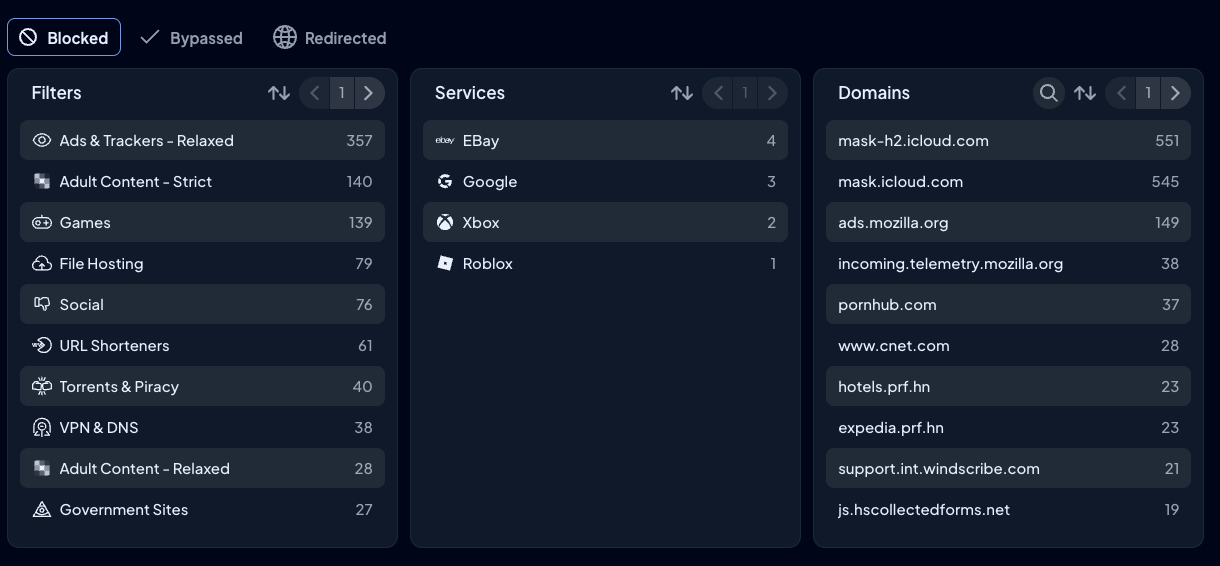
Control D’s Analytics are designed for quick troubleshooting, plus clean reporting you can reuse across customers.
- Clear retention rules: raw DNS query logs are stored for 1 month, while higher-level statistics data can be kept for up to 1 year
- Fast drill-downs: Analytics 2.0 added a refine-in-place workflow so you can click into Endpoints, Profiles, Filters, Services, domains, countries, and ASNs without bouncing between pages
- Scheduled email reports (daily/weekly/monthly), which are handy for MSP client reporting
- CSV exports when you need them: export logs directly from the dashboard, or automate exports via API (within the 1-month raw log window)
- Admin Logs (audit trail): see who changed what inside an organization, with filtering by admin, org, and action – useful for accountability and troubleshooting
- Data location + control: you can pick from 3 data storage regions for analytics data, and you can delete analytics data if you need to
- SIEM streaming: Control D supports real-time query log streaming to your SIEM tool of choice for unified threat analysis
9. Modern Protocol & Cross-Platform Support
Control D supports all modern DNS protocols (DoH, DoT, DoH3, and DoQ), legacy DNS for older networks, and IPv4/IPv6 dual-stack support.
On top of that, Control D isn’t locked to a single OS. It’s meant to follow users across mixed fleets, including macOS, Linux, iOS + Android, browsers, and routers – which matters if you’re comparing it to more Windows-heavy filtering setups like Zorus.
On the integration side, Control D integrates seamlessly with all major enterprise tools, including:
- Directory services like Active Directory
- Identity providers, including Okta and Microsoft Entra ID
- RMM/MDMs, such as NinjaOne, Datto, Kaseya, ConnectWise, and more
10. Performance
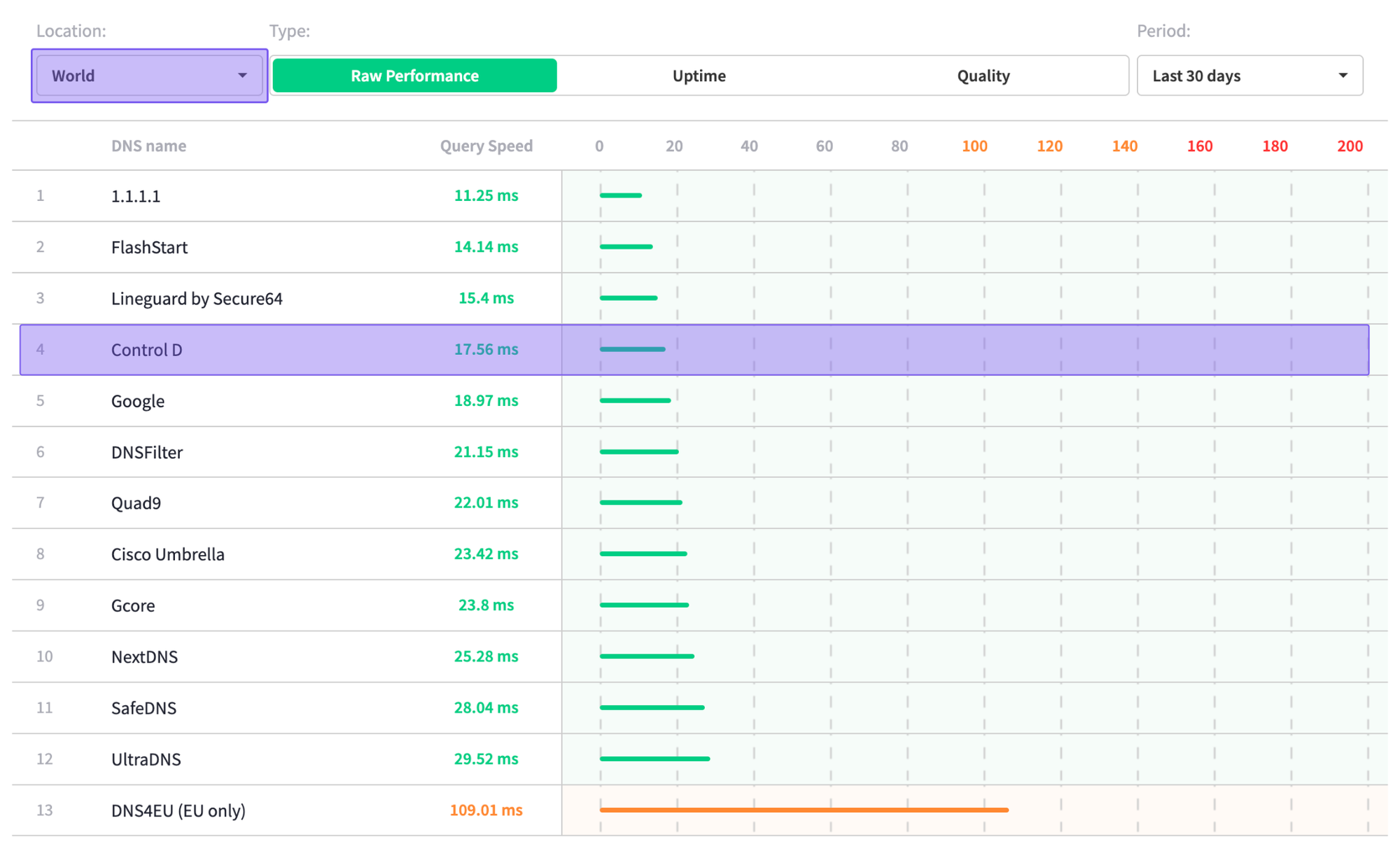
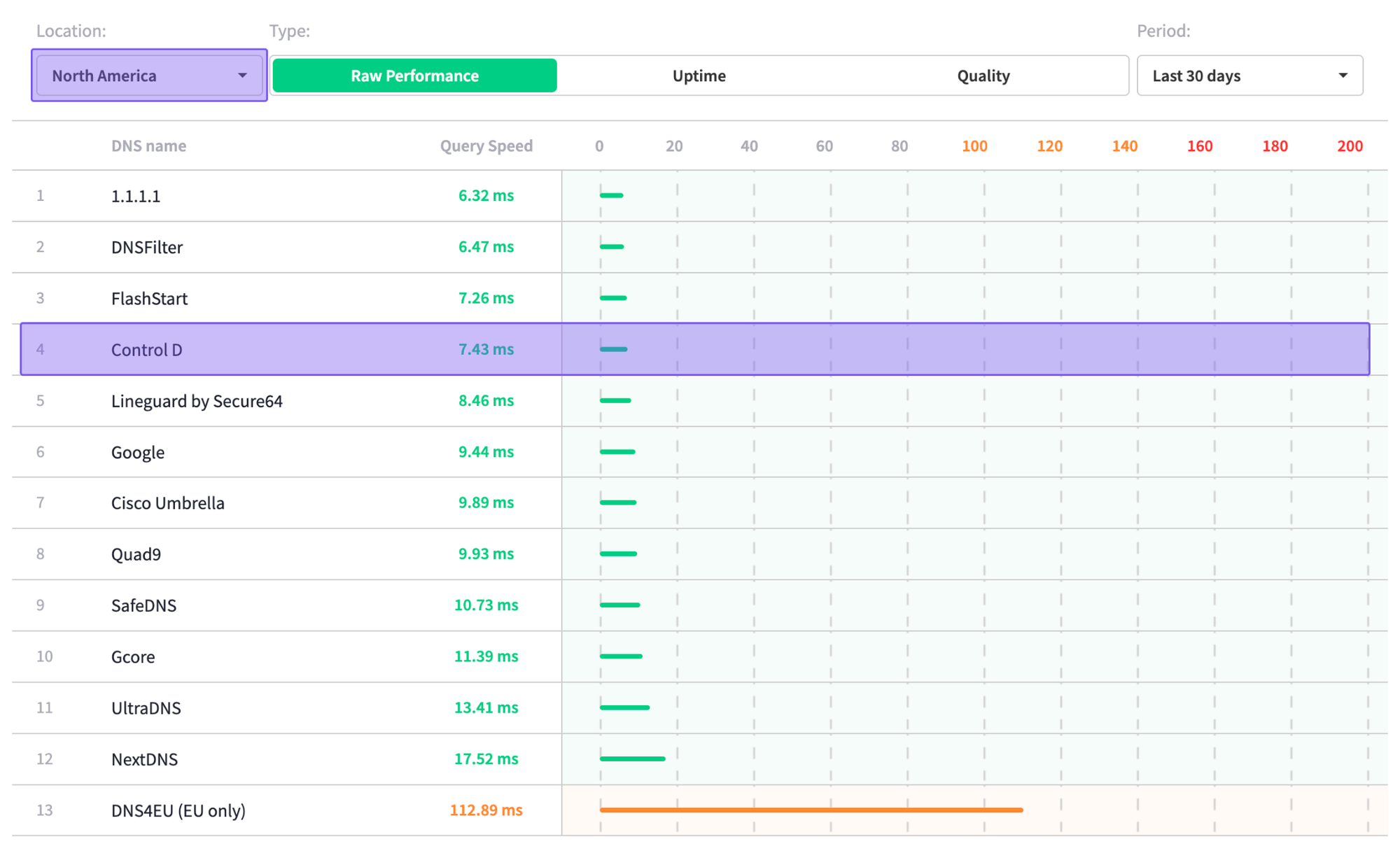
Sourced: 24th November 2025 from DNSPerf.com
According to DNSPerf's independent data, Control D has one of the fastest average query speeds, both globally and in North America:
- Globally: 17.56 ms
- North America: 7.43 ms
Final Thoughts
Zorus is a solid, MSP-first platform that combines DNS web protection, device-based web filtering, and user behavior analytics (CyberSight) into a single product. Its endpoint-first design means it works well with VPN, Active Directory, and custom DNS setups, and many MSPs praise the support team and responsiveness.
However, Zorus pricing is not public, and available information suggests:
- Tiered per-endpoint pricing with minimums of 100 seats
- Anecdotal pricing of just under $3/user/month
- Optional modules (like CyberSight) that can change the total cost depending on how you bundle services
For MSPs who want web filtering + user activity analytics under one roof, and who are comfortable negotiating with a vendor that keeps pricing behind a demo form, Zorus can still be a good deal – especially if you’re a fan of DNSFilter’s acquisition of the product.
If, on the other hand, you’re looking for:
- DNS filtering first (best-in-class threat blocking + granular control over content, domains, and services)
- Transparent per-endpoint pricing with no seat minimums
- Broader device coverage across mixed fleets (desktop, mobile, browsers, routers)
- Strong reporting and analytics without adding an employee-monitoring-style module
- Advanced features like Traffic Redirection and Geo-Custom Rules
Then Control D is likely the better fit: predictable pricing, fewer deployment constraints, strong DNS control, and features built to help MSPs and businesses manage and protect networks and users at scale.