WebTitan Pricing: Is It Worth the Money?
Evaluating WebTitan? We examine its pricing, features, hidden costs you need to know before deciding, and a more affordable alternative.

WebTitan, a popular Domain Name System (DNS) web filter from TitanHQ, positions itself as a cost-effective solution for businesses that need phishing protection and advanced threat protection. It protects users from malware, data breaches, and helps remote workers stay secure on the go.
But when evaluating a DNS security solution, understanding the true cost goes beyond the monthly price tag. You should also consider pricing renewals, features, compatibility, and whether it’s actually the best tool for your specific use cases.
This guide breaks down how much WebTitan costs, what you actually get for your money, and, more importantly, if it delivers value that justifies the investment.
We’ll also introduce an alternative that might be a better fit for your organization's network security needs.
TL;DR
| Product/Plan | Cost USD | Notes |
|---|---|---|
| WebTitan Business | $2.25/user/month | Paid annually; minimum 25 users |
| WebTitan MSPs | Unknown | Contact their sales team for a custom quote |
| Control D SMBs | $2/endpoint/month | No minimums, no mandatory contracts |
| Control D MSPs | $1/endpoint/month | No minimums, no mandatory contracts |
| Control D Non-profits/Schools | $0.5/endpoint/month | No minimums, no mandatory contracts |
| Control D Enterprise | Custom | Adds optional higher-touch support/services |
WebTitan Pricing Breakdown
WebTitan's pricing plans are typically based on:
- Number of users (or endpoints, depending on channel)
- Subscription length (monthly vs annual/multi-year)
- Buying route (direct “end user” vs MSP/service provider pricing)
- Negotiation capabilities (beyond a certain user/endpoint count)
Here’s what we know. WebTitan shows an end-user list price for organizations and businesses buying directly:
- $2.25/user/month
- Paid annually
Because $2.25/user/month is the annualized rate, a month-to-month subscription will typically cost more.
If you’re an MSP, you’ll have to purchase under a separate partner/MSP pricing model, which isn’t made public. To find this out, you’d need to contact their sales team for a quote.
Additional Costs to Consider
1. Minimum User Requirements
WebTitan requires at least 25 users. For many businesses, that’s easy to meet. But if you’re a startup or a small team that’s still growing and bootstrapped, paying for 25 users may push WebTitan out of your budget.
2. Year-over-year Renewal Increases
One thing to watch for with WebTitan is renewal pricing. In a number of online reviews, customers say their costs went up at renewal, year after year.
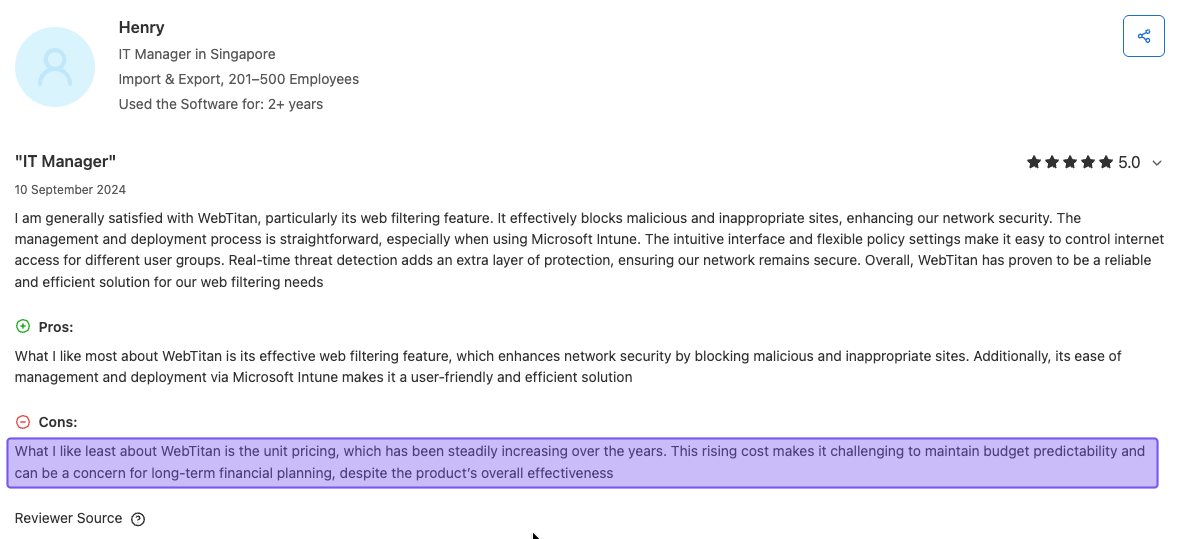
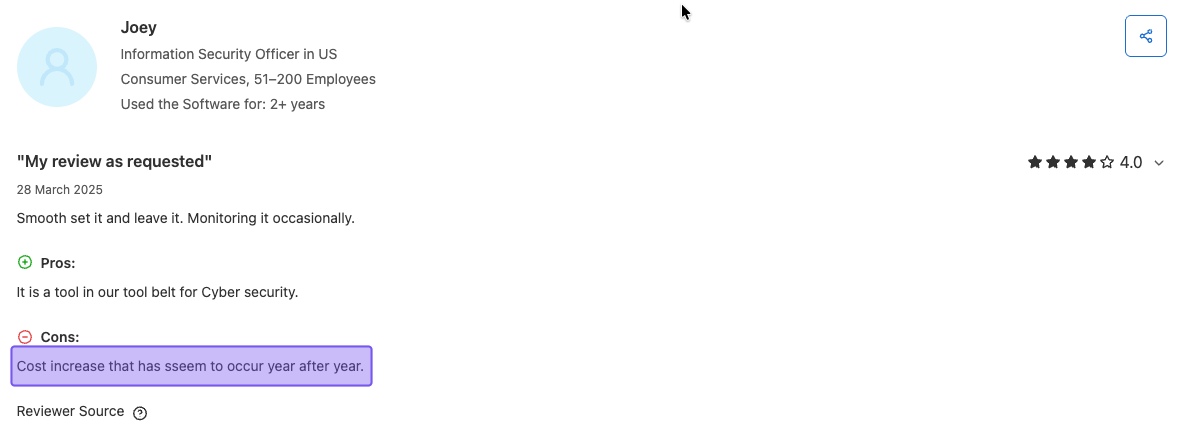
That means the “starting price” you see today may not be the price you’re paying a year or two from now, which is far from ideal when you're trying to plan your budget for next year or the long term.
If you’re considering WebTitan, it’s worth asking about this up front:
- What will the renewal price be next year?
- Is there a price lock for multi-year terms?
- Is there a cap on annual increases?
It’s not the kind of surprise you want to discover after you’ve already rolled it out.
3. Addons & Bundles
WebTitan is just one product in TitanHQ’s larger lineup. If WebTitan covers what you need, you can stick with it and keep costs simple.
But if you want extra tools (like email security, archiving, or other add-ons) and decide to bundle these products together, your monthly bill can climb quickly. Bundles can be convenient, but they also make it easier for the “nice-to-have” extras to turn into a much bigger spend than you planned.
To be clear: this is completely optional. If you only want DNS filtering and security, stick with WebTitan – ignore all the add-ons and bundles.
4. Contract Length Changes What You Actually Pay
WebTitan’s pricing depends on how long you commit for. So the “per user, per month” number you see can shift based on whether you’re paying month-to-month, annually, or signing a multi-year deal.
For example, the $2.25/user/month rate is an annual price. If you want a rolling monthly plan, you should expect a higher per-user monthly cost. Conversely, if you commit for multiple years up front, you may be able to bring the effective monthly cost down with bigger discounts.
It’s important to keep that in mind when you’re comparing costs – make sure you’re comparing the same contract length, not just the headline “per month” number.
WebTitan Features: What You Actually Get
Okay, so what does your money actually buy? Here are the essential features WebTitan provides:
Core Security Features:
- DNS-based web filtering that stops online threats before they reach your network
- Protection against malware and phishing attacks with real-time threat intelligence
- SSL/TLS inspection for HTTPS traffic filtering
Content Filtering Capabilities:
- Predefined website categories for blocking content
- Fine-tuned controls for different user groups
- Whitelist and blacklist options for each policy
- SafeSearch enforcement for Google, Bing, and YouTube
Deployment and Management:
- Roaming agents for Windows, macOS, and Chromebooks (no extra charge)
- API access for automation and integration
- Multi-tenant support for MSPs managing multiple clients
Reporting and Analytics:
- Pre-built reports you can customize
- Real-time reporting dashboard
- 2-month DNS query log retention
- Per-user and per-group activity tracking
Is WebTitan Worth It? 7 Considerations Before Buying WebTitan
You know what WebTitan offers, and you know how much it costs (for end-users, at least). Before committing, several other factors deserve careful consideration as they will impact your overall experience with the platform.
1. Who Is WebTitan For?
WebTitan advertises its services to everyone, from enterprises, MSPs, educational institutions, and everyone in between. However, its typical users are mid-sized businesses and MSPs.
That doesn’t mean a school or enterprise can’t sign up, but it’s important to keep this in mind when making your decision.
2. Is WebTitan Easy to Use and Deploy?
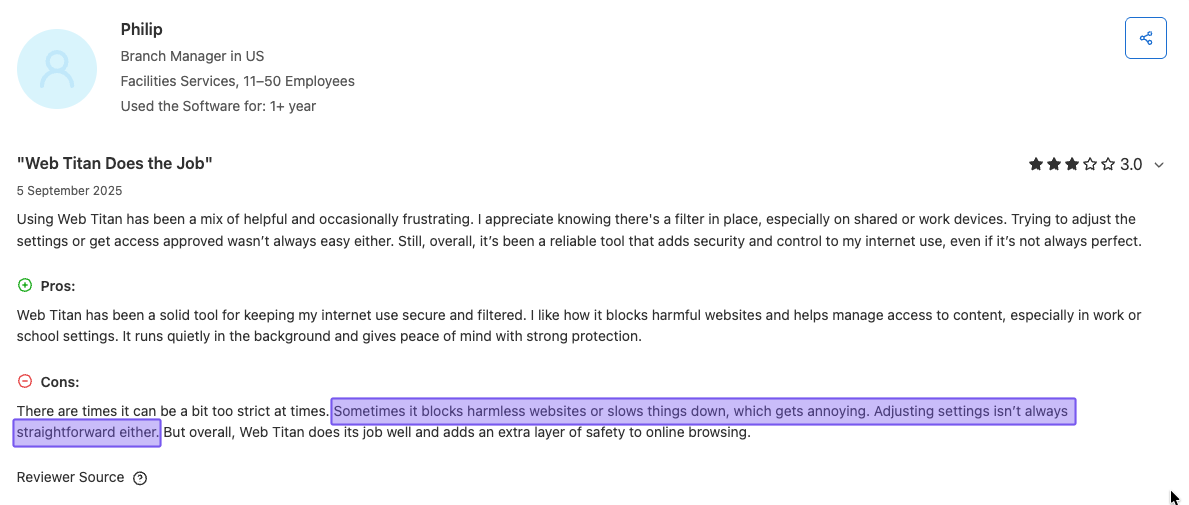
WebTitan's UI and UX have received mixed reviews. Some users have described the setup process as “disorganized” and have expressed difficulty navigating the system during the initial configuration.
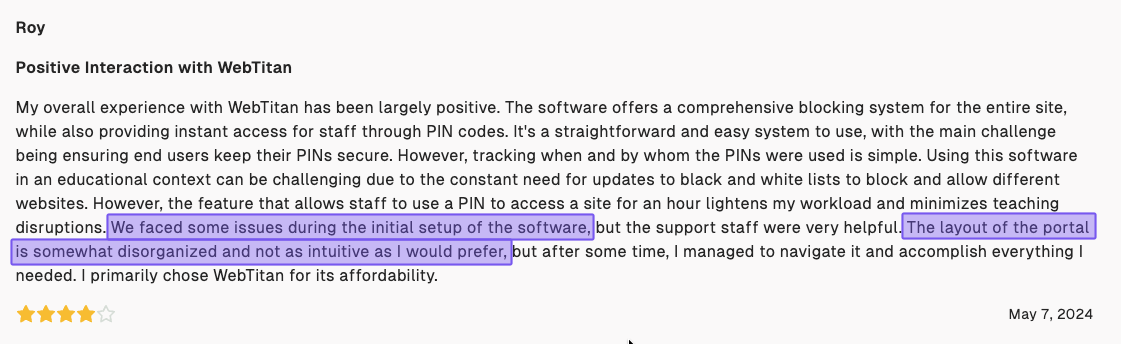
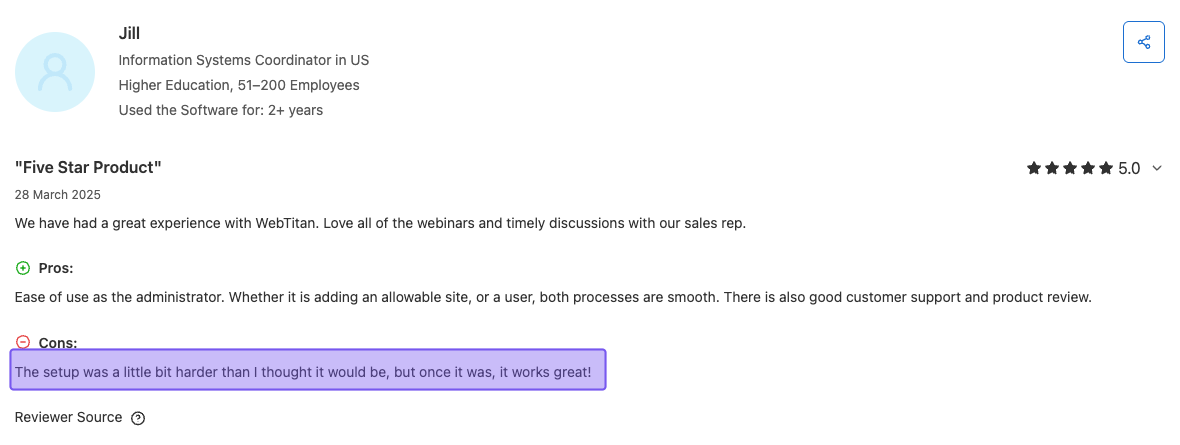
It works well for organizations with IT resources to manage deployment and configuration. Smaller businesses or those without a dedicated and experienced IT team may find the initial setup and ongoing management complex, despite claims of a "5-minute setup."
That said, once the setup is complete, users generally find that WebTitan works well, with the overall experience improving after the initial hurdle. But the learning curve at the beginning might be frustrating as you get everything configured properly.
3. Pricing Transparency
While WebTitan makes end-user pricing public, MSP pricing details are kept confidential. This lack of upfront pricing information makes it difficult to compare costs against other solutions or predict total costs over time without going through their full sales process.
Another thing to note is that WebTitan’s pricing is also influenced by your negotiation skills. Smaller companies with fewer users will have less bargaining power, and you may end up paying more than another company for the same exact features and capabilities.
We mentioned this earlier, but renewal pricing increases are seemingly common, meaning the rate you pay now may not be the same in the future. Without clear, upfront MSP pricing and predictable costs, it can be difficult to budget or compare WebTitan to other options.
4. Does WebTitan Scale Well?
It supports organizations of all sizes and positions its DNS filtering as scalable, capable of handling large volumes without adding latency. Also, WebTitan integrates with tools like Microsoft Intune and Active Directory.
On paper, the platform itself handles growth well from a technical perspective, but figuring out what it’ll cost as you expand isn’t transparent without ongoing discussions with your account rep.
5. Support Quality and Availability
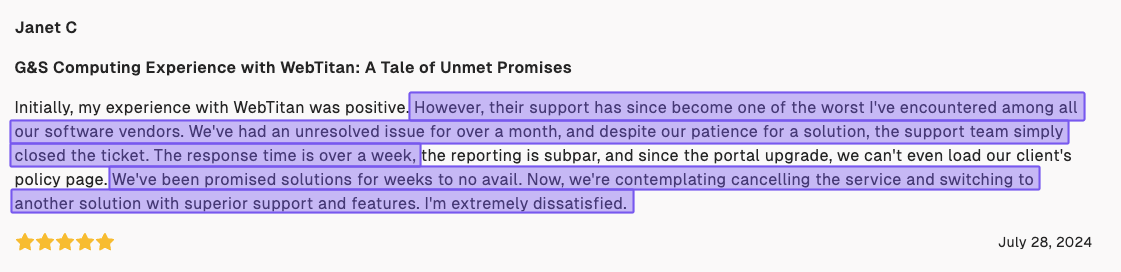
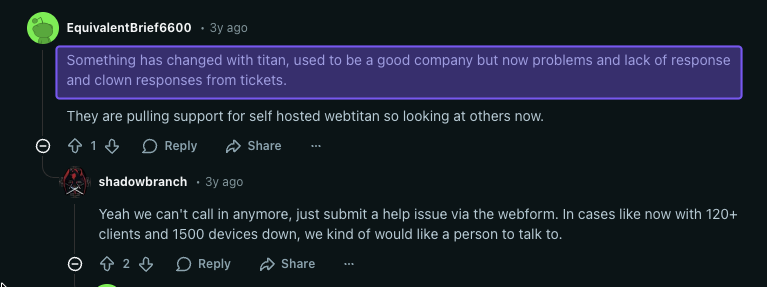
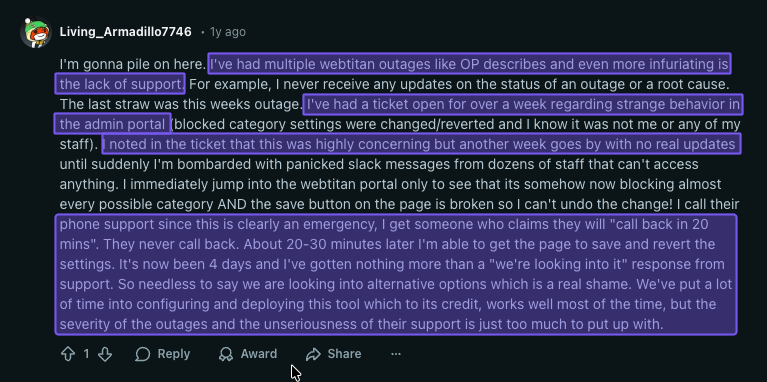
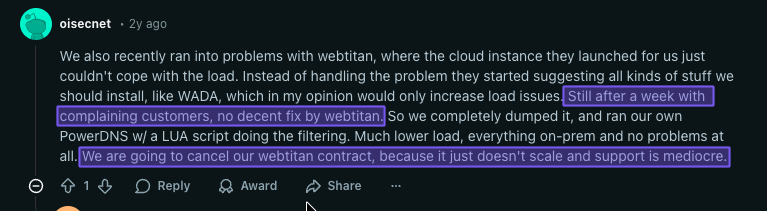
WebTitan offers email and phone support, as well as documentation for self-serve troubleshooting. Generally, users rate their support experience positively, but numerous online reports indicate frustration with support availability and quality.
6. Cross-device Compatibility
WebTitan supports Windows, macOS, and Chromebook systems for securing remote users, covering many of the most common devices in businesses today. But if you rely on Linux systems or need mobile device support for Android or iOS, this is where you’ll face WebTitan’s limitations.
WebTitan doesn’t support these operating systems natively, so if your company uses a wider range of devices, you may need third-party solutions to make sure everyone is protected. This could add some extra costs or complexity to your setup.
Additionally, WebTitan doesn’t support Single Sign-On (SSO), which can be inconvenient if your team depends on it for logging into various systems.
7. Vendor Lock-In Considerations
Multi-year contracts may offer better pricing, but they also lock you into the platform, even if your needs change or better alternatives emerge. Make sure you understand WebTitan’s cancellation policies and contract terms before you commit to avoid any nasty surprises.
Control D: A More Affordable and Feature-Rich Alternative
WebTitan does the job, but a few pain points keep popping up: no upfront pricing, complicated deployment, costs that keep rising, and needing to negotiate quotes for what should be simple security software.
If you're still undecided and want to explore a more affordable option without sacrificing on features, Control D deserves a serious look.
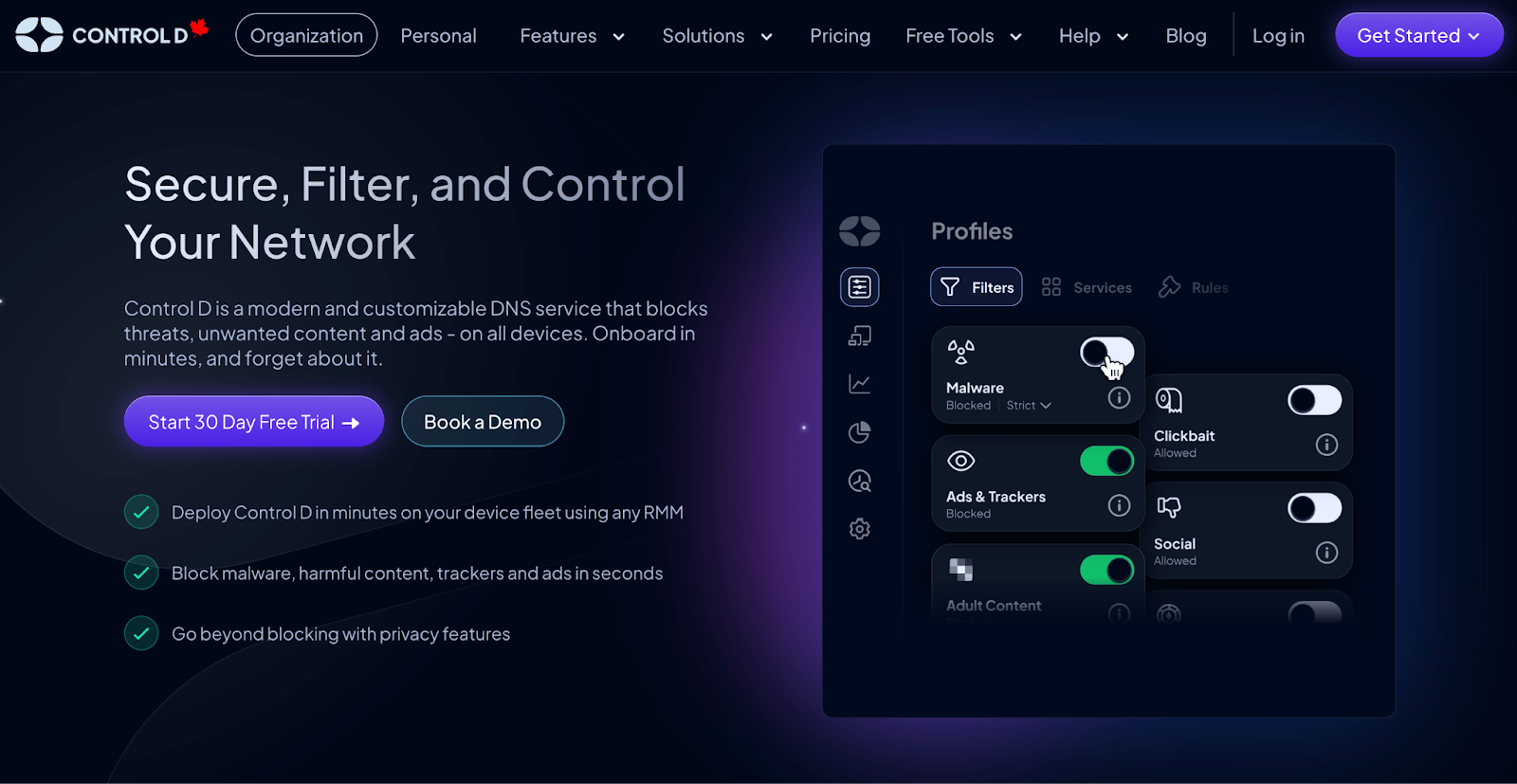
Control D takes a totally different approach. You get transparent pricing from the start, no sales calls required, and enterprise-grade features without the enterprise-level headaches and price tag – more value for less.
Organizations consistently say Control D delivers a cost-effective solution that's both powerful and refreshingly simple to use.
Control D Pricing Breakdown
Unlike WebTitan, Control D uses straightforward, transparent pricing with no hidden costs, surprise fees, or renewal hikes:
- School/Non-Profit: $0.50/endpoint/month
- MSP: $1/endpoint/month
- SMB: $2/endpoint/month
- Enterprise: Contact
Here’s how the two compare:
| Product / Plan | Public Pricing? | List Price (USD) | Minimums / Notes |
|---|---|---|---|
| Control D (Enterprise) | No | Contact | No minimums, no mandatory contracts; annual discounts available. |
| Control D (Startups & SMBs) | Yes | $2/endpoint/month | No minimums, no mandatory contracts; annual discounts available. |
| Control D (MSPs) | Yes | $1/endpoint/month | No minimums, no mandatory contracts; annual discounts available. |
| Control D (Schools / Non-Profits) | Yes | $0.5/endpoint/month | No minimums, no mandatory contracts; annual discounts available. |
| WebTitan End-User | Yes | $2.25/user/month | 25-user minimum |
| WebTitan MSP | No | Contact | Must contact sales team for a custom quote |
Control D Features: What You Actually Get
| General Features | Control D | WebTitan |
|---|---|---|
| Advanced ML-Based Malware Protection | ✅ | ✅ |
| Content Blocking Categories | ✅ | ✅ |
| Modern DNS Protocols | ✅ | ✅ |
| Blockable Services | 1,000+ | ❌ |
| Geo-Custom Rules | ✅ | ❌ |
| Traffic Redirection | ✅ | ❌ |
| Ad & Tracker Blocking | ✅ | ❌ |
| Clients, Applications, and Integrations |
Control D | WebTitan |
| Windows & macOS | ✅ | ✅ |
| Linux, iOS & Android | ✅ | ❌ |
| Single Sign-on (SSO) | ✅ | ❌ |
| RMM Integration | ✅ | ✅ |
| Full API Access | ✅ | ✅ |
| Analytics & Reporting | Control D | WebTitan |
| Query Log Retention | 1 month | 2 months |
| Report & Analytics Retention | 30 days w/ hour granularity 1 year w/ daily granularity |
2 months |
| SIEM Log Streaming | ✅ | ❌ |
| Scheduled Reporting | ✅ | ✅ |
| Data Storage Regions | 3 + Custom | - |
| Support | Control D | WebTitan |
| Community Support | ✅ | ❌ |
| Docs/Knowledge Base | ✅ | ✅ |
| Email Support | ✅ | ✅ |
| Chat Support | ✅ | ❌ |
| Phone Support | ❌ | ✅ |
1. Best-in-Class Malware Protection
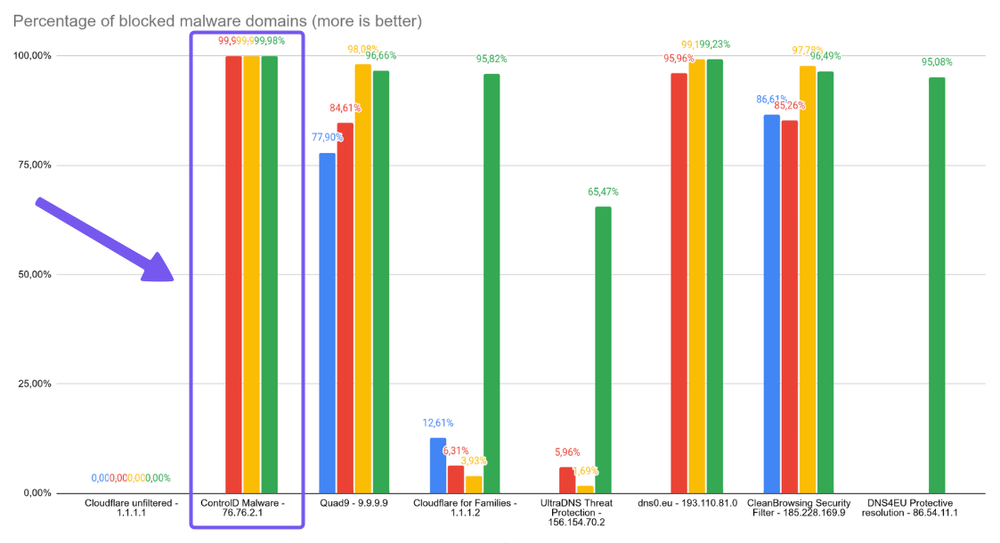
Control D achieved a 99.98% malware block rate in independent testing conducted by Nexxwave in June 2025 – the highest score among all DNS providers tested.
It combines multiple threat intelligence feeds with proprietary AI and machine learning models that flag suspicious domains the moment they're registered. By the time a new malware domain appears on traditional blocklists, Control D has already stopped it.
You can even adjust the aggressiveness level to match your risk tolerance, dialing protection up or down without sacrificing coverage.
2. Advanced Content & Service Filtering
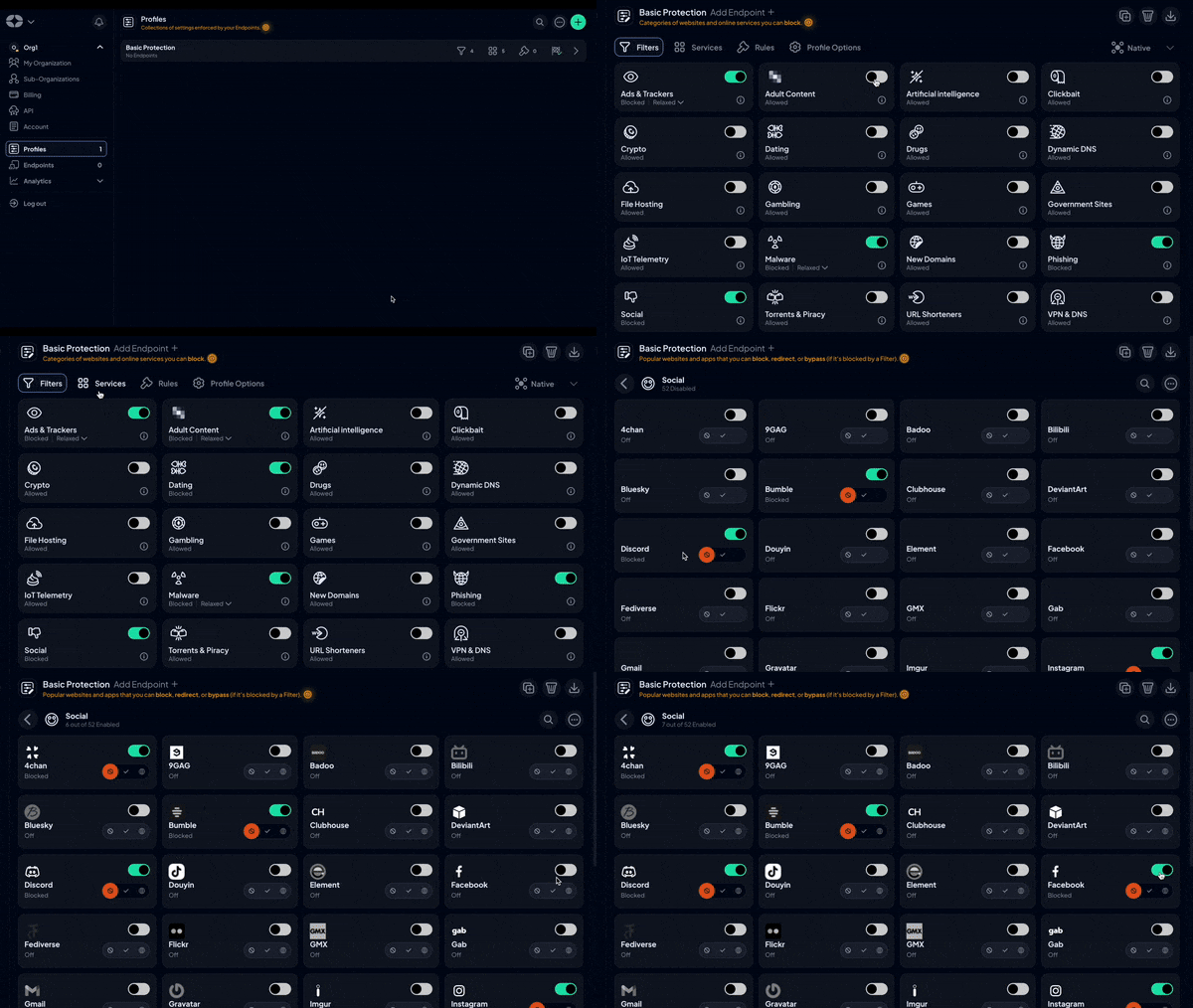
Control D gives you precise control over your web filtering and internet usage policies:
- 20 Filter categories for broad policy controls, such as malware, phishing, gambling, adult content, games, etc
- 1,000+ individual Services (apps, platforms, tools) you can toggle independently
- In comparison, WebTitan offers zero Services – you have to manually add allowed/blocked domains for each app/tool
This two-layer system solves the classic filtering problem of adding specific exceptions without hassle.
Use Filters to block entire categories (Social Media, Torrenting, Gaming), then use Services to carve out what you actually need (LinkedIn for business, YouTube for training videos).
Or flip it. Leave categories open but block specific problems (allow streaming generally, block Netflix during work hours). You control the policy granularity.
There’s also the built-in ad and tracker blocker with adjustable modes (Strict, Balanced, Relaxed) to ensure you don’t break hyperlinks and Google search results.
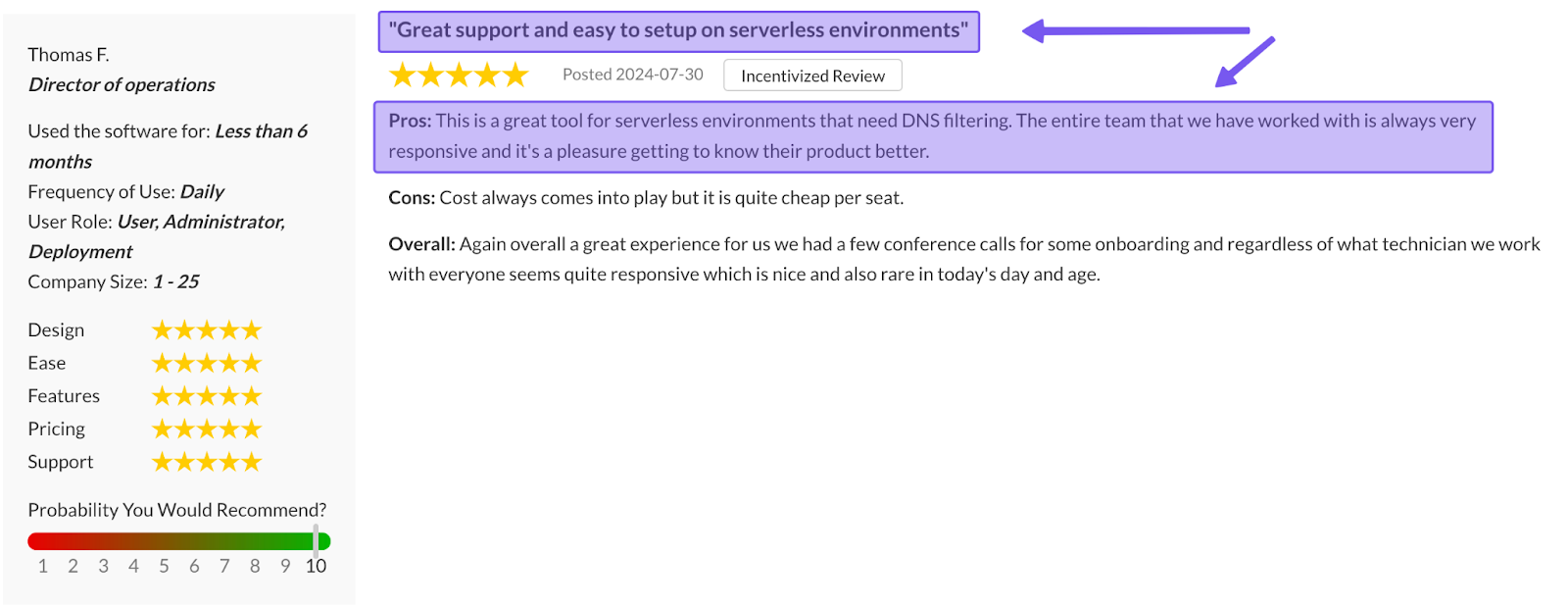
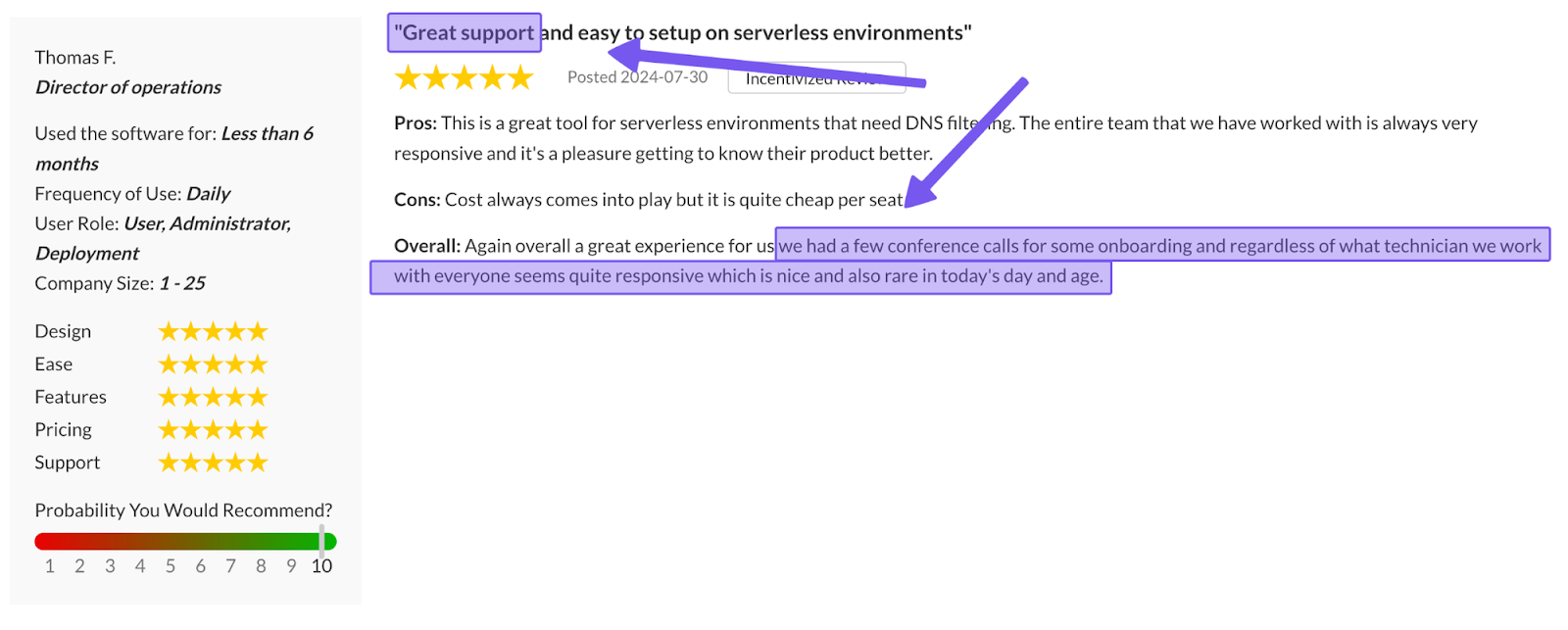
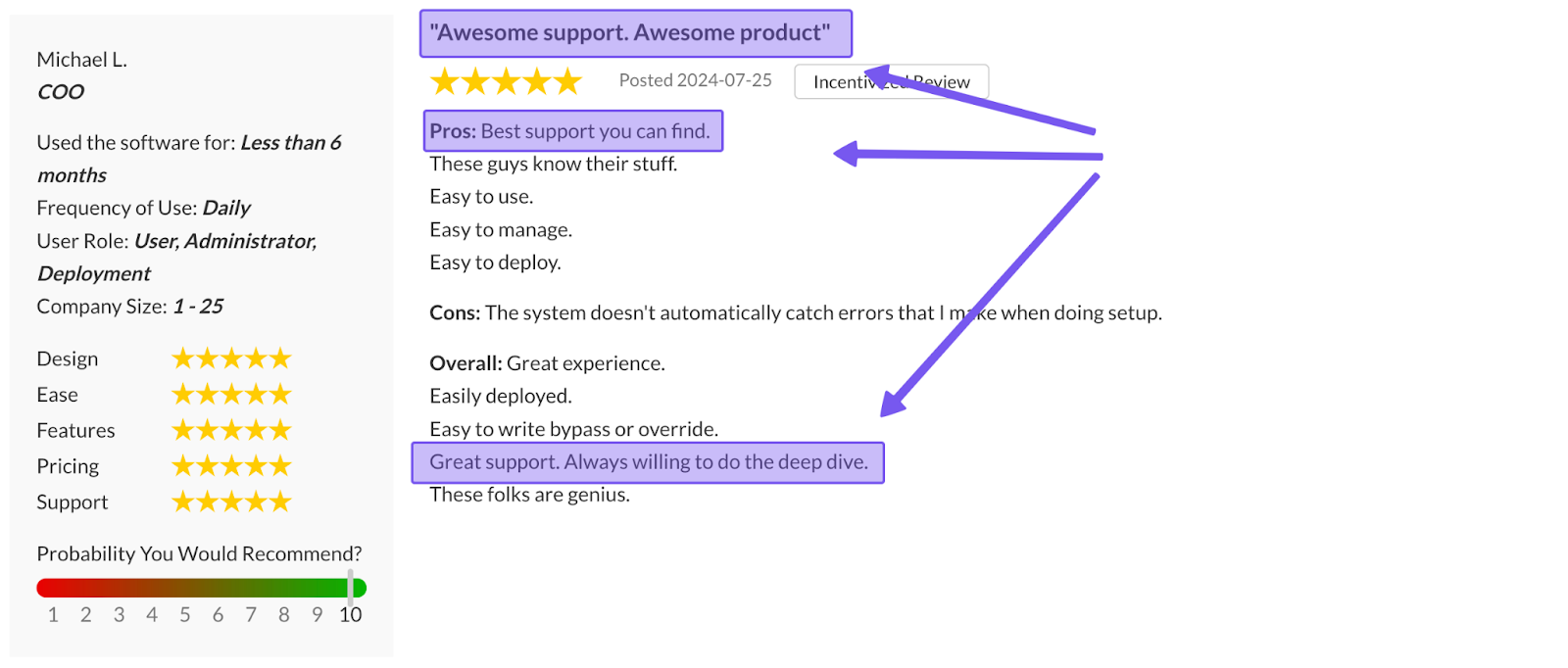
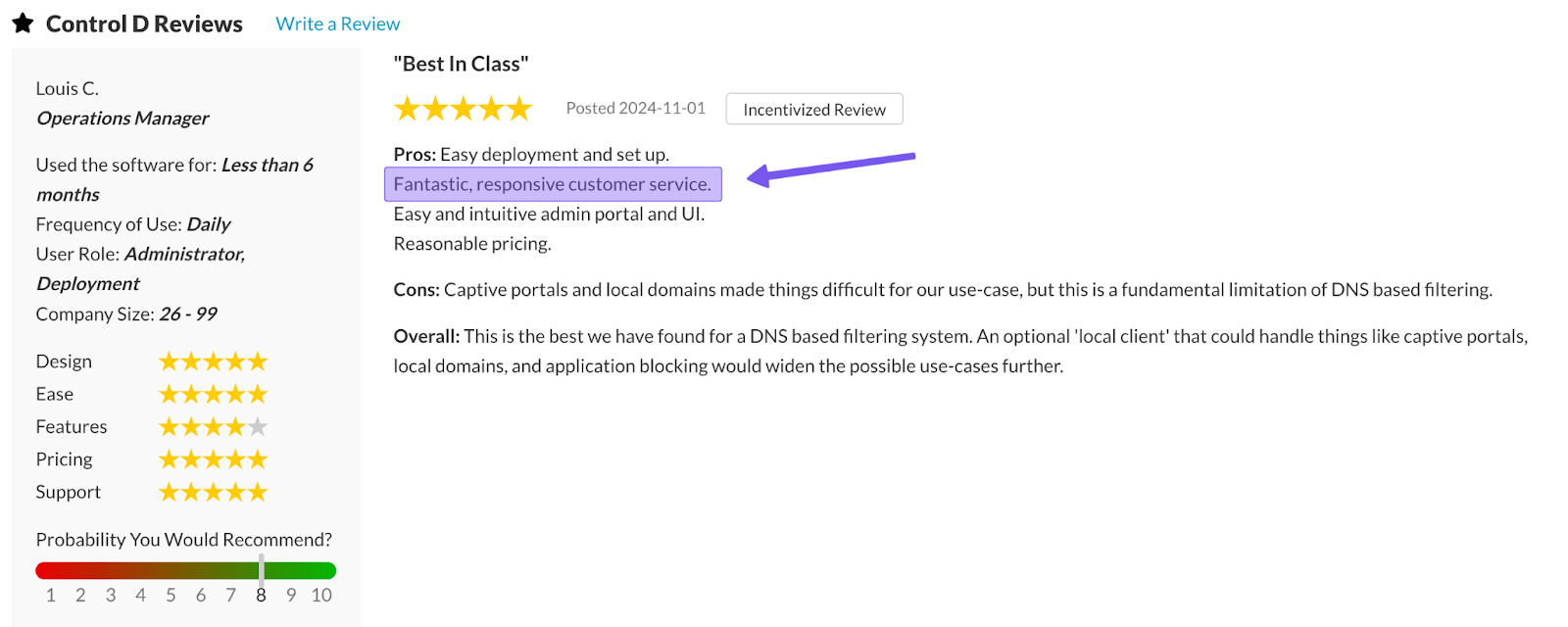
3. Support Quality
Control D's support structure is simple. All businesses get access to:
- Email support available 7 days a week, 9am-9pm ET
- Detailed documentation and knowledge base for self-serve troubleshooting
- Barry, the AI assistant that provides immediate answers to 99% of questions (he can also escalate your query to a human support team member)
- Active community on Reddit and Discord
It’s also not uncommon to receive support replies from the engineering team, and in some cases, from the founders themselves.
This personalized, accessible approach to customer support is one of Control D's key strengths, and users consistently praise the support team for being responsive, helpful, and genuinely invested in resolving issues.
4. Multi-Tenancy & MSP Management
MSPs managing multiple clients can avoid the hassle of constant context-switching with Control D’s multi-tenancy architecture:
- Create Sub-Organizations under your main account for each client, department, or site.
- Each Sub-Org operates independently with:
- Unique Profiles
- Separate Endpoints
- Custom Policies
- Independent Analytics
- Complete data separation between Sub-Orgs
Admins can impersonate any Sub-Org directly from the parent dashboard, jumping into a client's environment without separate logins or credential management, and assign role-based permissions (Owner, Admin, Viewer) to control who accesses what.
The result is a streamlined management experience with unlimited isolated client environments managed from one interface, with switching that takes seconds instead of minutes.
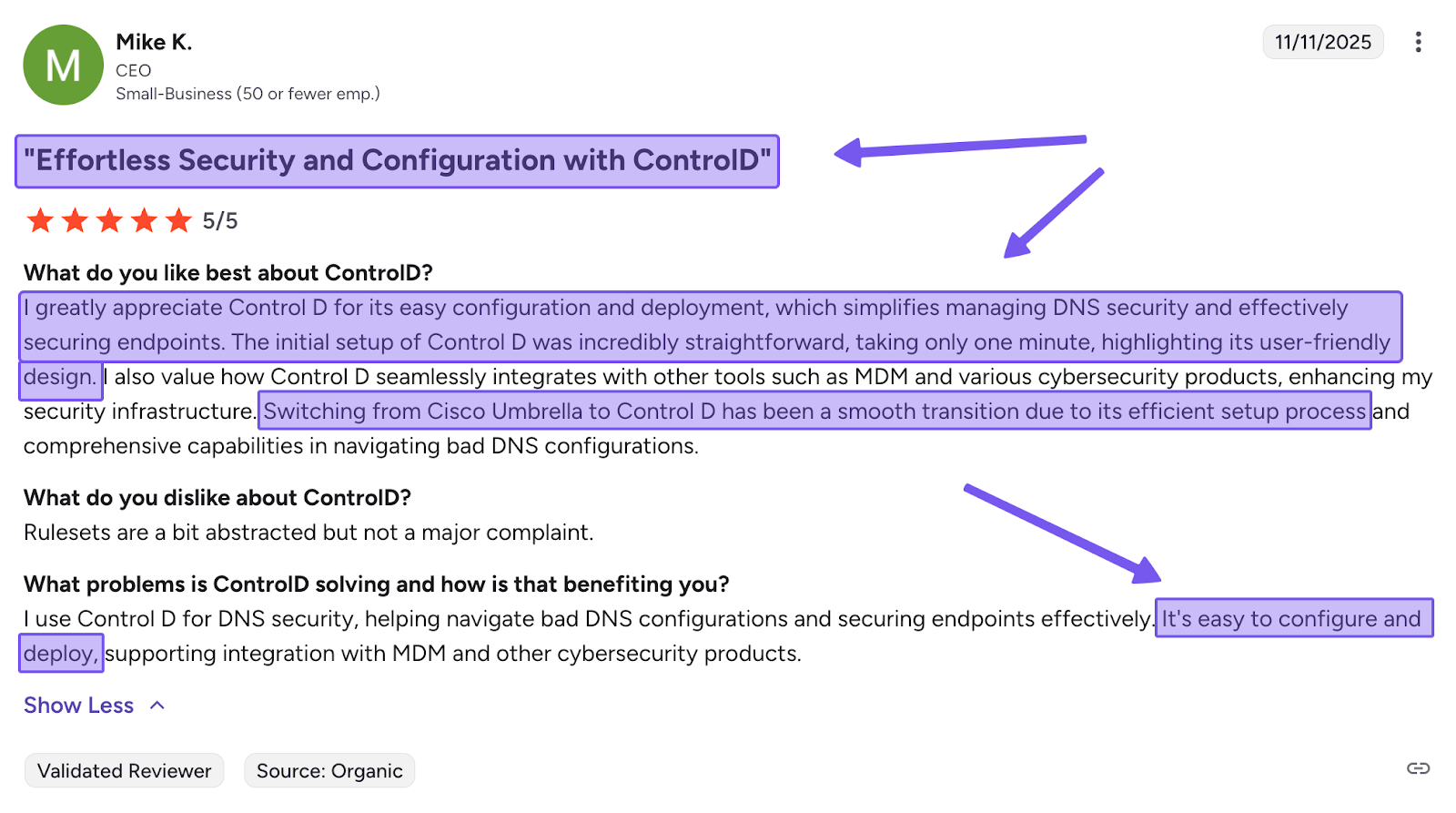
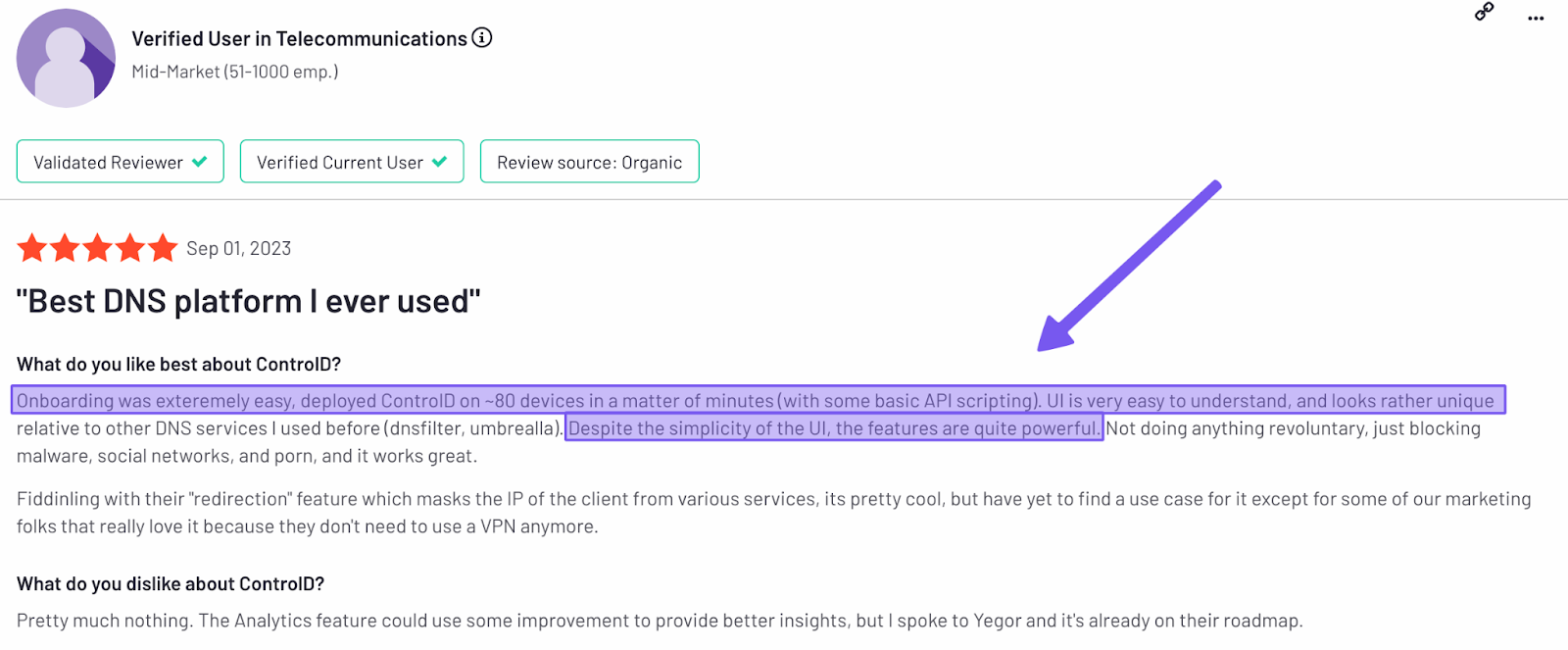
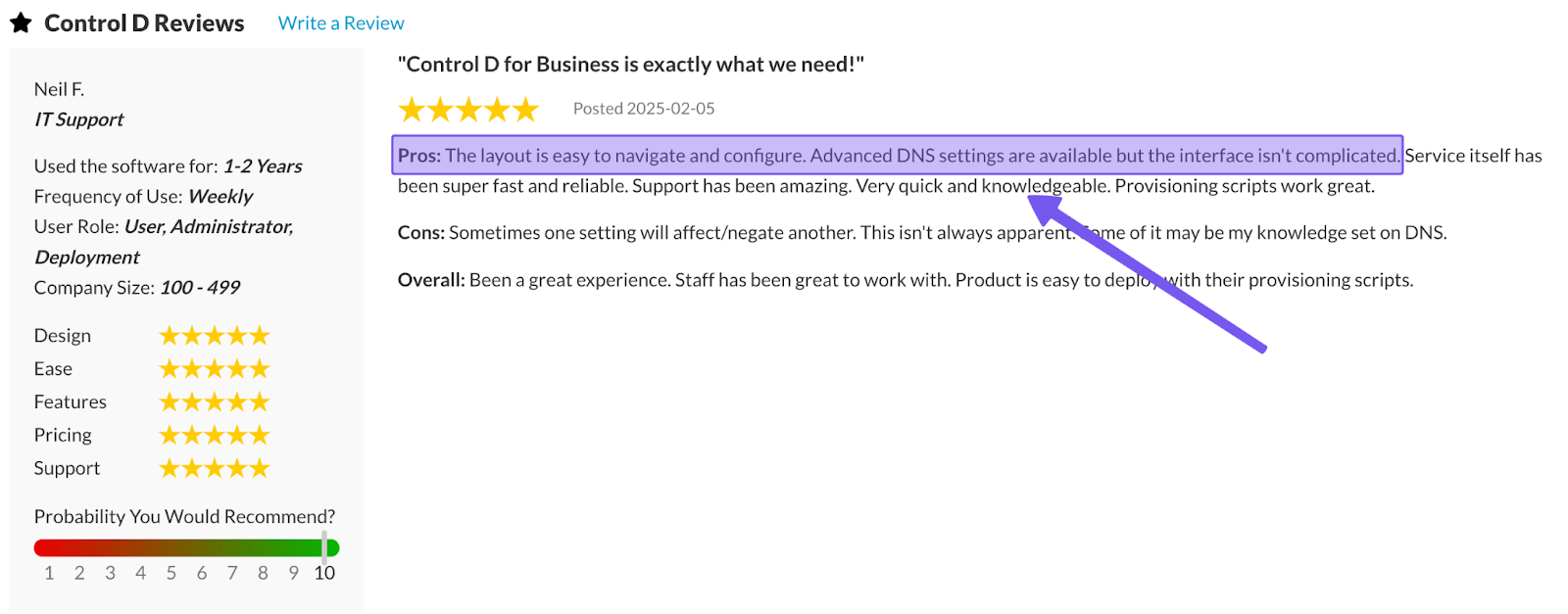
5. Easy Deployment
Deployment takes two basic paths:
- Network-level: change your router or firewall DNS settings to Control D's resolvers – whole network protected in under a minute
- Endpoint-level: generate a Provisioning Code, push it via your RMM/MDM tool, and devices enroll automatically with per-device policies
6. Traffic Redirection
Control D's Traffic Redirection routes DNS queries through 100+ proxy locations across 60+ countries, letting you spoof your IP address without needing a VPN.
You can set a default exit location for all traffic, or create rules that redirect only specific domains or Services while keeping everything else local – all with a single toggle.
Common use cases include data residency compliance (keep EU traffic in EU) and performance optimization (route queries through regions closest to users). It's managed through DNS policy alongside your filtering rules, with no separate VPN infrastructure, licenses, or client software required. WebTitan does not offer this feature.
7. Geo-Custom Rules
Geo-Custom Rules add geographic intelligence to your DNS policies, letting you make routing decisions based on traffic source and destination:
- Block, bypass, or redirect queries that resolve to IPs in specific countries
- Block, bypass, or redirect queries that resolve to IPs outside specific countries
- Block, bypass, or redirect queries made from IPs in specific countries
- Block, bypass, or redirect queries made from IPs outside specific countries
- Block, bypass, or redirect queries that resolve to IPs owned by specific networks (ASNs) or not owned by them
- Combine multiple geo rules to build more complex location- or ASN-based policies
This is beneficial for compliance when you need to keep traffic within specific regions, block high-risk regions from resolving, or prevent traffic from resolving to or from any specific country, network, or region, depending on your use case.
Check out Control D's Geo Custom Rules documentation for detailed examples and configuration guidance.
8. Analytics and Reporting
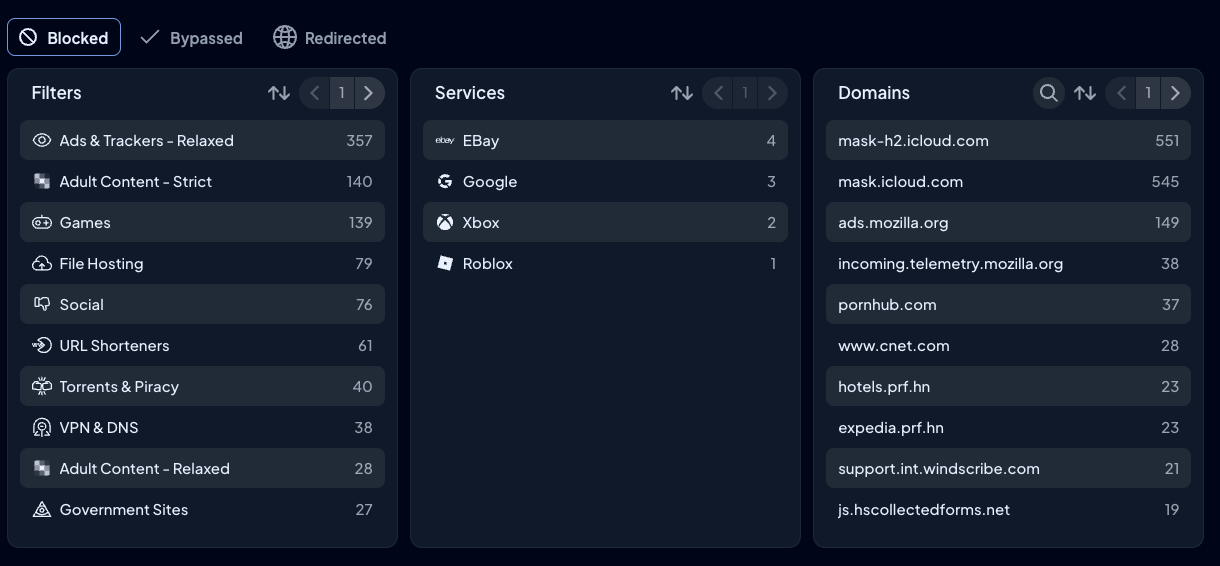
Control D provides comprehensive analytics and reporting:
- Admin action logs for an audit trail
- Raw DNS query logs are retained for 1 month
- Aggregated analytics available for up to 12 months
- Analytics 2.0 interface lets you filter and drill down by device, Profile, Filter, Service, action type (block/bypass/redirect), domain, geographic location, network (ASN), and timeframe – all interactively without running separate reports
- Schedule automated email reports – daily, weekly, or monthly
- Stream query logs to your SIEM in real-time via Fluent Bit at no additional cost. Export to CSV whenever needed.
The analytics answers questions instead of requiring you to figure out which report might contain the answer.
9. Modern Protocol & Cross-Platform Support
Control D supports all modern encrypted DNS protocols, including DNS-over-HTTPS (DoH), DNS-over-TLS (DoT), DNS-over-HTTPS/3 (DoH3), DNS-over-QUIC (DoQ), plus traditional DNS for legacy infrastructures and complete IPv4/IPv6 dual-stack implementation.
Unlike WebTitan, which only natively supports Windows, macOS, and Chromebooks, Control D’s device coverage also extends to Linux, iOS, Android, browsers, and routers.
Additionally, Control D integrates with the enterprise infrastructure you're already running, including:
- Active Directory
- Identity providers (Okta, Microsoft Entra ID)
- RMM/MDM platforms (NinjaOne, Datto, Kaseya, ConnectWise, Atera)
- SIEM tools (Splunk, IBM, and more).
The platform adapts to your environment rather than requiring changes to your environment to match it.
10. Performance
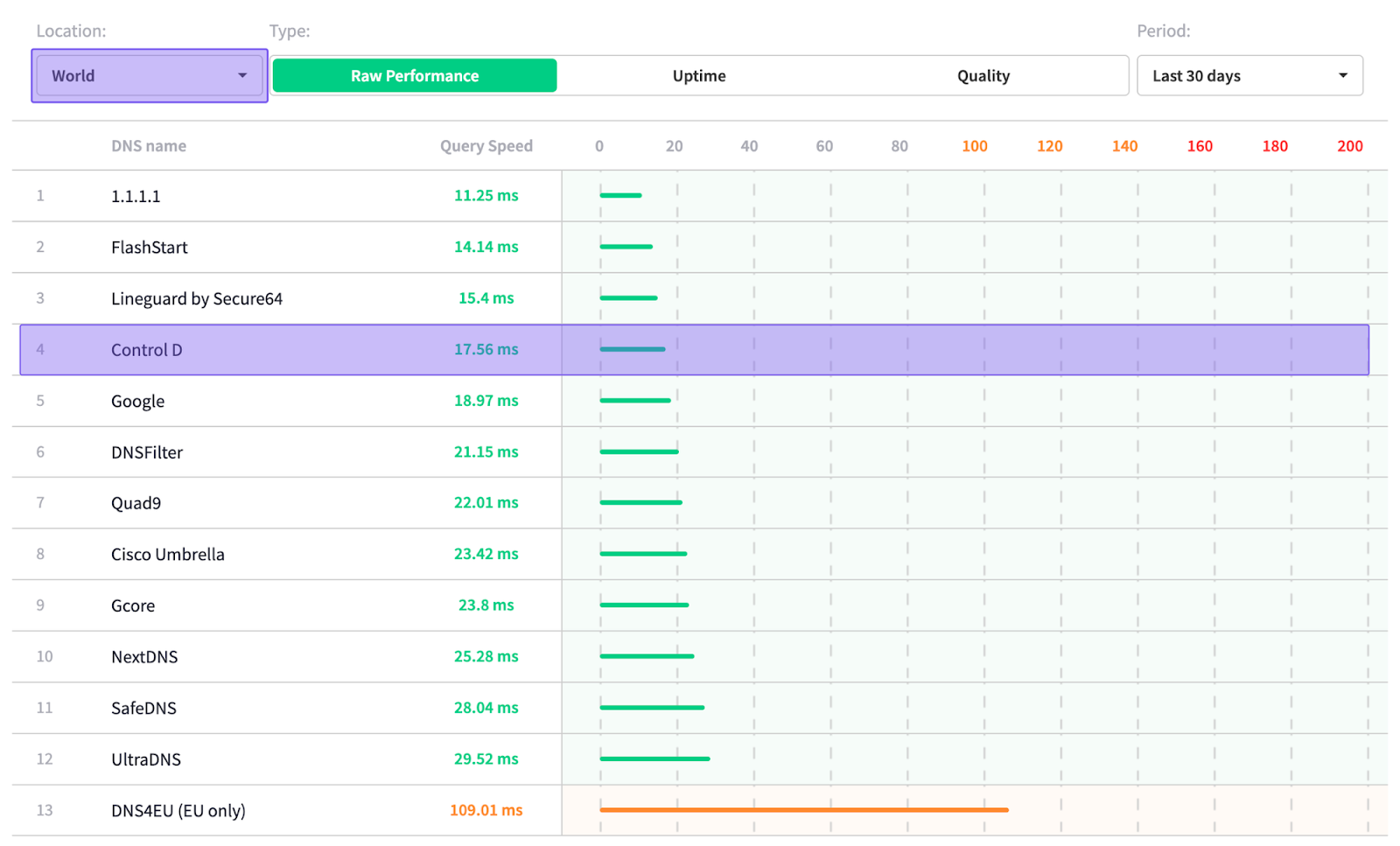
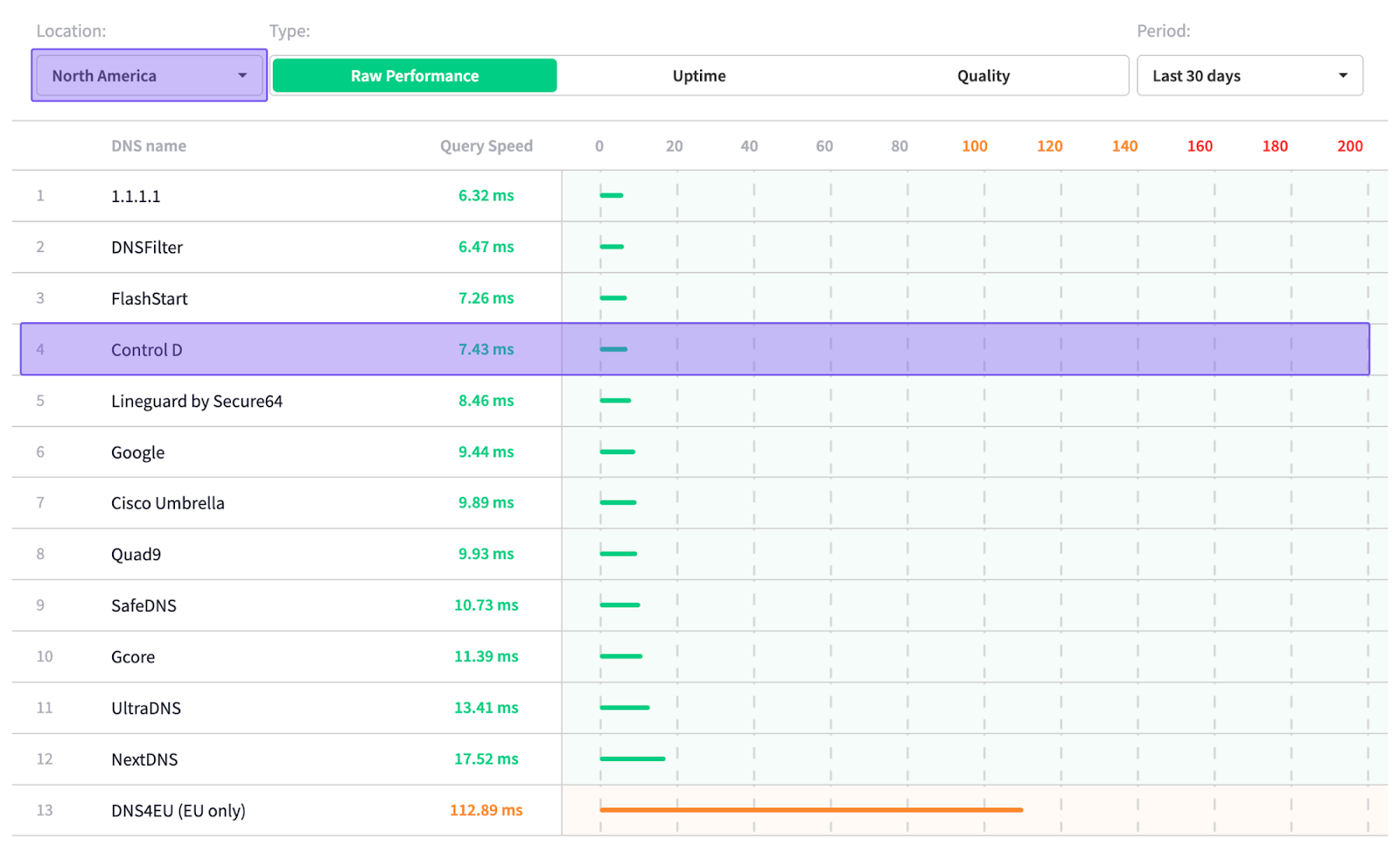
Sourced on: 24th November 2025
Based on independent data from DNSPerf, Control D ranks among the top for query speed, with some of the quickest average response times both worldwide and across North America:
- Global average: 17.56 ms
- North America average: 7.43 ms
Final Thoughts
So, is WebTitan worth it?
WebTitan is a solid option for DNS security, especially if you're a mid-sized business with IT folks on staff. It blocks phishing sites effectively, stops threats in real time, and handles content filtering through its categories. Once you get it running, it delivers on its promise.
But evaluating cost effectiveness becomes challenging when you factor in renewal price increases that make long-term budgeting difficult. Add in hidden MSP pricing until you engage with sales, limited platform support (no native Linux, iOS, or Android), and setup complexity that doesn't match the "5-minute" promise, and you start to see the gaps.
The question isn't whether WebTitan works, because it does. The question is whether it's the right fit for your needs, budget, and team. If you're tired of unclear pricing, surprise cost increases, and platform limitations, Control D is worth considering. You get:
- industry-leading malware protection at better pricing ($0.50-$2/endpoint/month)
- The ability to create granular policies tailored exactly to your needs
- Quick deployment across every major platform
- Advanced features like Traffic Redirection, Geo-Custom Rules, and SIEM streaming that WebTitan simply doesn’t have.
Whether you're a small business, MSP, or enterprise looking for predictable costs and modern features, Control D offers powerful security that's actually simple to deploy, manage, and budget for.