ScoutDNS Pricing: What Does It Cost?
ScoutDNS pricing explained: tiers, minimums, seat definitions, and what you'll really pay - plus how it compares to Control D pricing.

ScoutDNS is a DNS filtering platform used by businesses, schools, nonprofits, and MSPs to block malicious domains and control web access at the DNS layer.
The challenge is that ScoutDNS pricing isn’t “one plan fits all”; it varies by organization type, includes different tiers, and comes with details like seat definitions and minimums that can change what you actually pay.
So the real question isn’t just how much ScoutDNS costs. It’s whether the pricing matches the value once you factor in the fine print and how your environment works in practice.
Below, we’ll break down ScoutDNS plans, pricing, the variables that affect total cost, and when it makes sense for your organization, your deployment style, and the level of control you need – plus how it stacks up against a simpler alternative.
TL;DR
| Product / Plan | Cost (USD) | Notes |
|---|---|---|
| ScoutDNS Commercial | $1.10–$1.50 per seat/month | Monthly or annual terms; seat-based pricing |
| ScoutDNS Nonprofit | $1.00–$1.40 per seat/month | Monthly or annual terms; nonprofit pricing tier |
| ScoutDNS Education | $2.50–$4.00 per seat/month | Annual plans; priced per seat (students + staff) |
| ScoutDNS MSP | Starts at $1.05/month | Usage-based model (FLEX Seat or FLEX Query); tiered price sheet needs requesting |
| Control D SMB | $2.00 per endpoint/month | Published pricing; straightforward endpoint-based billing |
| Control D MSP | $1.00 per endpoint/month | Published pricing; built for MSP multi-tenancy |
| Control D School / Nonprofit | $0.50 per endpoint/month | Published pricing; simple budgeting for schools/nonprofits |
| Control D Enterprise | Custom | Higher-touch rollout/support options depending on needs |
ScoutDNS Pricing Breakdown
ScoutDNS pricing model varies by organization type (Commercial, Nonprofit, Education, and MSP), and within each organization type, there are various tiers. But, before we get into those, here are the key variables that will affect your pricing:
- Seat-based pricing (Commercial/Nonprofit), with monthly vs yearly terms
- Education pricing with annual terms and minimums
- MSP pricing that starts at a minimum monthly spend and uses a FLEX model (per-seat or per-query tiers)
Below is a practical breakdown of the plans and their costs.
Commercial
This includes businesses, offices, retail, restaurants, franchises, and more. ScoutDNS commercial plans are priced per seat and offer monthly or yearly terms.
| ScoutDNS commercial plans | Monthly term (cost per seat / month) | Yearly term (cost per seat / year) | Effective per seat / month |
|---|---|---|---|
| Network Standard | $1.10 | $11 | ~$0.92 |
| Network Plus | $1.30 | $13 | ~$1.08 |
| Network 360 | $1.50 | $15 | ~$1.25 |
There’s a 25-user minimum per account and 10 users per site/location.
Nonprofit
This includes libraries, community centers, NGOs, charities, etc. Nonprofit pricing is also per seat, with monthly and yearly terms, and has its own minimums.
| ScoutDNS nonprofit plans | Monthly term (cost per seat / month) | Yearly term (cost per seat / year) | Effective per seat / month |
|---|---|---|---|
| Network Standard | ~$1.00 | $10 | ~$0.83 |
| Network Plus | $1.20 | $12 | ~$1.00 |
| Network 360 | $1.40 | $14 | ~$1.17 |
There’s a minimum of 30 users for an account and 15 per site/location.
Education (schools and campuses)
Education pricing is on annual terms and is based on your total enrolled student count plus the number of staff users.
| ScoutDNS education plans | Listed price | Published minimums | Term |
|---|---|---|---|
| EDU Plus | $2.50 / seat | $300 minimum + 150-user minimum per account/campus | Annual |
| EDU 360 | $4.00 / seat | $480 minimum + 150-user minimum per account/campus | Annual |
It’s important to note that this plan includes no additional guest/visitor charges, but it does have a 150-user minimum per account and campus site.
MSP
ScoutDNS MSP pricing is usage-based (“FLEX”) and starts at a minimum of $50/month for 48 seats, with two consumption models (per-query or per-seat), each with 5 tiers.
| ScoutDNS MSP pricing | Details |
|---|---|
| What’s published | Starts at $50/month minimum |
| Models | FLEX Seat (installed seats) or FLEX Query (query usage) |
| Pricing tiers | 5 tiers for each model (lower cost at higher tiers) |
| “What counts as a seat?” | Roaming client and/or 150,000 queries from non-roaming client network usage |
Additional Costs to Consider
1. Minimum Device Requirements
Each organization type has its minimum seat requirements:
- Commercial: 25 users per account;10 users per site/location
- Nonprofit: 30 users per account;15 users per site/location
- Education: 150 users per account and campus site
- MSP: $50/month minimum spend
While this may not be an issue for many businesses, small sites, locations, and startups may struggle to hit these thresholds, in which case, you could end up paying for devices you don't even have.
2. Guest Wi-Fi Considerations
For Commercial and Nonprofit plans, ScoutDNS includes guest usage up to 10% of your purchased seat count. If guest usage exceeds 10%, they offer Guest Wi-Fi licenses based on the number of access points.
This is worth noting if you run a business with significant guest network traffic as this will bump up your costs further.
3. “Seat” definitions can change your final number
ScoutDNS defines a commercial seat as either a network user or a user device, whichever is greater. That matters if your number of devices exceeds your number of people (or vice versa).
For MSPs, a “seat” is tied to roaming clients and/or a defined query threshold, which can change how you forecast monthly billing across clients.
ScoutDNS Features: What You Actually Get
Across ScoutDNS plans, the baseline tier includes:
DNS security & threat protection
- Threat Filtering: Blocks known malicious domains to reduce malware, phishing, and other online threats
- Global Anycast: Anycast DNS network designed for reliable, low-latency resolution
Web & content controls
- Content Filtering: Category-based web filtering to control access to online content by policy
Secure DNS transport
- Encrypted DNS: Encrypts DNS traffic to reduce interception or tampering
Policy controls & customization
- Custom Allow/Block Lists: Explicit allowlists/blocklists for precise domain control
- TLD Control: Block/allow entire top-level domains to shrink exposure to risky zones
- Custom Block Pages: User-facing block messages for clarity and troubleshooting
Visibility & reporting
- Query Logs: DNS query logging for monitoring, troubleshooting, and policy validation
Access & administration
- Entra ID SSO Login: Microsoft Entra ID single sign-on for centralized admin access
Deployment baseline
- WAN Deployment: Network-level enforcement across a site/network via WAN deployment
From here, the differences between ScoutDNS tiers are mainly about how you deploy it and how granular your policies, identity controls, and integrations can be.
Let’s break down what each plan adds for Commercial, Education, and MSP.
Commercial & Nonprofit
Here is a more concise breakdown of the tiers:
Network Standard is the baseline tier.
Network Plus adds:
- LAN Relay deployment
- API access
Network 360 adds:
- Windows/macOS clients
- SIEM log exports
- Identity-based policies (Active Directory, Entra ID, and machine-based)
Education
EDU Plus is the baseline tier.
EDU 360 adds:
- Windows/macOS clients
- SIEM Export
- Identity-based policies (Active Directory, Entra ID, and machine-based)
MSPs (FLEX)
ScoutDNS’s MSP program uses FLEX usage-based monthly pricing and explicitly says MSPs “access all ScoutDNS features.”
In other words, MSPs aren’t picking a “Standard vs Plus vs 360” feature ladder. You gain access to the full feature set, with the main differences being how usage is measured for billing.
Is ScoutDNS Worth It? 5 Considerations Before Buying
1. Who Is ScoutDNS For?
ScoutDNS is primarily built for MSPs and small to mid-sized organizations that want DNS-layer security and web/content filtering without a heavy deployment. It also has an education-focused offering for schools that need straightforward online content controls across campus networks – but it is quite pricey compared to alternatives.
Sure, it can work for larger environments too, but it’s usually the best fit when you value simple rollout, centralized policy management, and predictable day-to-day administration over highly complex or bespoke enterprise workflows.
2. Is ScoutDNS Easy to Use and Deploy?
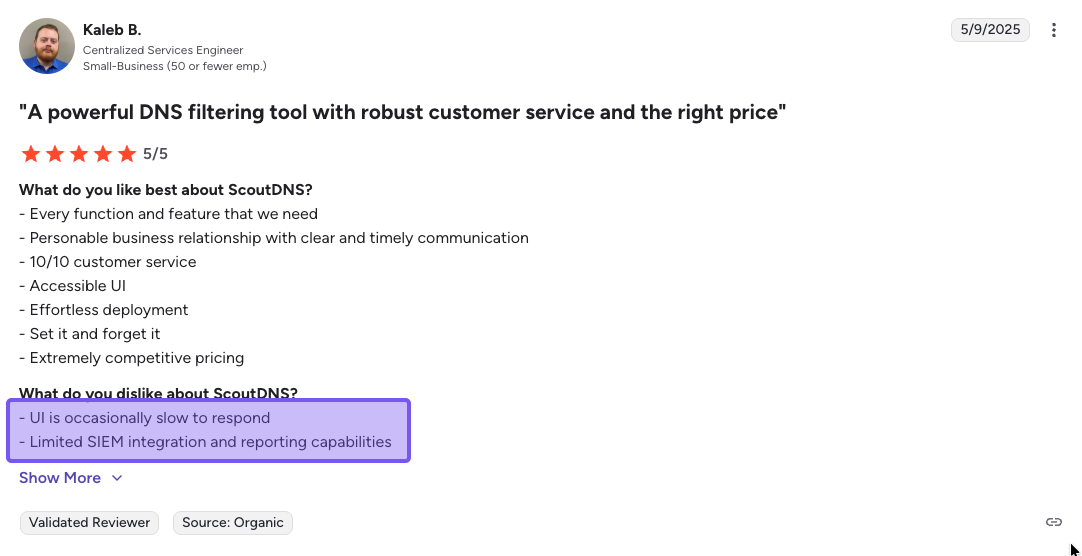
ScoutDNS offers a few ways to roll it out: you can deploy it at the network level (WAN forwarding or a LAN Relay), and when you need off-network coverage, use roaming endpoint agents. It can also tie policies to identity via Active Directory or Entra ID.
One thing to keep in mind is that the roaming agent is Windows/macOS only. You can run relays on Linux and still filter iOS/Android devices when they’re on your Wi-Fi, but there aren’t native roaming clients for Linux, iOS, or Android.
If you manage a mixed device fleet, that off-network gap is worth factoring in.
3. Pricing Transparency
ScoutDNS is quite transparent for Commercial/Nonprofit/Education tiers (including minimums), but MSP pricing often requires requesting the tiered price sheet. If you’re trying to quickly compare multiple tools, that extra step can create friction.
But at least they publicize the MSP starting cost, which is a minimum of $50 for 48 seats ($1.05/user/month). This is far more open than some competitors.
4. Scalability Considerations
Two things drive scalability:
- Your seat count can be influenced by how many users or devices you have (whichever is higher)
- For MSPs, per-seat vs per-query can make costs more (or less) predictable depending on how stable a client’s usage is month to month
If you’re an MSP supporting many clients, it’s worth stress-testing how the model behaves when a client adds devices, adds guest Wi-Fi access points, or changes usage patterns, so you don’t have to worry about surprise adjustments later.
5. Support
Generally speaking, users are pleased with their support experience with ScoutDNS. There are two main support channels:
- Email support
- Docs and knowledge base
There is a phone number listed on the website, but that’s a public contact line for general enquiries. All support questions must be submitted via the support portal.
How Control D Compares
If ScoutDNS meets your needs, it can be a solid option, especially for organizations that fit neatly into its minimums and seat model.
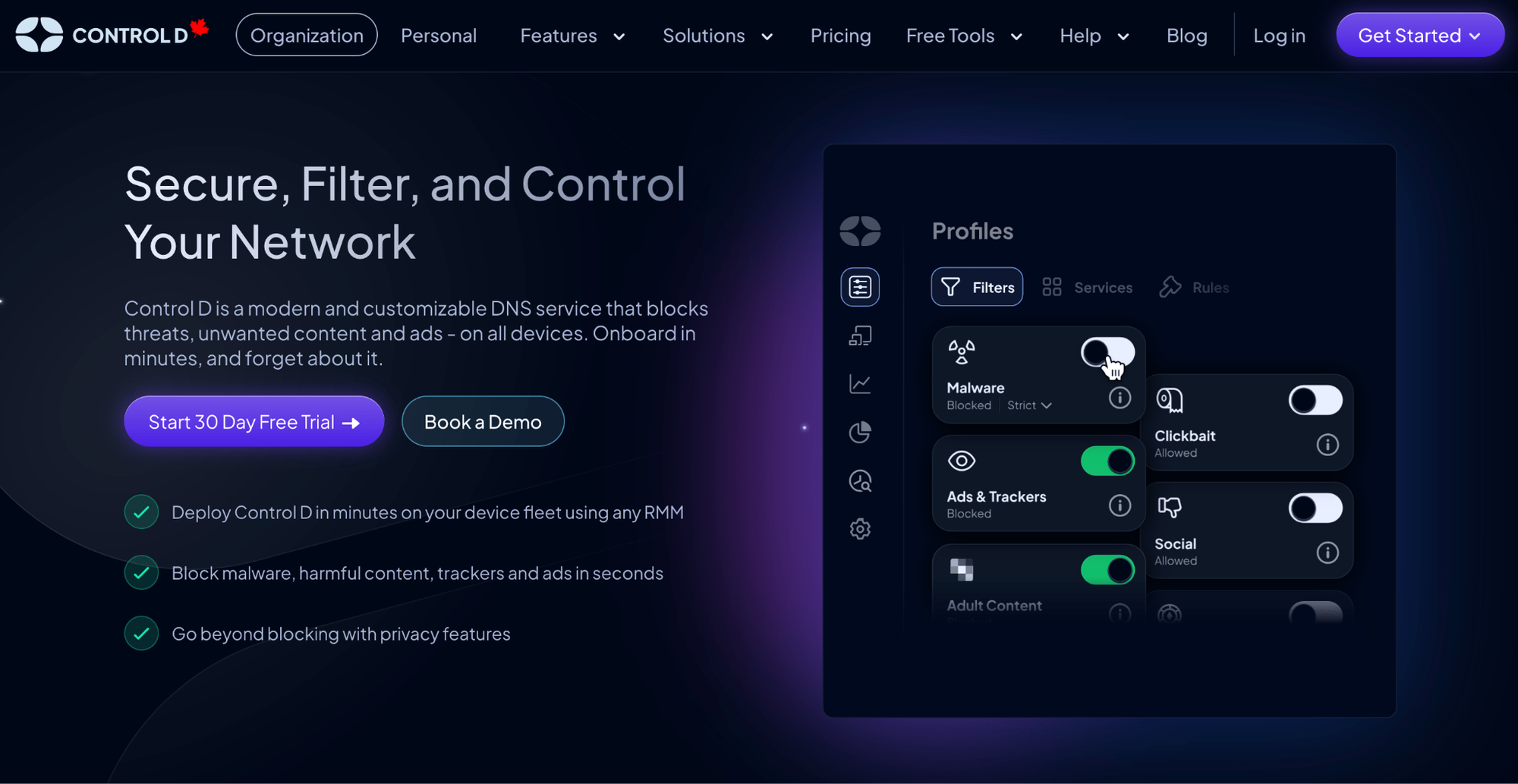
But if pricing mechanics and plan structure put you off, Control D offers a simpler path.
You get enterprise-grade DNS security and the full feature set with straightforward endpoint-based pricing – at a lower or comparable cost – so you can scale coverage and capability without wrestling with minimums, tiered plans, or usage models.
Control D Pricing Breakdown
Control D pricing is per endpoint, with plan categories by organization type:
- School/Non-Profit: $0.50/endpoint/month
- MSP: $1/endpoint/month
- SMB: $2/endpoint/month
- Enterprise: Contact
| Use case | ScoutDNS pricing | Control D pricing (published highlights) |
|---|---|---|
| Small business / commercial | $1.10-$1.50/seat/month | SMB: $2 per endpoint |
| Nonprofit | $1–$1.40/seat/month | School/Non-profit: $0.50 per endpoint |
| Education | $2.50-$4/seat/month | School/Non-profit: $0.50 per endpoint |
| MSP pricing | Starts at $1.05/seat/month | MSP: $1 per endpoint |
| Enterprise | (varies; contact-driven) | Enterprise: Custom pricing |
Note: ScoutDNS uses “seats,” while Control D uses “endpoints.” In most environments, they map closely, but if your device count and user count differ, you’ll want to run the numbers both ways.
Key Pricing Advantages of Control D:
No Minimums: Unlike ScoutDNS, which requires a minimum of 25, 30, or 150 users for the Commercial, Nonprofit, and Education plans, respectively, Control D has no minimums. You pay for exactly what you need – no more, no less.
Transparent Pricing & No Feature Gating: All pricing is clearly published on Control D's website with no tiers or gating that requires you to upgrade to receive core features.
Flexible Billing: Control D offers both monthly and annual billing cycles, with annual contracts receiving an additional discount.
Control D Features: What You Actually Get
| General Features | Control D | ScoutDNS |
|---|---|---|
| Advanced ML-Based Malware Protection | ✅ | ✅ |
| Flexible Content Blocking | ✅ | ✅ |
| Blockable Services | 1,000+ | Limited to app Categories |
| Geo-Custom Rules | ✅ | ❌ |
| Modern DNS Protocols | ✅ | ✅ DoH only |
| Traffic Redirection | ✅ | ❌ |
| Ad & Tracker Blocking | ✅ | Ads only |
| Clients, Applications, and Integrations | Control D | ScoutDNS |
| Windows & macOS | ✅ | ✅ |
| Linux & Mobile Devices | ✅ | ❌ |
| SSO, RMM & Active Directory Integration | ✅ | ✅ |
| Full API Access | ✅ | ✅ |
| Analytics & Reporting | Control D | ScoutDNS |
| Admin Action Logs | ✅ | ✅ |
| Query Log Retention | 1 month | 1 month |
| Query Log Export | ✅ | ✅ |
| Report Retention | 30 days w/ hourly time series granularity 1 year w/ daily time series granularity |
30 days |
| Analytics Retention | Up to 1 year | - |
| SIEM Log Streaming | ✅ | ✅ |
| Scheduled Reporting | ✅ | ✅ |
| Data Storage Regions | 3 + custom | - |
| Support | Control D | ScoutDNS |
| Community Support | ✅ | ❌ |
| Docs/Knowledge Base | ✅ | ✅ |
| Email Support | ✅ | ✅ |
| Chat Support | ✅ | ❌ |
1. Best-in-Class Malware Protection
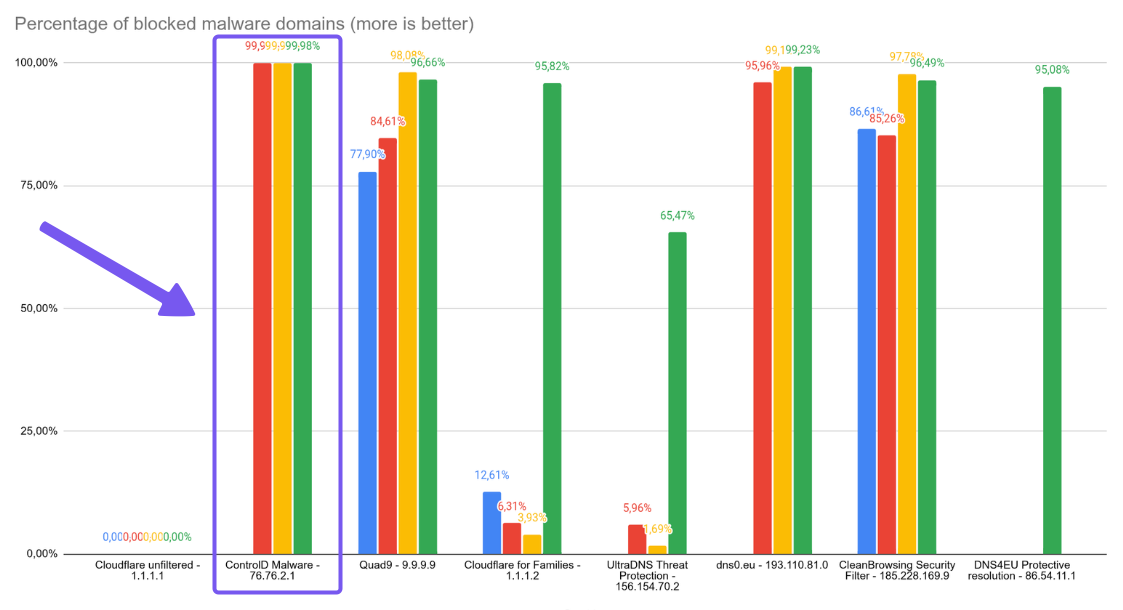
In Nexxwave’s June 2025 benchmark of public DNS malware resolvers, Control D blocked 99.98% of tested malicious domains, outperforming all other providers.
The problem with conventional DNS security is that it's reactive. Threats get identified, added to blocklists, then blocked. Control D combines curated threat intelligence feeds with AI and machine learning to flag risky domains earlier. In other words, it’s built to be proactive and stop threats in real time.
2. Advanced Content & Service Filtering
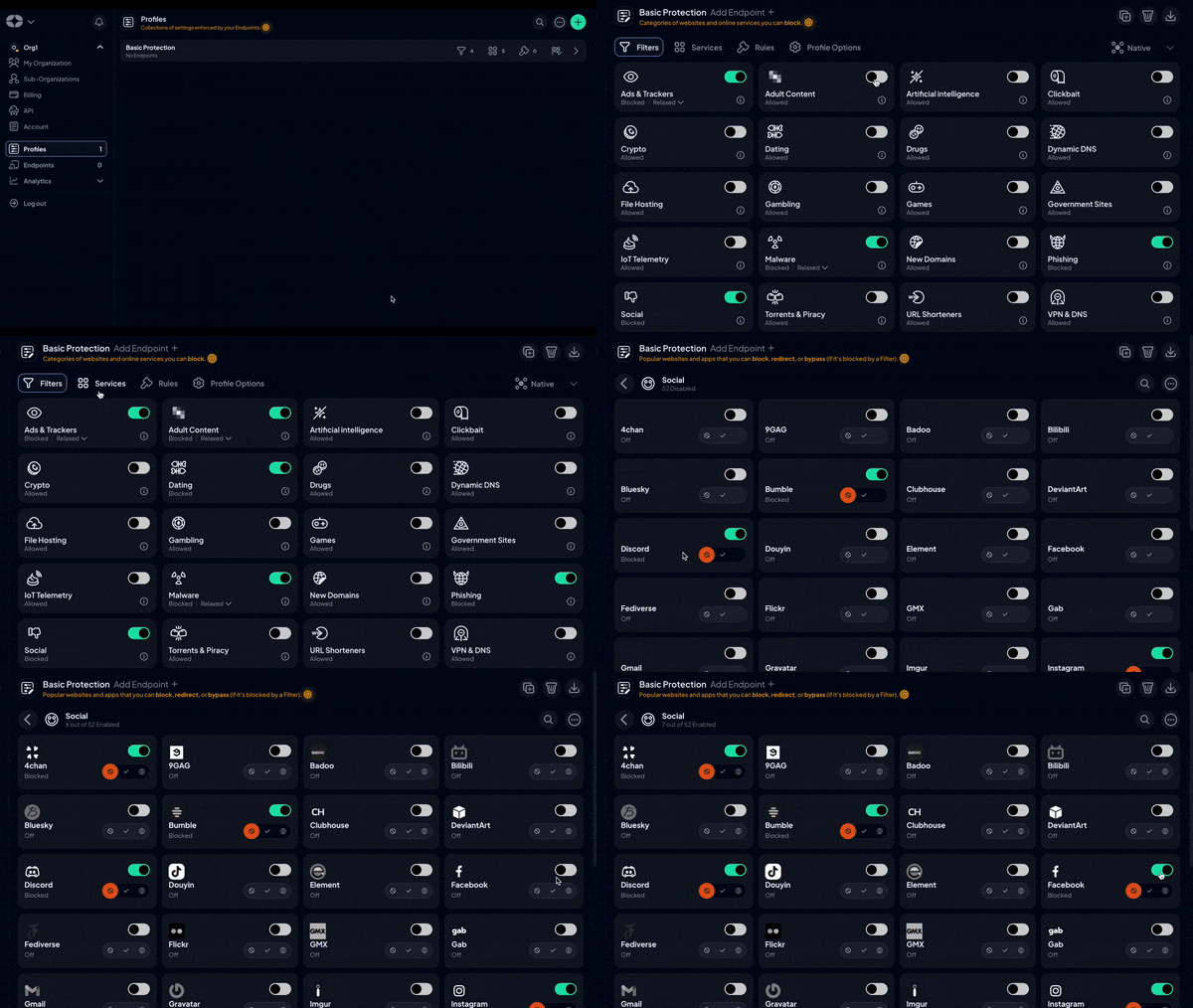
Most teams don’t want “block a whole category or allow everything.” Control D gives you layered controls so you can start broad, then get specific where it matters:
- Toggle 20 native Filters for category-level blocking, such as malware, adult content, torrenting, etc.
- Refine behavior with 1,000+ individual Services (apps/tools) and Custom Rules
For example, block all social media but allow LinkedIn. Conversely, block LinkedIn but allow all other social media platforms. Also, rules can do more than just block: you can Block, Bypass, or Redirect a domain or Service with a single toggle, and even add schedules so policies change based on time of day.
For those pesky ads and trackers, there’s a dedicated Filter that has 3 modes – Relaxed, Balanced, and Strict – so you can tune aggressiveness instead of going all-or-nothing.
This lets you create precise policies for your specific use case.
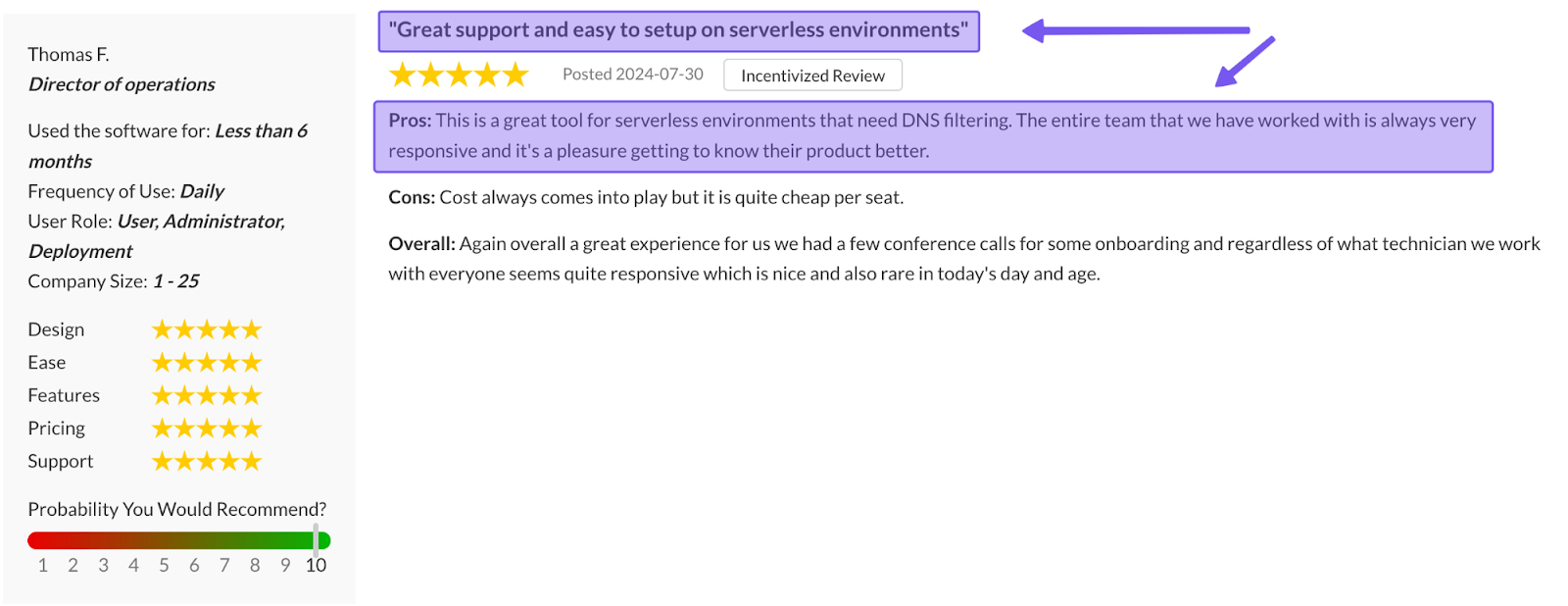
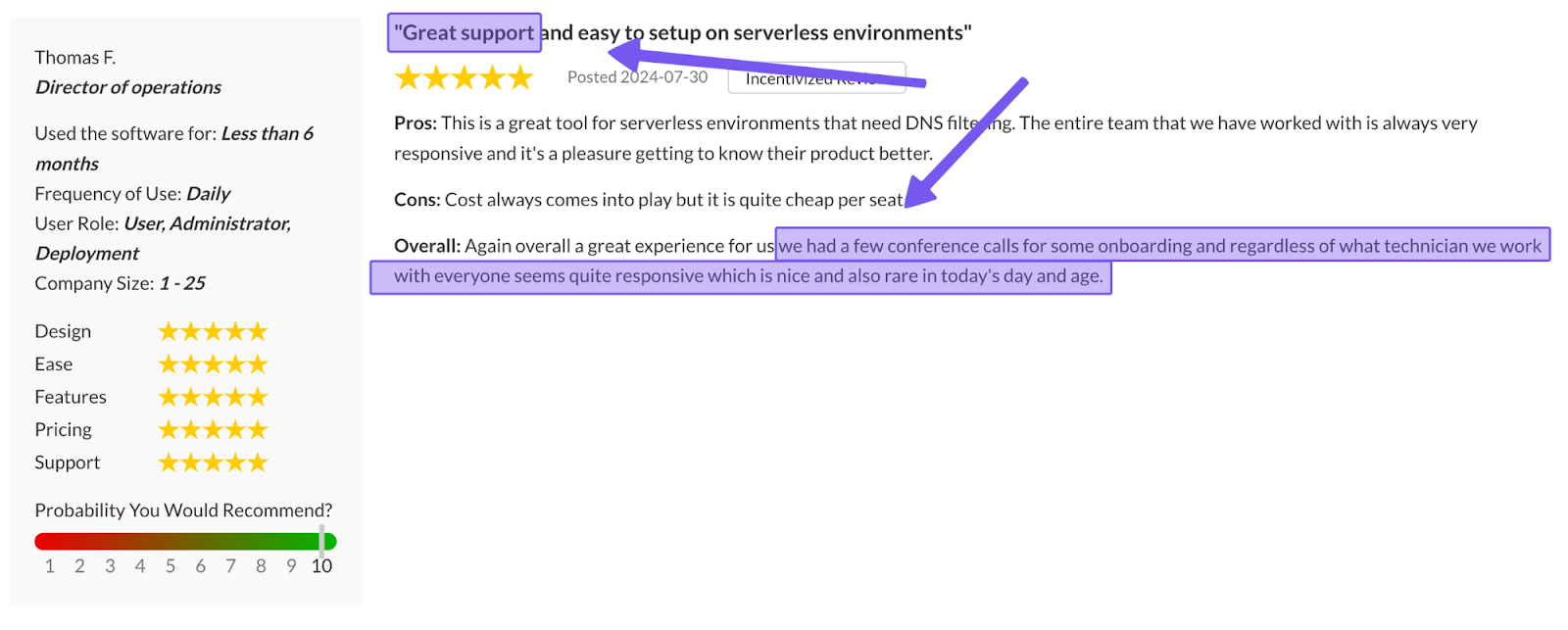
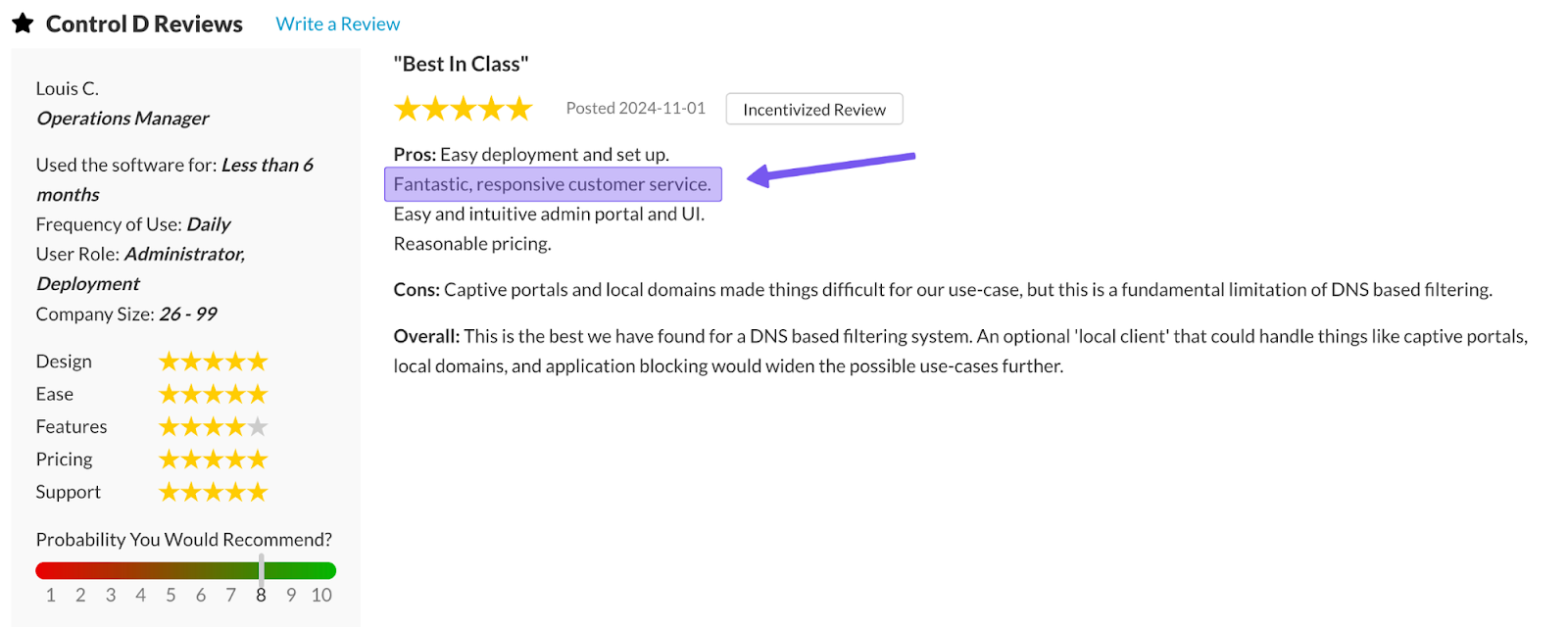
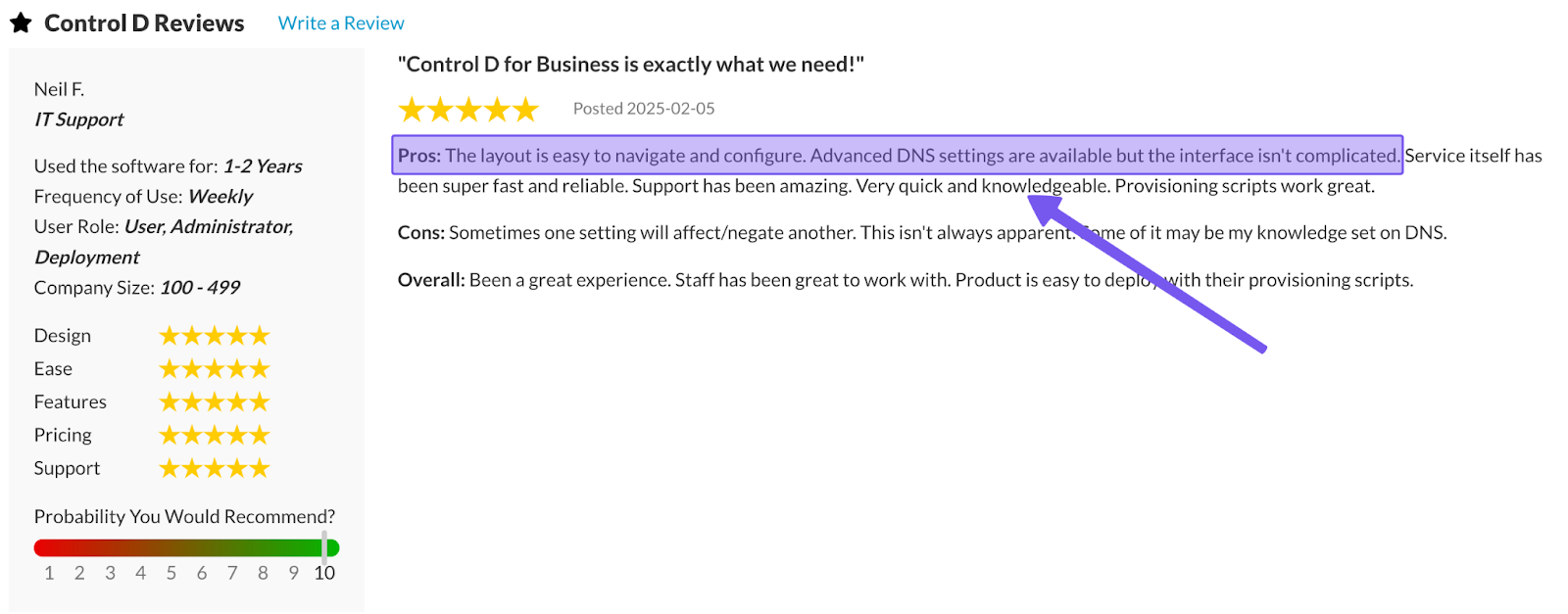
3. Support Quality
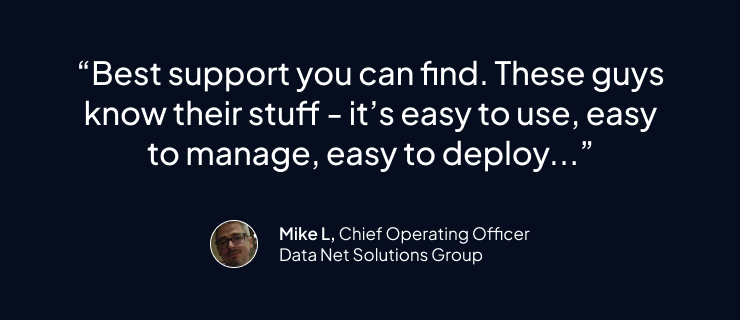
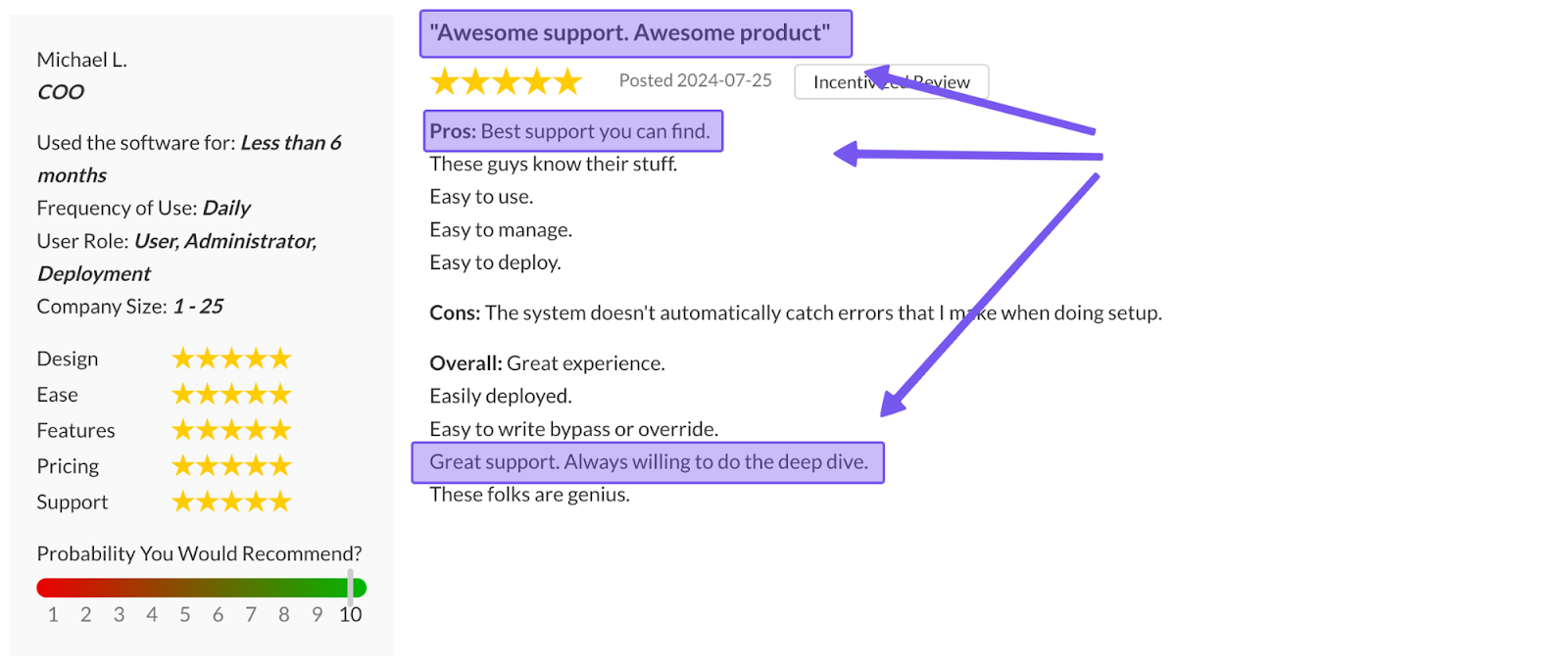
When DNS filtering hiccups, you usually need help right now, not three days later. Control D has multiple support channels to get in touch with the team:
- Barry, your chat assistant in the dashboard for quick answers any time
- Ticket/email support for anything that needs a human (available 7 days/week, 9am-9pm ET)
- Deep documentation and knowledge base library
- Active community on Reddit and Discord where Control D staff participate regularly
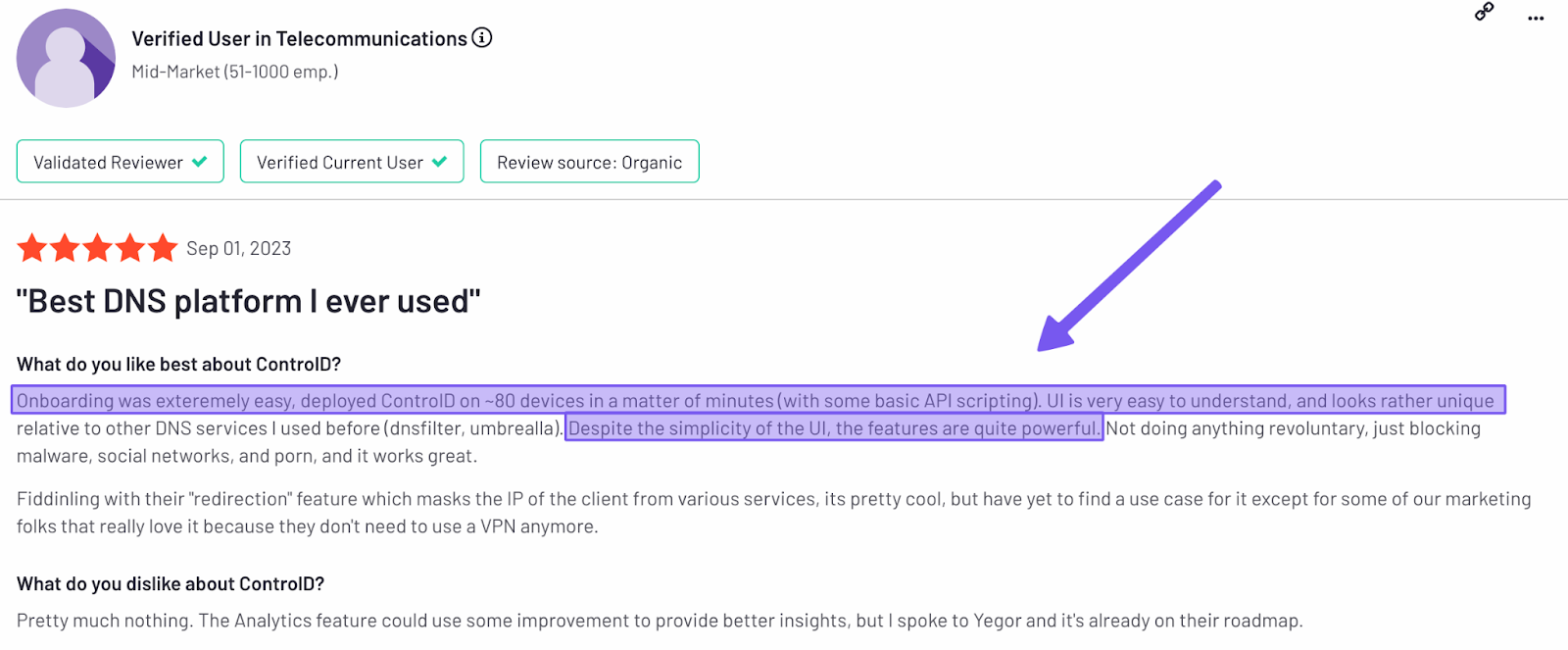
4. Easy Deployment
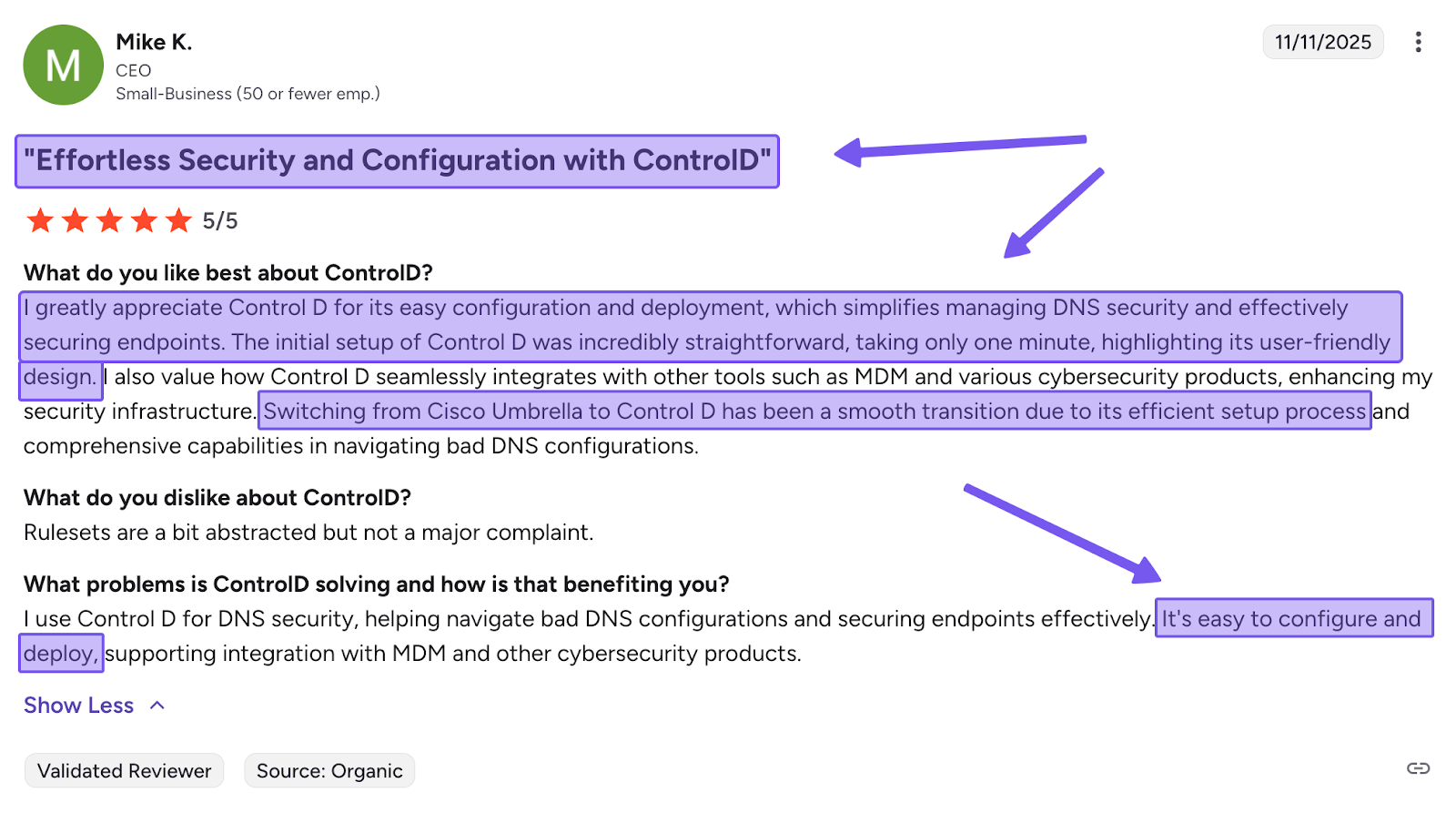
Getting DNS security up and running shouldn't require an infrastructure overhaul. That’s why Control D keeps it straightforward:
- Point your router/firewall DNS settings at Control D's resolvers for instant network-wide protection
- For fleets, org accounts can generate a mass Provisioning Code and push a single install command through your RMM/MDM
Setup takes a matter of minutes, not hours or days.
5. Traffic Redirection
Not every policy decision is “allow vs. block.” Sometimes you just need a site to behave as if your traffic is coming from a specific region, for compliance, testing, or simply getting the right localized experience.
With Control D’s Traffic Redirection, you can route DNS traffic through 100+ exit proxy locations worldwide (across 60+ countries) to spoof your IP address without needing a VPN.
You can apply redirection broadly as a default, or keep it targeted, redirecting only specific Services or individual domains so the rest of your traffic stays local and unchanged. This is all managed from the dashboard with a few easy clicks.
6. Geo-Custom Rules
Geo-Custom Rules adds location awareness to DNS policies. Instead of creating block, bypass, or redirect rules only on a domain name, you can also filter where the request is coming from (source country) or where it would resolve to (destination country or destination AS/ASN). For instance:
- Block, bypass, or redirect queries that resolve to IPs in specific countries
- Block, bypass, or redirect queries that resolve to IPs outside specific countries
- Block, bypass, or redirect queries made from IPs in specific countries
- Block, bypass, or redirect queries made from IPs outside specific countries
- Block, bypass, or redirect queries that resolve to IPs owned by specific networks (ASNs) or not owned by them
- Combine multiple geo rules to build more complex location- or ASN-based policies
This is handy when “good” and “bad” traffic depends on geography, like blocking resolutions to a high-risk region, enforcing that certain destinations stay within approved countries, or treating specific networks (ASNs) differently without rewriting your whole policy stack.
Check out Control D’s Geo Custom Rules documentation for more information.
7. Analytics and Reporting
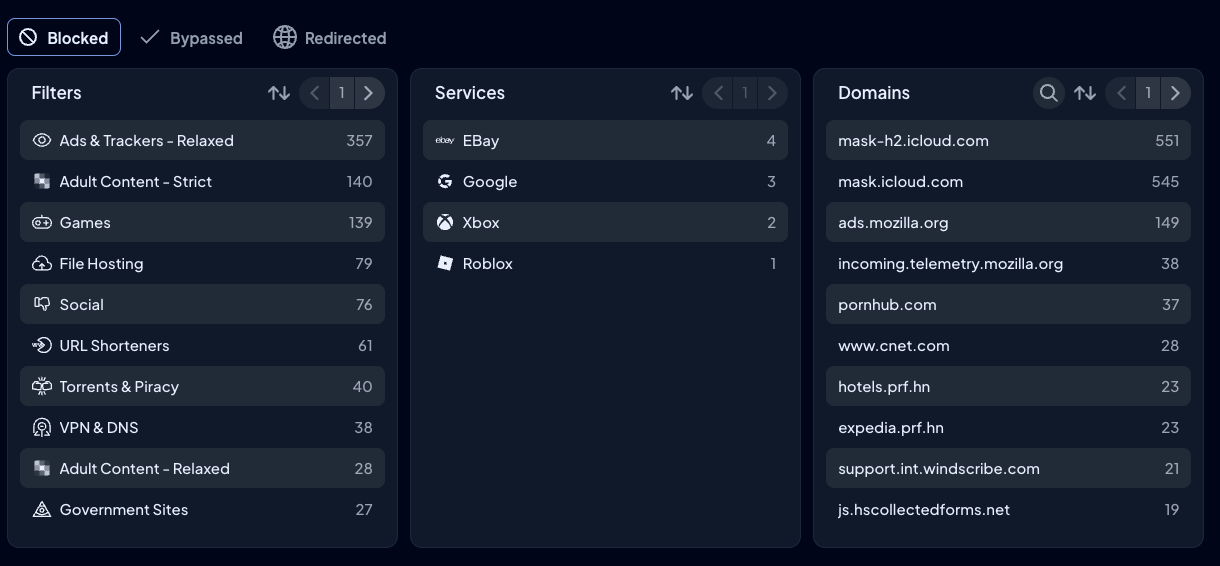
Control D's analytics are built for investigation, not just monitoring:
- One month of raw query logs gives you granular detail when troubleshooting
- Up to 12 months of aggregated analytics provides long-term trend visibility
- The Analytics 2.0 interface lets you refine in place – click to filter by device, Service, country, action type – without navigating between different views
- Admin action logs provide full audit trails showing who changed what
- SIEM streaming integration works with tools like Splunk and IBM QRadar
- Schedule automated reports
- Export data whenever you need it.
8. Modern Protocol & Cross-Platform Support
Control D is built to work with any DNS stack you already have and the one you’re moving toward.
It supports encrypted DNS via DoH/DoT, plus newer options like DoQ and DoH3 for modern environments. And when you’re dealing with legacy gear, you can still use plain DNS through issued IPv4 + IPv6 legacy resolvers, so older devices don’t get left behind.
Control D also supports all device types, including Windows, macOS, Linux, iOS & Android, browsers, and routers, as well as integrating with all major enterprise tools, such as:
- Directory services like Active Directory
- Identity providers, including Okta and Microsoft Entra ID
- RMM/MDMs, such as NinjaOne, Datto, Kaseya, ConnectWise, and more
9. Multi-Tenancy & MSP Management
Control D's multi-tenant architecture is purpose-built for MSPs and organizations. The hierarchy is straightforward:
- Parent Organization at the top
- Unlimited Sub-Organizations underneath
Each Sub-Organization can represent a client, department, branch office, school, or user group. Every Sub-Org maintains complete isolation:
- Its own device groups (Endpoints)
- Policy configurations (Profiles)
- Analytics data
- User access controls (Owner/Admin/Viewer) – so the right people can manage policies without everyone getting full control
One dashboard, complete separation, and instant access across all clients with no data bleed between tenants and no policies accidentally affecting the wrong client.
10. Performance
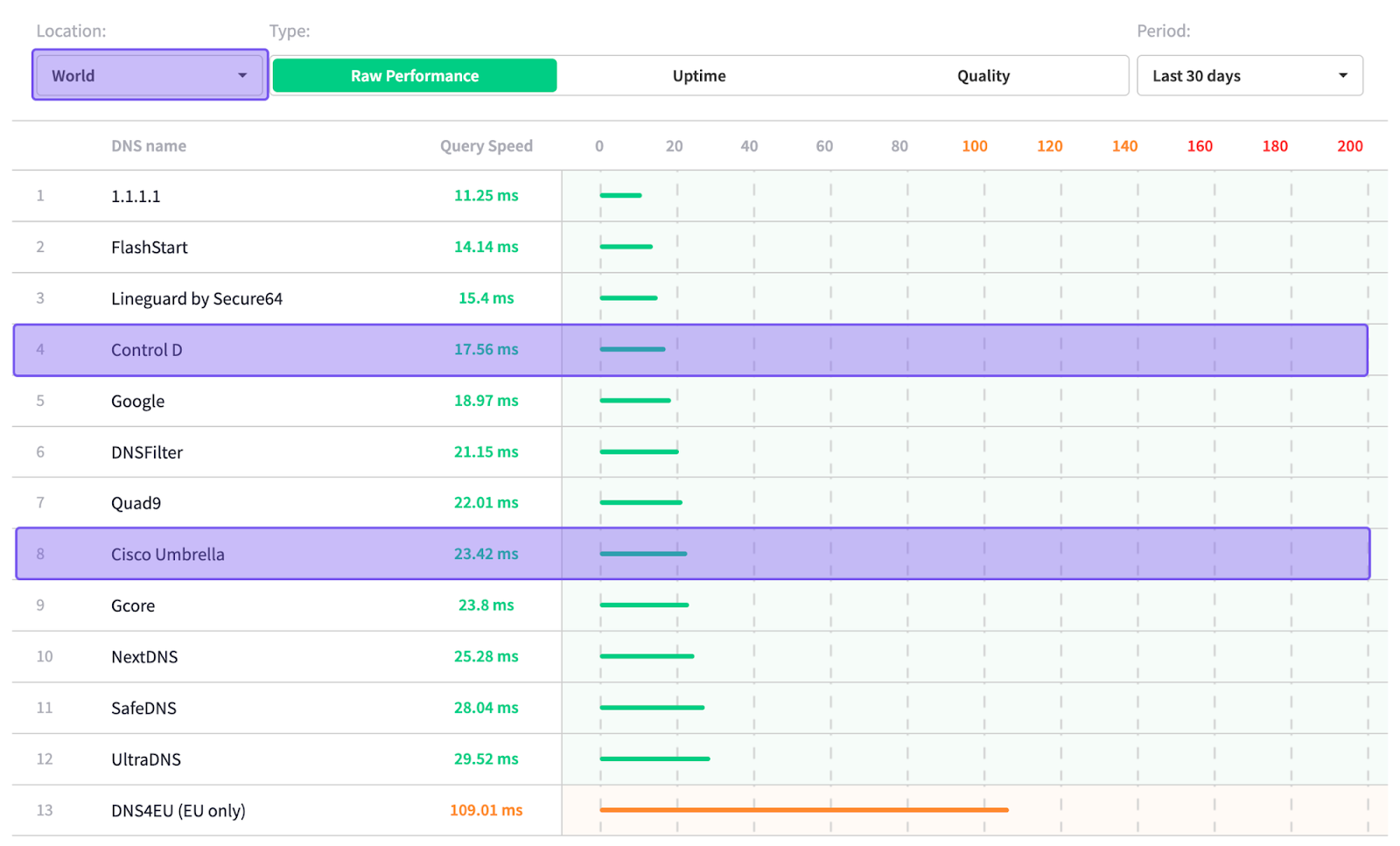
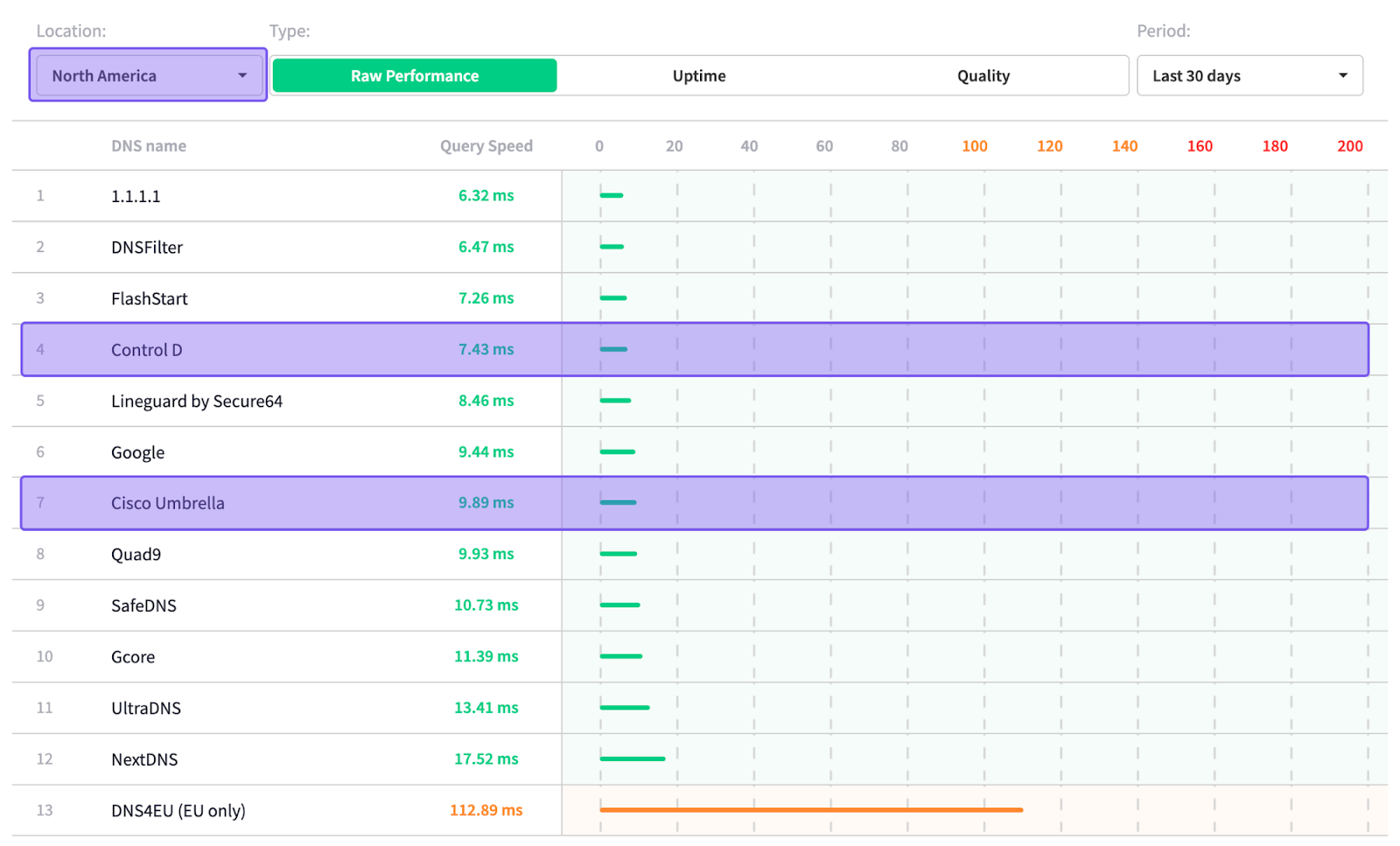
Sourced: 24th November 2025 from DNSPerf.com
Based on DNSPerf’s independent data, Control D ranks among the fastest DNS resolvers for average query time—both worldwide and in North America:
- Global average: 17.56 ms
- North America average: 7.43 ms
Conclusion
ScoutDNS can absolutely be worth it, especially if you fit into its seat model and minimums, and you mainly need solid DNS-layer protection plus straightforward content filtering. For many small-to-mid-sized orgs, schools, and MSPs, it covers the basics well and stays predictable as long as your usage doesn’t fluctuate too much.
But if you want simpler month-to-month forecasting, to pay only for what you actually deploy, to avoid juggling different pricing structures, and be sure you have access to the full feature set at all times, Control D is usually the better value.
Its endpoint-based pricing is easy to map to the real world, and it offers a broader set of capabilities, including more granular filtering, geo-aware rules, traffic redirection, modern DNS protocols, and stronger cross-platform support.
The net result is less friction, fewer surprises, and full functionality without feeling like you have to “tier up” just to get what you need.
In short, ScoutDNS is a solid option for the right fit, but if you want the simplest pricing model and the most capability per dollar, Control D is usually the more cost-effective choice.