SafeDNS Pricing: Is It Worth The Money?
SafeDNS pricing explained: plans, minimums, tier limits, features, performance, and whether it’s worth it – plus a flexible alternative.

SafeDNS looks affordable at first glance: low per-user pricing for businesses and simple annual plans for home use.
But the big question people ask is simple: Is SafeDNS worth the money for what you get?
DNS filtering tools rarely come down to the sticker price – minimum user counts, tier-gated features, integrations, and performance can quickly change what you’re actually paying for.
This guide breaks down SafeDNS pricing across every plan, what you get at each tier, and the trade-offs to consider before you commit, so you can decide whether it’s truly worth the money (and when a more flexible alternative makes more sense).
SafeDNS Pricing Breakdown
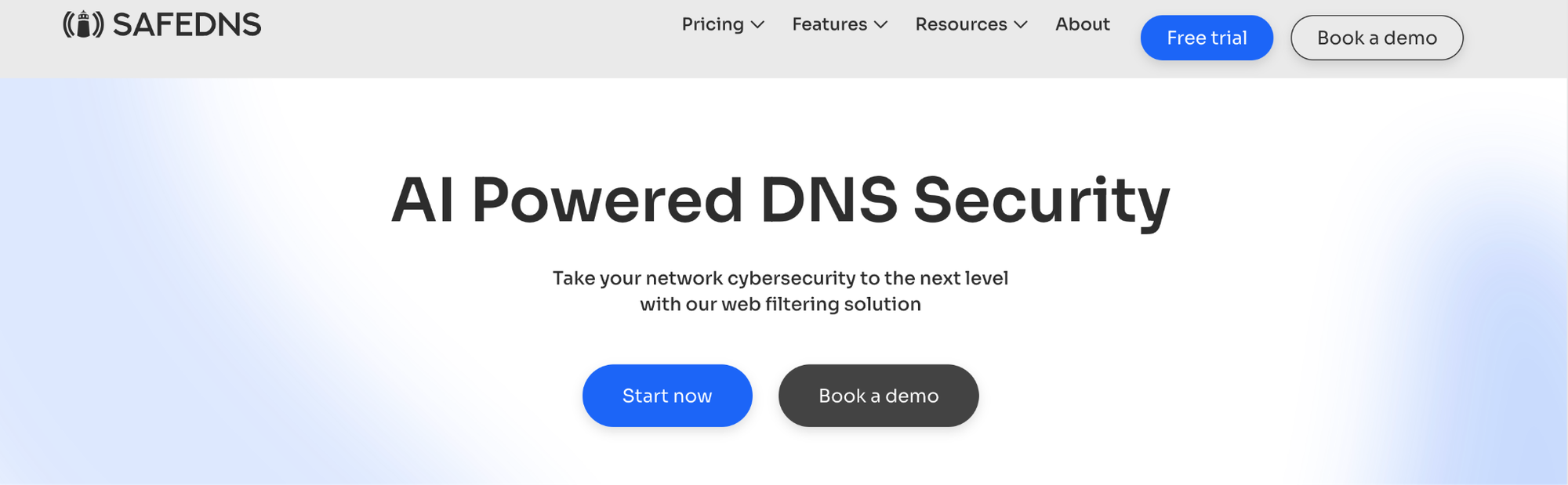
SafeDNS pricing is split by audience and deployment type. Instead of one universal subscription, you’ll see different pricing plans for business, education/nonprofit, Wi-Fi/hotspots, and home. But it’s typically a per-user, per-month model.
SafeDNS Business Plans
SafeDNS business pricing is per-user, per-month, with different tiers and minimum user counts.
| SafeDNS plan | Listed price (per user/month) | Minimum users | What it’s positioned for |
|---|---|---|---|
| Basic | $1.00 / user / month | 15 users | Core DNS filtering + web filtering categories |
| Pro | $1.80 / user / month | 25 users | Adds AppBlocker, scheduling, roaming clients, AD options |
| Pro+ | $2.50 / user / month | 35 users | Adds personal manager, priority phone support, SIEM integration |
Annual pricing is available, which gives you a slight discount:
- Basic Plan: Annual pricing at $0.90/user/month
- Pro Plan: Annual pricing at $1.50/user/month
- Pro+ Plan: Annual pricing at $2.20/user/month
SafeDNS Home Plans
For personal use, SafeDNS lists two home-oriented plans, each advertised with an unlimited number of users.
| SafeDNS home plan | Price (per year) | Highlight |
|---|---|---|
| Safe Home | $25.95/year | Blocks content via router filtering + usage stats + 24/7 support |
| Safe Family | $35.95/year | Adds agents support + schedule + AppBlocker |
The home pricing is straightforward and covers all typical users in a standard household. Pay for two years upfront, and you'll save 23%.
SafeDNS Education & Nonprofit plan (annual)
SafeDNS has a separate plan for education and nonprofits listed at $400 per year, with a stated user threshold of up to 100 users per campus, and costs $4 for each additional user beyond that.
SafeDNS Wi-Fi Hotspots Plan (per access point)
SafeDNS also sells a Wi-Fi/hotspot plan priced per access point, which can make sense for guest Wi-Fi and internet provider-style deployments. Each access point costs $4.5/month (or $4/month if paid annually) and covers up to 20 users – there’s a 4 access point minimum.
Additional Costs to Consider
Minimum User Requirements
For a lot of businesses, hitting those minimums won’t be an issue. But if you’re a small startup with only a handful of users, those minimum user requirements will really bump up your actual cost.
Let's say you run a small business with just 8 employees and you want the Basic plan at $1/user/month. Sounds reasonable on paper, except you're forced to pay for 15 users whether you need them or not. That means your real cost is $1.88 per user, not $1.00.
This pricing structure hits small businesses and startups especially hard. You're essentially paying for ghost users, people who don't exist but still cost you money every month.
SafeDNS Features: What You Actually Get
Let's talk about what your money actually buys at each price point.
Basic Plan Features:
- Malware and phishing protection from threat intelligence feeds
- 66 web filtering categories powered by AI and machine learning
- Safe Search enforcement and protection against Google and Bing malware links
- Deny lists, allow lists, and name lists
- Policy per group via IP or DynDNS
- Basic reporting and statistics
Pro Plan: Protection for cyber threats, Appblocker, DNS encryption, and roaming clients
- AppBlocker for blocking access to applications
- Scheduling for time-based rules
- SafeDNS roaming clients and Active Directory integration
- Custom block pages
- Allowlist Only mode (blocks everything except approved sites)
- Policy per user (via agent or IP)
- DNS-over-HTTPS (DoH) & DNS-over-TLS support
- Monthly reports and per-user reports
Pro+ Plan: Additional support channels and integrations
- Personal account manager
- Priority phone support (2-minute SLA response)
- SIEM integration with Amazon S3 for detailed query logs
Is SafeDNS Worth It? 7 Considerations Before Buying SafeDNS
Before committing to SafeDNS, here are some important things to think about.
1. Who Is SafeDNS For?
SafeDNS works best for small to medium businesses and home users who need affordable DNS filtering without fancy bells and whistles. The pricing plans and features reflect this focus.
For school networks and nonprofits, it can be wildly expensive – especially compared to competitors who are 87.5% more cost-effective than SafeDNS. Additionally, enterprises looking for advanced features or great customer service at every tier might find SafeDNS lacking compared to more robust alternatives.
2. Pricing Transparency
This is one area where SafeDNS can’t be faulted. Unlike other alternatives on the market, SafeDNS is completely transparent with its pricing, providing full per-user and per-month costs across all organizational types. It also gives you the minimums up front, so you’re not left with a surprise bill.
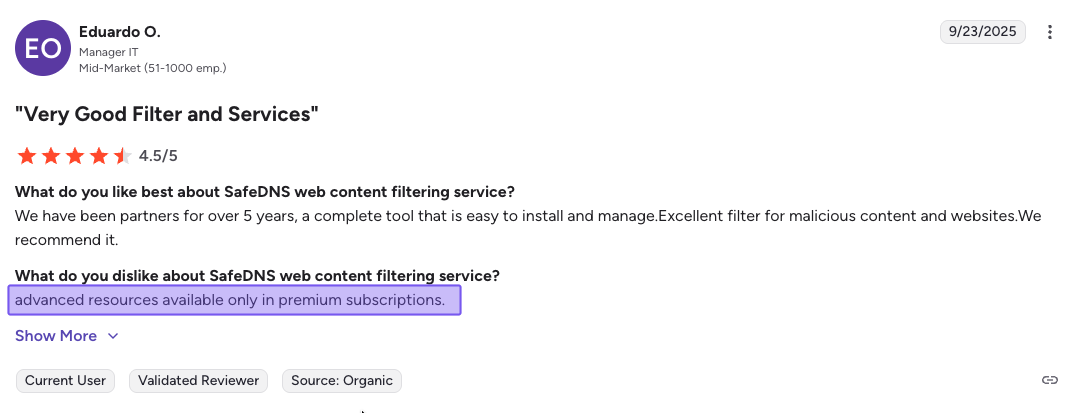
3. Feature Restrictions by Tier
Core features like AppBlocker, scheduling, and Active Directory integration are only available on the Pro plan and above. The same goes for roaming clients – while all major operating systems are supported, including Windows, macOS, Linux, Android, and iOS, they’re unlocked on the Pro plan or above.
This isn’t surprising; many vendors do this. However, if your organization needs only one or two of these capabilities, you’ll need to commit to the higher-tier pricing and the increased minimum, which can mean doubling your effective monthly cost without necessarily getting double the benefit for your specific use case.
4. Support (Quality Varies)
Firstly, the level of SafeDNS support is dependent on your plan. For instance, Basic and Pro users gain access to email support and chat support. You only unlock a personal manager and priority phone support after upgrading to the Pro+ plan.
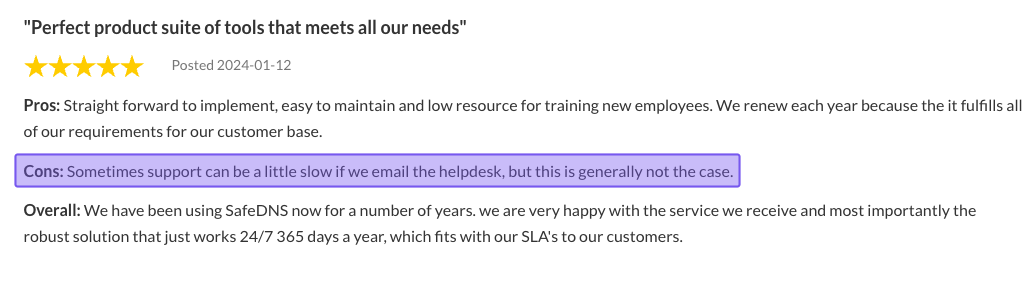
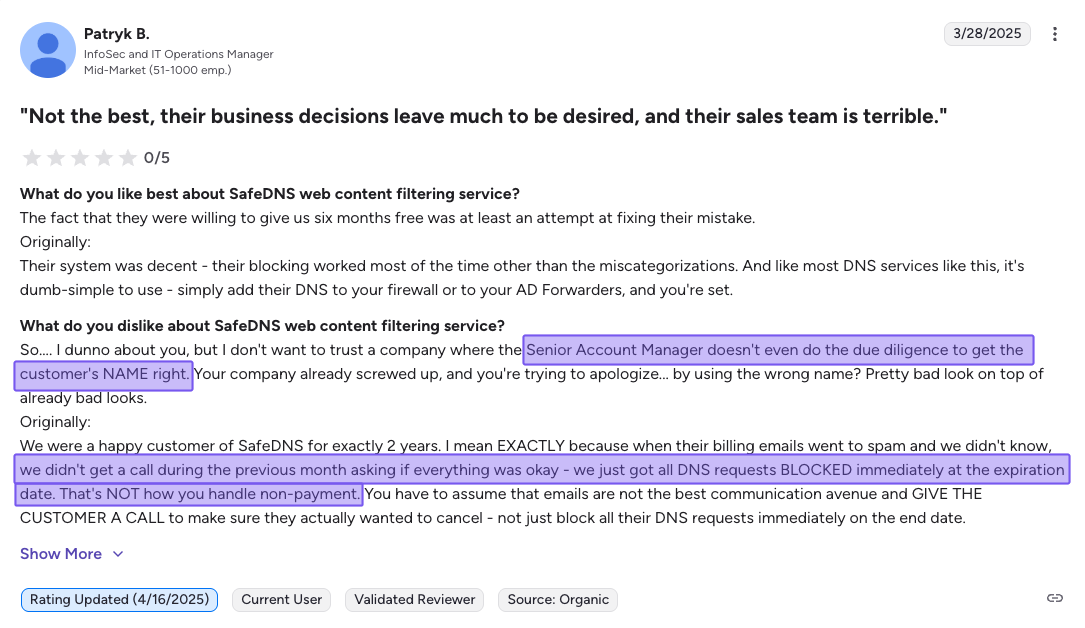
In terms of the quality of support received, SafeDNS is often reviewed positively overall. That said, there are a few reports worth noting: one reviewer said support can be “a little slow,” while another described a more serious customer-experience issue involving renewal communication.
Billing reminders landed in spam, and they didn’t receive a phone call escalation, so service was suspended resulting in a negative impact on their business. They also flagged a lack of attention to detail from their account manager, which included getting their name wrong.
While support experience with SafeDNS is positive overall, if DNS filtering is mission-critical in your environment, it’s worth asking any vendor about escalation paths, renewal notices, and how service suspensions are handled to avoid any scares.
5. Data Residency and Privacy
SafeDNS is coy about where your analytics and data are stored, which might be an important consideration if your business has strict or specific data sovereignty requirements. Be sure to check whether the regions they offer match your business’s relevant regulatory compliance requirements.
6. Enterprise Integration Limitations
SafeDNS offers basic integrations with Active Directory (Pro plan and above) and SIEM tools like Amazon S3 (Pro+ plan), but the integration ecosystem is relatively limited compared to other platforms.
If your business uses a wide array of network security tools may find that SafeDNS doesn't connect seamlessly with your existing stack.
7. Performance
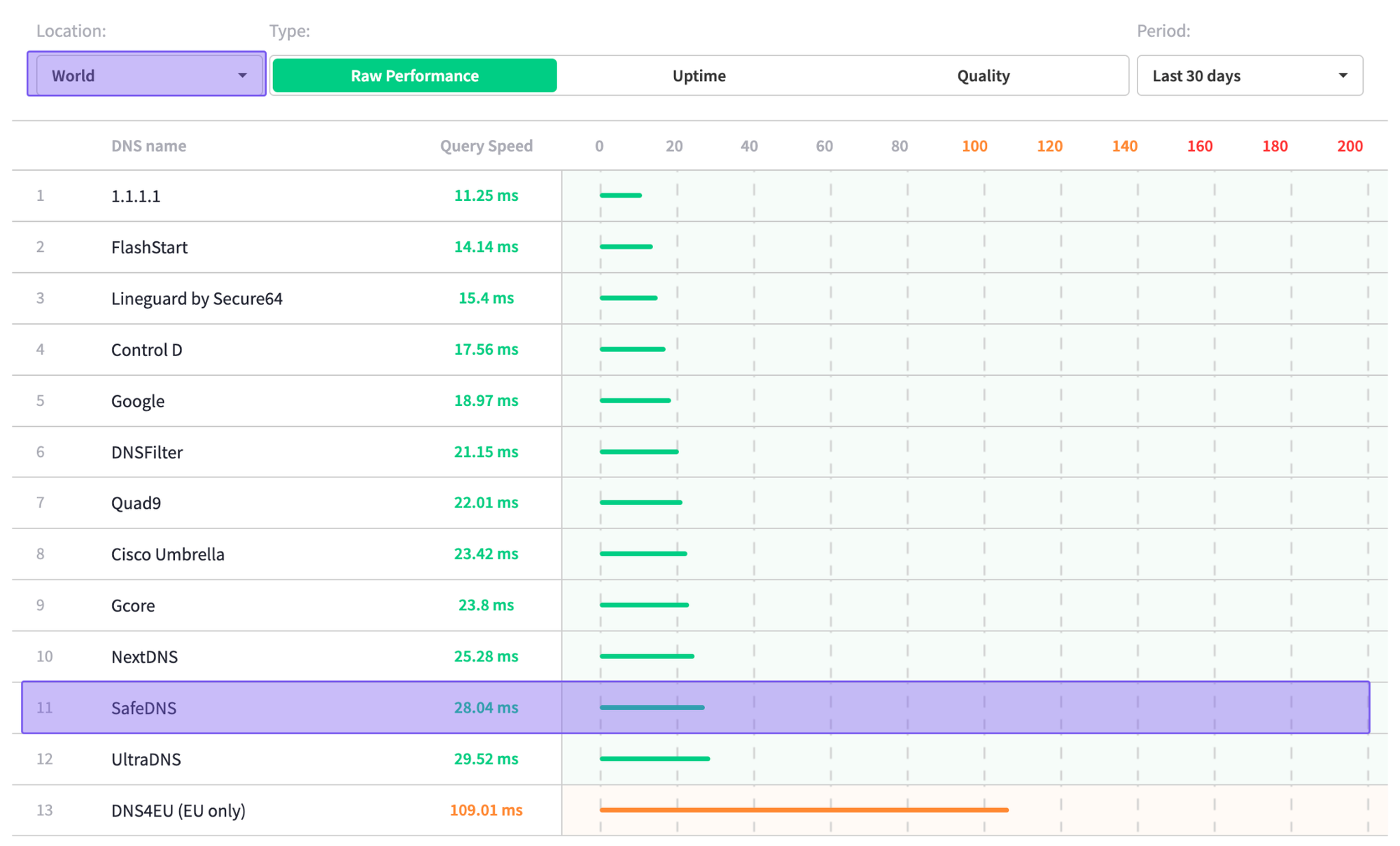
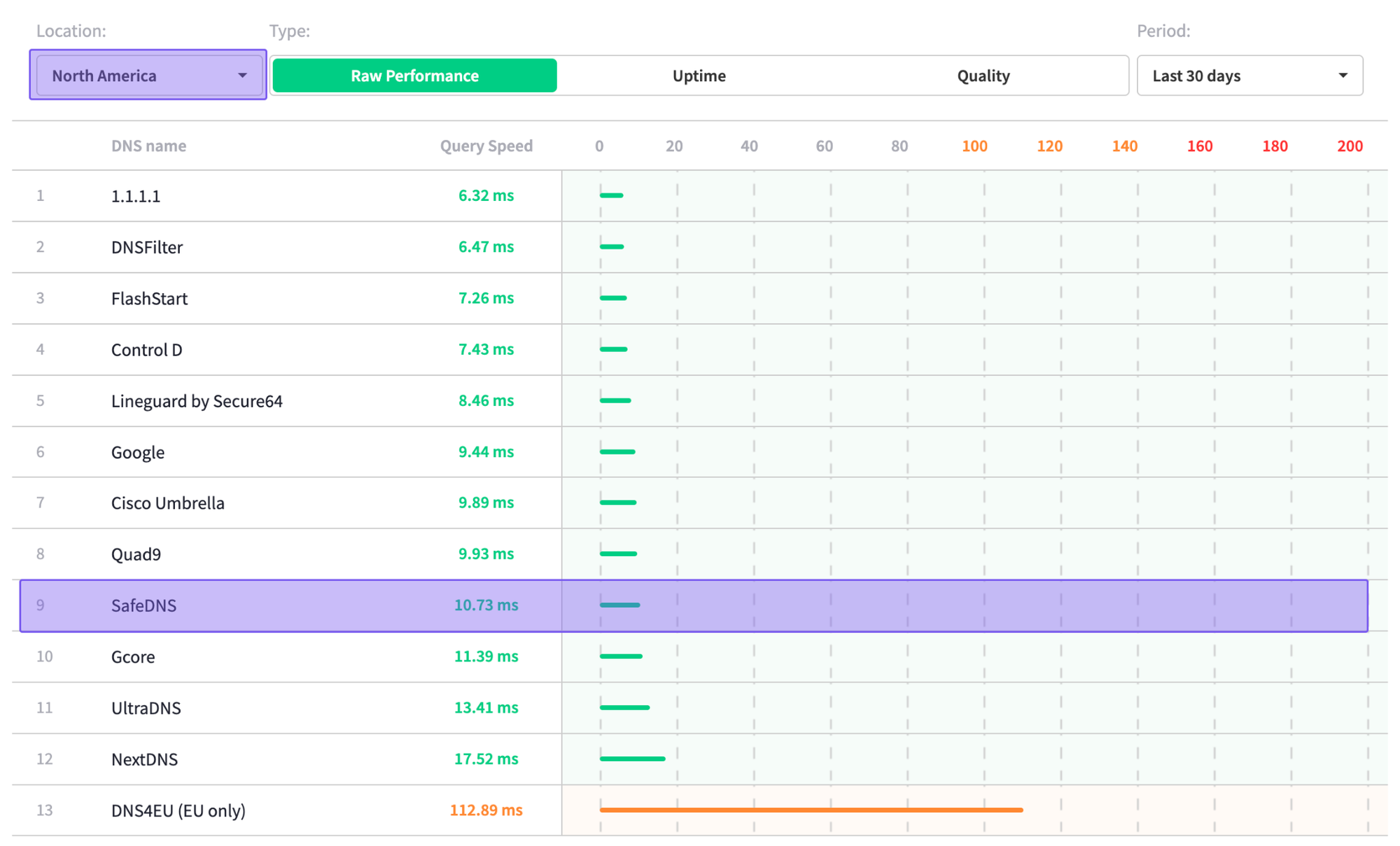
Sourced: DNSPerf.com 24th November 2025
Based on independent data from DNSPerf, SafeDNS lands in the bottom half for DNS query speeds, both in North America and globally, with the following scores:
- Globally: 28.04 ms
- North America: 10.73 ms
While these speeds may be acceptable for less performance-sensitive use cases, you may find that SafeDNS is less suited to environments where latency, responsiveness, or user experience are priorities.
Control D: A Feature-Rich & More Affordable Alternative
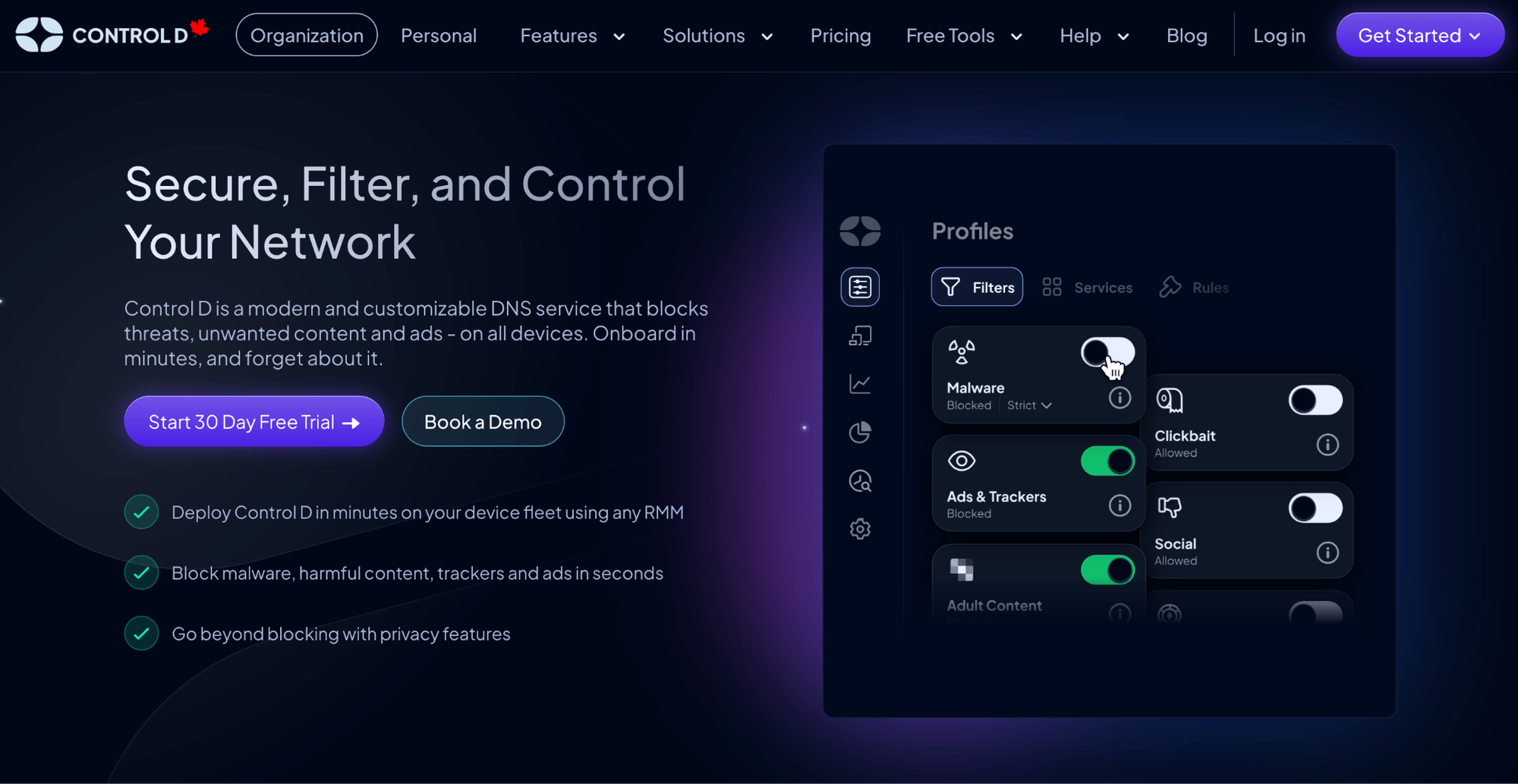
SafeDNS is easy to understand and generally well-liked, and for many teams, it covers the basics by letting you block threats, enforce safe search to filter explicit content, and encrypt your DNS traffic. But the moment you run into plan minimums, tier-gated features, or you want enterprise-grade features and integrations, those constraints start to add friction.
That’s where Control D excels.
It's a cloud-based web filtering service that gives you enterprise-grade filtering and security controls – the kind you’d normally expect to come with contracts, minimums, and pricing – without the enterprise overhead and bloat.
You get deeper customization, granular policy control, and a platform that fits modern environments, while keeping pricing and day-to-day management refreshingly lightweight. Let’s explore what Control D costs, what you get, and how it compares to SafeDNS.
Control D Pricing Breakdown
Control D's pricing structure is notably simpler and more flexible than SafeDNS's, for both personal and business plans.
1. Control D Personal Plans
| Provider | Plan | Monthly price | Annual price |
|---|---|---|---|
| Control D | Some Control | $2.00 | $20.00 |
| Control D | Full Control | $4.00 | $40.00 |
| SafeDNS | Safe Home | — | $25.95 |
| SafeDNS | Safe Family | — | $35.95 |
Control D offers two personal plans: Some Control and Full Control.
Some Control – $2/month or $20/year
- Unlimited usage
- Security, privacy, and online content filtering features
- Blocks 1,000+ specific Services
- 20 Filter categories
- Up to 10,000 custom rules
- Advanced malware filtering
- Detailed analytics
Full Control – $4/month or $40/year
- Everything in Some Control
- Traffic redirection for 1,000+ services and general web traffic (VPN-like routing/location flexibility without a separate VPN/proxy)
2. Control D Business & Organization Plans
| Product / Plan | Public pricing? | List price (USD) | Minimums / notes |
|---|---|---|---|
| Control D (SMB) | Yes | $2/endpoint/month | No minimums, no mandatory contracts; annual discounts available |
| Control D (MSP) | Yes | $1/endpoint/month | No minimums, no mandatory contracts; annual discounts available |
| Control D (School / Non-profit) | Yes | $0.50/endpoint/month | No minimums, no mandatory contracts; annual discounts available |
| Control D (Enterprise) | No | Custom | No minimums, no mandatory contracts; annual discounts available |
| SafeDNS (Basic) | Yes | $1.00/user/month | Min 15 users; annual discounts available |
| SafeDNS (Pro) | Yes | $1.80/user/month | Min 25 users; annual discounts available |
| SafeDNS (Pro+) | Yes | $2.50/user/month | Min 35 users; annual discounts available |
| SafeDNS (Education & Nonprofit) | Yes | $400/year | Up to 100 users per campus, then $4 per additional user. |
| SafeDNS (Wi-Fi / Hotspots) | Yes | $4.00/access point/month | Up to 20 users per AP, 4 AP minimum |
For businesses, you pay a flat per-endpoint rate based on organization type. It also eliminates plans entirely, meaning there’s no feature-gating behind “Basic” and “Pro” tiers – you get full access to Control D’s full feature set from the moment you sign up.
- School/Non-Profit: $0.50/endpoint/month
- MSP: $1/endpoint/month
- SMB: $2/endpoint/month
- Enterprise: Contact
Control D Features: What You Actually Get
| General Features | Control D | SafeDNS |
|---|---|---|
| Advanced ML-Based Malware Protection | ✅ | ✅ |
| Flexible Content Blocking | ✅ | ✅ |
| Blockable Services | 1,000+ | <200 |
| Geo-Custom Rules | ✅ | ❌ |
| Modern DNS Protocols | ✅ | DoH & DoT only (Pro plan) |
| Legacy DNS Support | ✅ | ❌ |
| Traffic Redirection | ✅ | ❌ |
| Ad & Tracker Blocking | ✅ | ✅ |
| Per-user Policies | ✅ | Pro plan |
| Clients and Integrations | Control D | SafeDNS |
| Windows, macOS, Linux Support | ✅ | Pro plan |
| Mobile Device Support | ✅ | Pro plan |
| SSO, RMM, AD Integration | ✅ | ✅ |
| Analytics & Reporting | Control D | SafeDNS |
| Query Log Retention | 1 month | Up to 1 year |
| SIEM Log Streaming | ✅ | Pro+ plan |
| Per-user Reporting | ✅ | Pro plan |
| Scheduled Reporting | ✅ | Pro plan |
| Data Storage Regions | 3 + custom | ❌ |
| Support | Control D | SafeDNS |
| Community Support | ✅ | ❌ |
| Email Support | ✅ | ✅ |
| Chat Support | ✅ | ✅ |
| Personal Manager | ✅ | Pro+ plan |
| Phone Support | ❌ | Pro+ plan |
1. Best-in-class Malware Protection
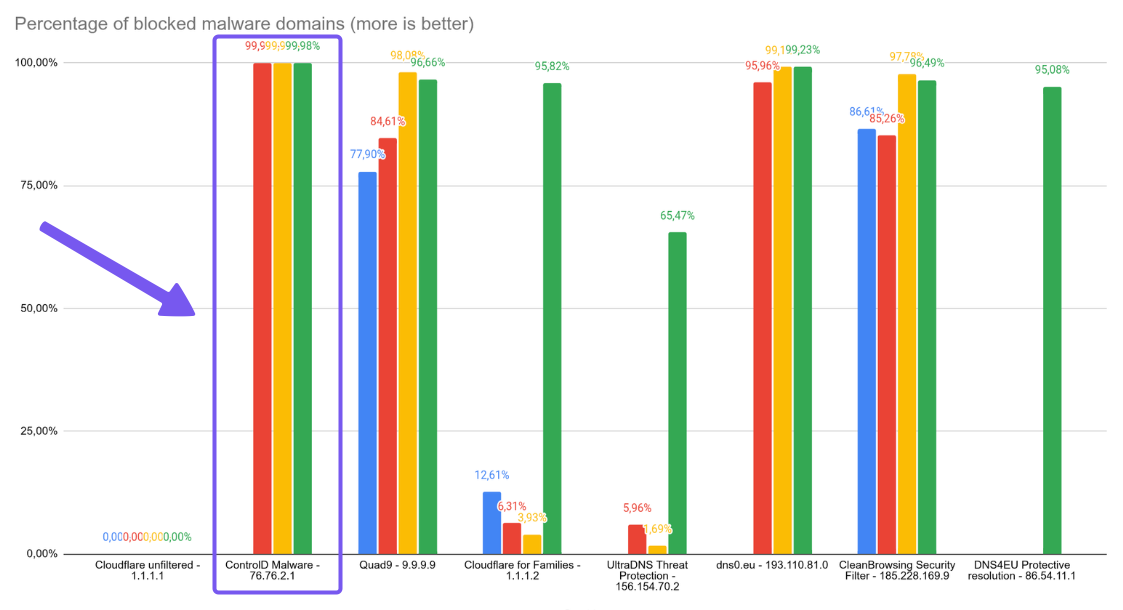
In Nexxwave’s June 2025 testing, Control D's malware filter achieved 99.98% block rate, the top score among all DNS providers evaluated. It even beat out major players in the industry like Cloudflare, Google, and Quad9
Control D’s edge is that it’s not purely reactive. It uses multiple threat intelligence sources that feed into AI and machine learning models to identify malicious websites and patterns in real time. This means suspicious domains, malicious sites, and online threats are detected before they can infect you. By the time traditional blocklists update, Control D has already prevented the threat.
2. Advanced Content Filtering & Service Filtering
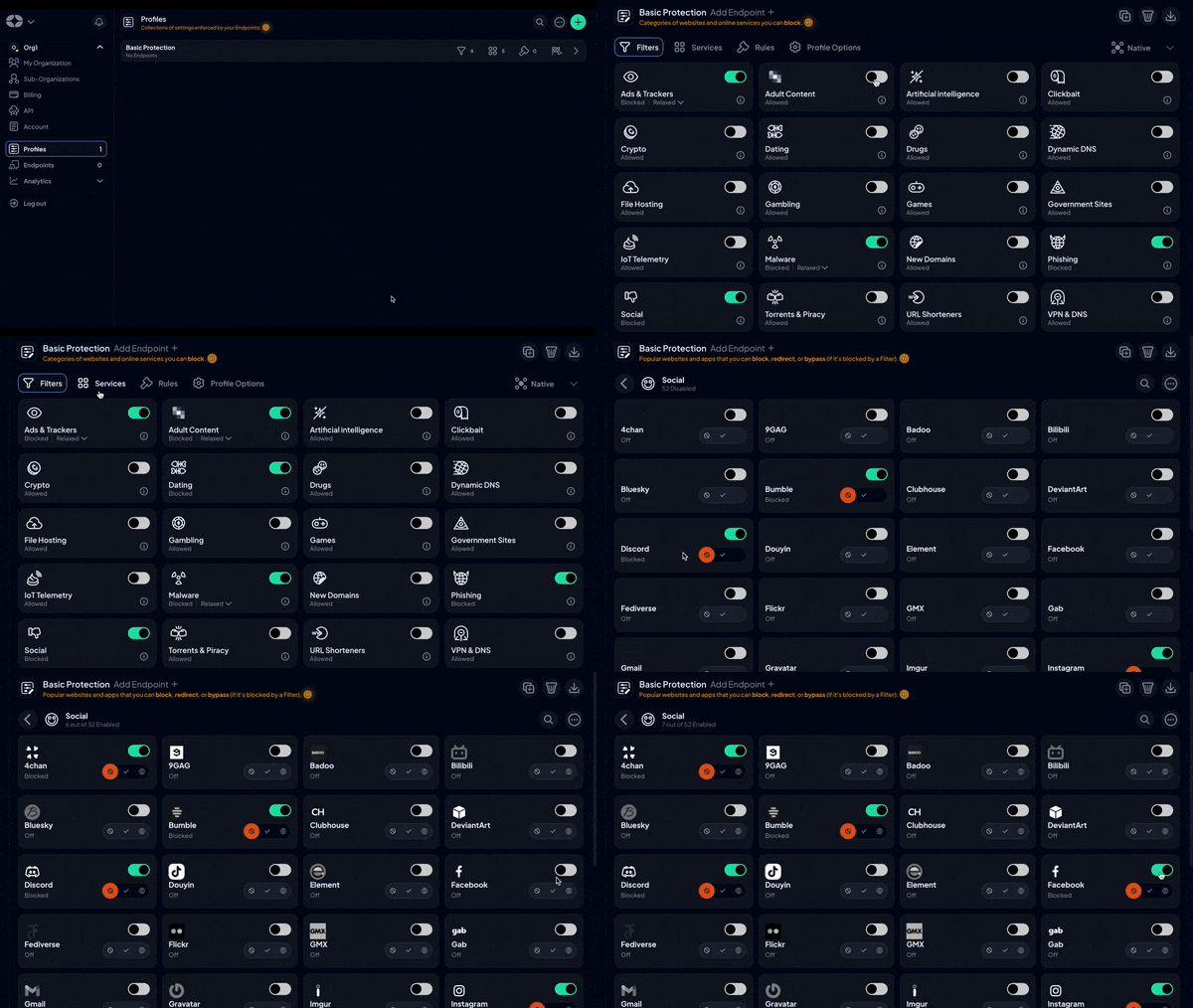
Control D’s approach to filtering is built for when you’re trying to strike a balance between protection and usability. You get:
- One-click category controls via 20 native Filters, such as adult content, gambling, torrenting, etc. (plus 3rd-party Filters)
- Fine-grained control through 1,000+ individually blockable Services
- Custom Rules for the “weird domain” exceptions that don’t fit neatly into a category
- Ads & Tracker Filter includes Relaxed, Balanced, and Strict modes to ensure Google Search results and hyperlinks aren’t impacted
This granular control happens through simple toggles, not complex rule writing. And because policies aren’t static in real life, Control D’s filtering policy supports schedules, allowing rules to automatically change over time.
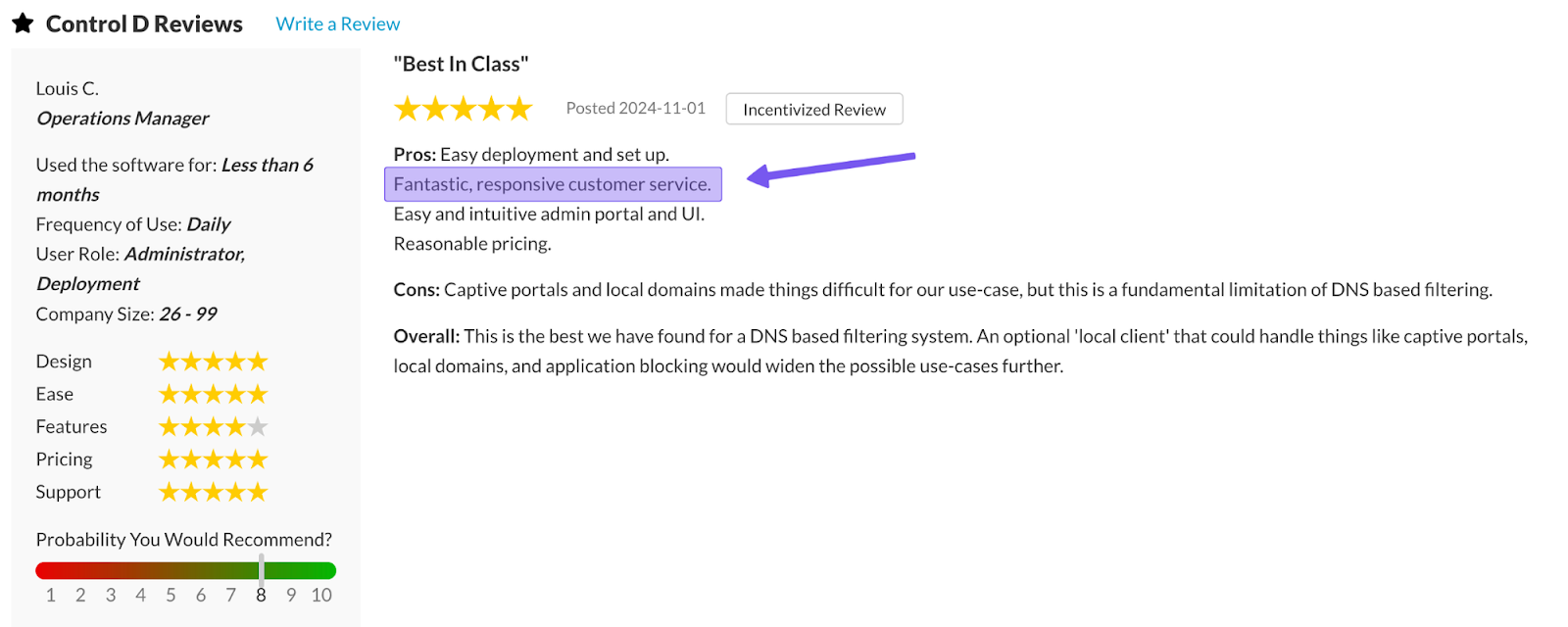
3. Support Quality and Availability
Control D offers multiple support channels to ensure you get the right type of help when you need it:
- Email support 7 days a week, 9am–9pm ET
- In-depth documentation + guides for self-serve troubleshooting
- An active community on Reddit and Discord for help from fellow users
- Barry, your AI assistant that’s built into the dashboard to handle 99% of queries and also open tickets when needed
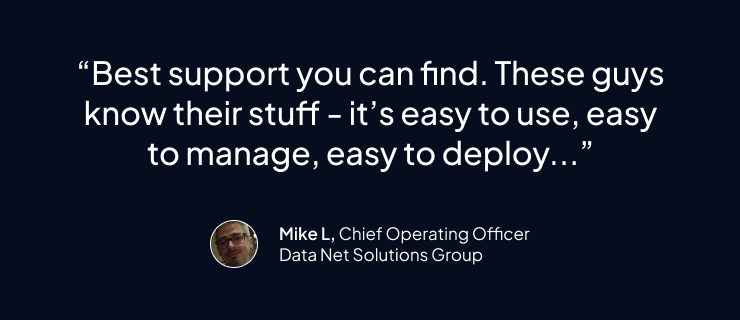
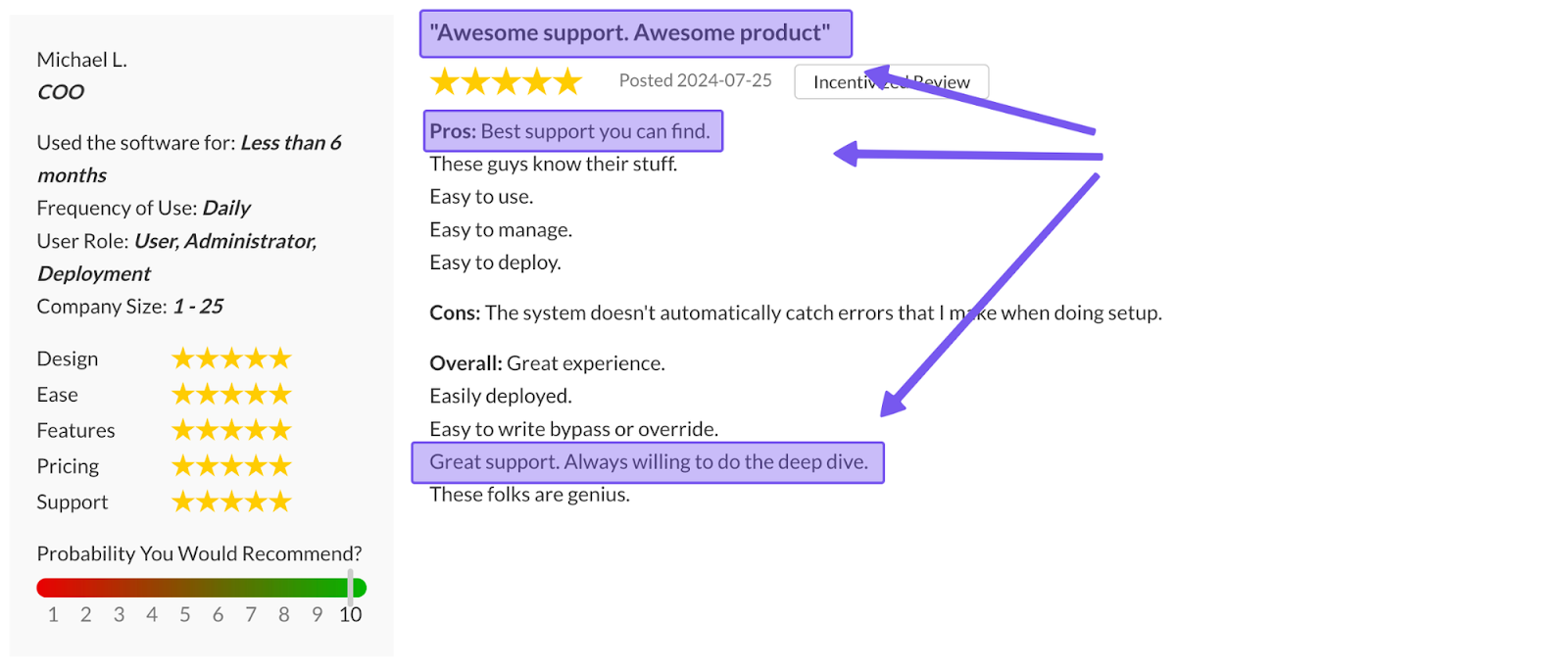
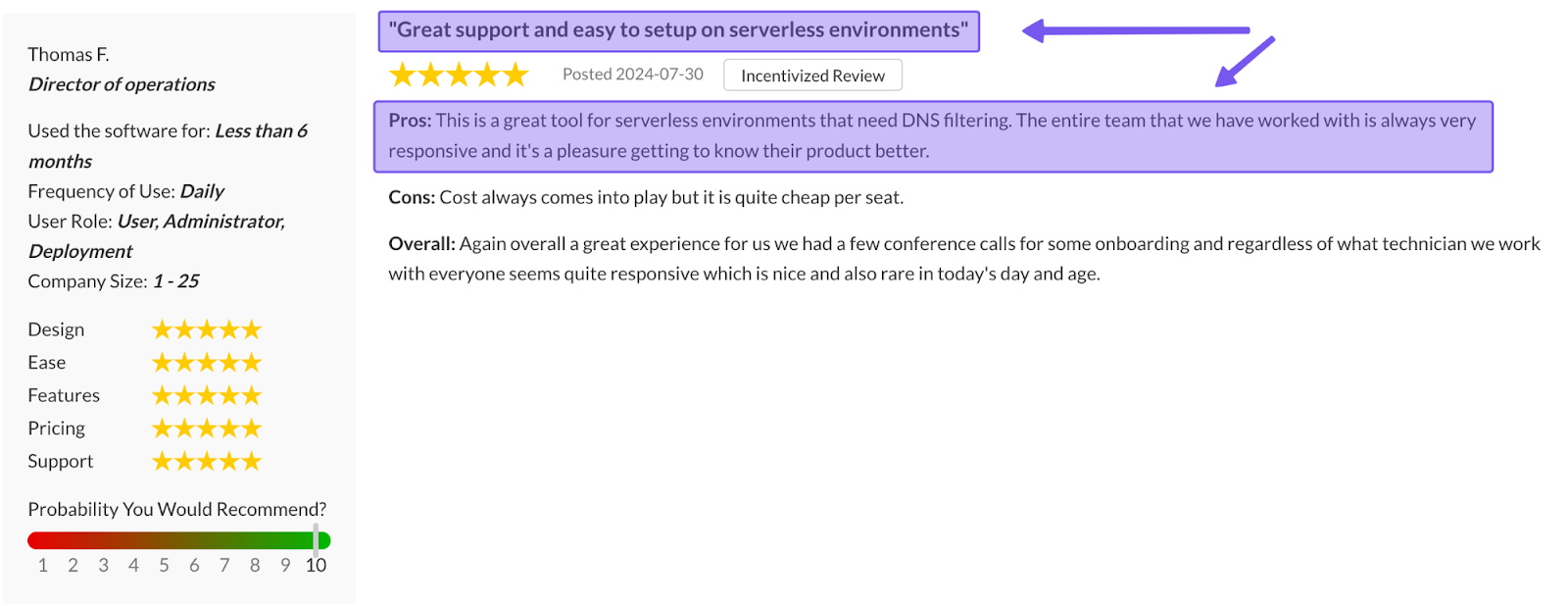
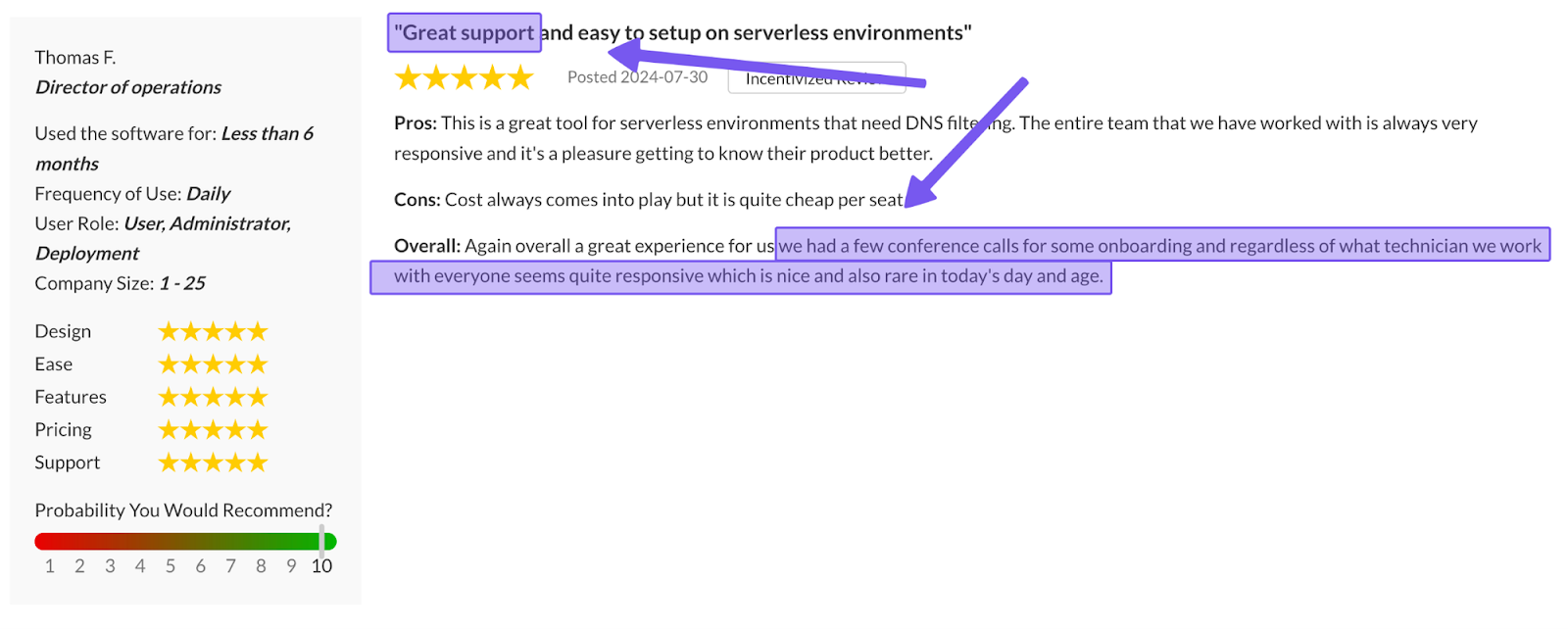
All of this adds up to a support experience people regularly praise: fast replies, deep technical know-how, and real engineers (sometimes even the founders themselves) jumping in to help when necessary.
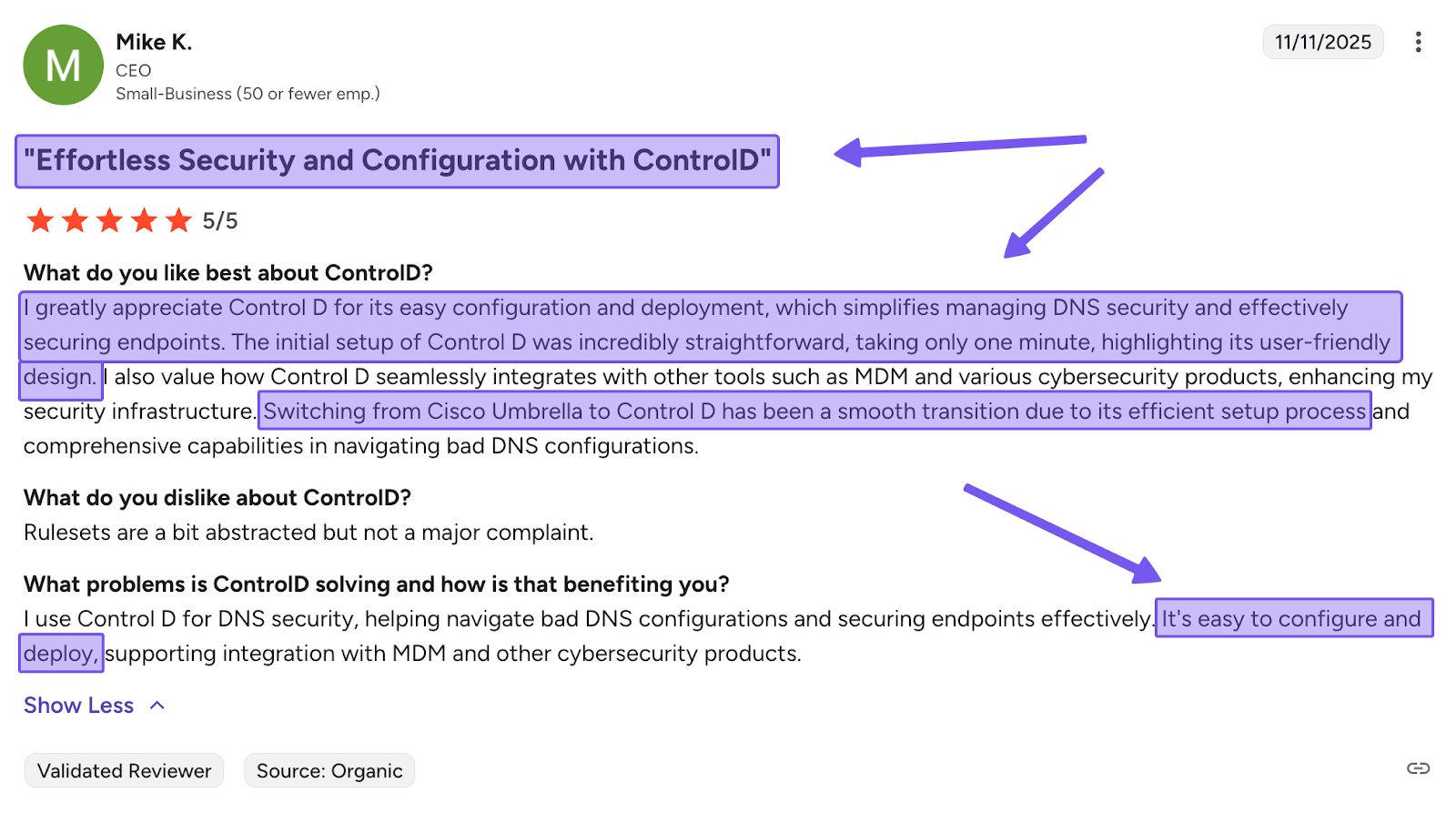
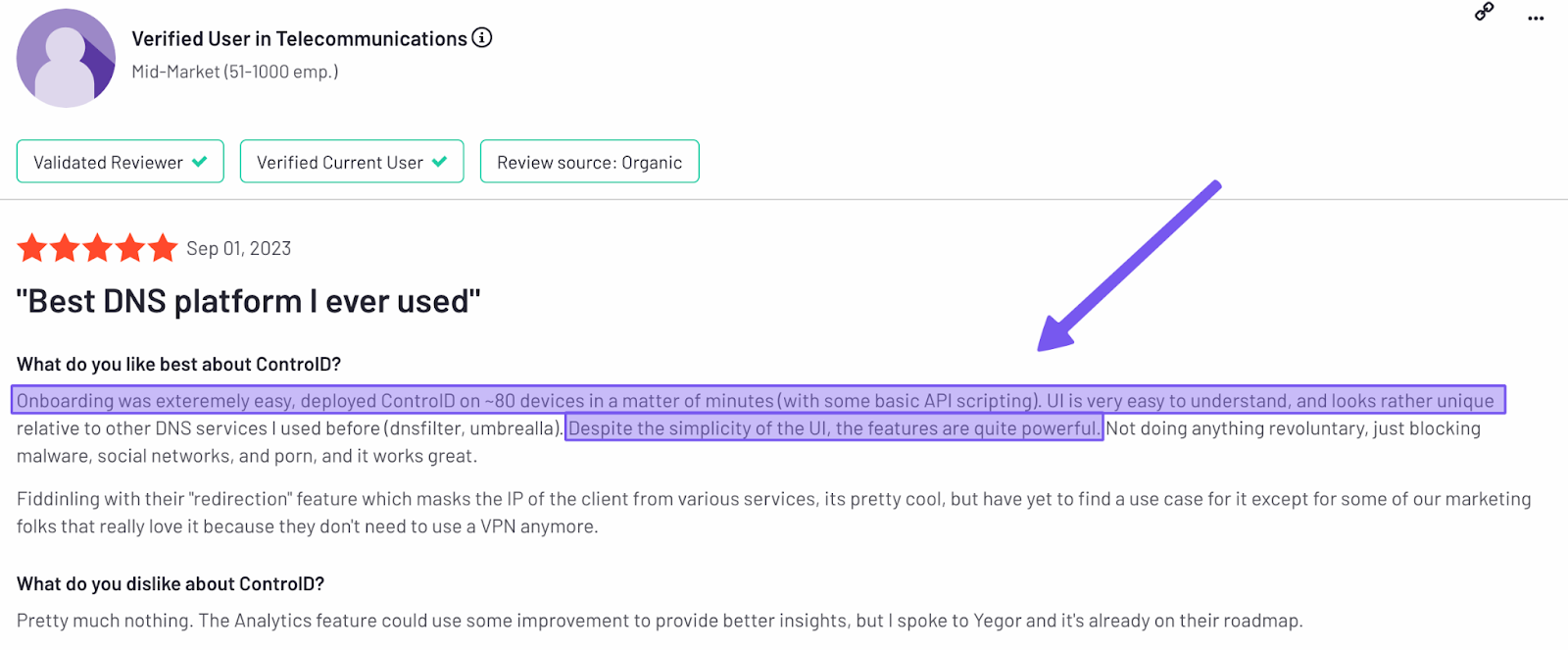
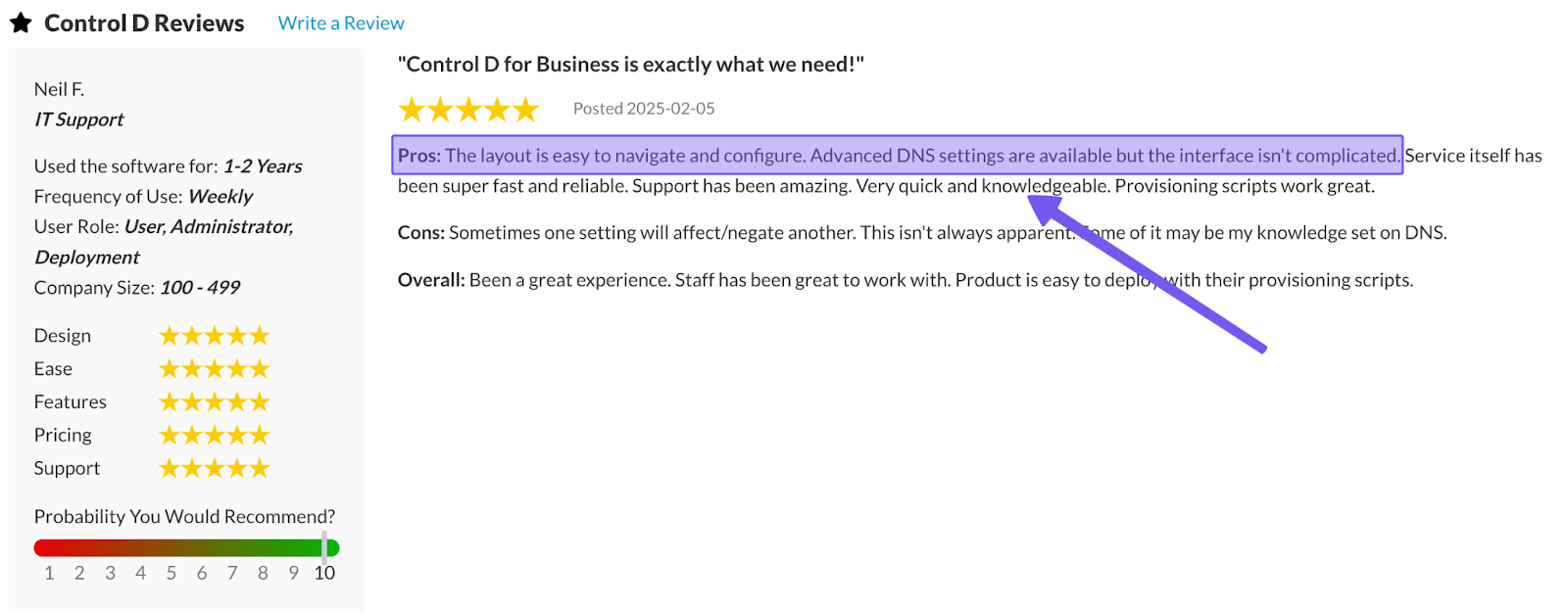
4. Easy Deployment
You shouldn’t have to choose between ‘quick setup’ and ‘proper rollout', which is why Control D supports both. There are two main ways to deploy Control D:
- Change your router or device DNS settings to point to Control D’s resolvers, or
- Generate a Provisioning Code and deploy to hundreds or thousands of endpoints with a single command using your preferred RMM/MDM tool.
The result is a setup process that takes minutes, not hours or days.
5. Traffic Redirection
Traffic Redirection is Control D’s third option when you need more than simply blocking and allowing. It lets you route DNS queries through 100+ locations across 60+ countries, thereby spoofing your IP address without a VPN.
Apply redirection to all traffic by default, or selectively to specific domains and Services with a few simple clicks.
This is particularly useful for organizations that have:
- Data residency requirements where traffic must stay within specific regions
- Performance needs (resolve queries locally)
- Compliance mandates where access must appear from approved countries
6. Geo-Custom Rules
Control D’s Geo-Custom Rules let you decide which countries/regions/ASNs your DNS traffic can come from, and where it’s allowed to go. For instance:
- Block, bypass, or redirect queries that resolve to IPs in specific countries
- Block, bypass, or redirect queries that resolve to IPs outside specific countries
- Block, bypass, or redirect queries made from IPs in specific countries
- Block, bypass, or redirect queries made from IPs outside specific countries
- Block, bypass, or redirect queries that resolve to IPs owned by specific networks (ASNs) or not owned by them
- Combine multiple geo rules to build more complex location- or ASN-based policies
Common ways people use it:
- Block traffic from higher-risk regions
- Allow or restrict access by country (or specific networks)
- Help meet data residency and compliance requirements
Check out Control D’s Geo Custom Rules documentation for more information.
7. Analytics and Reporting
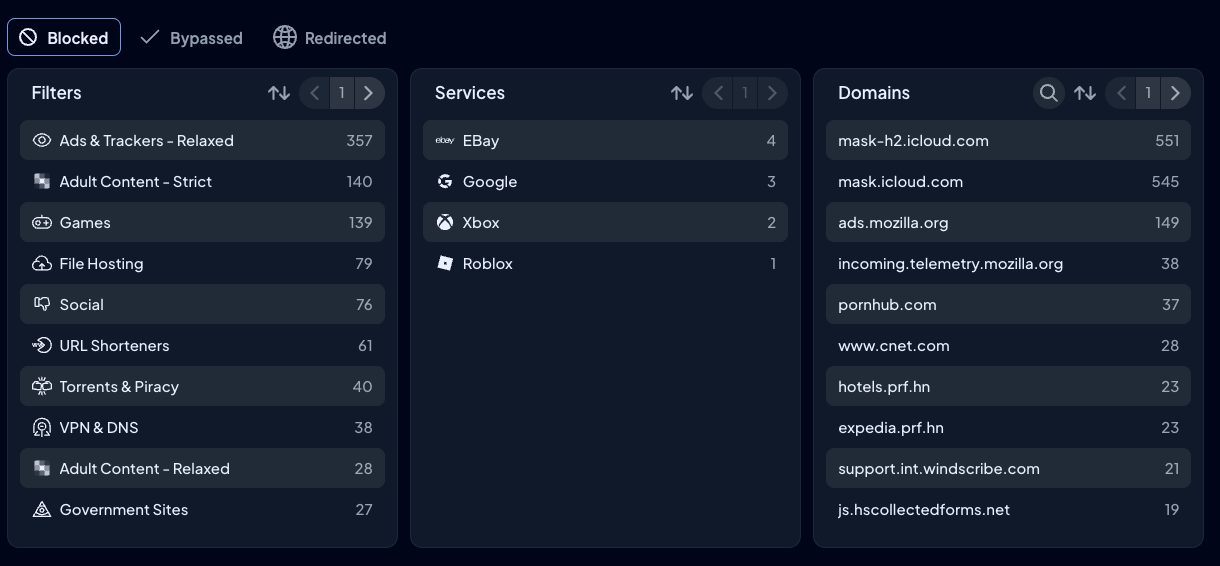
Control D includes full analytics and reporting without feature gating or tier restrictions. Every organization gets:
- Raw query logs for 1 month
- Aggregated analytics for up to 12 months
- Interactive filtering across all dimensions: device, Profile, Filter, Service, domain, geography, network, action, timeframe
- Scheduled email reports (daily, weekly, or monthly)
- Real-time SIEM streaming
- Instant CSV exports
- Admin action logs for audit trails.
It's designed for "I need to find out why" scenarios, not just "show me what happened" dashboards.
8. Enterprise Integrations & Modern Protocol Support
Modern DNS security requires modern DNS encryption protocols. Control D delivers DNS-over-HTTPS (DoH), DNS-over-TLS (DoT), DNS-over-HTTPS/3 (DoH3), DNS-over-QUIC (DoQ), traditional DNS for legacy compatibility, and full IPv4/IPv6 dual-stack support.
Your DNS solution shouldn’t force you to rethink your entire security stack. That’s why Control D integrates with almost all major enterprise tools, including:
- Directory & Identity Services: Active Directory, Okta, Entra ID
- RMM/MDM platforms: NinjaOne, Datto, Kaseya, ConnectWise, Atera
- SIEM tools: Splunk, IBM QRadar
9. Multi-Tenancy & MSP Management
Managing multiple locations, teams, or clients shouldn’t mean managing multiple dashboards. Control D provides true multi-tenancy through a Parent-Org and Sub-Org model.
Create as many Sub-Organizations as needed – each one operates as an isolated environment with dedicated Profiles, Endpoints, policies, and reporting. Clients can't see each other's data, and changes in one Sub-Org don't affect others.
But from your perspective as the Managed Service Provider or IT admin, everything lives in one interface. Click into any Sub-Org to manage it directly without switching accounts or remembering different login credentials. Also, assign permissions at three levels (Owner, Admin, Viewer) to control team access appropriately.
Whether you're managing 5 clients or 500, the workflow stays simple: one login, complete oversight, instant access to any tenant when needed.
10. Performance
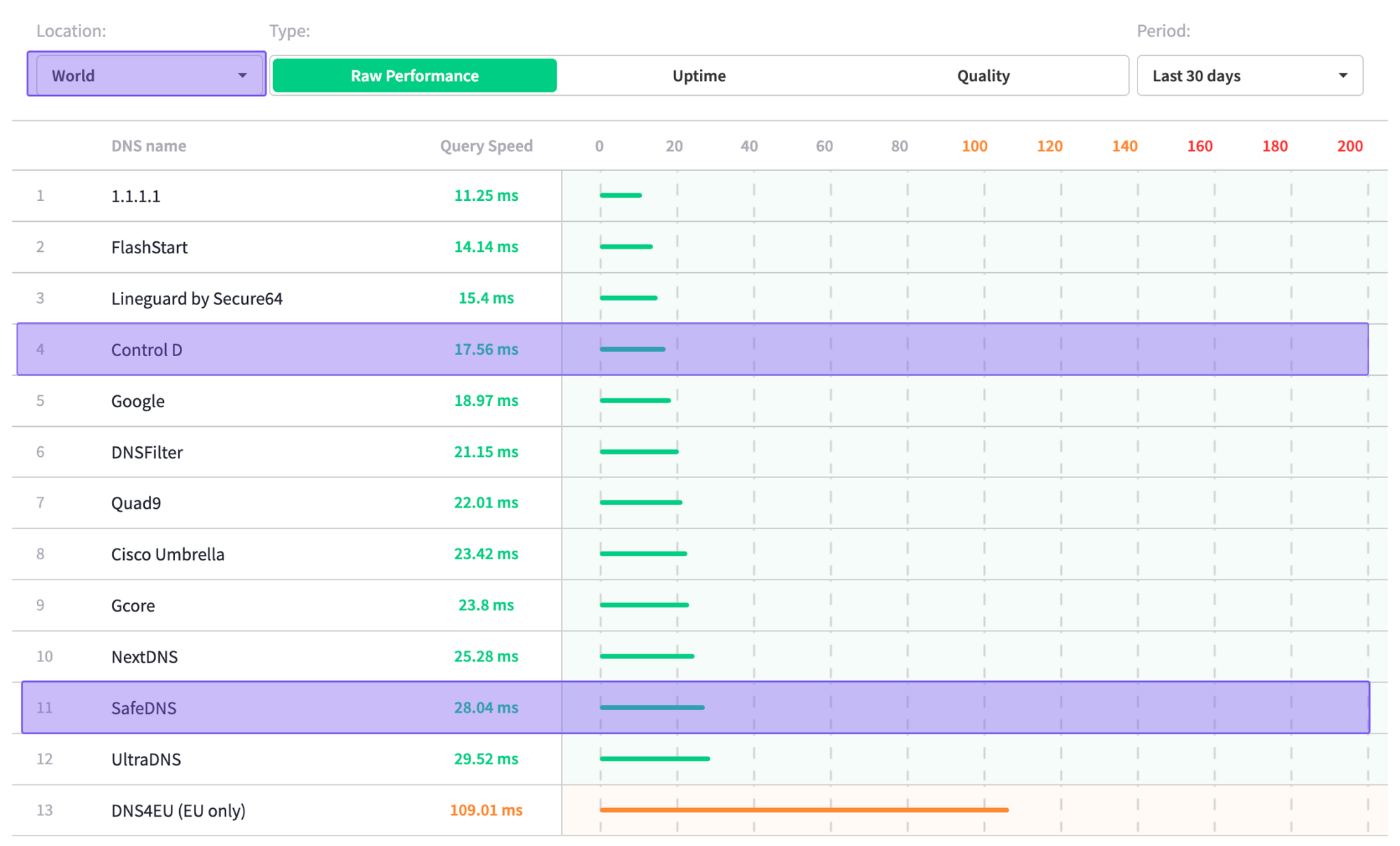
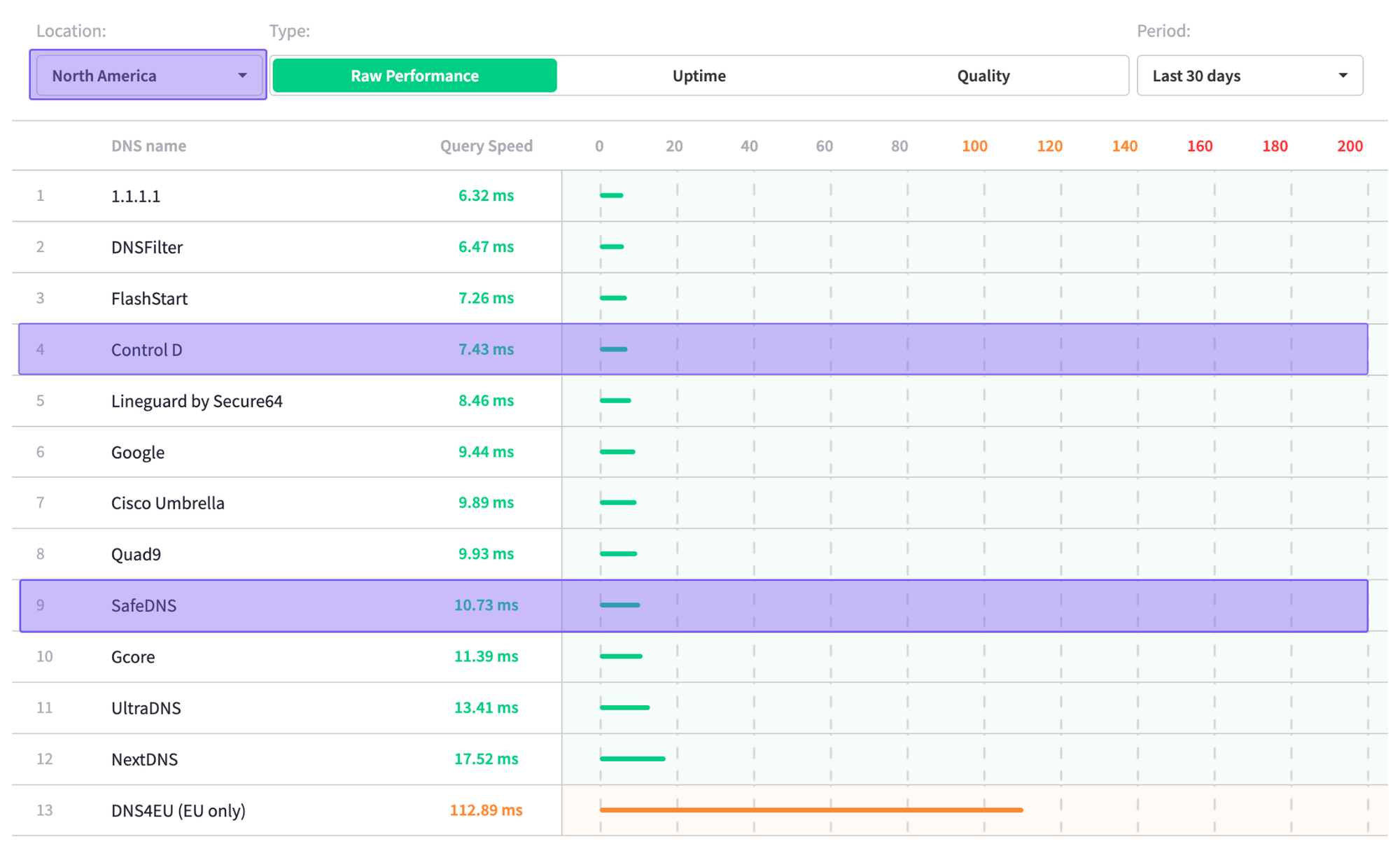
According to independent data from DNSPerf, Control D outperforms SafeDNS both globally and across North America.
| Region | Control D (avg ms) | SafeDNS (avg ms) |
|---|---|---|
| Global | 17.56 | 28.04 |
| North America | 7.43 | 10.73 |
Final Thoughts
So, is SafeDNS pricing worth the money? Let's break down what you're actually getting.
SafeDNS starts at $1.00/user/month for businesses and $25.95/year for homes. That's a reasonable price at first glance. But dig deeper, and you'll find:
- Minimum user requirements
- Important features locked behind expensive tiers
- Limited integration options
SafeDNS works okay for a specific use case: organizations with simple filtering needs. But here's the thing: most modern businesses (and households) need more flexibility without sacrificing functionality.
Control D delivers superior value by filling in these gaps:
- Eliminates feature gating and minimums
- Offering more enterprise-grade features at a lower price point
- Providing in-depth analytics
- Delivering faster DNS resolution performance
So the real question isn’t whether SafeDNS is “expensive,” but rather whether the trade-offs are worth it. In this case, most readers will likely conclude Control D is a better alternative at a lower cost.