
NextDNS Pricing: What's the True Cost?
NextDNS pricing explained: Learn real costs, limits, support issues, and why many users switch to Control D for personal and business DNS filtering.

NextDNS looks like a no-brainer on paper: simple pricing, powerful filtering, and a generous free tier.
But once you dig into real-world usage, cracks start to show, especially around support, scalability for organizations, and a product that many users feel has stopped evolving.
In this guide, we’ll break down what NextDNS costs, what you actually get for your money, where NextDNS falls short, and whether there’s an alternative DNS provider that may be a better long-term fit for both personal and business use.
TL;DR
| Product / Plan | Cost USD |
|---|---|
| NextDNS Free | $0 |
| NextDNS Pro (Personal) | $1.99/month |
| NextDNS Business | $19.90/month per 50 employees |
| NextDNS Education | $19.90/month per 250 students |
| Control D for Personal Use | $2/month |
| Control D for Organizations | $0.5–$2/month per endpoint |
NextDNS Pricing Breakdown: How Much Does it Cost?
NextDNS’s pricing is refreshingly straightforward. They use a simple subscription model: same features across all paid plans, with differences mainly in query limits, who it’s for, and the type of support you get.
1. Free Plan: $0
- Cost: $0/month
- DNS Queries: 300,000 queries per month
- Devices: Unlimited devices
- Configurations: Unlimited configurations
- Features: Access to all features
- Support: Community support
When you exceed the 300,000 query limit, NextDNS doesn’t stop resolving domains. Instead, it continues to answer DNS requests “like a classic non-blocking DNS service” – meaning no more blocking, filtering, or logging for the rest of that month.
For a single phone or laptop, 300k DNS queries per month is often enough. But when you put NextDNS on a router and protect a busy home network with 5–10 devices, reviewers have found the cap can be hit quite easily.
You'll get a friendly email at 250,000 queries warning you, then another one when you hit the limit. After that, you're on your own.
2. Pro Plan: $1.99/month
- Cost: $1.99/month or $19.90/year (17% discount)
- DNS Queries: Unlimited
- Devices: Unlimited devices
- Configurations: Unlimited configurations
- Features: Access to all features
- Support: Still just community support
- Target: Individuals and close family use
For most privacy-conscious users looking to implement DNS filtering and security at home, this is the go-to plan: unlimited DNS queries, unlimited devices, full feature access, and a predictable flat cost.
- ‘Some Control’ at $2/month or $20/year
- ‘Full Control’ at $4/month or $40/year
The only difference between the two is Full Control allows you to change your location.
3. Business Plan: $19.90/month
- Cost: $19.90/month or $199/year (17% discount)
- Coverage: Per 50 employees
- DNS Queries: Unlimited
- Devices: Unlimited (licensed by employee count, not device)
- Configurations: Unlimited
- Features: All security, DNS filtering, user privacy, and analytics features
- Support: Email support
- Target: Small and medium businesses
This is where NextDNS starts targeting small and medium businesses, with a per-block licensing model. The pricing works in blocks of 50 employees. If you have up to 50 employees, you pay $19.90/month. If you have 51–100, that’s another license you need to purchase, and so on.
The math can get a bit wonky, but at least you finally get email support instead of just community forums.
4. Education Plan: $19.90/month
- Cost: $19.90/month or $199/year (17% discount)
- Coverage: Per 250 students
- DNS queries: Unlimited queries
- Devices: Unlimited
- Configurations: Unlimited
- Features: Same feature set as Business
- Support: Email support
- Target: Schools, universities, and other educational environments
Schools get a better deal than businesses, covering 250 students for the same price that gets a company 50 employees. Again, this is scaled up in blocks (in this case, a block of 250). The features are identical to the Business plan, including email support.
Additional Costs to Consider
NextDNS has transparent pricing with no hidden fees or surprise charges. What you see is what you pay. But, there are a few things you’ll want to be mindful of.
1. Annual Commitment for Savings
While the monthly pricing is affordable, you'll need to commit to annual billing to receive any discount. The 17% savings amount to:
- Pro: $3.98 per year
- Business & Education: $39.80 per year
Not exactly jaw-dropping savings, but if you're committed to using NextDNS long-term, you might as well take advantage of it.
2. Licensing Blocks for Organizations
For organizations, Business and Education plans are sold in chunks (50 employees or 250 students). That gives you unlimited queries and configurations, but also creates an implicit minimum spend even for small teams.
It also means if you go over the chunks – say you have 51 employees – you’ll have to fork out another $19.90/month.
NextDNS Features: What You Actually Get
Now that we know what NextDNS costs, let's examine what features it has to offer so you can determine whether the pricing represents good value.
All NextDNS plans get access to all features, which include:
1. Security Protection
- Blocks malware, phishing, cryptojacking, and newly registered domains
- Uses DNS-over-HTTPS (DoH) and DNS-over-TLS (DoT) to encrypt DNS queries
- Validates DNS responses with DNSSEC to help prevent tampering.
- AI threat feeds to catch threats in real time
2. Privacy and Ad Blocking
- Support for popular third-party blocklists (Hagezi, OISD, and more)
- Blocks ads and trackers on websites, inside apps, and at the OS-level on supported platforms
- Lets you build custom deny/allow lists to block or bypass specific domains
- Affiliate tracking domain blocking
3. Content Filtering & Parental Control
- 7 Content categories (porn, gambling, dating, piracy, social media, online gaming, video streaming) you can block with a click
- The ability to block <50 services like TikTok, Snapchat, Facebook, etc
- SafeSearch enforcement for major search engines
- YouTube Restricted Mode
- Scheduling (e.g., “Recreation Time”) so certain apps or websites are only available during specific hours
The Limitations:
- Per-device rules require installing NextDNS on each device rather than using router configuration
- Recreation Time only supports one daily time window per service
- Can't create custom content categories beyond the predefined options
- NextDNS applies one universal filtering configuration to everything, and changing global settings gets tedious if you need different rules for many devices
4. Analytics and Logging
- Query log retention for up to two years
- Analytics retention for three months
- Every DNS query from every device
- Whether queries were blocked or allowed, and why
- Storage region (US, European Union, UK, Switzerland)
Is NextDNS Worth the Cost? 7 Things to Consider
Before you commit, let's talk about some things that deserve careful consideration beyond just the features offered and the monthly/annual cost.
1. Who Is NextDNS For?
NextDNS is primarily built for individuals and families. It's perfect for:
- An individual or family wanting a cloud-hosted “set and forget” DNS filtering solution
- Parents looking for network-level content filtering and parental controls
- Anyone frustrated with intrusive ads who wants network-wide ad blocking
But here's what NextDNS isn't: an enterprise solution. The Business and Education plans exist, but NextDNS lacks many features that larger organizations require, such as:
- Advanced integration with enterprise tools and systems (RMMs, SIEM tools, Active Directory, etc.)
- Role-based access controls
- Easy management for hundreds of users
- Compliance reporting and audit trails
- Quality support
Small businesses and/or schools might get by if they’re protecting a handful of devices and only have basic needs and requirements, but if you're running a 200-person company, NextDNS probably isn't your answer.

2. Scalability
For personal and family use, NextDNS scales just fine. Adding more devices isn’t a problem, and once you upgrade to the Pro plan, query volume limits become irrelevant.
For business use, scalability has severe limitations.
- Awkward Pricing Jumps: The business plan charges per 50-employee blocks, which can create awkward jumps. A company with 101 employees needs three business plan subscriptions at nearly $600/year.
- Configuration Management: While NextDNS allows multiple configurations under a single account, managing these at scale can be cumbersome. There's no built-in way to bulk assign devices to configurations or centrally push configuration changes across an organization.
- Limited Organizational Features: NextDNS doesn't offer multi-tenancy for managing different groups of users, departments, or clients. There’s also no delegated administration or other features that make management practical at scale. You’ll have to use the same manual process for managing 5 employees as you would for 500.
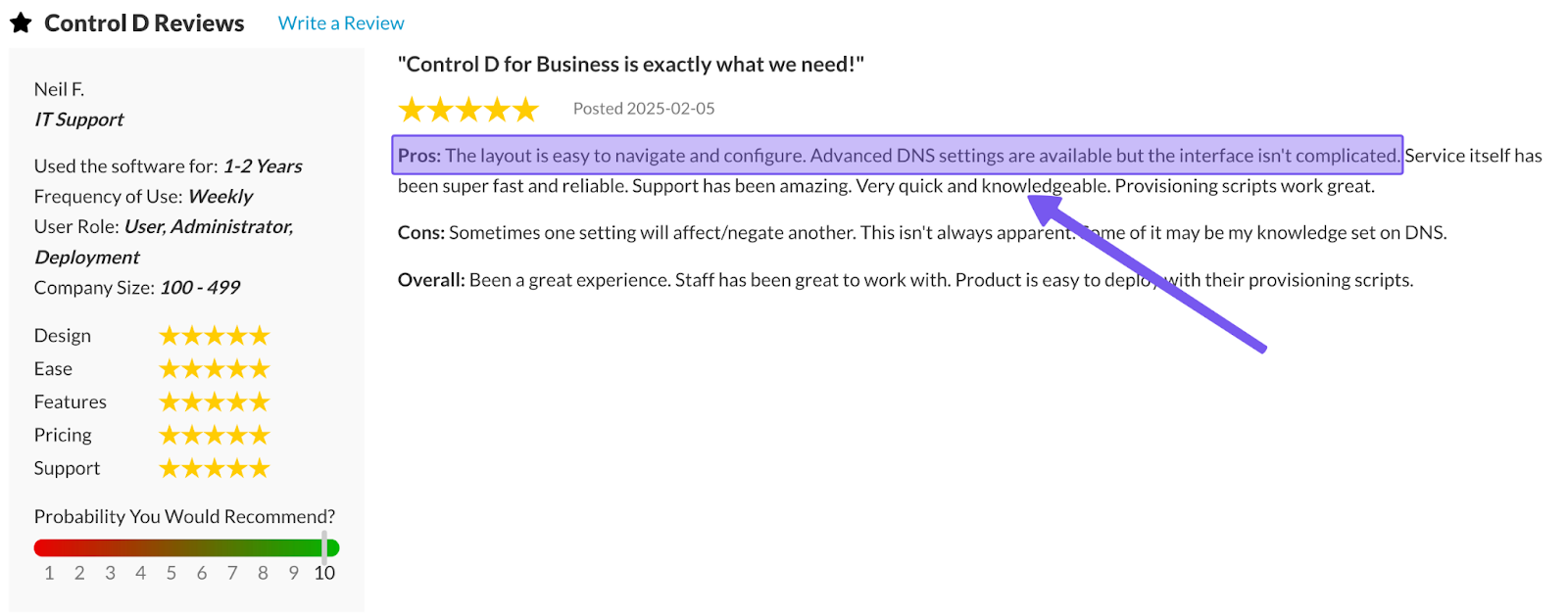
3. Support Quality and Availability
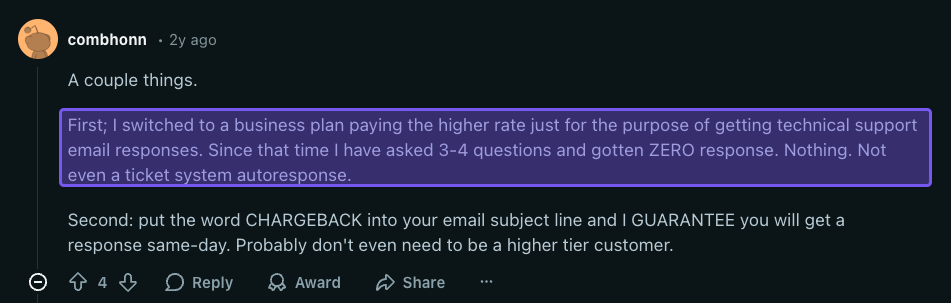
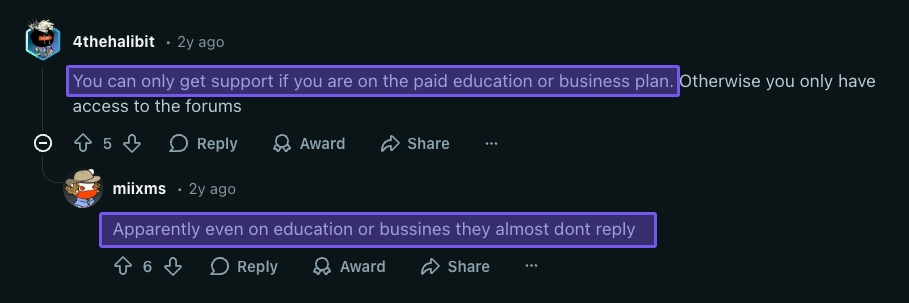
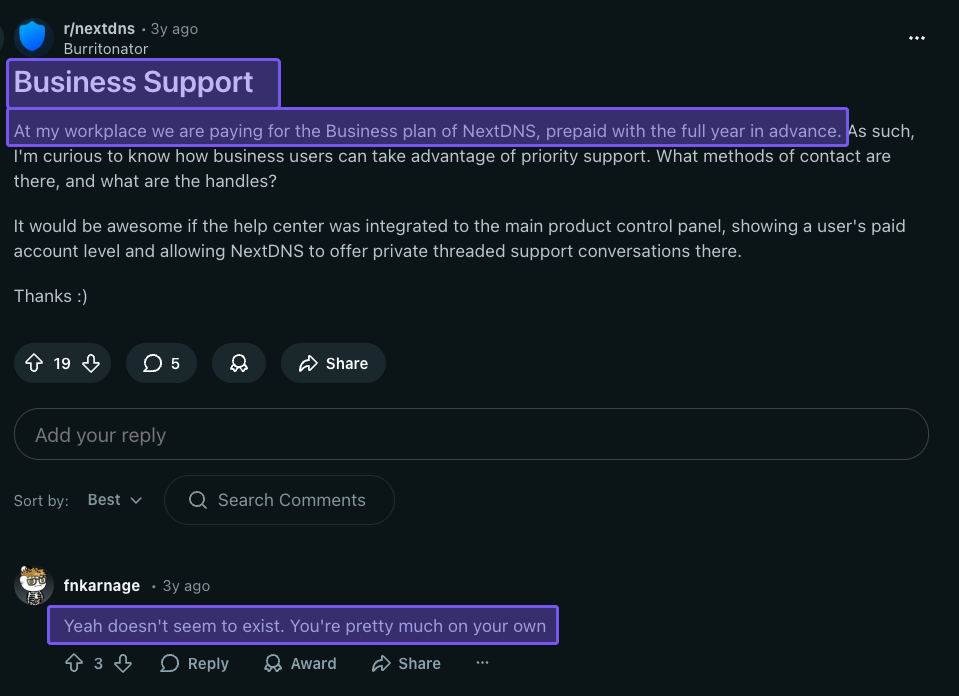
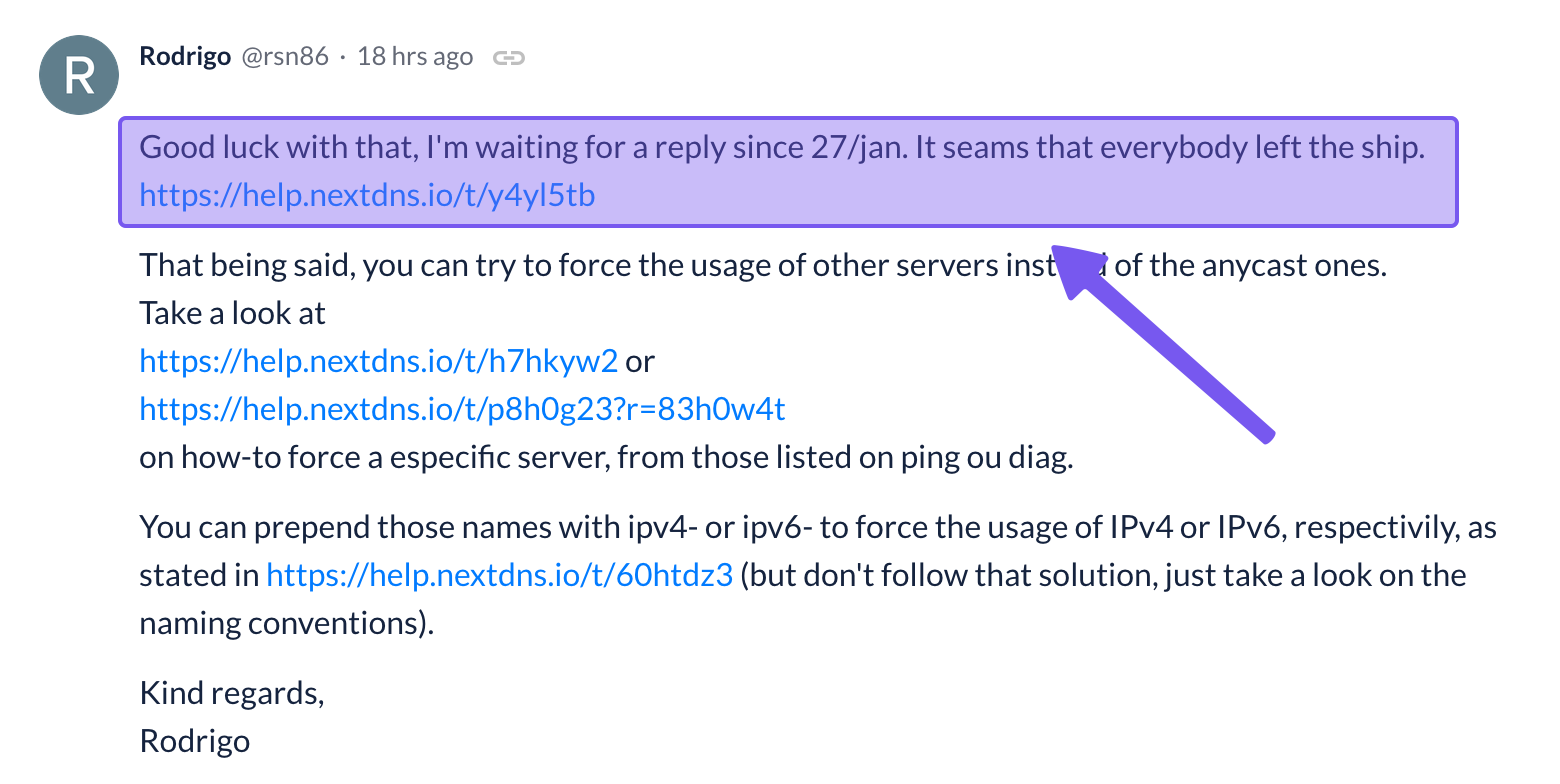
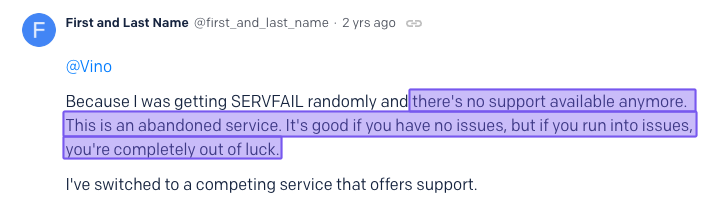
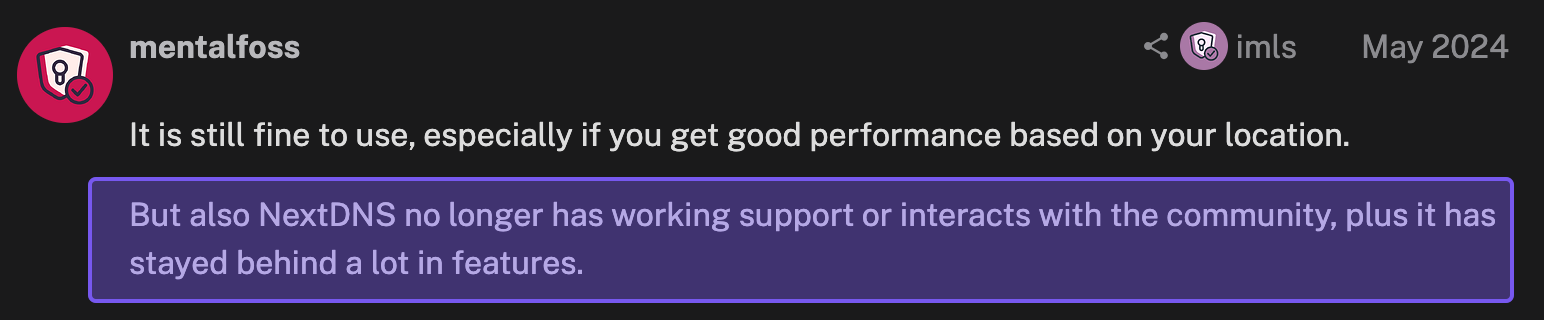
Support is perhaps NextDNS's weakest area. Free and Pro users only get access to community support and documentation, whereas Business and Education users get access to email support. But even then, there are no guaranteed response times for issues.
That can be seen with numerous complaints online – from both Pro and Business/Education customers – about the quality and availability of support received, with some users not receiving responses at all.

4. Active Product Development
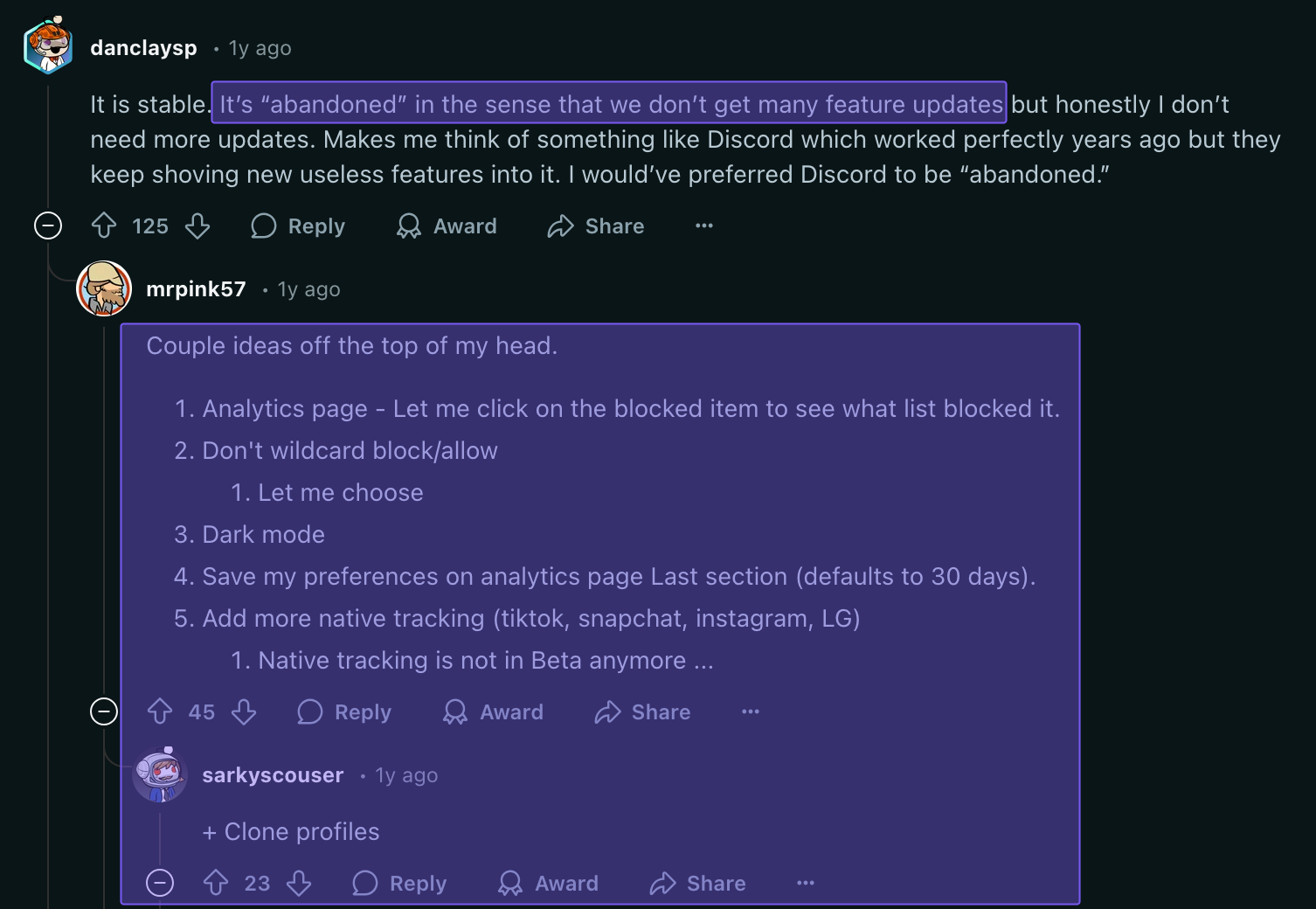
This is an often-overlooked factor, and it’s important to note a sentiment shared across various community platforms, including Reddit, privacy forums, and the NextDNS community discussion board: product development.
There are countless reports of NextDNS being an “abandoned” product, with many recent community discussion posts mentioning that they feel like the platform’s development is “non-existent.”
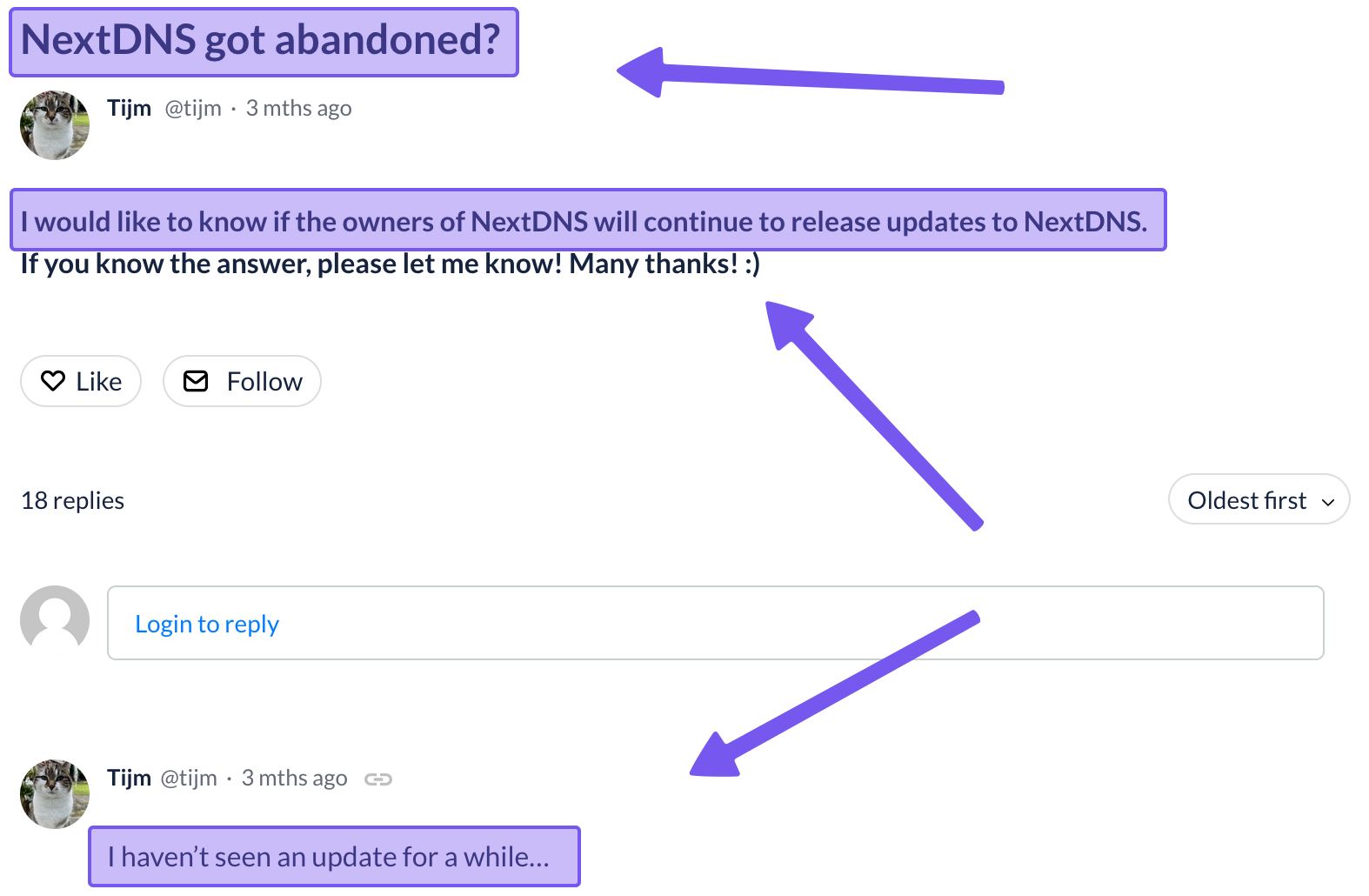
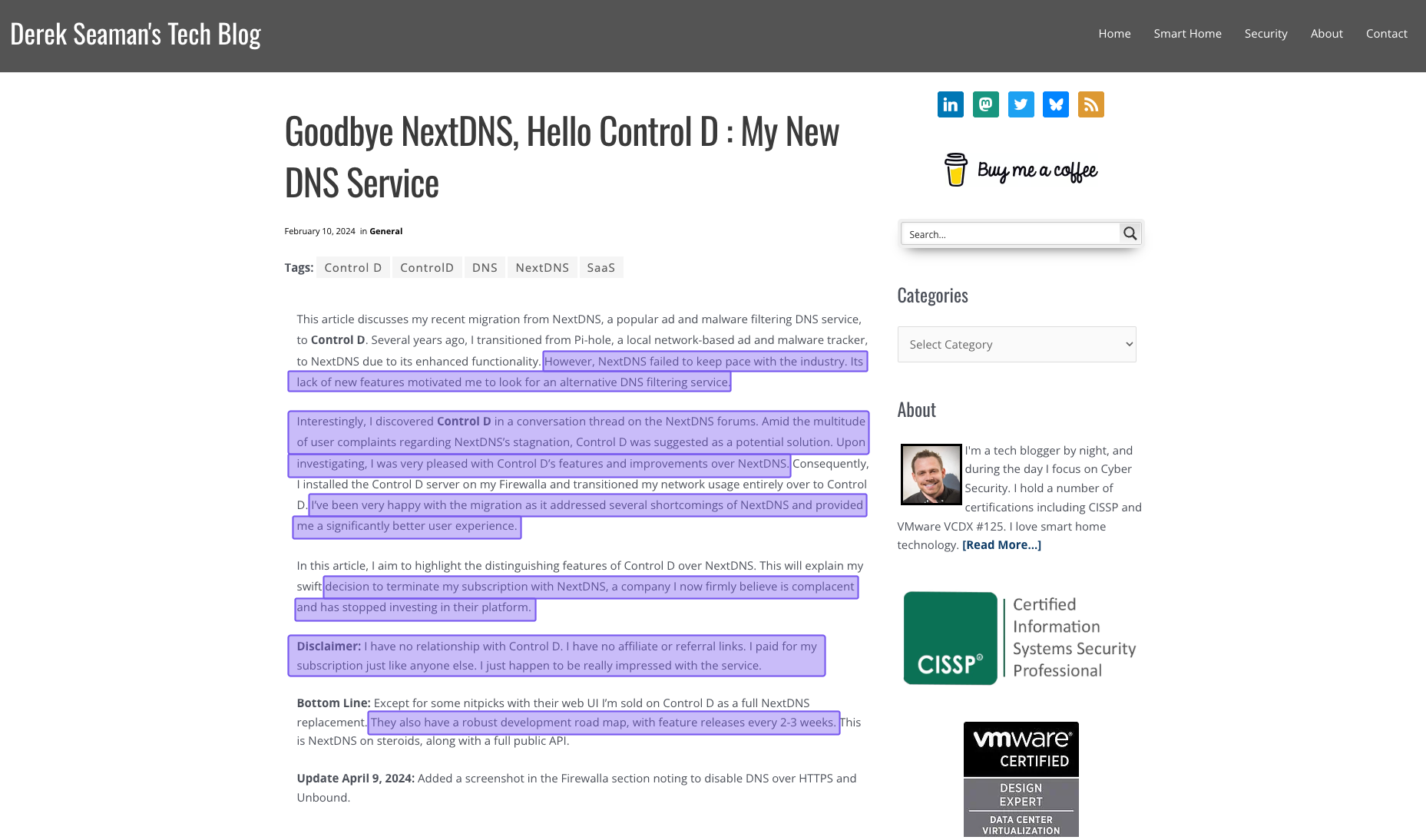
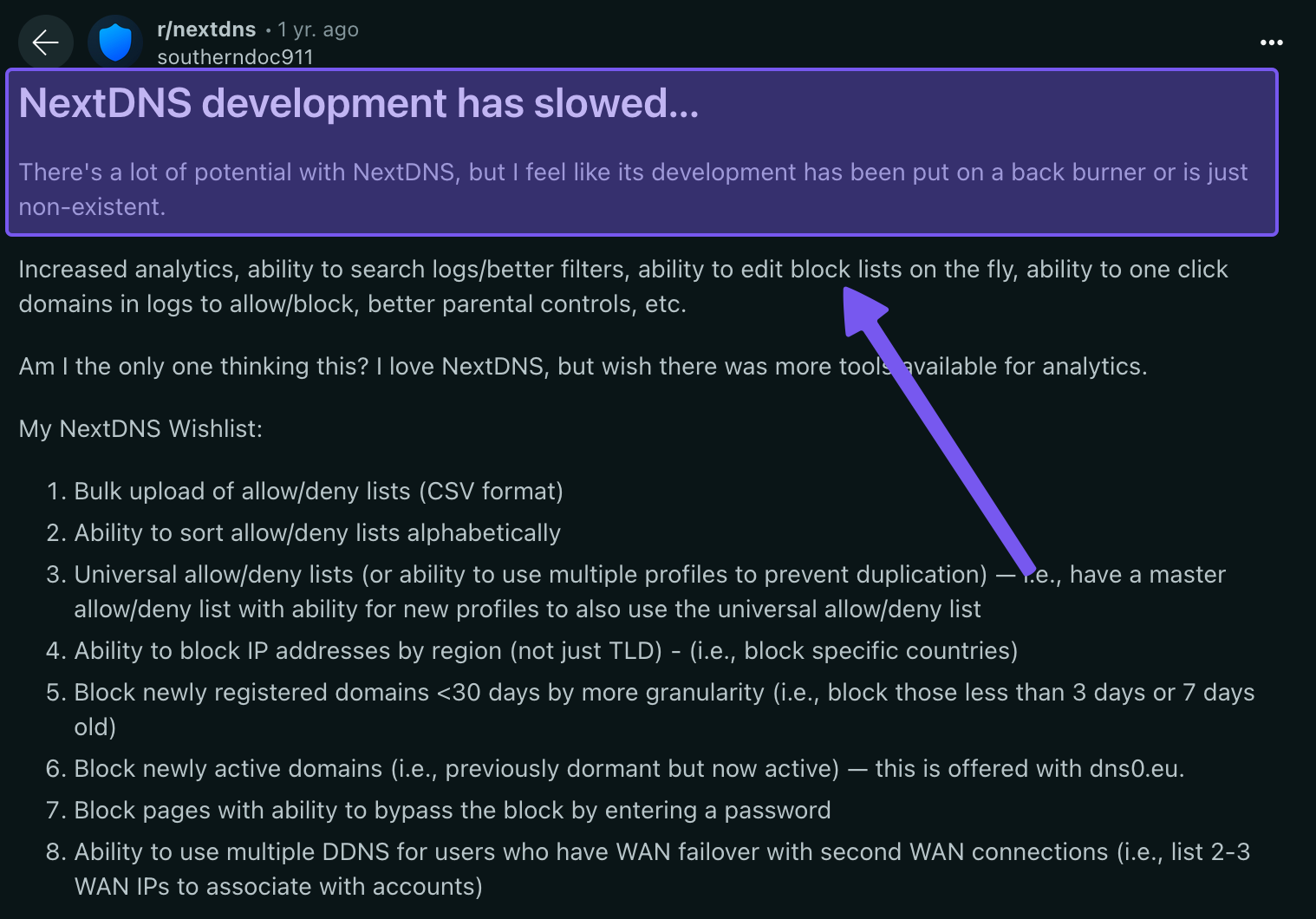

The counterargument is that NextDNS is a “stable product” and, therefore, doesn’t need much development. However, it doesn't paint a good picture when users request meaningful features and upgrades, but they don’t materialize.
6. Performance
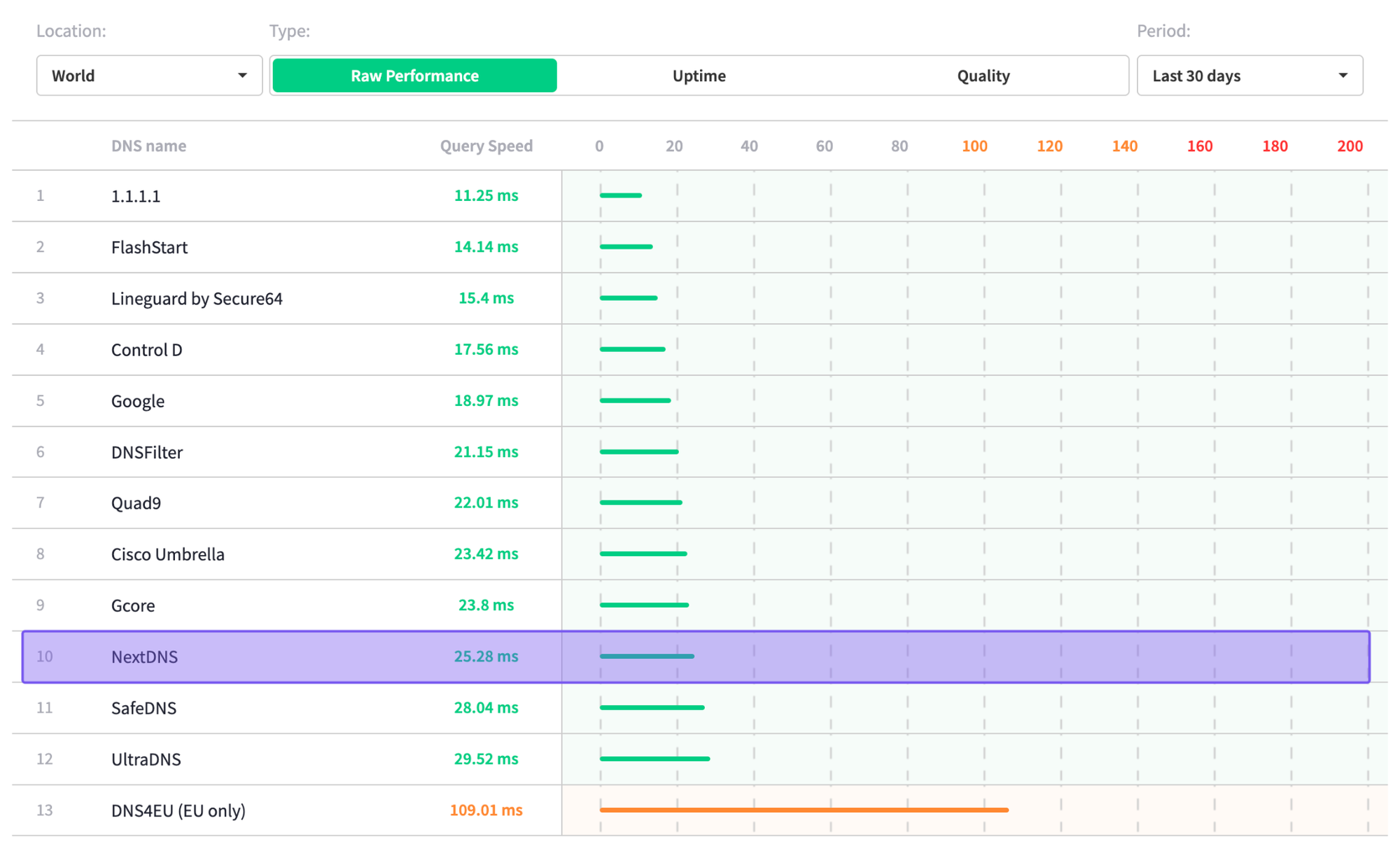
Based on independent data from DNSPerf.com, NextDNS has average global query speeds of 25.28 ms, placing it in the bottom third of all providers tested.
Control D Offers Better Value Than NextDNS
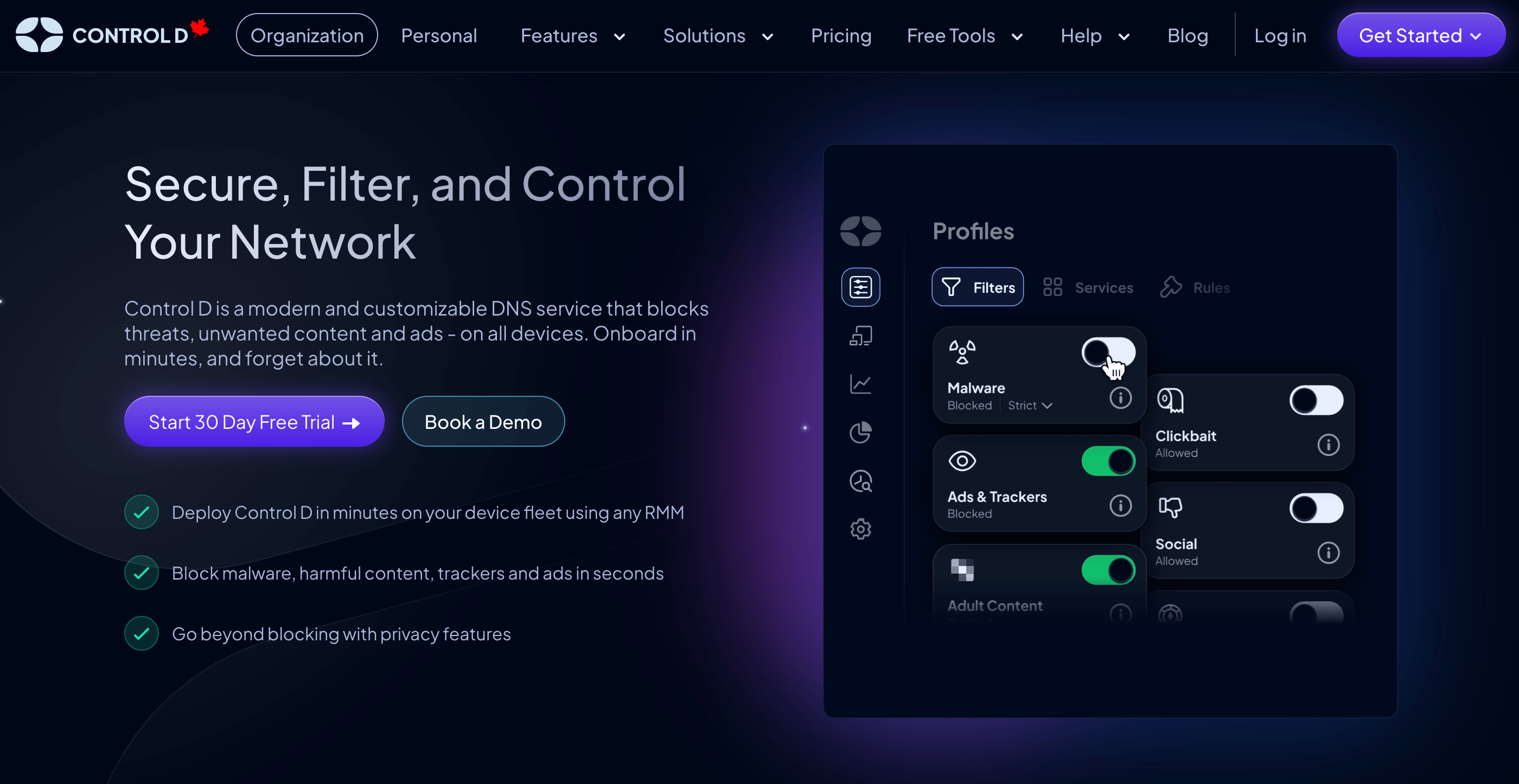
If NextDNS feels like it almost checks all the boxes but leaves you nervous about support, scaling, or long-term development, Control D is designed to close those gaps.
It keeps everything people like about cloud DNS filtering, like strong security, privacy, and granular content control, while adding deeper analytics, richer Service and category filtering, per-endpoint pricing, and responsive support that actually answers your tickets.
In other words, Control D can handle the same job as NextDNS for home users, while also delivering true enterprise-grade DNS filtering and security for organizations without the bloated “enterprise” add-ons or price tag.
Control D Pricing Breakdown
We’ve separated Control D’s pricing model into two sections:
- Control D Free & Personal Plans
- Control D Business Plans
Let’s take a look at both in detail.
1. Control D Free & Personal Plans
| Feature | NextDNS Free |
Control D Free DNS |
NextDNS Pro |
Control D Some Control |
Control D Full Control |
|---|---|---|---|---|---|
| Monthly Cost | $0 | $0 | $1.99 | $2.00 | $4.00 |
| Annual Cost | $0 | $0 | $19.90 | $20.00 | $40.00 |
| DNS Queries | 300,000/month | Unlimited | Unlimited | Unlimited | Unlimited |
| Device Limit | Unlimited | Unlimited | Unlimited | Unlimited | Unlimited |
| Custom Rules | Limited | No | Limited | 10,000 | 10,000 |
| Service Blocking | <50 | No | <50 | 1,000+ | 1,000+ |
| Traffic Redirection | No | No | No | No | Yes (69+ countries) |
| Analytics | Yes | No | Yes | Yes | Yes |
| Support | Community | No | Community | Community, Email, and Chat |
Community, Email, and Chat |
Free Plan
Control D runs free public DNS servers that anyone can use. You don’t get a dashboard, custom rules, or per-device analytics as you do with the NextDNS free plan, but you do get:
- Ability to block malware, ads, trackers, social networks, adult content, and more, depending on which free Profile you pick
- Support for encrypted DNS (DoH, DoT, DoH/3, and DoQ)
- No logging or per-user DNS queries stored
- Unlimited queries and DNS filtering across multiple devices without a limit
Personal Plans
For individuals and families who want the feature set and configuration customization, analytics, and per-device control, Control D has two paid personal plans:
Some Control: $2/month or $20/year
- Unlimited usage
- All security, privacy, and content filtering features
- Blocks 1000+ Services
- 20 blocking categories (Filters)
- Up to 10,000 custom rules
- Advanced malware filter
- Detailed analytics
The Some Control plan matches NextDNS Pro on annual pricing but offers considerably more Filters and Services for tailored filtering policies.
Full Control: $$4/month or $40/year
The Full Control plan offers everything in Some Control plus Traffic Redirection for 1000+ Services and your general web traffic. This allows you to spoof your IP address without the need for a VPN or proxy service.
The “better value” depends on what you prioritize:
- If you just need a free DNS service that blocks ads, malware, adult content, and even social media with unlimited queries, Control D’s free DNS Profiles are attractive compared to NextDNS’s capped free plan.
- For pure “unlimited queries + full dashboard at the lowest price”, NextDNS Pro at $19.90/year is very competitive, but for 10 cents more per year, Control D gives you access to over 1,000 blockable Services compared to NextDNS’s <50.
- If you want DNS filtering plus Traffic Redirection in one product, Full Control can replace both a DNS filter and a separate proxy service.
2. Control D Business Plans
| Product / Plan | Public Pricing? | List Price (USD) | Minimums / Notes |
|---|---|---|---|
| Control D (Enterprise) | No | Contact | No minimums, no mandatory contracts; annual discounts available. |
| Control D (Startups & SMBs) | Yes | $2/endpoint/month | No minimums, no mandatory contracts; annual discounts available. |
| Control D (MSPs) | Yes | $1/endpoint/month | No minimums, no mandatory contracts; annual discounts available. |
| Control D (Schools / Non-Profits) | Yes | $0.5/endpoint/month | Discounted rates; no long-term contracts required; annual discounts available. |
| NextDNS Business | Yes | $19.90/month per 50 employees | Licenses must be purchased in blocks of 50 employees. |
| NextDNS Education | Yes | $19.90/month per 250 students | Licenses must be purchased in blocks of 250 students. |
Control D uses simple, flat per-endpoint pricing with no hidden fees or surprise renewal costs. Pricing varies by organization type:
- School/Non-Profit: $0.50/endpoint/month
- MSP: $1/endpoint/month
- SMB: $2/endpoint/month
- Enterprise: Contact
Annual plans receive additional discounts, and there are no monthly minimums or add-on fees. Also, unlike NextDNS’s Business plan, which is priced in 50-user blocks, Control D charges per endpoint, making costs easier to align with actual device counts in small and medium-sized businesses.
Control D Features: What You Actually Get
| Feature | Control D | NextDNS Business/Education |
|---|---|---|
| Advanced ML-Based Malware Protection | ✅ | ✅ |
| Flexible Content Blocking | ✅ | ✅ |
| Blockable Services | 1,000+ | Limited (<43) |
| Modern DNS Protocol Support | ✅ | ✅ |
| Ad & Tracker Blocking | ✅ | ✅ |
| Traffic Redirection | ✅ | ❌ |
| Geo-Custom Rules | ✅ | ❌ |
| Clients, Apps, Integrations |
Control D | NextDNS Business/Education |
| Windows/MacOS/Linux | ✅ | ✅ |
| iOS/Android/Chrome | ✅ | ✅ |
| Full API Access | ✅ | ✅ |
| SSO/RMM/MDM Integration | ✅ | ❌ |
| Analytics & Reporting | Control D | NextDNS Business/Education |
| Admin Audit Logs | ✅ | ❌ |
| Query Log Retention | 1 month | 2 years |
| Analytics Retention | Up to 1 year | Up to 3 months |
| SIEM Log Streaming | ✅ | ❌ |
| Scheduled Reporting | ✅ | ❌ |
| Data Storage Regions | NA/EU/AU + custom | NA/EU/UK/CH |
On paper, Control D and NextDNS look similar, but this is where the gap really opens up.
Control D matches NextDNS on core DNS security and privacy, then adds enterprise-grade analytics, integrations, customization, and multi-tenancy features that actually scale past a handful of users.
Let’s look at Control D’s business offerings in more detail and see how they address the pain points that hold NextDNS back.
1. Best-in-Class Malware Protection
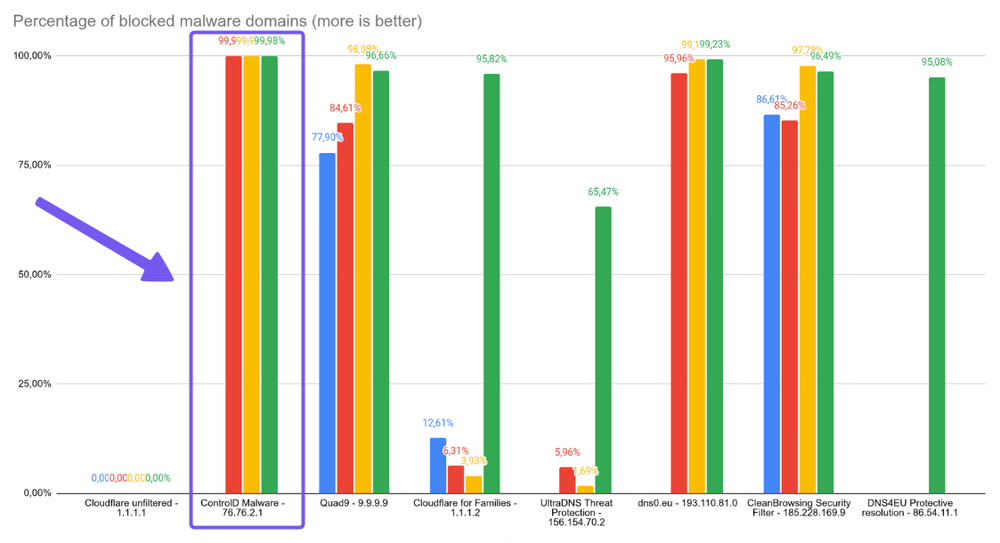
Control D’s malware filter achieved a 99.98% block rate in independent testing, outperforming every other provider evaluated, including major names like Google, Cloudflare, and Quad9.
Rather than relying solely on periodically updated threat feeds, Control D applies AI and machine learning–driven analysis to spot risky and newly registered domains in real time. This means it can detect and block emerging threats as they appear in real time, instead of waiting hours or days for them to be added to static blocklists.
2. Advanced Content & Service Filtering
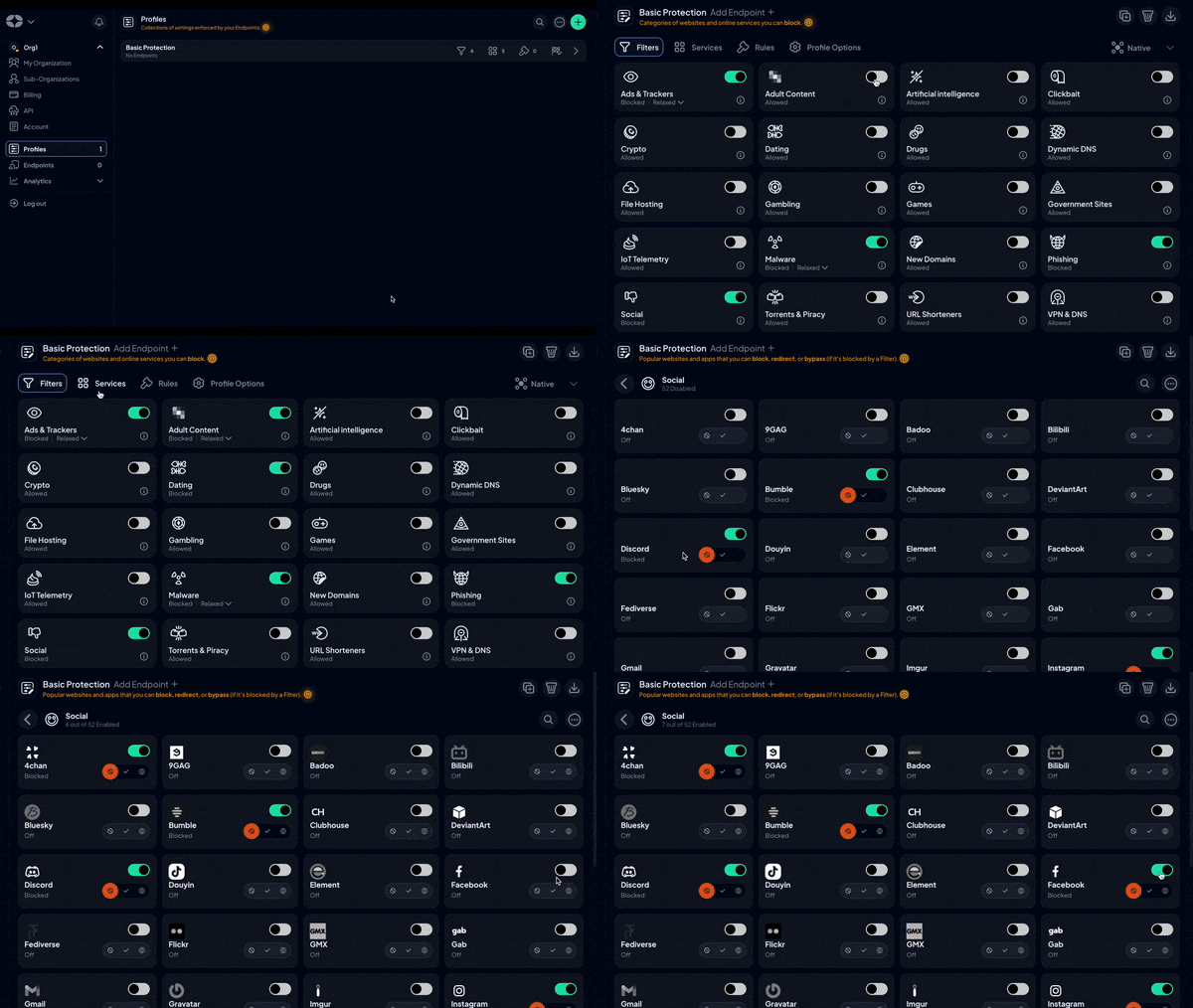
Control D lets you shape precise, tailored filtering policies that match your environment and use case:
- 20 filtering categories (Filters) spanning Malware, Phishing, Newly Registered Domains, Adult Content, Gambling, Social Media, and more
- NextDNS only has 7
- 1,000+ pre-configured blockable Services covering major apps, streaming platforms, social networks, gaming services, and beyond
- NextDNS has fewer than 50
- Built-in Ad and Tracker blocking with tunable intensity levels: Relaxed, Balanced, and Strict
- NextDNS only has the strict/aggressive block mode
Combining Filters and Services means, in practice, you might:
- Use Filters to block whole categories (e.g., Social Media)
- Then use Services to carve out exceptions (e.g., allow specific apps or platforms)
- Or block individual Services while leaving the surrounding category accessible
- Utilize Custom Rules for one-offs
This level of control lets you design highly targeted filtering policies for different users, teams, organizations, and clients without the usual tradeoffs or one-size-fits-all compromises.
3. Support Quality and Availability
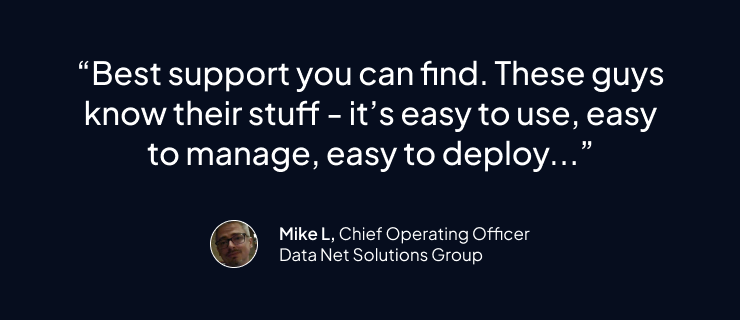
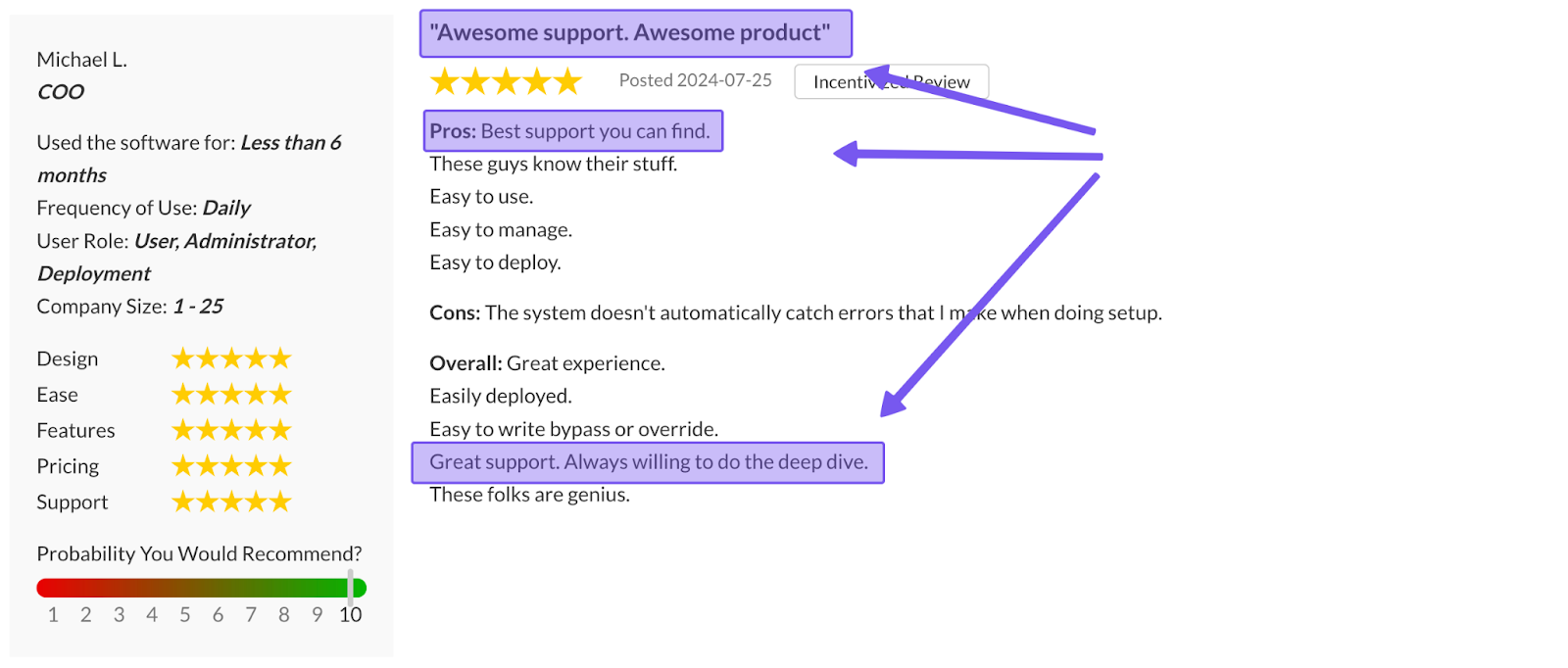
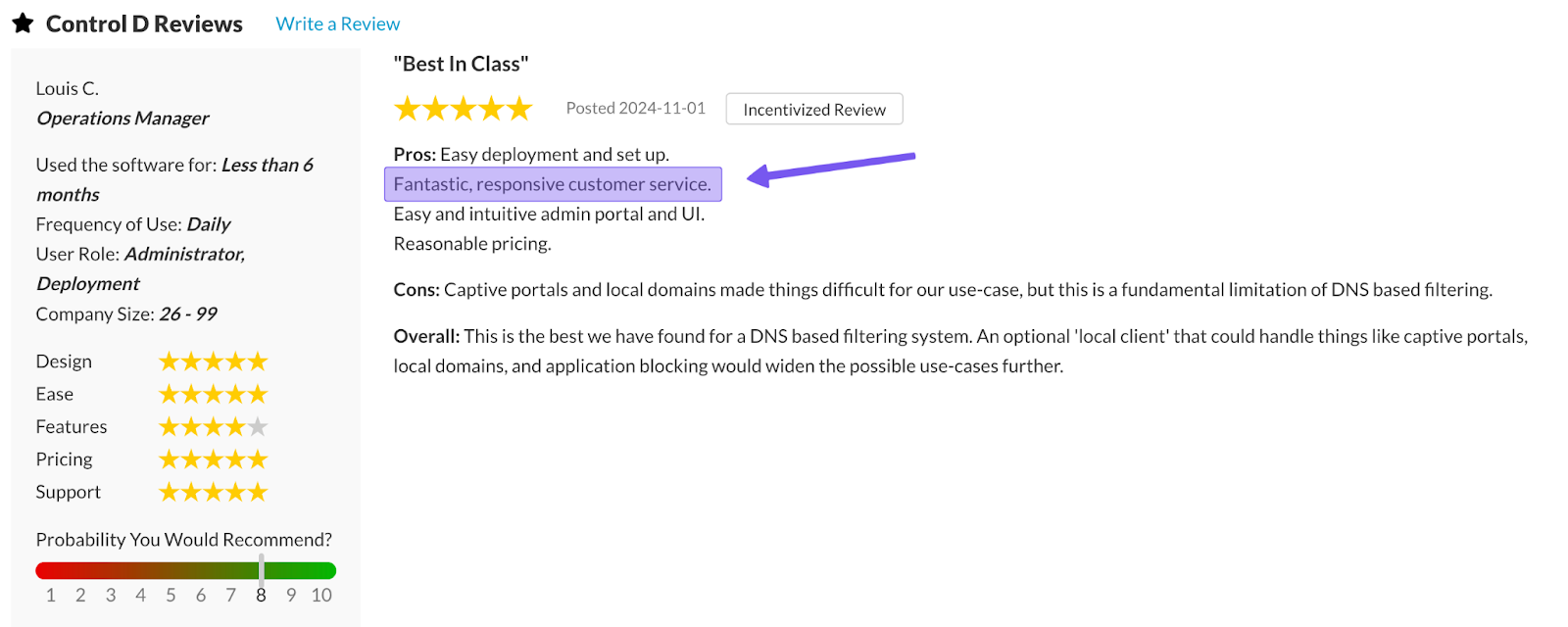
As we touched on earlier, NextDNS’s support is where it is weakest. For Control D, that’s one of its strong points. Control D’s support includes:
- Email support available 7 days a week during extended hours (9am-9pm ET)
- Documentation and knowledge base library with detailed how-tos and step-by-step guides
- Community support via active channels on Reddit and Discord
- Barry, an AI support assistant accessible 24/7 in the dashboard for non-urgent questions and troubleshooting
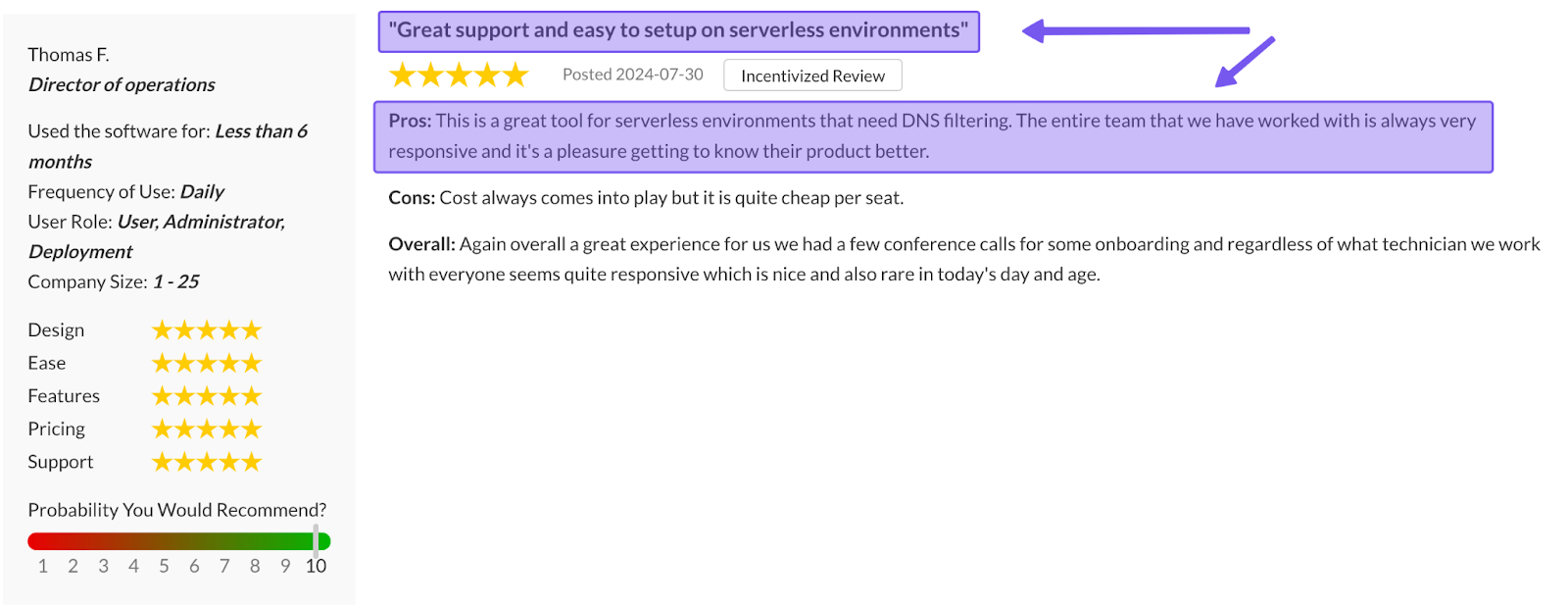
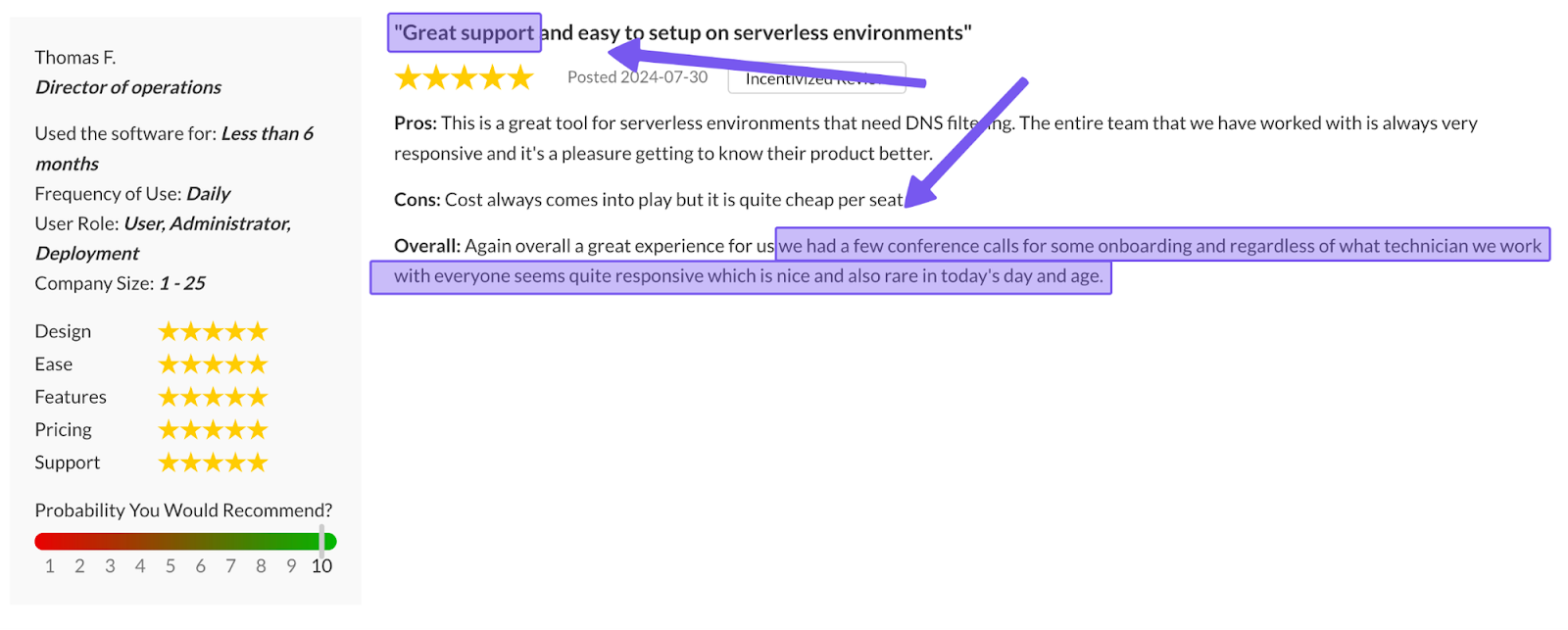
This adds up to a support experience users regularly commend for its quick response times and deep technical expertise with real engineers, and even company founders, stepping in when the situation calls for it.
4. Traffic Redirection
Control D’s Traffic Redirection lets you steer DNS queries through 100+ locations across 60+ countries, all from your DNS settings and without the overhead or complexity of a VPN. You can send all traffic through a region, or only specific domains, or Services.
This helps you keep traffic in specific regions for compliance or boost performance by resolving queries as close to users as possible. NextDNS does not provide an equivalent feature.
5. Geo-Custom Rules & Advanced Custom Policies
Control D’s Geo-Custom Rules give you fine-grained control over where DNS traffic is allowed to originate from or terminate:
- Block, bypass, or redirect queries that resolve to IPs in specific countries
- Block, bypass, or redirect queries that resolve to IPs outside specific countries
- Block, bypass, or redirect queries made from IPs in specific countries
- Block, bypass, or redirect queries made from IPs outside specific countries
- Block, bypass, or redirect queries that resolve to IPs owned by specific networks (ASNs) or not owned by them
- Combine multiple geo rules to build more complex location- or ASN-based policies
Common use cases of this feature include:
- Blocking traffic from high-risk regions
- Restricting access to, or from, specific countries or networks
- Support data residency and compliance requirements
- Route queries based on the physical location of the user or destination
Check out Control D’s Geo Custom Rules documentation for more information.
Unified Custom Rule Engine
Where NextDNS spreads basic allow/deny lists and “Rewrites” across different areas with limited options, Control D brings everything into a single, more capable Custom Rules interface.
With Control D’s Custom Rules, you can:
- Block, redirect (to an IP or proxy), or bypass any domain
- Organize rules into Folders with default actions (e.g., custom allow/deny lists)
- Reuse and manage rules efficiently by copying them between Profiles
- Quickly locate specific entries with a built-in search function
Together, Geo-Custom Rules plus the unified Custom Rules engine let you design highly targeted, location-aware policies that are easy to manage and reuse across different Profiles and environments.
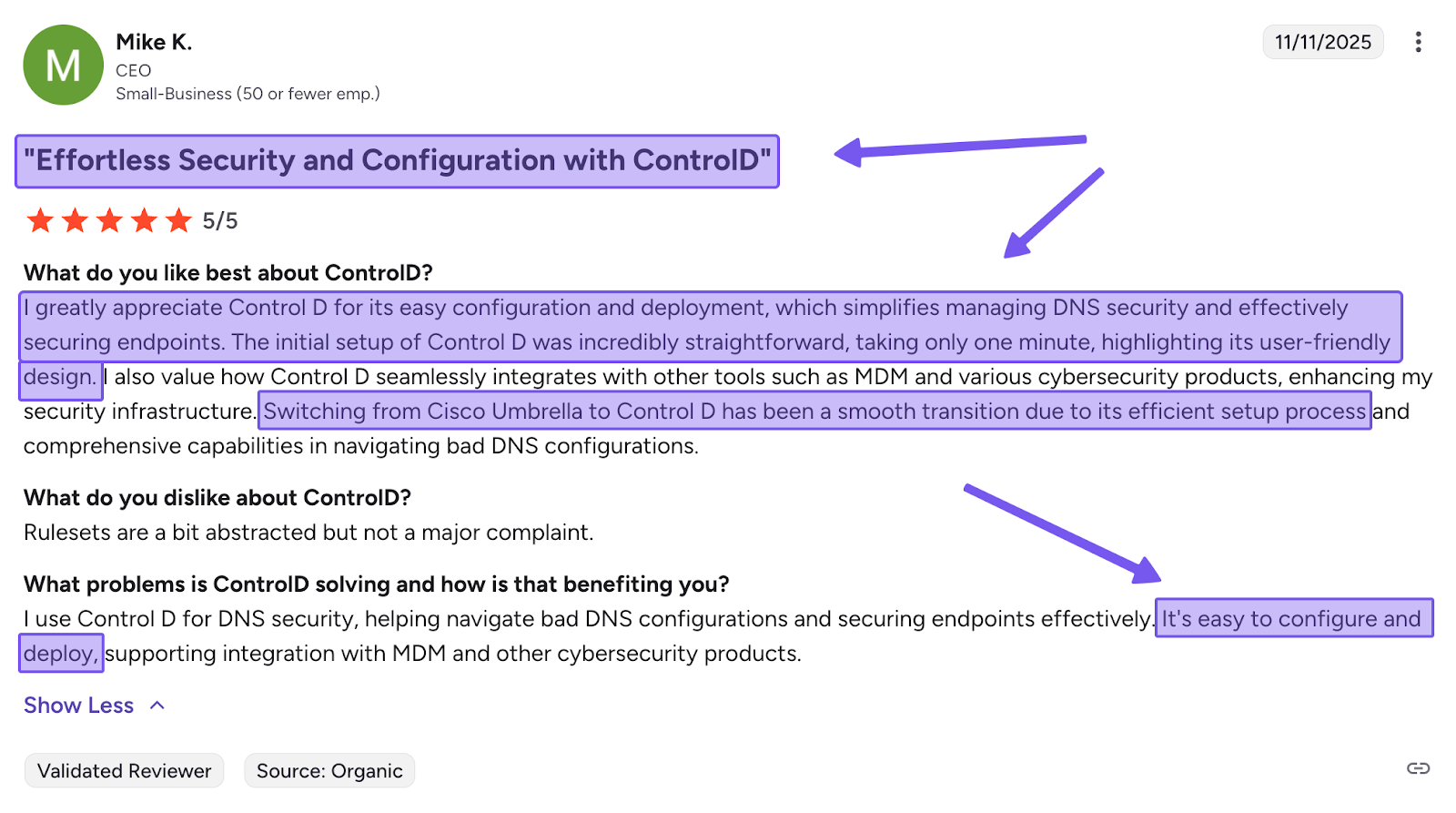
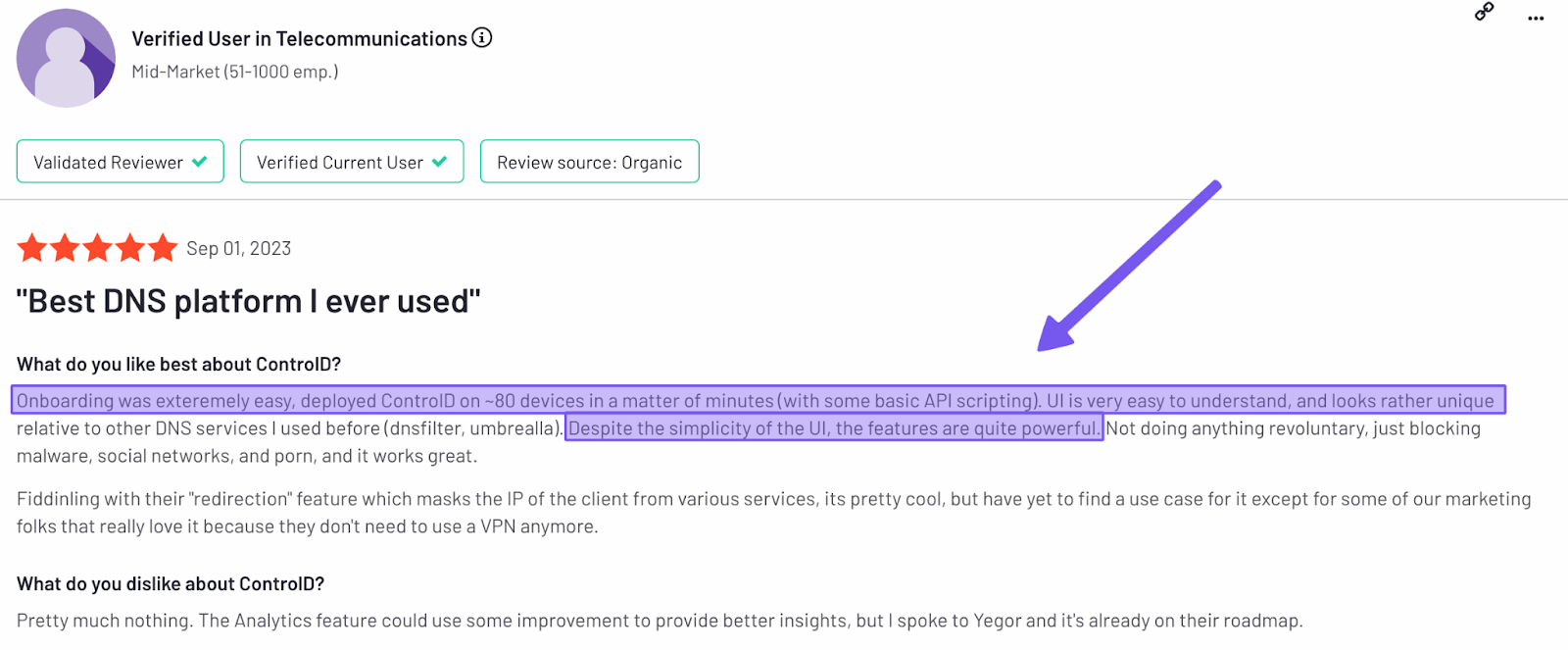
6. Easy Deployment
Control D is designed to go live in minutes, not hours. The dashboard is straightforward enough that you don’t need deep networking expertise to get set up, simply:
- Change your DNS settings on your router or device directly at Control D’s resolvers, or
- Generate a Provisioning Code and roll out Control D to hundreds or thousands of endpoints with a single command via your preferred RMM tool.
For MSPs handling multiple customers, Control D’s built-in multi-tenancy lets you manage dozens of organizations from one interface, with clean separation between clients and Profiles, and centralized oversight for your team.
7. Analytics and Reporting
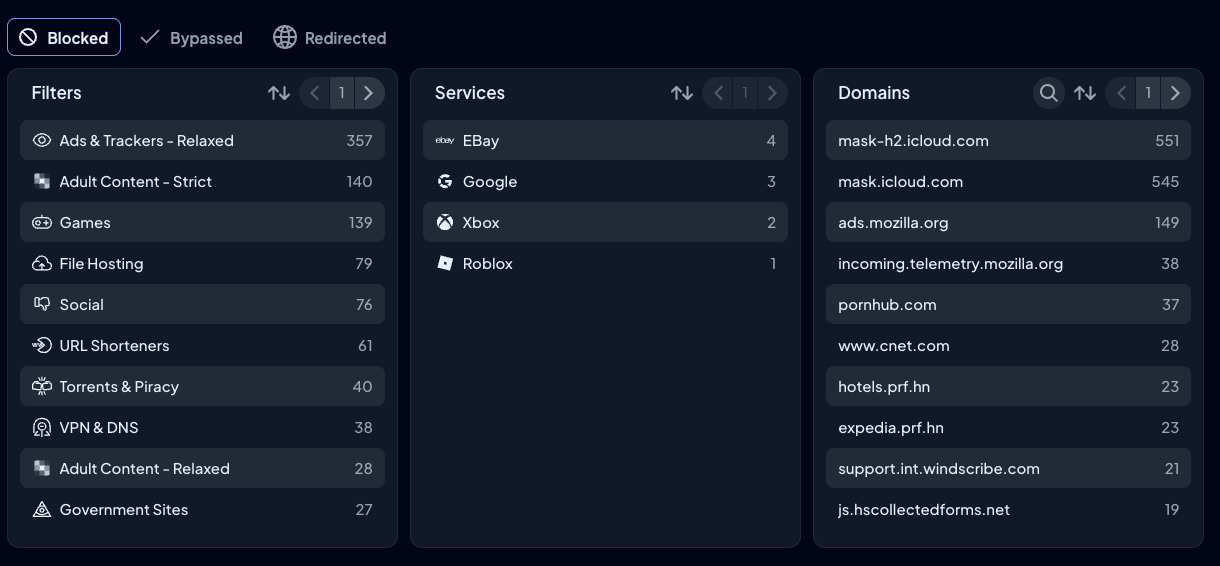
Every Control D plan includes full analytics and reporting, so you can understand and act on DNS activity instead of just collecting data. You get:
- Admin action logs for a full audit trail of all actions within an organization – not offered by NextDNS
- Raw query logs for 1 month, plus summarized reports and analytics for up to 12 months
- Dynamic filtering and sorting by device, Profile, Filter, Service, action (block/bypass/redirect), domain, geographic location, network, and timeframe
- Scheduled reports via email (daily, weekly, or monthly)
- Real-time SIEM integration at no extra cost
- Instant CSV exports whenever you need to pull data out
8. Modern Protocol Support & Enterprise Integrations
Control D runs across all major platforms and plugs seamlessly into enterprise systems and tools you’re already using:
- Directory services: Active Directory
- Identity providers: Okta, Microsoft Entra ID, and Google
- RMM/MDM platforms: NinjaOne, Datto, Kaseya, ConnectWise, Atera, and more
- SIEM tools: Splunk, IBM QRadar, and similar solutions
On the protocol side, Control D supports:
- DNS-over-HTTPS (DoH) and DNS-over-TLS (DoT)
- DNS-over-HTTPS/3 (DoH3)
- DNS-over-QUIC (DoQ)
- Traditional DNS for legacy systems
- Full IPv4 and IPv6 dual-stack support across the platform
The result is a modern DNS security layer that fits naturally into your existing infrastructure while supporting the latest standards.
9. Performance Comparison
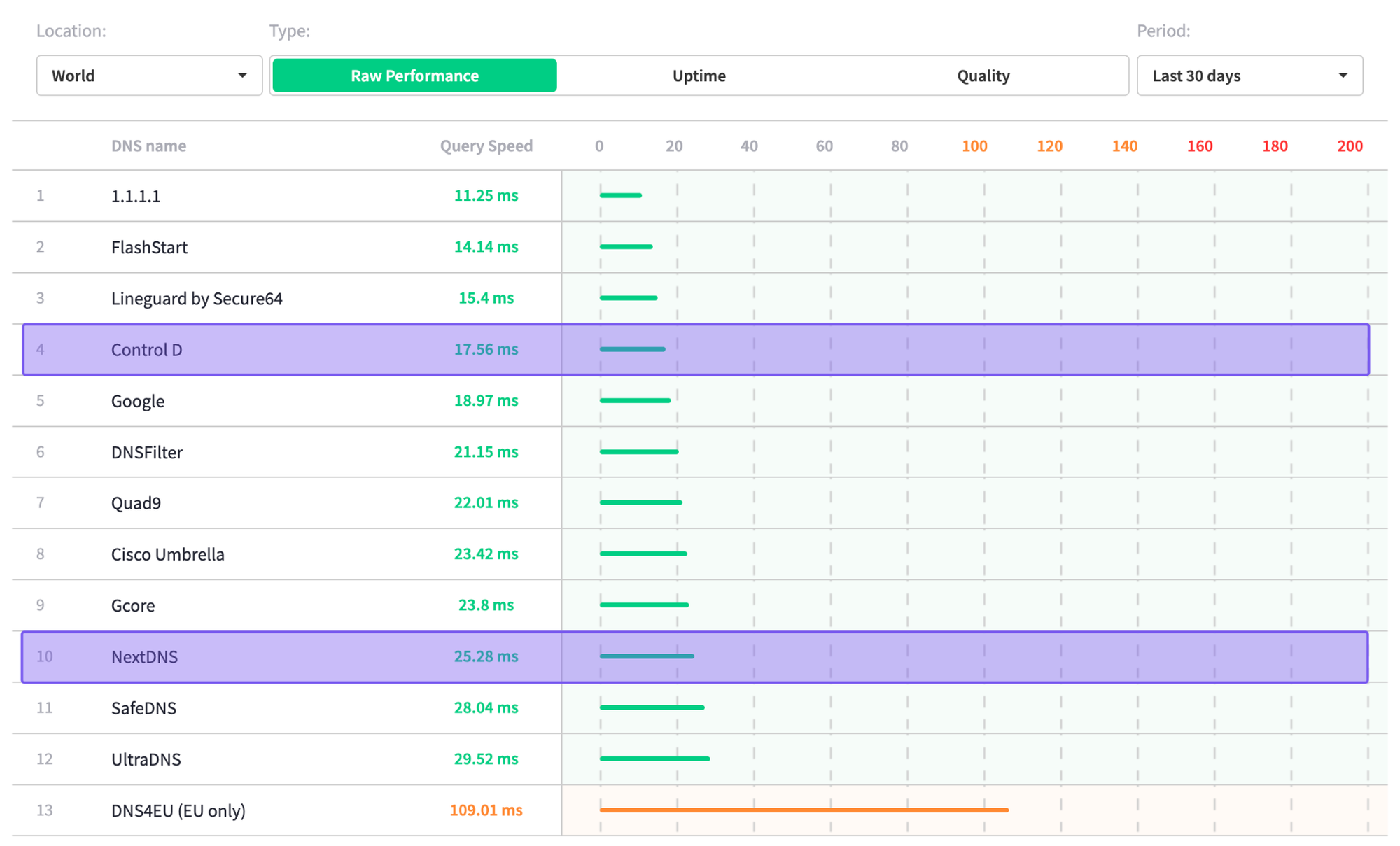
According to DNSPerf's independent data, Control D handily beats NextDNS in global average query speeds with a score of 17.56 ms compared to 25.28 ms.
Final Thoughts
So, is NextDNS worth it? For personal and family use, the answer is “yes, but only if you’re okay with its tradeoffs.”
The free plan is generous, and the Pro plan is one of the cheapest ways to get full-featured DNS filtering with unlimited queries. That said, Control D’s personal plans offer more granular filtering, richer features, and actual support for effectively the same price, which makes it hard not to recommend Control D instead for most serious home users.
For businesses, schools, and MSPs, the picture is much less convincing. Block-based pricing, limited organizational features, shallow analytics, and inconsistent support make it difficult to justify NextDNS as a core security layer beyond very small, low-complexity environments.
In those cases, Control D’s per-endpoint pricing, stronger enterprise feature set, deeper analytics, and visibly active development roadmap generally deliver significantly better value and peace of mind than NextDNS.