GoGuardian Pricing: Is It Worth It?
We explain GoGuardian's cost structure, features, and trade-offs, and compare it with an alternative to help you choose the right web filtering service.

GoGuardian is a K-12 platform that combines web filtering, classroom management, student-safety tools, and reporting. When you’re looking at GoGuardian pricing, the real question isn’t how much it costs, but how much platform you need and whether you want classroom tools and district workflows alongside filtering.
Does that necessarily make GoGuardian worth the price? For some districts, yes. It makes sense for buyers who want student monitoring, classroom management, filtering policies, and safety tools under one vendor.
For those who want a streamlined filtering and security service, with transparent pricing and fewer hurdles to get started, Control D may be a better choice, which we'll expand on later.
But first, let's break down GoGuardian's pricing, features, tradeoffs, and the kinds of schools it fits best.
GoGuardian Pricing Breakdown
| Product | Public pricing | What affects the final price | Buying motion |
|---|---|---|---|
| GoGuardian | No | School or district size, bundles, contract length, professional services | Quote-led |
| Control D | $2 per endpoint/mo | Organization type, endpoint count, optional annual discount | Public pricing for standard tiers |
Here’s the practical pricing picture:
GoGuardian doesn't publish a standard list price on its pricing page. Quotes depend on school or district size, bundles, contract length, and professional services.
That tells you two things right away. First, GoGuardian expects a consultative sale, not a self-serve checkout. Second, the final price will depend on how many products you buy together and how long you commit. If your district wants a quick, public benchmark, GoGuardian gives less to work with than Control D.
That model isn’t unusual in edtech, but it does create friction. You can’t quickly estimate costs for 2,000 or 10,000 students. You have to enter a sales process, and final pricing depends on bundles, term length, and services.
For a district that wants a broader rollout plan and more help from the vendor, that may feel fine. For a smaller school that mainly wants a filter, it can feel heavy.
Also, since GoGuardian pricing is shaped by enrollment, bundles, contract length, and services, schools may find it harder to separate the cost of core filtering from the cost of the wider platform.
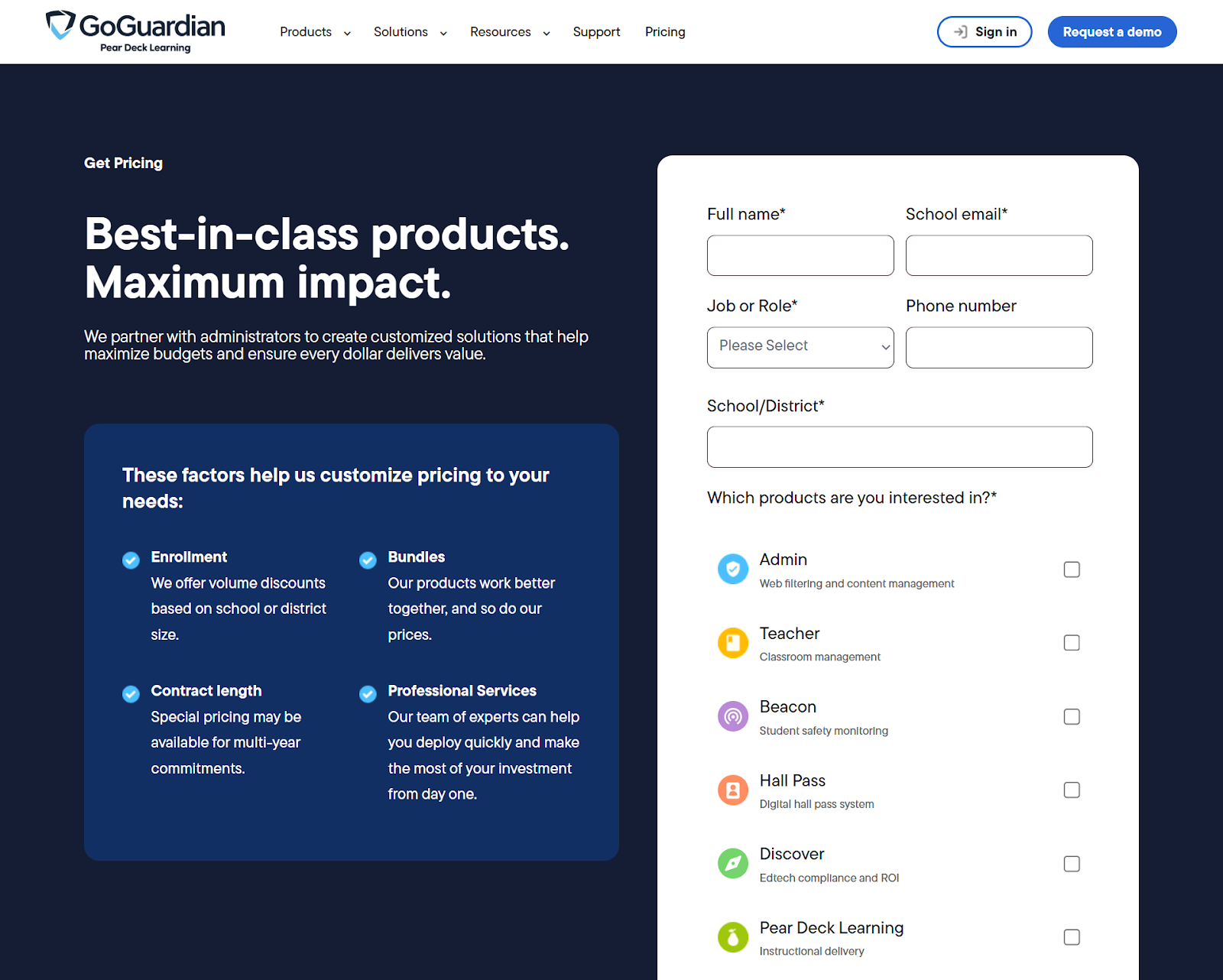
There is one useful pricing clue on the product side. GoGuardian includes Beacon Starter at no additional cost with a GoGuardian Admin subscription. That changes the value picture somewhat.
A school that wants baseline filtering plus a starter safety layer may see more value in GoGuardian Admin than a pure filter would provide on its own. Still, it’s not the same as clear, public pricing. You still need a quote to know the full cost of the package for your district.
GoGuardian Features: What You Actually Get
To judge whether GoGuardian’s pricing is worth it, you need to look at what it includes: web filtering, classroom management, student safety tools, and reporting across major school device environments
GoGuardian Admin
GoGuardian Admin gives you a single, unified interface for setting policies that define allowed content and reporting across ChromeOS, Windows, and macOS devices.
Its DNS protection verifies compliance with the Children’s Internet Protection Act (CIPA) across bring-your-own-device (BYOD) environments, guest networks, and unmanaged devices. GoGuardian also lists its products support ChromeOS, Windows, macOS, and iPadOS.
GoGuardian Admin is more than a simple website filter. It’s positioned as a school-wide control plane that helps districts:
- Manage security, content policies, reporting, and compliance from one place.
- Use centralized compliance reporting across the district.
- Apply AI-powered threat detection to block a malicious bots or bot script.
- Set granular filtering policies across operating systems.
- Solve multiple issues at once rather than buying a standalone filter.
GoGuardian Teacher
GoGuardian Teacher adds a layer that goes beyond core DNS filtering. It’s built to help you manage student online behavior during class, protect instructional time, keep students on task, and work alongside Admin so teachers can apply temporary filtering overrides without sending requests back to IT.
Teacher provides an automated sync that verifies student rosters with Google Classroom, Clever, and ClassLink, and runs on cloud-native infrastructure designed for district-scale use.
GoGuardian Teacher lets teachers:
- Use one-to-one chat during a class session.
- Open tabs for students.
- Create custom groups.
- Apply different rules or resources to specific student groups.
For districts that want teachers to guide student activity in real time, those features are a meaningful part of the product’s value.
Beacon
The third layer is GoGuardian Beacon. It’s built for administrative scale and uses customized alert workflows that match legal and organizational requirements. It lets you define escalation paths by staff member, alert severity, or time of day.
Beacon Starter, which comes with Admin, focuses on identifying signals tied to student safety risk. That is one reason GoGuardian can look expensive next to a pure DNS filter. It is packaging filtering, classroom management, and a school safety service into one system.
This is where the value argument starts to turn. If your district only needs website filtering, policy control, and traffic visibility, GoGuardian may be more platform than you need. If your district wants web filtering, teacher tools, admin tools, and a safety layer in one account, its broader product bundle starts to make more sense.
Is GoGuardian Worth It? 4 Considerations Before Buying GoGuardian
Before we get into the nuts and bolts of GoGuardian and how it compares to Control D, here’s a practical comparison.
| Area | GoGuardian | Control D |
|---|---|---|
| Pricing model | Custom quote based on size, bundles, contract length, professional services | $0.5-$2/endpoint/mo pricing by organization type |
| Core fit | K-12 school platform | Filtering and traffic-control platform for K-12 schools, libraries, higher-ed, and businesses |
| Filtering | School-wide web filtering and DNS protection | Network- and device-wide DNS filtering and security |
| Classroom management | Yes, through GoGuardian Teacher | No classroom tool layer |
| Student safety workflows | Yes, through Beacon and Beacon Starter | Safe Search, Restricted YouTube, bypass prevention, scheduled filtering, and activity reporting |
| Teacher tools | Yes, including class sessions, one-to-one chat, tabs, and focus tools | No teacher-facing class tools |
| Mass provisioning | District-oriented deployment through GoGuardian app and integrations | Yes, with provisioning code and remote deployment options |
| Best for | Districts that want a broad school platform | Schools that want a simpler, but more powerful filtering product |
1. Who Is GoGuardian For?
GoGuardian is built for schools and districts first. It’s tightly focused on K-12 outcomes, safer schools, teachers, educators, and student learning. That makes it a strong fit for districts that want a school-specific platform for the entire teaching experience, not just a security service.
Control D, by contrast, is priced and positioned more broadly across K-12 schools, libraries, nonprofits, MSPs, SMBs, and enterprise buyers. That broader fit can be an advantage if your school mainly wants filtering, app and website control, CIPA compliance and BYOD support. It is less of a fit if you want teacher-facing class tools.
2. Complexity and Ease of Deployment
GoGuardian Teacher is cloud-native, integrates with single sign-on and rostering systems like Google Classroom, Clever, and ClassLink, and requires minimal setup and ongoing maintenance.
That suggests it is designed to fit into how districts already run classes and account provisioning. In practice, the product is still broad, and you’re not only deploying a filter. You may be deploying Admin, Teacher, and Beacon together, which adds more stakeholders, more settings, and more decisions.
You should also look closely at how filtering is enforced across your device mix. GoGuardian supports mixed-device environments and DNS protection, but some deployments still depend heavily on managed browser controls and school account context, so it is worth testing how consistently policies hold up across browsers, apps, unmanaged devices, and off-campus use.
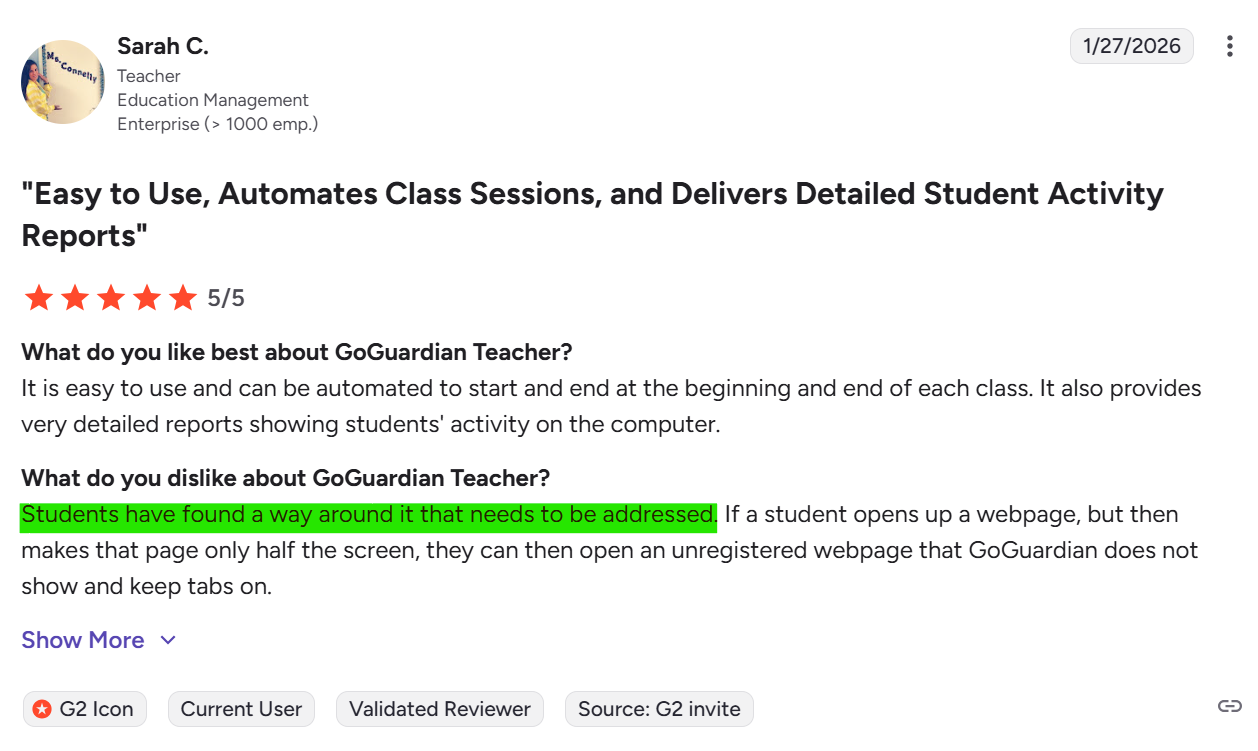
Some users also report that students can still find ways to bypass restrictions. That is a reminder that you should treat GoGuardian as a managed program, not a set-and-forget filter. Policies still need tuning, and teachers still need to understand how the tools work in practice.
3. Scalability
GoGuardian Teacher is designed to handle simultaneous usage across thousands of teachers and tens of thousands of student devices with minimal latency. If you’re buying for a large district with many classrooms, many teachers, and many students, that scale narrative is one of GoGuardian’s clearest strengths.
4. Support and Services
GoGuardian’s pricing page explicitly calls out professional services. That tells you support is part of the commercial model, not an afterthought. Schools choosing the GoGuardian suite get simplified procurement, one point of contact for support, and bundle pricing. That may appeal to you if you want a more hands-on relationship and help from day one. It may feel like extra overhead to smaller schools that mainly want a filter and a policy engine.
How Does Control D Compare?
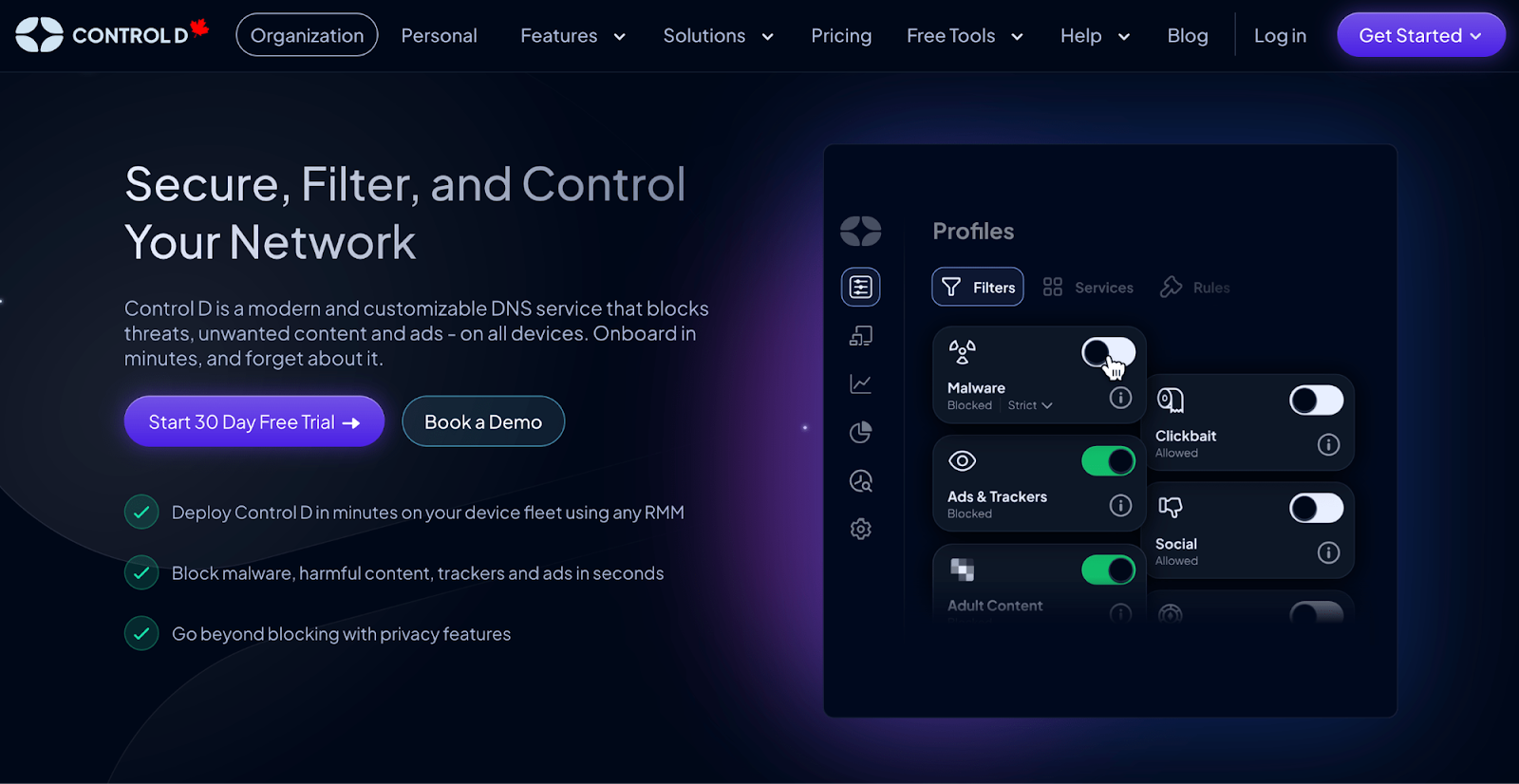
Control D takes a more targeted approach. Its pricing is built around organization type rather than product bundles. That simpler model is paired with a school-focused pitch around content filtering, policy control, and compliance, rather than teacher-facing classroom management tools.
Control D Pricing Breakdown
| Product / Plan | Public pricing? | List price (USD) | Minimums / notes |
|---|---|---|---|
| Control D (School / Non-profit) | Yes | Contact | No minimums, no mandatory contracts; annual discounts available |
| Control D (MSP) | Yes | Contact | No minimums, no mandatory contracts; annual discounts available |
| Control D (SMB) | Yes | $2/endpoint/month | No minimums, no mandatory contracts; annual discounts available |
| Control D (Enterprise) | No | Custom | No minimums, no mandatory contracts; annual discounts available |
With Control D, SMB teams can sign up today at $2/endpoint/month with fully transparent pricing.
Schools, non-profits, MSPs, and Enterprise teams go through a quick conversation so the deployment, support model, and billing fit how their organization operates.
Control D Features: What You Actually Get
Control D is a customizable DNS filtering and security platform with service-level controls, Profiles, admin logs, blocked-query response options, and rule-based redirection.
For schools, that filtering can be quite granular. Administrators can block categories such as adult content, drugs, gambling, and phishing. It can even block or redirect more than 1,000+ individual apps and services with a simple toggle, including common distractions like TikTok, Instagram, Facebook, and Reddit.
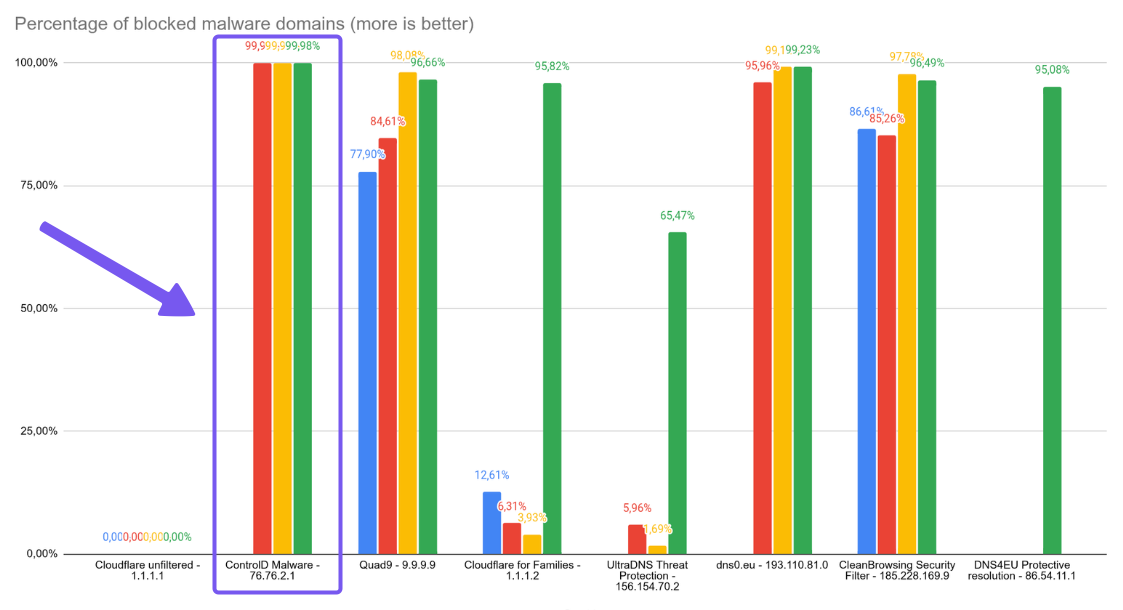
Control D has also been independently tested and was found to have the most effective malware filter with a 99.98% block rate.
It also supports scheduling, so you can loosen access at certain times and then automatically return devices/networks to their regular classroom settings afterward.
In plain terms, it gives you far greater protection and control over what a website, app, or service can do on the network.
Who Is Control D For?
Control D’s school and nonprofit pricing makes it a legitimate option for education buyers, even though it can be used by all organization types.
Control D for Schools offers AI-powered, customizable content filtering built to block inappropriate websites, enforce safe browsing policies, and is fully CIPA compliant.
It is not built mainly around classrooms, teachers, or lesson management. It is built around filtering, traffic control, and policy management across devices and networks.
That makes it easier to compare to GoGuardian Admin than to the full GoGuardian platform. If your school wants a filtering product, Control D is a good fit.
Complexity and Ease of Deployment
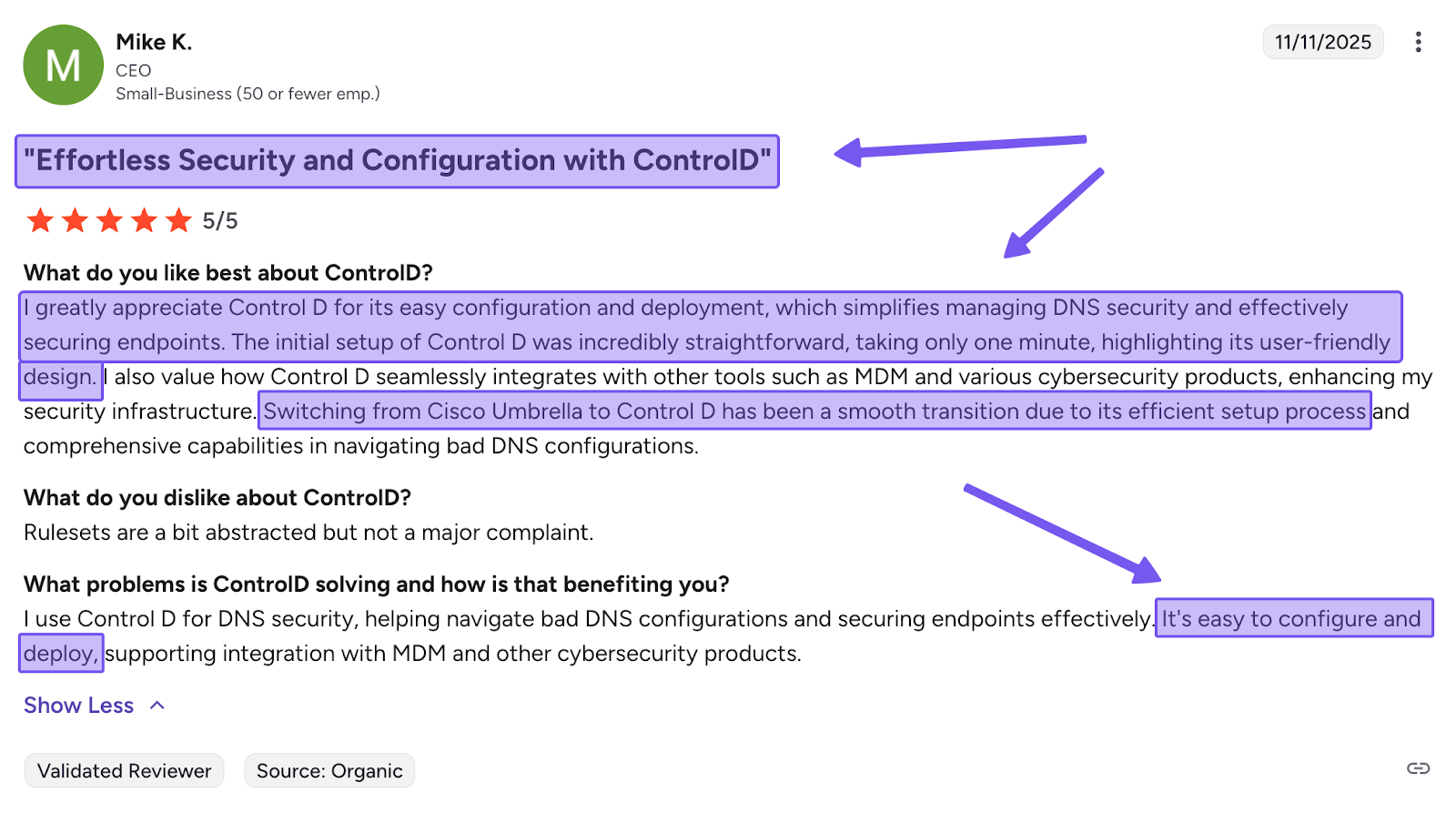
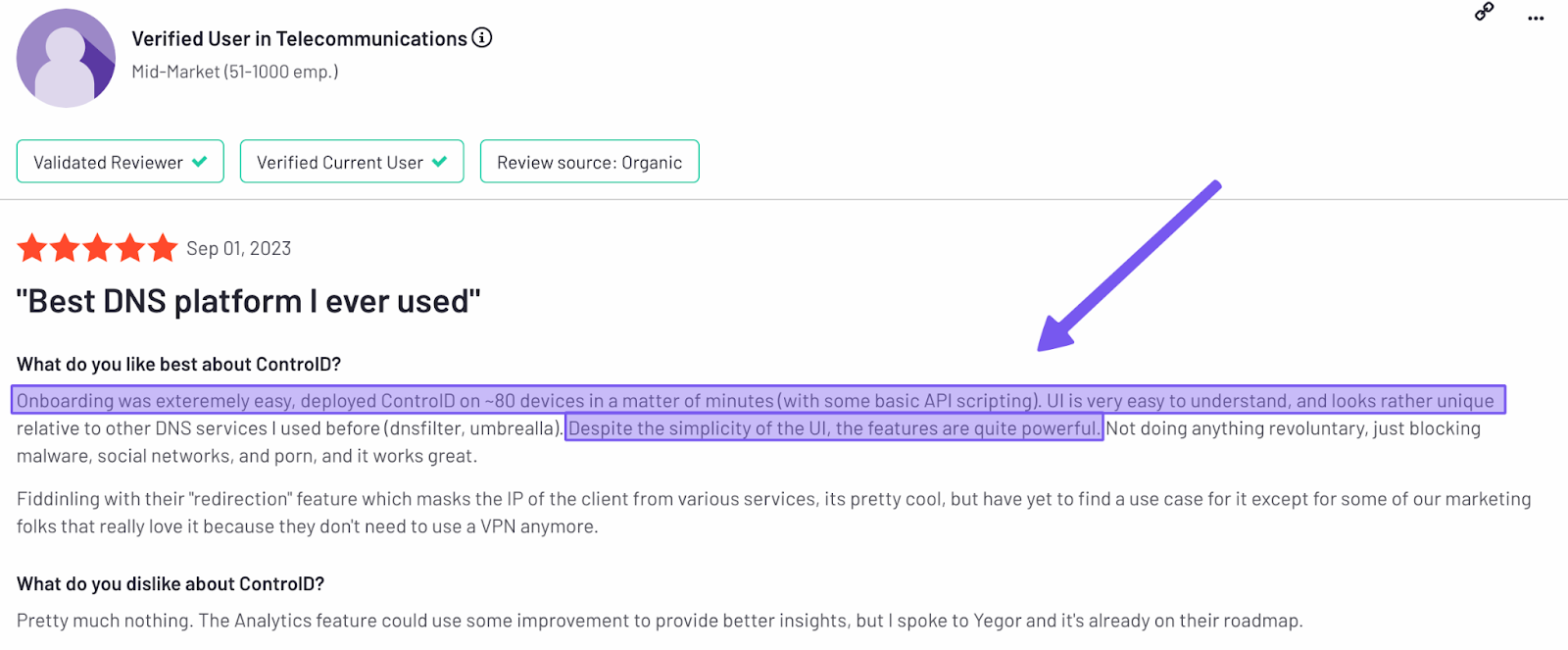
Deploy Control D to hundreds of Windows, Mac, and Linux devices using a one-liner script via your preferred RMM tool.
You can even deploy Control D on your school router so all connected devices are immediately routed through Control D’s secure resolvers.
Scalability
Control D scales across endpoints and networks, though in a different way than GoGuardian. It offers mass provisioning, shared profiles, traffic redirection, admin logs, and SIEM log streaming.
The platform also supports multi-tenancy, providing different profiles for different groups of users, devices, and locations. This means schools can apply one set of rules to student devices and another to staff devices. It even lets you get granular by allowing you to set different profiles for different age groups without rebuilding the entire policy structure each time.
That is a strong operational scale for a filtering product. It’s not the same as GoGuardian’s district-wide classroom scale with teachers, classes, and student safety workflows layered in.
Support
Control D makes help available in several ways, so you can choose the support option that suits you.
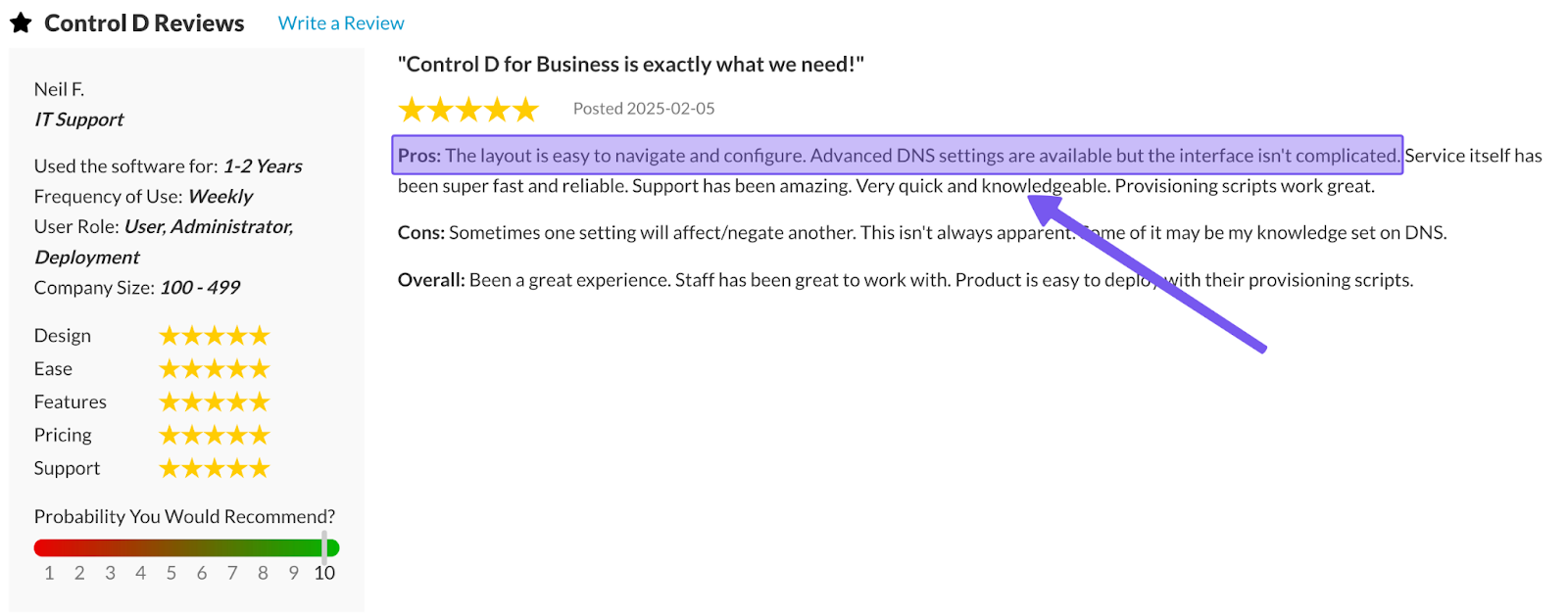
Direct email assistance is available every day from 9am to 9pm ET, while a detailed library of documentation and how-to guides helps you solve issues on your own. There is also a strong user community on Reddit and Discord where people can exchange advice and practical tips.
Inside the dashboard, Barry, the built-in AI assistant, can resolve 99% of questions immediately and escalate to a support ticket when needed.
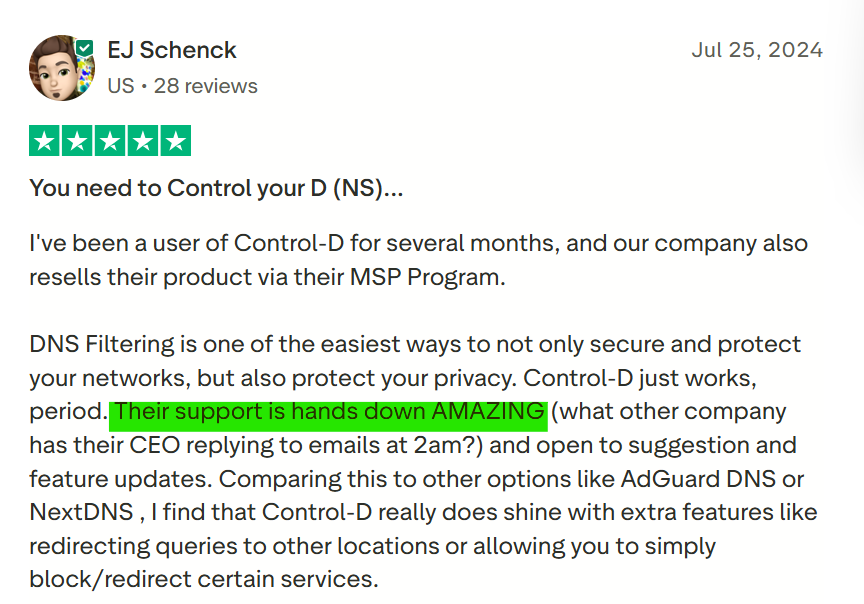
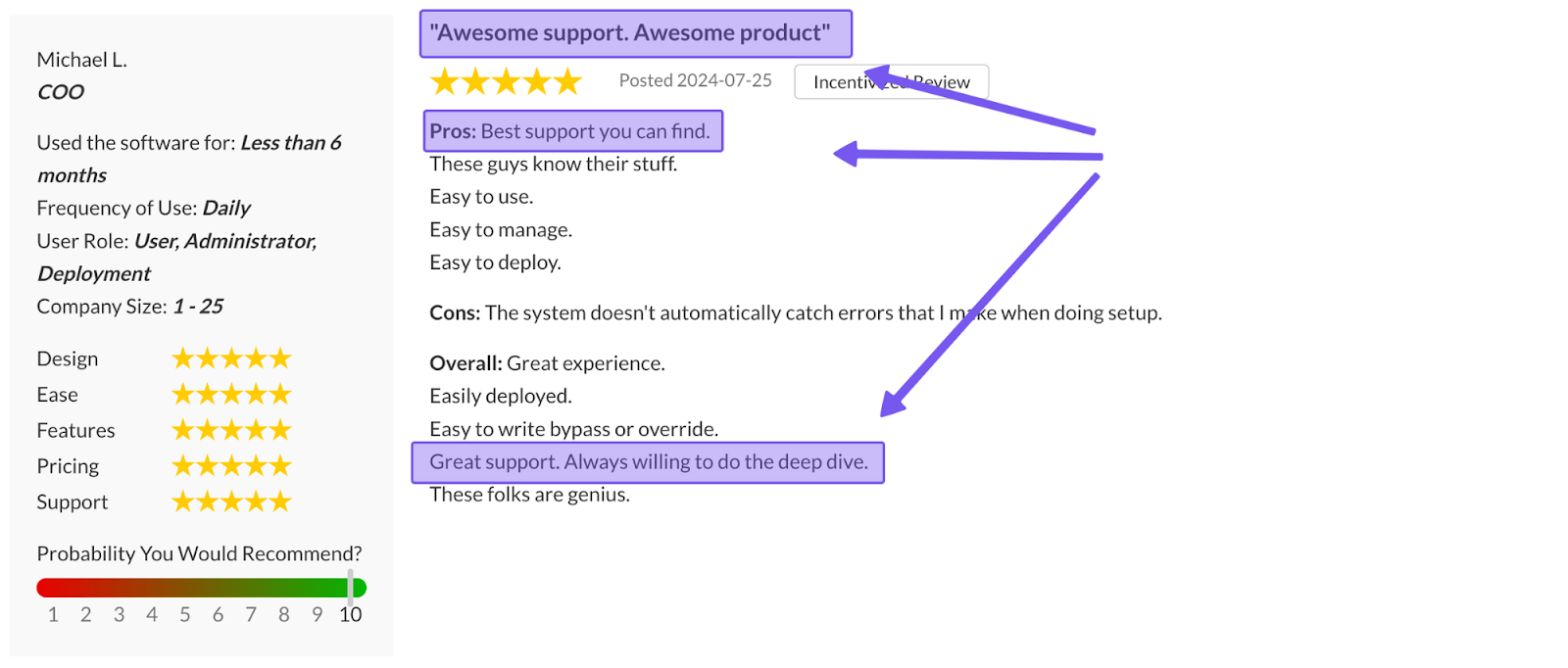
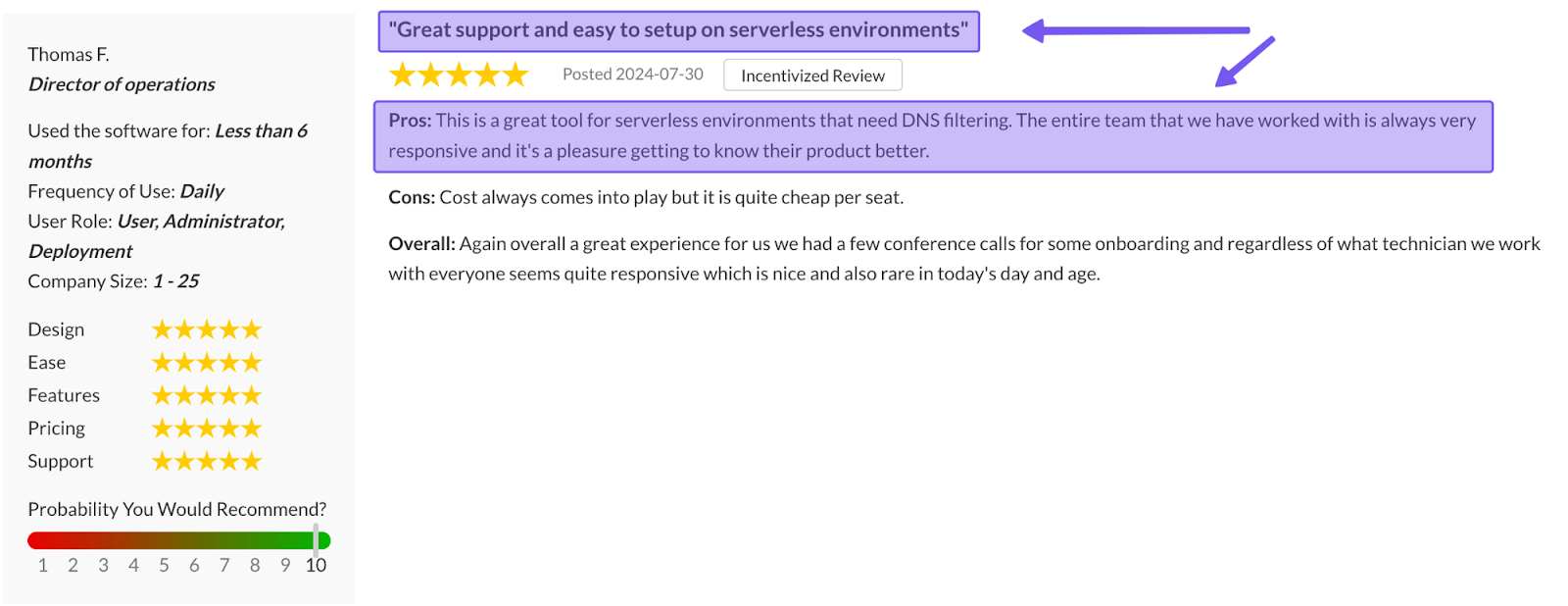
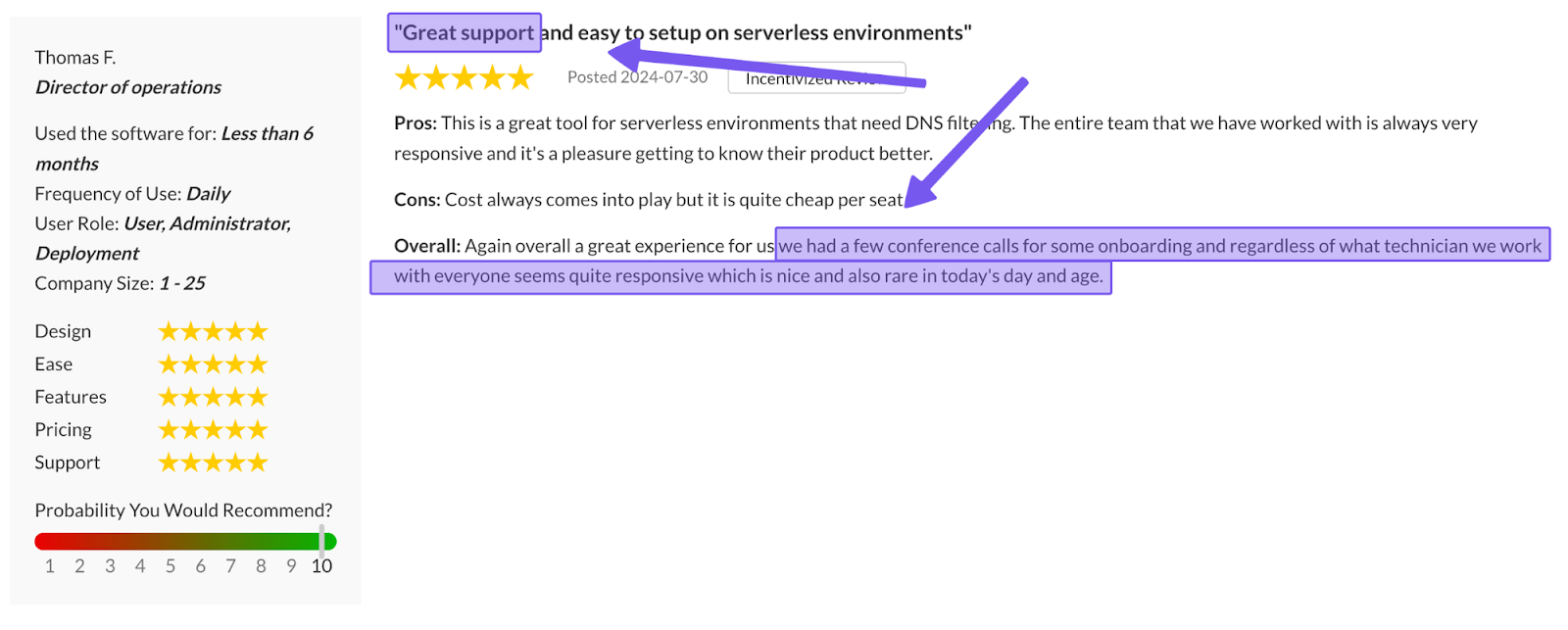
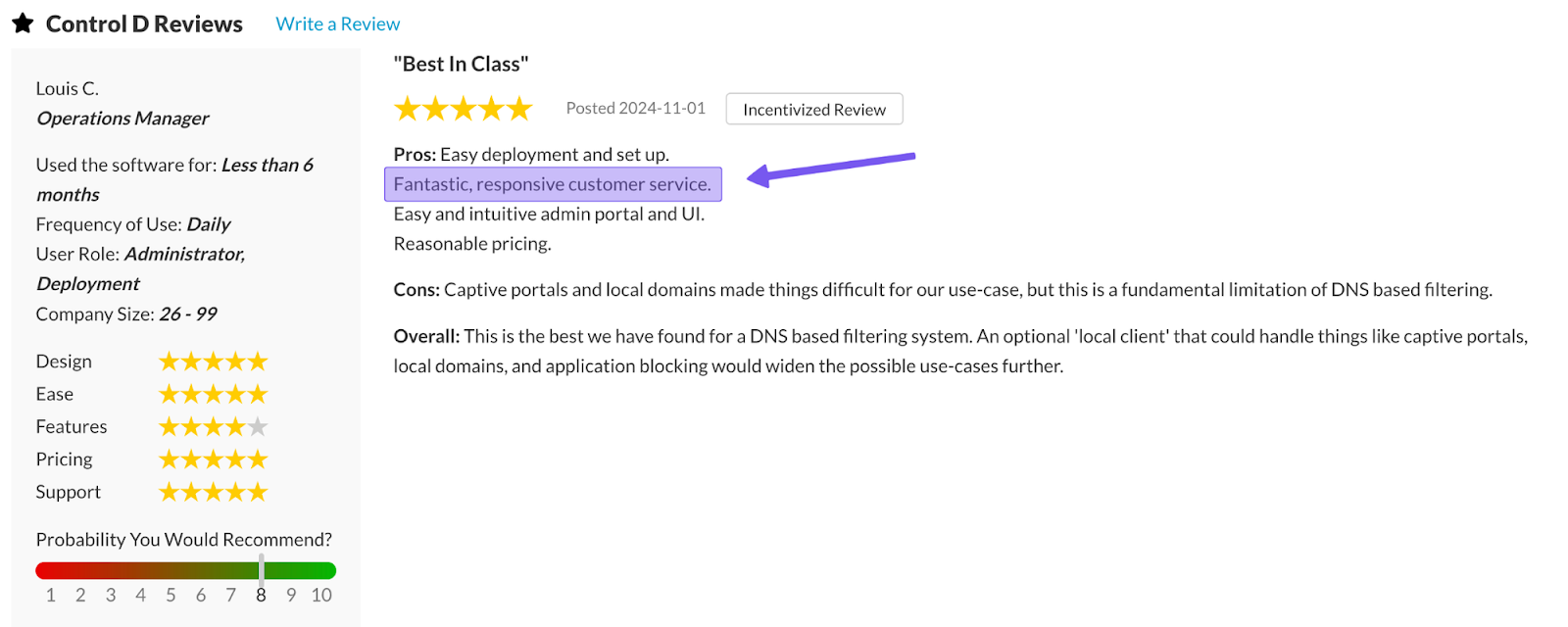
Together, these options create a support setup known for quick response times, strong technical expertise, and hands-on help from experienced engineers, including the founders if required.
Who Should You Choose Between GoGuardian and Control D?
Choose GoGuardian if you’re buying for a school or district that wants a broader platform. It makes the most sense when you want unified filtering policies and teachers need tools to monitor students and keep them on task in real time. In that case, the (likely) higher cost and more involved buying process may be easier to justify, since the product is doing more than web filtering alone.
Choose Control D if your main goal is filtering, policy control, and easier budgeting. It fits schools that want transparent pricing, a faster buying process, and a more focused filtering product. It is especially appealing if your district doesn’t need complex teacher dashboards, class sessions, or Beacon-style workflows and would rather keep filtering separate from the rest of the school technology stack.
That’s why the right answer turns less on price and more on scope. If GoGuardian’s broader platform matches your program, the quote-led model may be acceptable. If it doesn’t, Control D’s simpler pricing and narrower focus may make it the stronger fit.
Final Thoughts
If your district wants one vendor that helps teachers monitor a class, keep kids on task, support a lesson, manage filtering policies, and give staff a more structured response path around student safety, GoGuardian has a real case.
If your school wants a more focused product that can protect devices, enforce policies, and stay easy to price and manage, Control D is the cleaner option. The better choice depends on whether you’re buying a broad school platform or a tighter filtering service.