DefensX Pricing: Is It Worth It?
DefensX pricing breakdown: tiers, pricing variability, support details, and when a simpler DNS filtering approach may be a better fit.

DefensX looks like a compelling “secure web browser” stack, offering DNS filtering, phishing defenses, data controls, reporting, and even remote browser isolation. It’s positioned as a “secure workspace” layer that integrates directly into the browser you already use instead of forcing you into a new one.
But if you’re asking “Is DefensX worth it?” you’ll hit one immediate roadblock: pricing isn’t public. That means the answer is always “it depends.”
In this article, we’ll break down what you actually get at each tier, the real cost variables that influence your quote, and highlight the trade-offs that affect value. We also look at a simpler, DNS-first alternative that provides transparent pricing if your primary goal is blocking threats and enforcing policies at the DNS layer.
TL;DR
| Product/Plan | Cost USD | Notes |
|---|---|---|
| DefensX | Unknown | DefensX does not disclose pricing; 4 tiered plans. |
| Control D | $0.5–2/endpoint/month | Exact price is dependent on organization type; no feature gating |
DefensX Pricing Breakdown
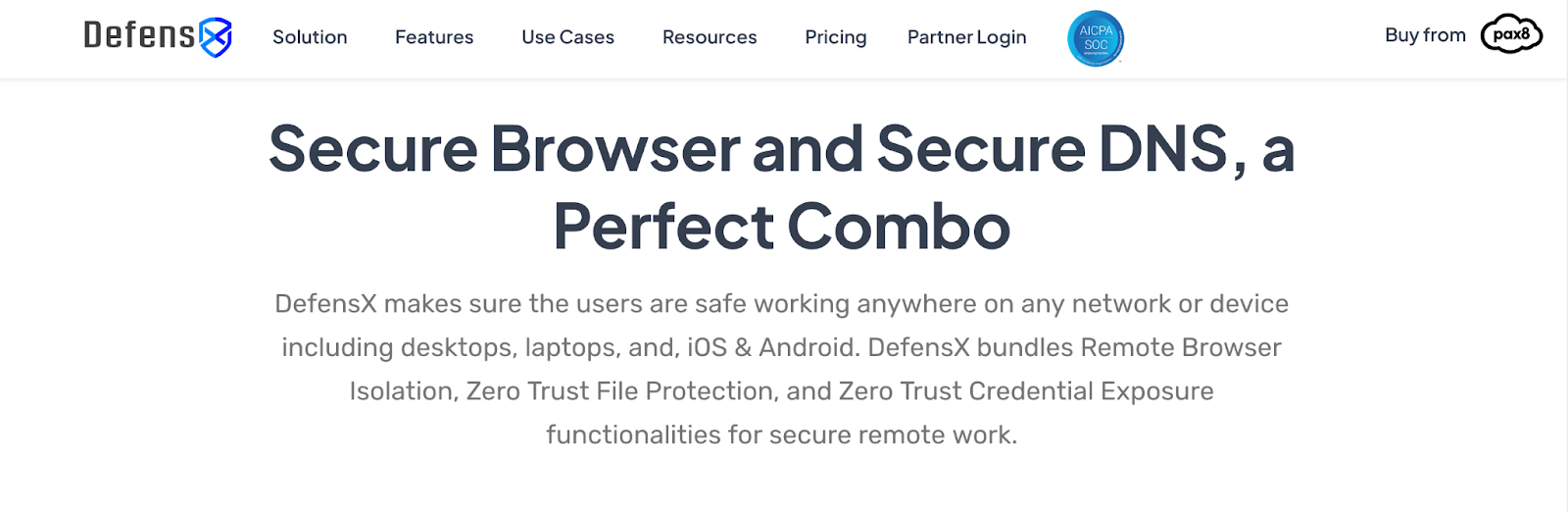
DefensX offers tiered packages (multiple plans) and currently lists four pricing tiers:
- Core
- Core+
- Premium
- Premium+
These can be mixed and matched; for example, you can purchase the Core plan for one client and Core+ for another. This can be useful so you’re not forced into one bundle for everyone.
Where things get less clear is list pricing since DefensX does not publish standard public per-user rates on its website.
What this means for you:
Because DefensX doesn’t post list prices publicly, the most accurate answer to “How much does DefensX cost?” is: it depends.
DefensX is channel-only, meaning it can only be purchased via a channel partner, and is quote-based (you’ll need pricing from the partner) and will vary based on factors like:
- Which package tier you choose (Core, Core+, Premium, or Premium+)
- Your organization's size
- Contract length
- Whether you buy through an MSP, distributor, or reseller
If you’re comparing options and need numbers on a page, that lack of transparency can make comparing harder, especially for smaller teams trying to budget quickly. It may also mean your final costs are dependent on your negotiation skills, which can be off-putting.
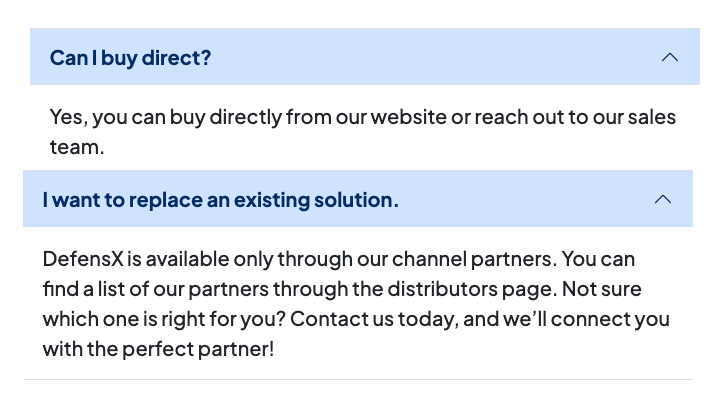
📌 Note: If you weren’t frustrated already, DefensX’s own website seems confused about how you can actually buy the product. One FAQ claims you can 'buy direct,' while another – on the same page – states they are 'available only through channel partners.' In reality, there is no direct checkout; you are forced into sales demos and discussions with third-party distributors.
Additional Costs to Consider
1. Channel Partner Pricing Variability
DefensX routes buyers through MSPs, distributors, and resellers. In practice, buying through channel partners can mean your final price varies by partner, region, packaging, and support.
2. Upgrading Users to Higher Tiers
DefensX encourages “mix and match” deployments. For example, Premium for executives, Core for sales, Core+ for a different client, etc. That flexibility can help budgets, but it also means your total monthly spend depends heavily on how many users you place into higher-cost packages. Plus, managing all this can become cumbersome.
3. Feature-driven Consolidation (or Duplication)
DefensX bundles a wide range of capabilities, including DNS protection, browser controls, reporting, training, remote browser isolation, and more. Depending on your existing solutions and security stack, you may either:
- Be able to consolidate tools into one (potential savings), or
- Pay for overlapping security tools you already own.
That’s not a “hidden fee,” but it’s a real cost consideration for many organizations.
DefensX Features: What You Actually Get
While DefensX does not disclose its pricing, it clearly explains its features. The platform offers four tiers, each building on the previous one.
Core Plan
The Core plan turns any browser into a phishing-resistant tool with the following features:
- DNS & URL Protection
- Password & Credential Protection to prevent credential theft attacks
- 30-day Log Retention
- Malicious URL Blocker
- phishEYE: AI Visual Defense
- RMM / PSA Support
- Business Hours Support (8x5)
Core+ Plan
Core+ builds on Core with further data protection and monitoring:
- AI Data Protection (Microsoft CoPilot, ChatGPT, etc.)
- Web Data Leak Protection (Watermark, Screenshot Protection)
- Malware Protection
- User Behavior & Corporate Time Tracking
- Shadow IT Usage Report
- File Protection (downloads/uploads)
Premium Plan
Premium adds tools for productivity and deeper security:
- Employee Risk Reporting & Training
- Remote Browser Isolation
- 90-day Log Retention
- AI Prompt Logging & Classification
- Human Risk Management
- Employee Time Tracking
Notably, remote browser isolation – one of DefensX's flagship security features – only becomes available at the Premium tier. If you absolutely need this feature, you can't access it on lower-tier plans.
Premium+ Plan
Premium+ offers advanced Zero-Trust access and enhanced security:
- Zero-Trust Data Access (VPN/VDI Alternative)
- ZTNA Access to Web & On-prem Resources
- Unmanaged Device Access & BYOD Support
As you can see, you know exactly what you get at each tier. But without knowing what each tier costs, you still can't determine if the features justify the investment.
Is DefensX Worth It? 7 Considerations Before Buying DefensX
1. Pricing Transparency (or Lack Thereof)
This is the elephant in the room. The absence of public pricing creates several problems:
- Budget uncertainty: You can't plan or allocate a budget without knowing costs
- Comparison difficulty: When evaluating multiple security tools, you need to compare apples to apples. How can you weigh DefensX against alternatives when you don't know the DefensX cost?
- Time investment required: Getting pricing means scheduling calls, sitting through demos, and waiting for custom quotes, which is a significant time investment before you even know if DefensX fits your budget.
- Potential for pricing inconsistency: When pricing isn't standardized, different customers might pay vastly different amounts for the same service. Without transparency, you'll never know if you’re getting a fair deal.
- Negotiation: Building on the previous point, your final cost can depend on how well you can haggle with the partner, meaning the "best deal" is given to those who spend time fighting for it, rather than being offered fairly from the start.
2. Target Market
DefensX is built for organizations that want browser security controls (and potentially ZTNA) layered into standard browsers. This is attractive to MSPs and security-focused IT teams who need strong protection against web-based threats without having to retrain users.
3. Deployment and Sales Process
DefensX works through channel partners, which adds a layer between you and the product. While partnerships can have their perks, they also mean:
- Pricing might vary between partners
- You're dependent on partner availability and responsiveness
- Direct comparisons become even more difficult
- The sales cycle potentially lengthens
4. Feature Gating and Value Assessment
DefensX clearly shows what features come with each tier – that's good. However, without knowing the price difference between tiers, you can't evaluate whether upgrading makes financial sense.
For example:
- How much more does Premium cost than Core+ to get remote browser isolation?
- Is the jump from 30-day to 90-day log retention worth the Premium upgrade?
- What's the price hike for Premium+ and its zero trust security features?
These questions should have straightforward answers, but they don't.
5. The "Flexible Pricing" Double-Edged Sword
DefensX offers multiple packages with flexible pricing tiers and customizes each one for every customer. This sounds nice in theory, but it also means:
- No standard pricing to reference
- Difficult to predict costs as you scale
- Potential for unexpected price changes at renewal
- Harder to budget for multi-year planning
What DefensX calls "flexibility" might actually create unpredictability and a management headache.
6. Support
DefensX is clear on support. You get access to support five days a week (Mon-Fri) during business hours. This is fairly standard, but it can be a problem if issues arise outside of those days and hours. If you need emergency assistance outside of business days/hours, you’re stuck and will simply have to wait until the next day or week.
7. Fit vs. a simpler DNS-level approach
If you specifically need secure browser controls like remote browser isolation or browser-based ZTNA, DefensX may justify the added complexity and sales process.
But if your main goal is blocking malicious domains, enforcing acceptable use, and getting visibility at the DNS level, a dedicated DNS filtering platform may deliver the “right technology” with less overhead (and clearer pricing).
How Control D Compares: Transparency First
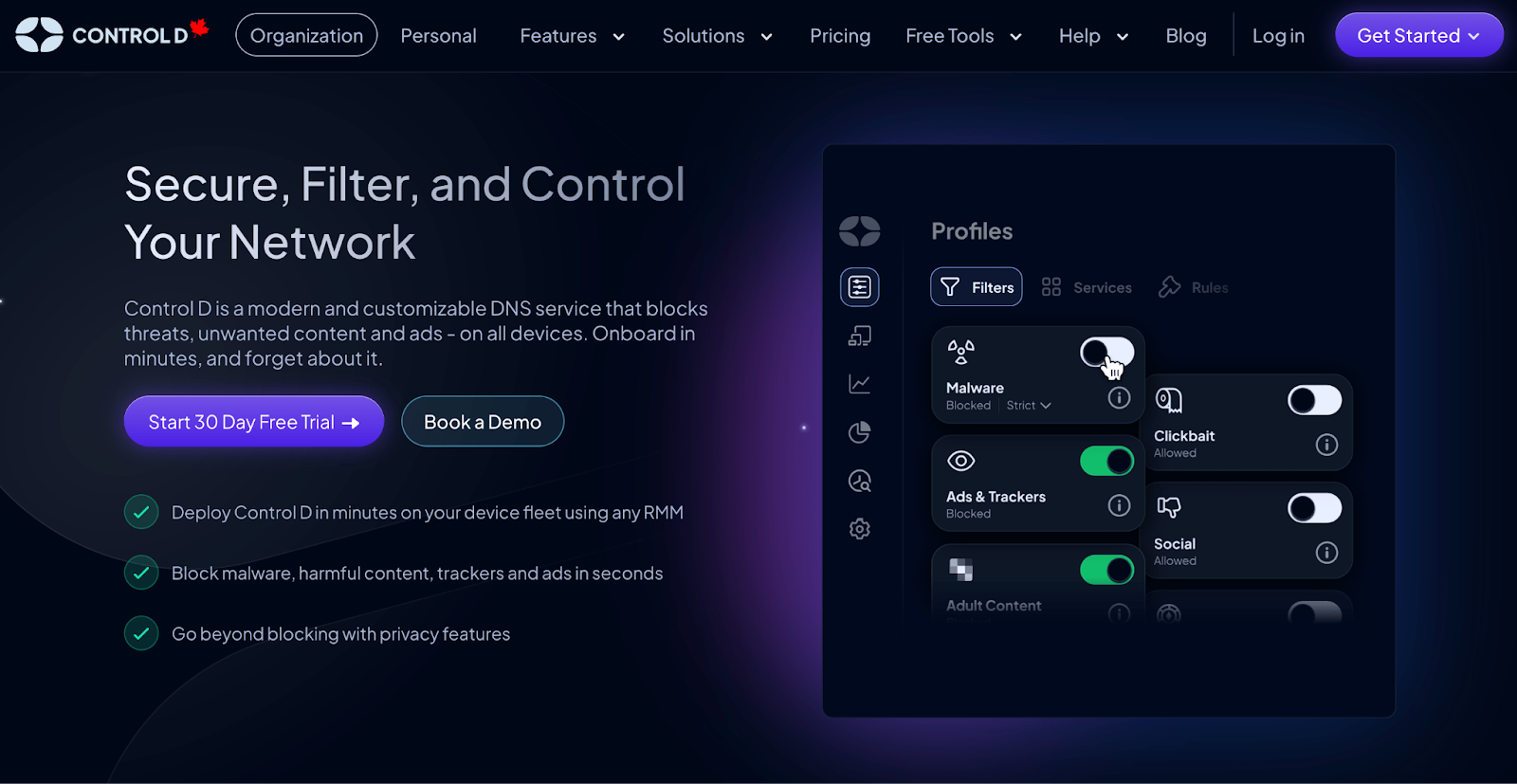
Where DefensX shines is browser-native controls and its broader secure browser stack. Control D approaches web security differently: it focuses on DNS filtering and DNS-layer enforcement.
For most organizations, that’s a simpler and more useful path to stronger security because DNS is universal (it applies across browsers, apps, devices, and networks), and you can deploy it quickly without major workflow changes.
Where Control D tends to win is stopping threats at the network level before a connection is made, fast rollout across all major device types, and enterprise-grade DNS security and filtering without the enterprise cost or bloat.
Control D Pricing Breakdown
Control D’s pricing is a flat, per-endpoint model that maps directly to your organization type:
- School/Non-Profit: $0.50/endpoint/month
- MSP: $1/endpoint/month
- SMB: $2/endpoint/month
- Enterprise: Contact
📌 Note: Enterprise pricing is custom as it includes additional implementation and partnership support (e.g., migration help, custom onboarding, shared Slack, and custom API development) tailored on a case-by-case basis.
Compare this to DefensX: You'd need to contact the sales team, be directed towards a partner, sit through demos, and wait for a custom quote just to get these basic numbers. With Control D, you know exactly what you'll pay before making contact.
Control D Features: What You Actually Get
Unlike DefensX's tiered feature approach, Control D provides full access to all core features across every plan. Here's what you get:
| General Features | Control D | DefensX |
|---|---|---|
| Advanced ML-Based Malware Protection | ✅ | ❌ |
| Flexible Content Blocking | ✅ | ✅ |
| Blockable Services | 1,000+ | Limited |
| Geo-Custom Rules | ✅ | ❌ |
| Traffic Redirection | ✅ | ❌ |
| Ad & Tracker Blocking | ✅ | Ads only |
| Clients, Applications, and Integrations | Control D | DefensX |
| Windows/macOS/Linux | ✅ | ✅ |
| iOS/Android | ✅ | ✅ |
| SSO/RMM/AD Integration | ✅ | ✅ |
| Full API Access | ✅ | Some plans |
| Analytics & Reporting | Control D | DefensX |
| Admin Action Logs | ✅ | ? |
| Query Log Retention | 1 month | 1-3 months (depending on plan) |
| Report Retention | 30 days w/ hourly time series granularity, 1 year w/ daily time series granularity |
? |
| Analytics Retention | Up to 1 year | ? |
| SIEM Log Streaming | ✅ | Some plans |
| Per-user Reporting | ✅ | ✅ |
| Scheduled Reporting | ✅ | Some plans |
| Data Storage Regions | 3 + custom | ❌ |
| Support | Control D | DefensX |
| Community Support | ✅ | ❌ |
| Docs/Knowledge Base | ✅ | ✅ |
| Email Support | ✅ | ✅ |
| Chat Assistant | ✅ | ❌ |
1. Best-in-class Malware Protection
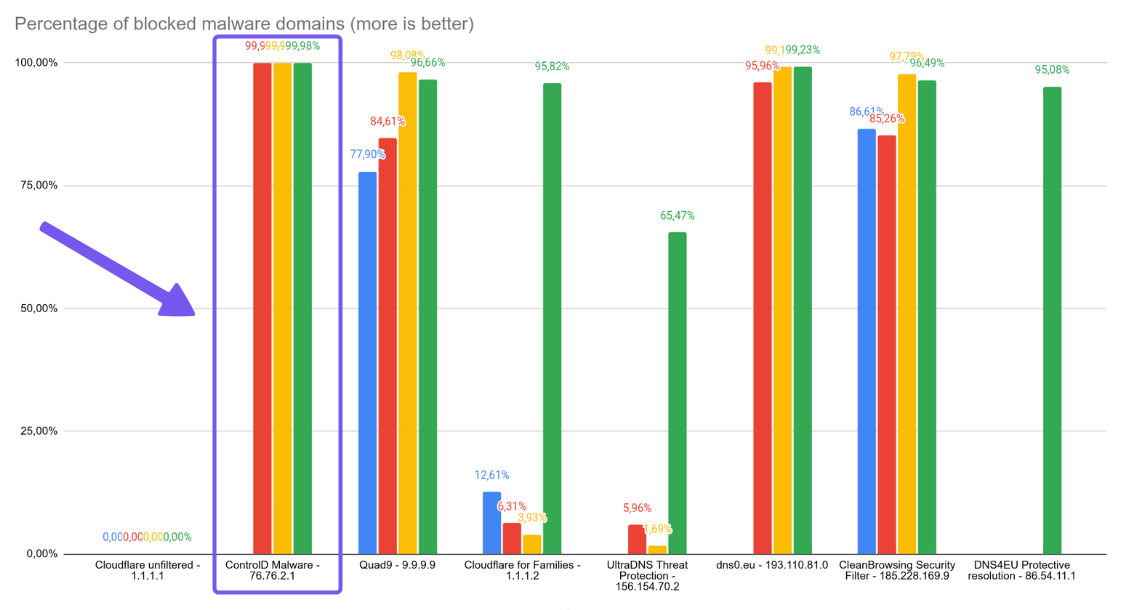
If you judge a malware DNS filter by one thing – it’s malware block rate – Control D’s results are hard to ignore. In Nexxwave’s June 2025 testing, it stopped 99.98% of malicious domains, the top score amongst all providers tested.
Control D doesn’t rely on a single “known-bad” list. Control D pulls from multiple threat sources and layers AI and machine learning to identify and protect against suspicious domains in real time, rather than waiting for the next list refresh.
2. Advanced Content Filtering & Service Filtering
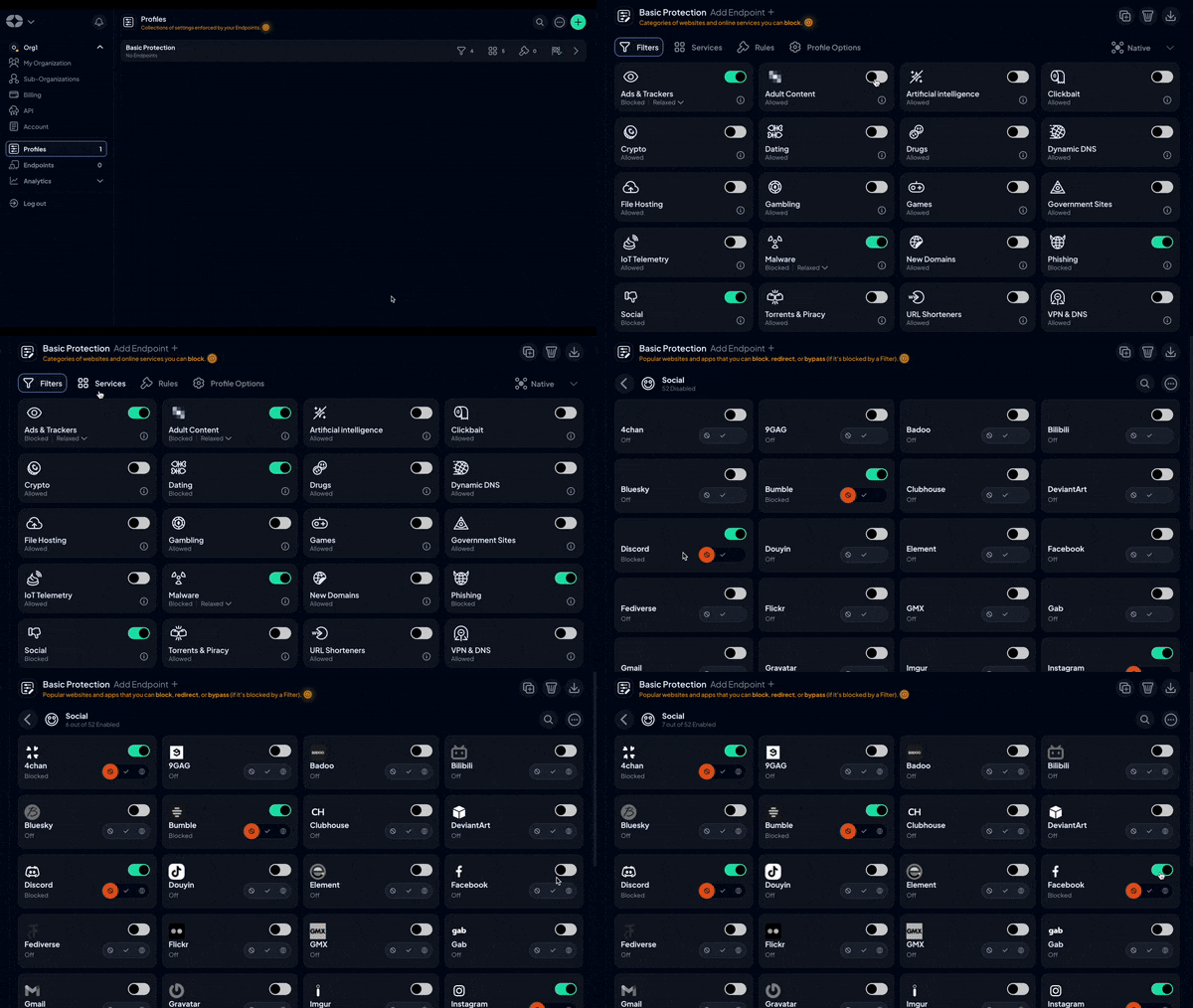
Control D’s filtering feels less like a checklist and more like a toolkit.
- Toggle on 20 Filters (content categories) such as malware, adult content, gambling, etc., and/or layer in 3rd-party Filters
- Choose from 1,000+ individual Services (apps/tools) to target specific platforms
Use Filters for your baseline policy. Use Services for nuanced control. Add Custom Rules for one-off situations.
For example, turn on the File Hosting Filter to block all file hosting domains, then navigate to Services to only allow Dropbox – or vice versa. The result is precise policy management with a few easy clicks.
There’s also an integrated ad and tracker-blocking Filter with adjustable levels, allowing you to minimize noise and tracking without disrupting functionality.
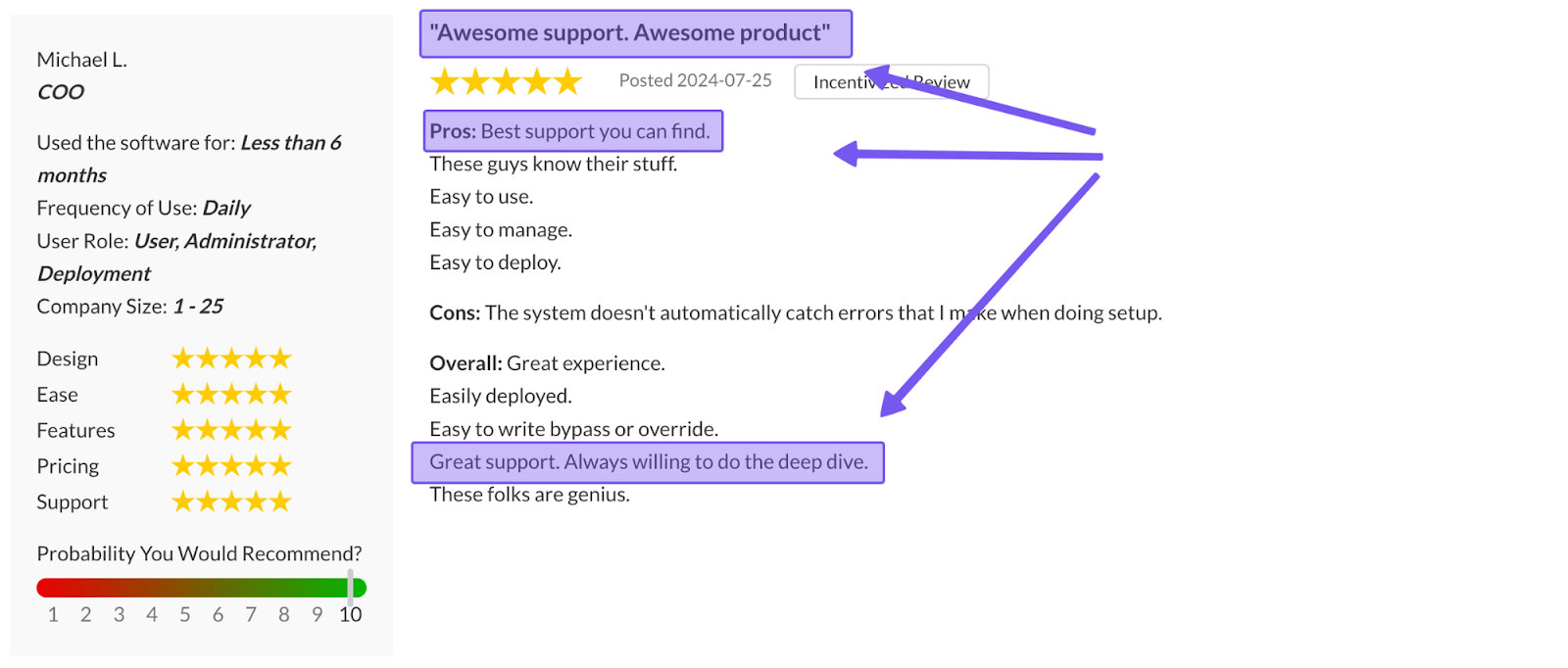
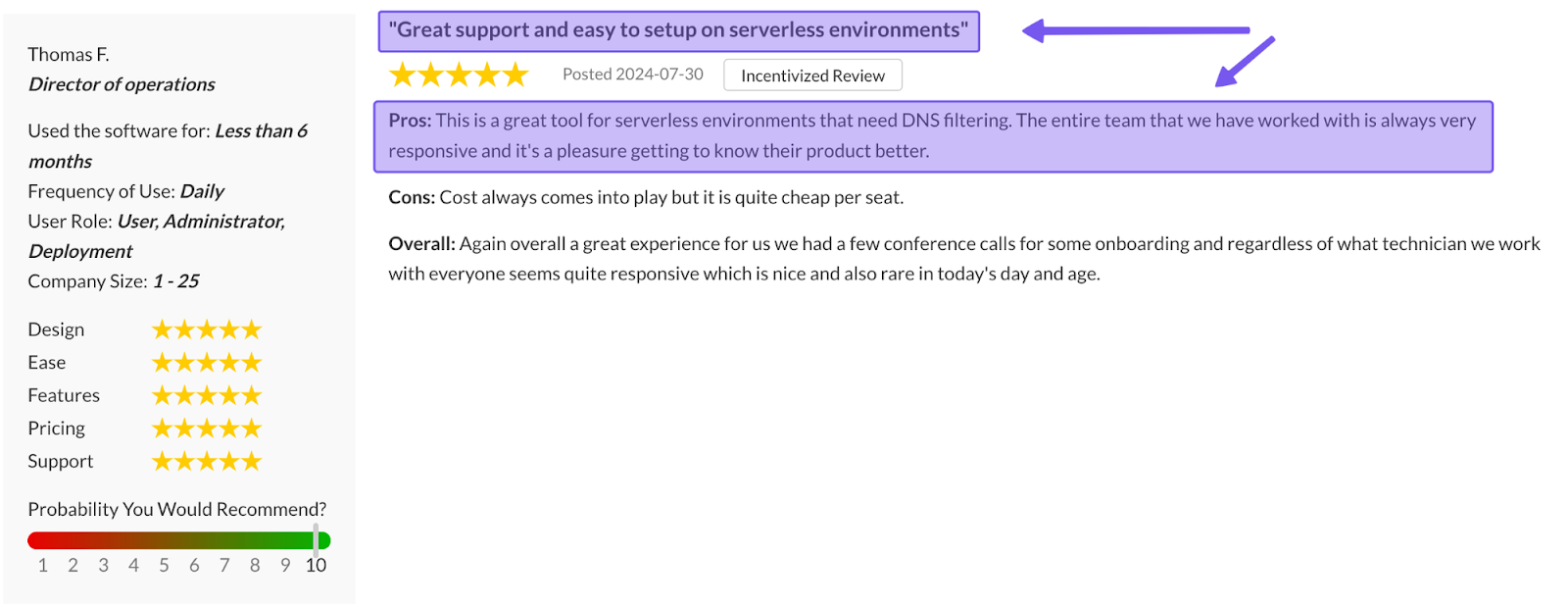
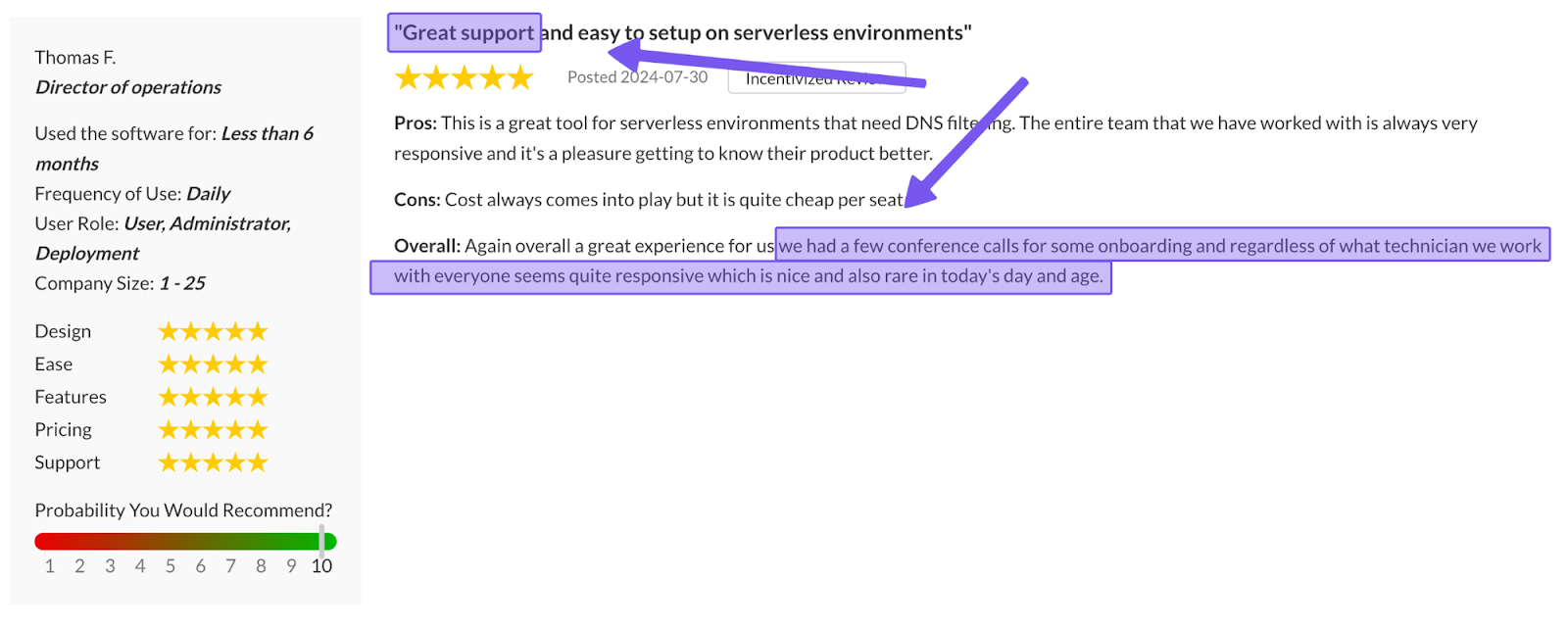
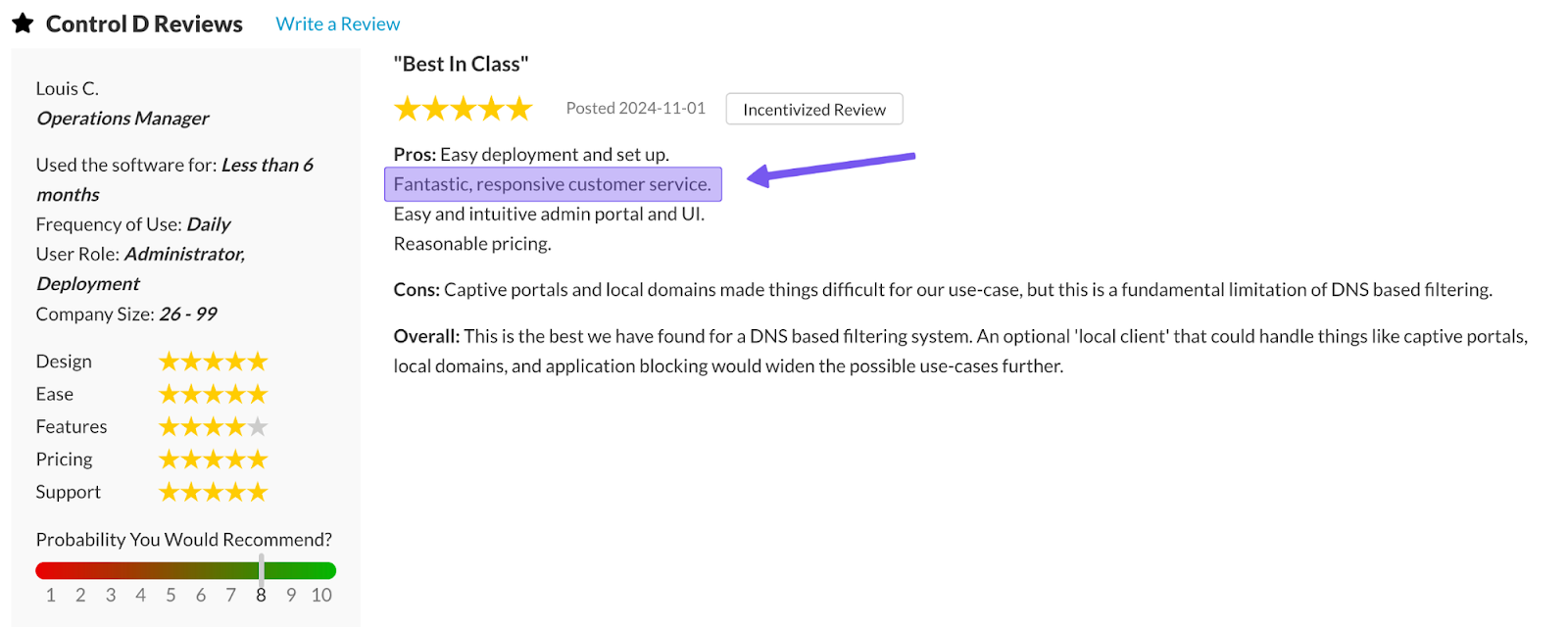
3. Support Quality
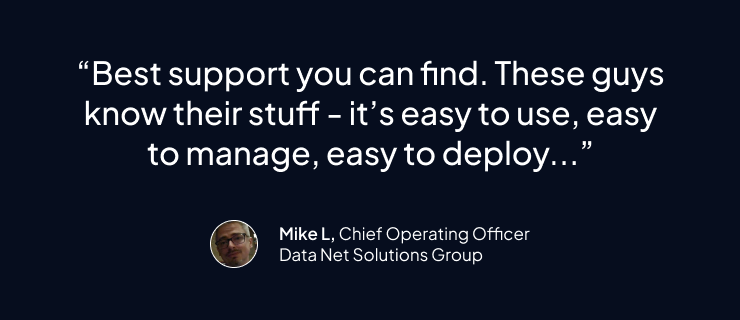
DefensX’s support is limited to business hours, Monday through Friday. With Control D, not only do you get more support channels, but you also get extended support availability.
- Email support 7 days a week, 9am–9pm ET
- Detailed docs + guides for self-troubleshooting
- Active community on Reddit and Discord
- Barry, an AI assistant, built into the dashboard to handle common questions and open tickets when needed
Help is always available, with engineers and sometimes founders themselves jumping on support tickets/queries when relevant.
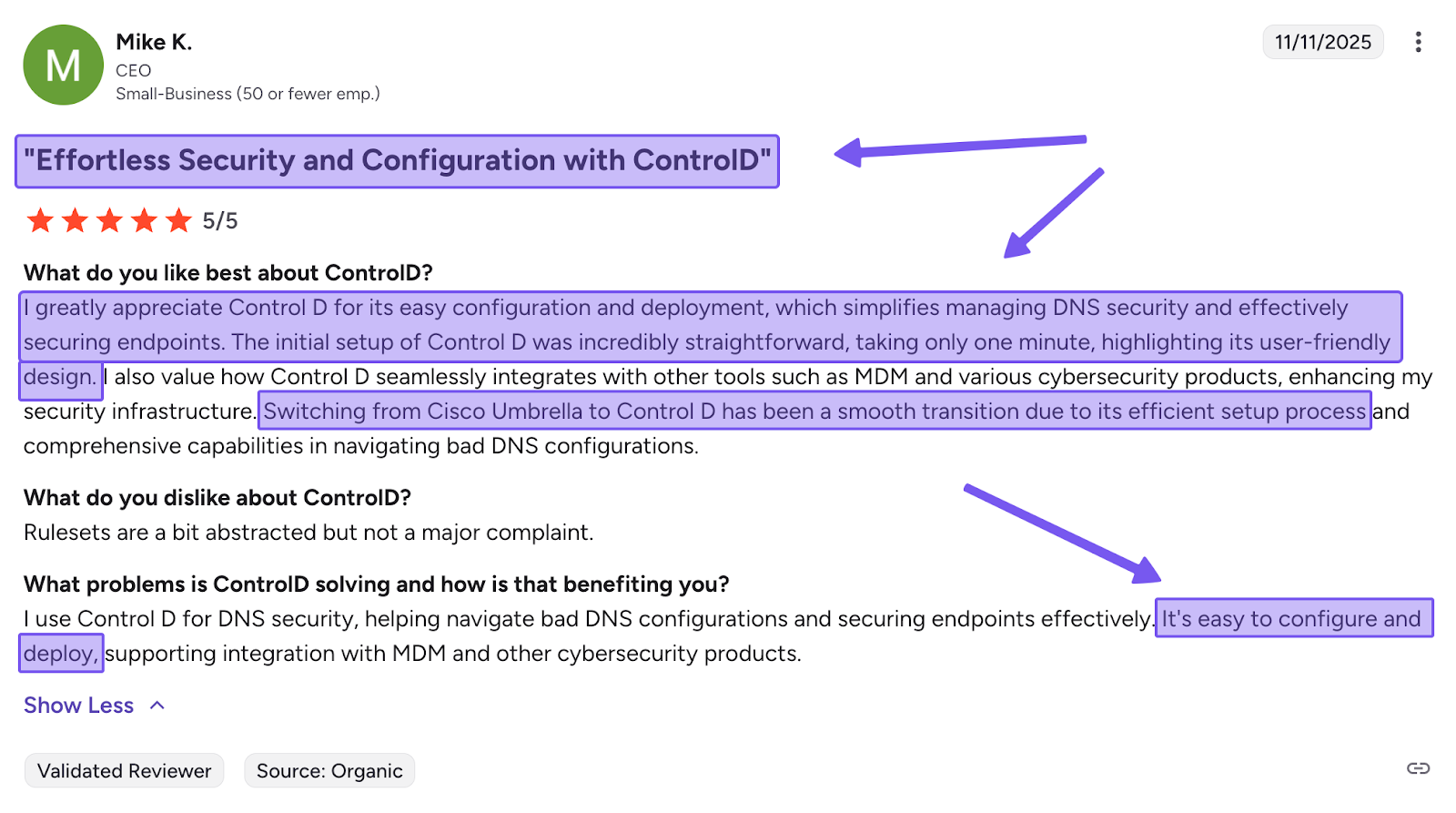
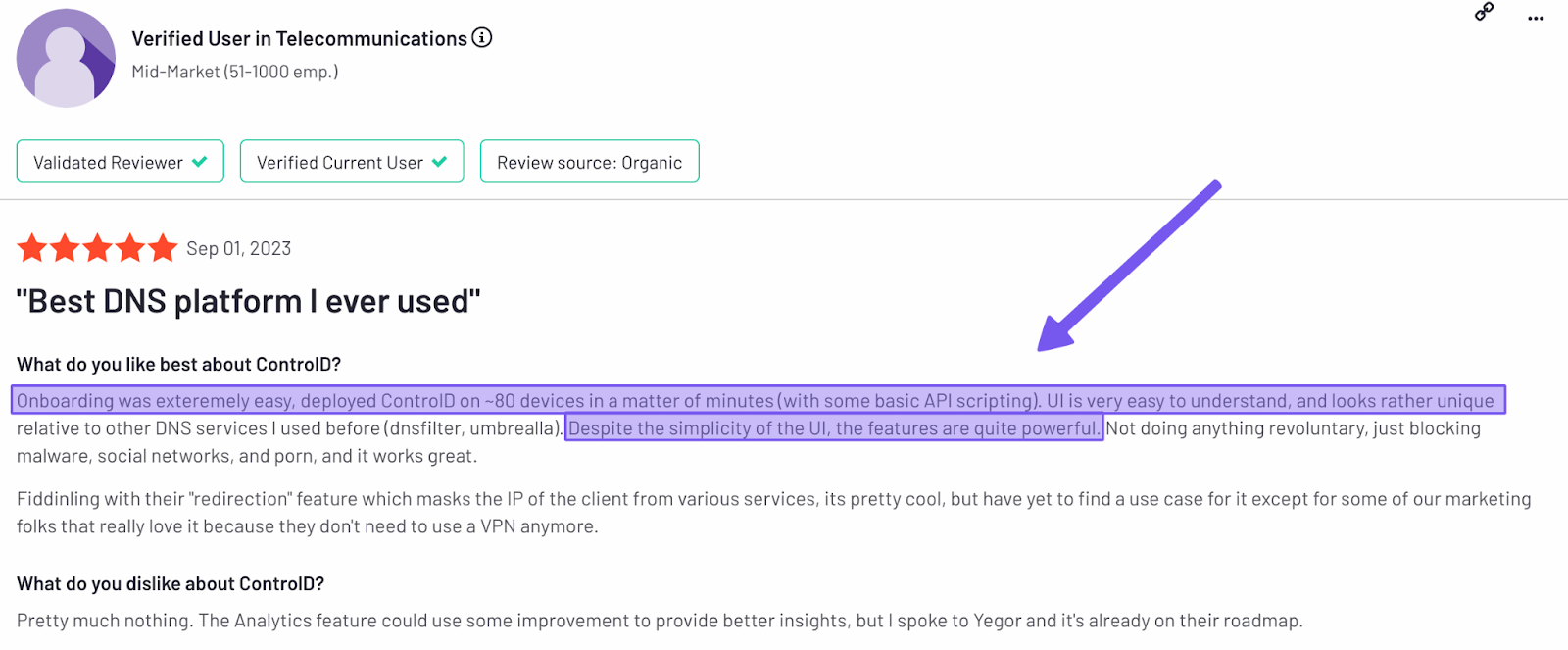
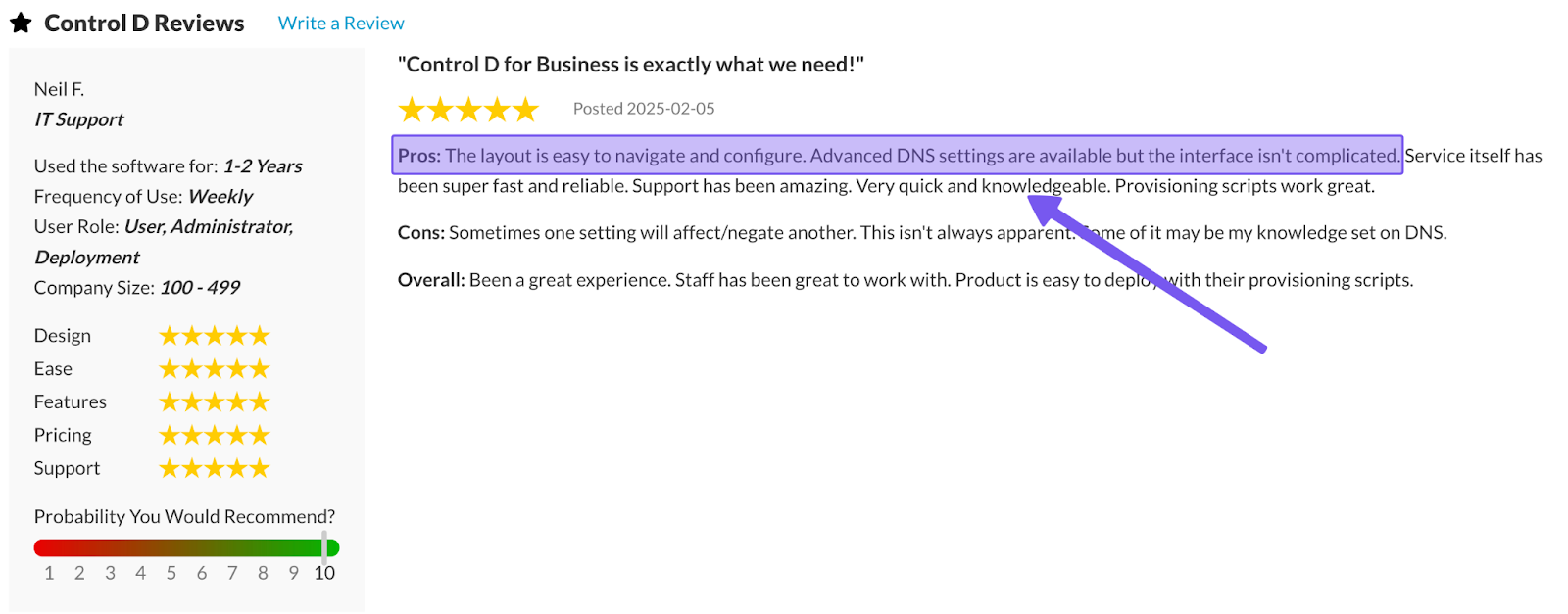
4. Easy Deployment
Control D is built for rapid deployment across diverse environments:
- Network-first: change your router's DNS settings to point to Control D’s resolver for immediate network-wide filtering
- Endpoint-first: install a Control D device client (Windows/macOS/iOS/Android) to keep policies consistent per device
- At scale: generate a Provisioning Code and roll it out via RMM/MDM with a single command.
Control D works across Windows, macOS, Linux, iOS, Android, browsers, and routers without requiring different deployment approaches to ensure your entire device fleet is secured.
5. Traffic Redirection
Traffic Redirection gives you VPN-like capabilities without the need for a VPN. You can reroute DNS traffic through 100+ proxy locations spanning 60+ countries, making traffic appear to originate from your chosen region.
Set a default region for all traffic and/or create Service-specific rules. For example, send all Microsoft 365 traffic through North America for compliance, route streaming through optimal locations for performance, and keep general browsing local.
Because it's built into DNS policy, you can manage these redirections alongside your filtering rules from a single dashboard with a few simple clicks. No separate infrastructure, no client software, no additional licenses.
DefensX does not offer this feature.
6. Geo-Custom Rules
Control D’s Geo-Custom Rules let you create location-based rules based on the source or destination IP's country or ASN. For instance:
- Block, bypass, or redirect queries that resolve to IPs in specific countries
- Block, bypass, or redirect queries that resolve to IPs outside specific countries
- Block, bypass, or redirect queries made from IPs in specific countries
- Block, bypass, or redirect queries made from IPs outside specific countries
- Block, bypass, or redirect queries that resolve to IPs owned by specific networks (ASNs) or not owned by them
- Combine multiple geo rules to build more complex location- or ASN-based policies
This is useful for ensuring traffic stays within specific regions for compliance, blocking high-risk areas, or preventing traffic from resolving to or from certain networks or countries.
Check out Control D’s Geo Custom Rules documentation for more information.
7. Analytics and Reporting
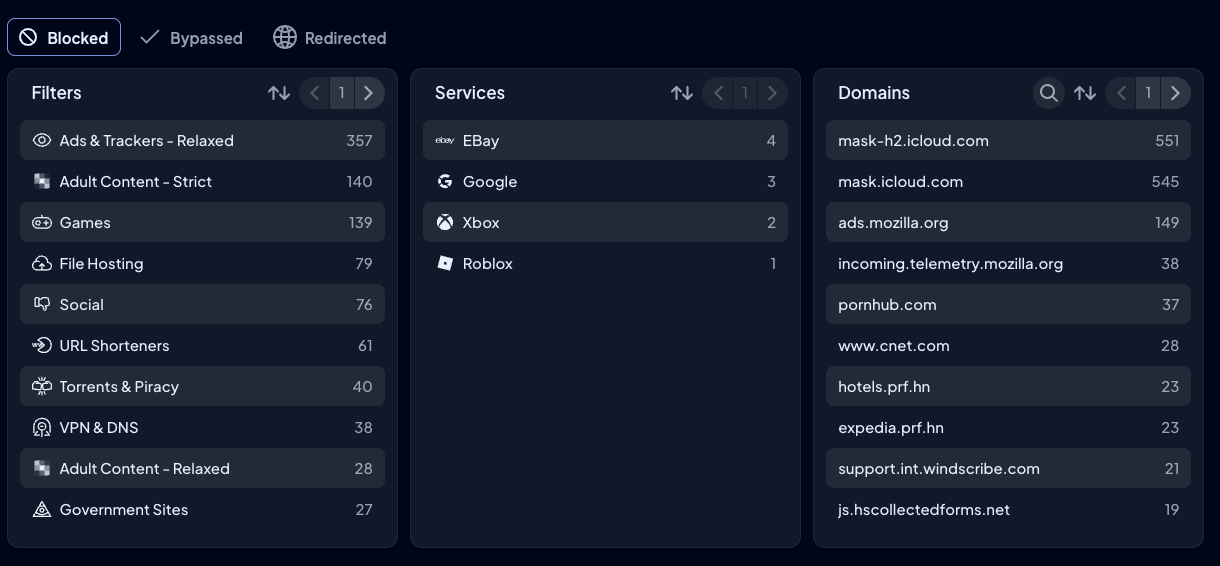
Control D provides detailed analytics and reporting for all organizations:
- Admin action logs for an audit trail
- Raw query logs stored for up to 1 month, with aggregated analytics available for up to 1 year
- Advanced filters and drill-down options: device, Profile, Filter, Service, action (block/bypass/redirect), domain, country, ASN, and time range
- Scheduled reports delivered via email (daily/weekly/monthly)
- SIEM log streaming for unified threat analysis
8. Enterprise Integrations & Modern Protocol Support
Control D doesn’t require an infrastructure overhaul; it integrates seamlessly with all your existing tools, such as:
- Directory/identity: Active Directory, Okta, Entra ID
- RMM/MDM: NinjaOne, Datto, Kaseya, ConnectWise, Atera, etc
- SIEM: Splunk, IBM QRadar, and others
It also supports all modern encrypted DNS protocols, including DNS-over-HTTPS, DNS-over-TLS, DNS-over-HTTPS/3, DNS-over-QUIC, and Legacy DNS, as well as being dual-stack ready for IPv4/IPv6 environments.
9. Multi-Tenancy & MSP Management
MSPs juggling multiple clients know the pain of context-switching between separate dashboards. Control D eliminates that friction with native multi-tenancy architecture. It’s built around a simple idea: separate tenants, one dashboard.
Create unlimited Sub-Organizations under your parent account – one for each client, department, or site. Each Sub-Organization acts as a container for the stuff that matters – Profiles, Endpoints, analytics – so policies and data don’t bleed across clients or locations.
On top of that, you can add teammates with defined permissions (Owner/Admin/Viewer) to control who has access to what. The result is dozens of isolated client environments managed from one interface, with switching that takes seconds instead of minutes.
10. Performance
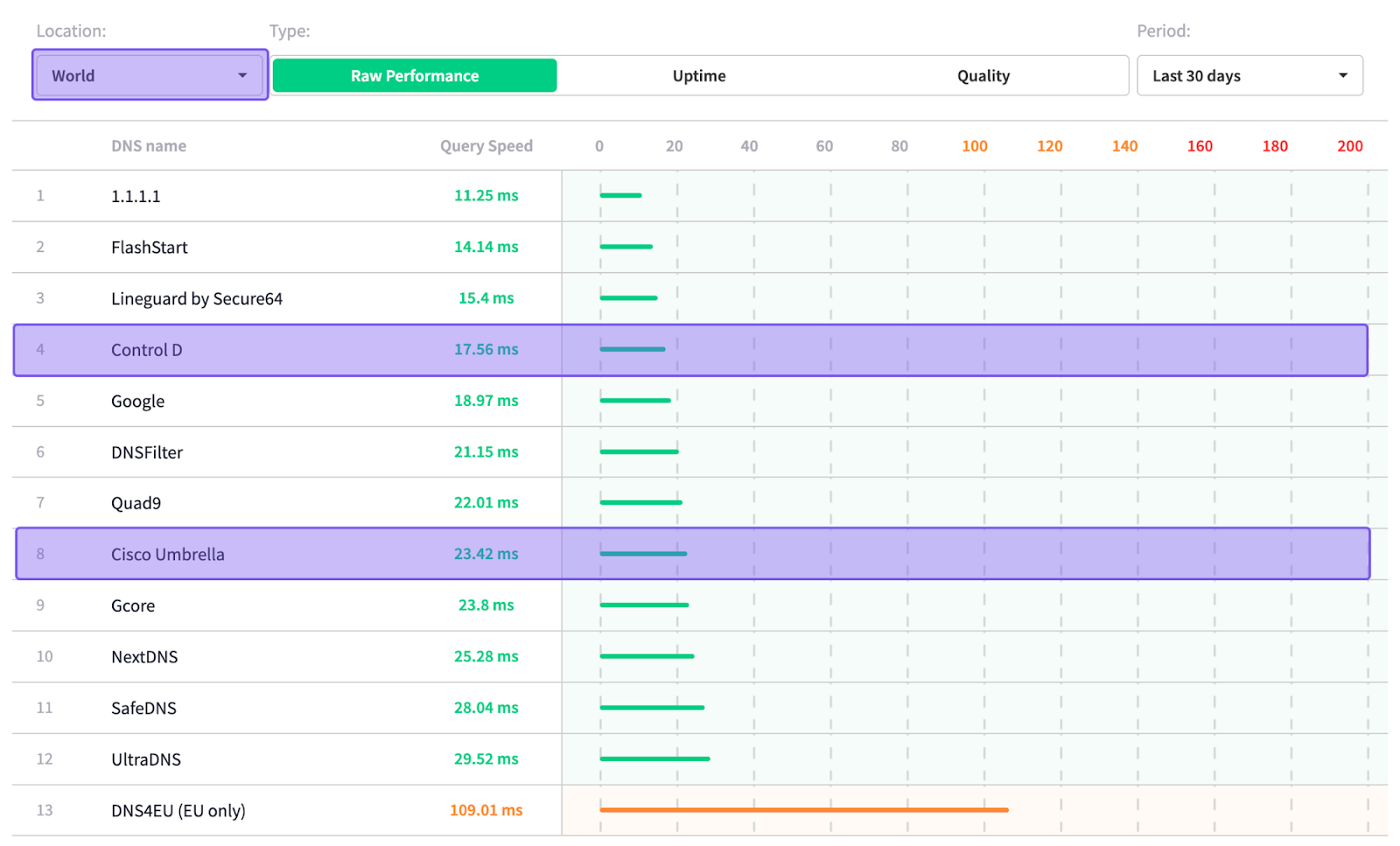
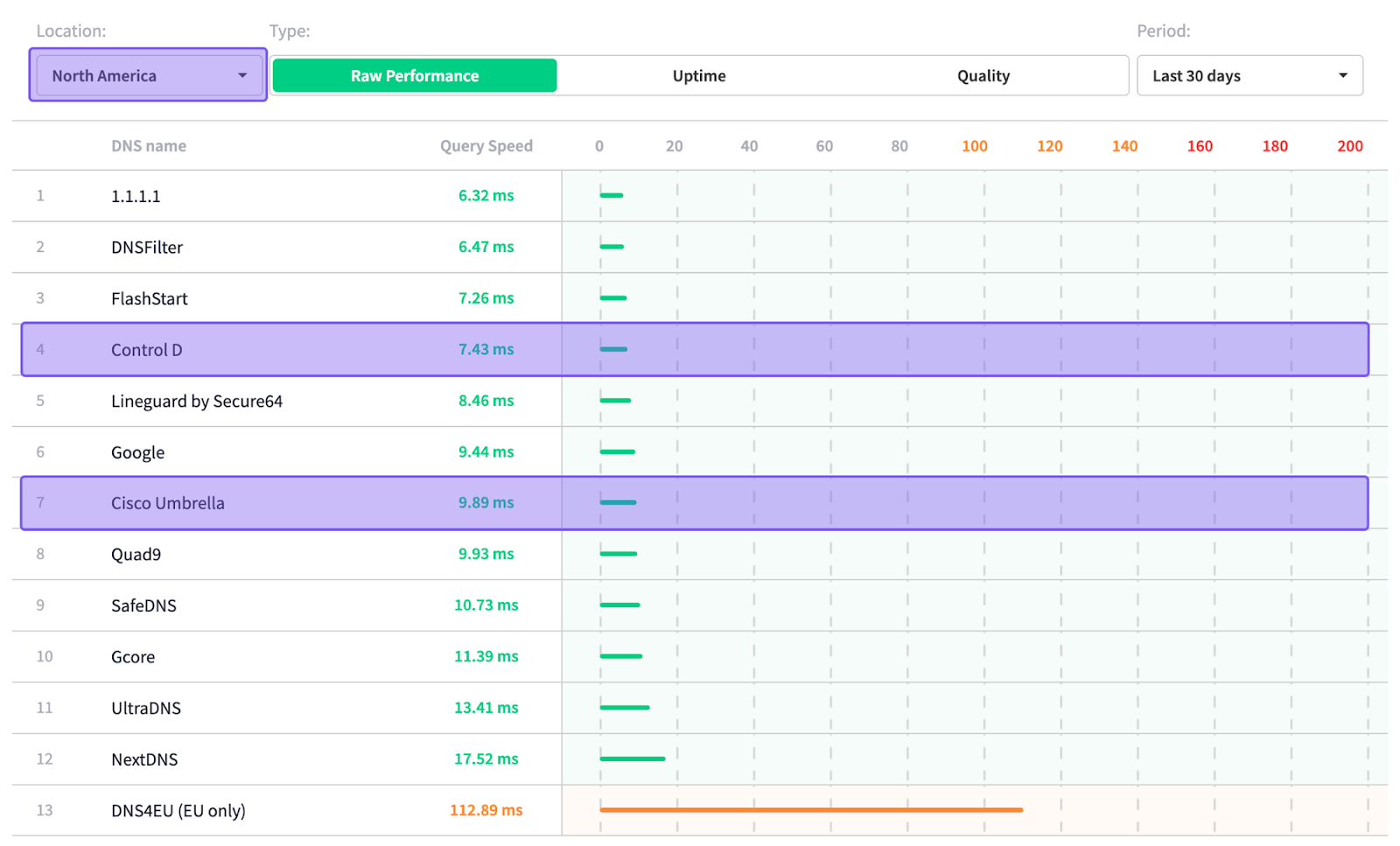
Sourced: 24th November 2025 from DNSPerf.com
According to independent data from DNSPerf, Control D is ranked among the fastest DNS resolvers for average query time, both globally and in North America:
- Global average: 17.56 ms
- North America average: 7.43 ms
Final Thoughts
So, is DefensX worth it?
The honest answer is: it's impossible to say without knowing what it costs.
DefensX offers legitimate browser security features, including DNS protection, credential security, remote browser isolation, and zero trust security capabilities. They claim no minimum commitment, offer flexibility to cancel anytime, and the features are clearly documented.
But here's the problem: you can't evaluate "worth" without knowing the price.
When a security vendor hides pricing behind sales calls and custom quotes, they're making your job harder. You can't:
- Budget appropriately
- Compare options fairly without factoring in negotiation
- Get quick approval from stakeholders
- Make informed decisions without pressure
- Plan for scaling costs
If your primary goal is fast, cost-effective coverage at the DNS level – blocking malicious domains, reducing phishing risk, granular control over filtering policies, no feature gating, and straightforward pricing – Control D is often a simpler, more transparent alternative.