Control D Updates: May 2026
A faster backend, cleaner Analytics, bulk Client cleanup, a custom Services view, plus easier advanced rules. Here's everything new in Control D.


If your Control D setup has been around for a while, you probably know the feeling of old Clients hanging around, Services tucked away, Analytics data that needs pruning, and advanced Rules you only remember exist after opening the docs.
May’s updates clean up a lot of that friction. We gave the backend a much-needed tune-up, added faster Client housekeeping, made advanced rule options easier to find and build, and more.
Here’s what’s new.
1. Backend Tune-Up

It may not be the flashiest update in this roundup, but it might be the most important one.
Control D’s core data store just went through a major upgrade. In plain English: the engine underneath Control D is significantly stronger now.
This work happened behind the scenes, so there’s nothing new you need to configure or learn. But the Dashboard should feel much snappier and smoother, and the platform is in a better place for the next wave of product improvements we’re building toward.
2. Cleaner Analytics
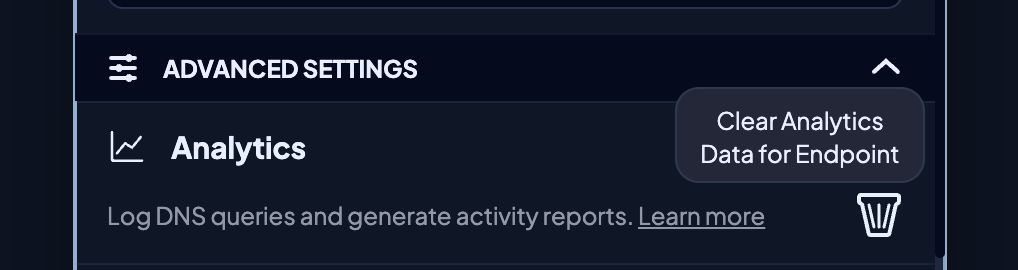
Analytics data is useful until one noisy Endpoint starts making a mess of it. Previously, cleaning that up was a little too all-or-nothing.
Now you can delete Analytics data for a single Endpoint from the edit menu, or when turning Analytics off for that Endpoint. The rest of your account’s Analytics stays intact so you can deal with the problem Endpoint without wiping your whole fleet clean.
We also tidied up a few things while we were in there:
- Realtime logs are more stable under heavy query volume
- Destination refinements no longer leave you staring at a confusing “no data” view
- Rules edited from Statistics or Activity Log no longer stay expired/disabled after you update them
3. Services at a Glance
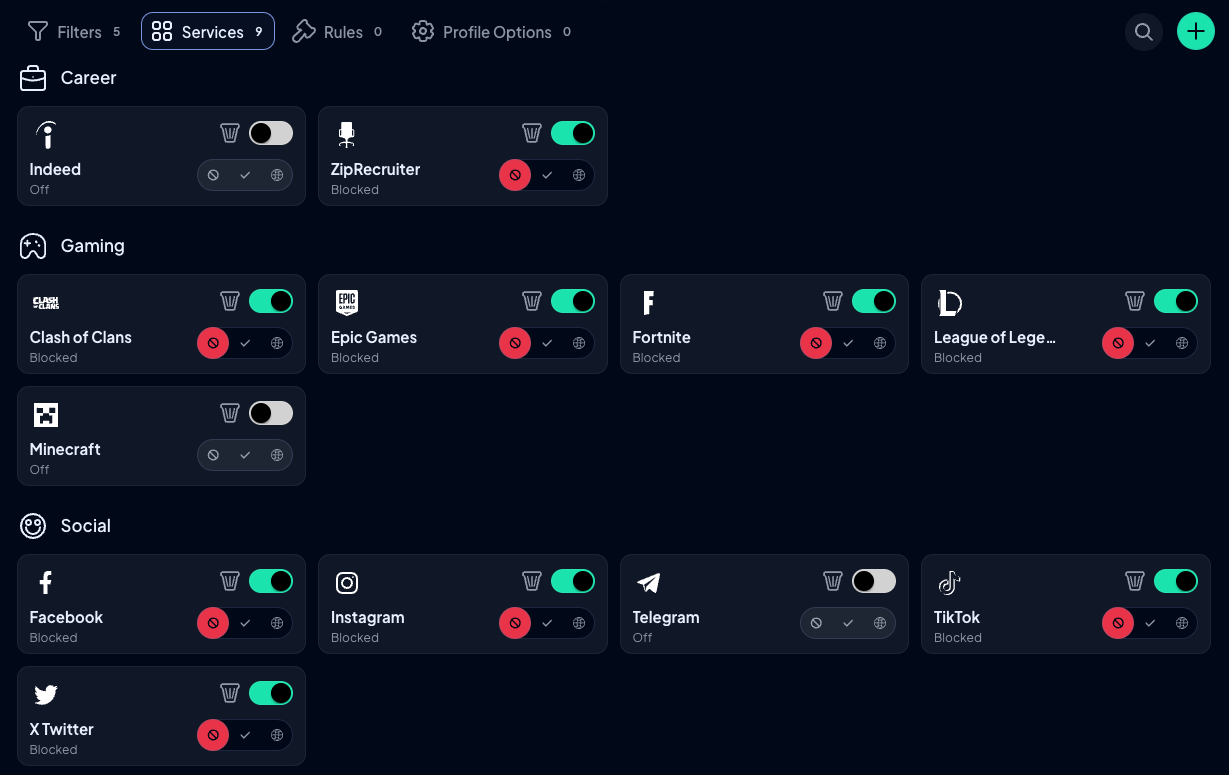
Managing Services used to involve a lot of category-hopping. To see the Services most relevant to you, you had to open each Service category one by one and piece the full picture together yourself.
Now you can add the Services you care about most to one view and manage them from there.
Each Service still has its own block, bypass, or redirect state you can enable or disable, but your custom view gives you a cleaner place to monitor and adjust the ones that matter, rather than digging through every category.
This meant reworking the surrounding UI/UX so the Services view is front and center, not a separate thing you have to go looking for, so we’d love to hear your thoughts on this change.
4. Bulk Client Cleanup
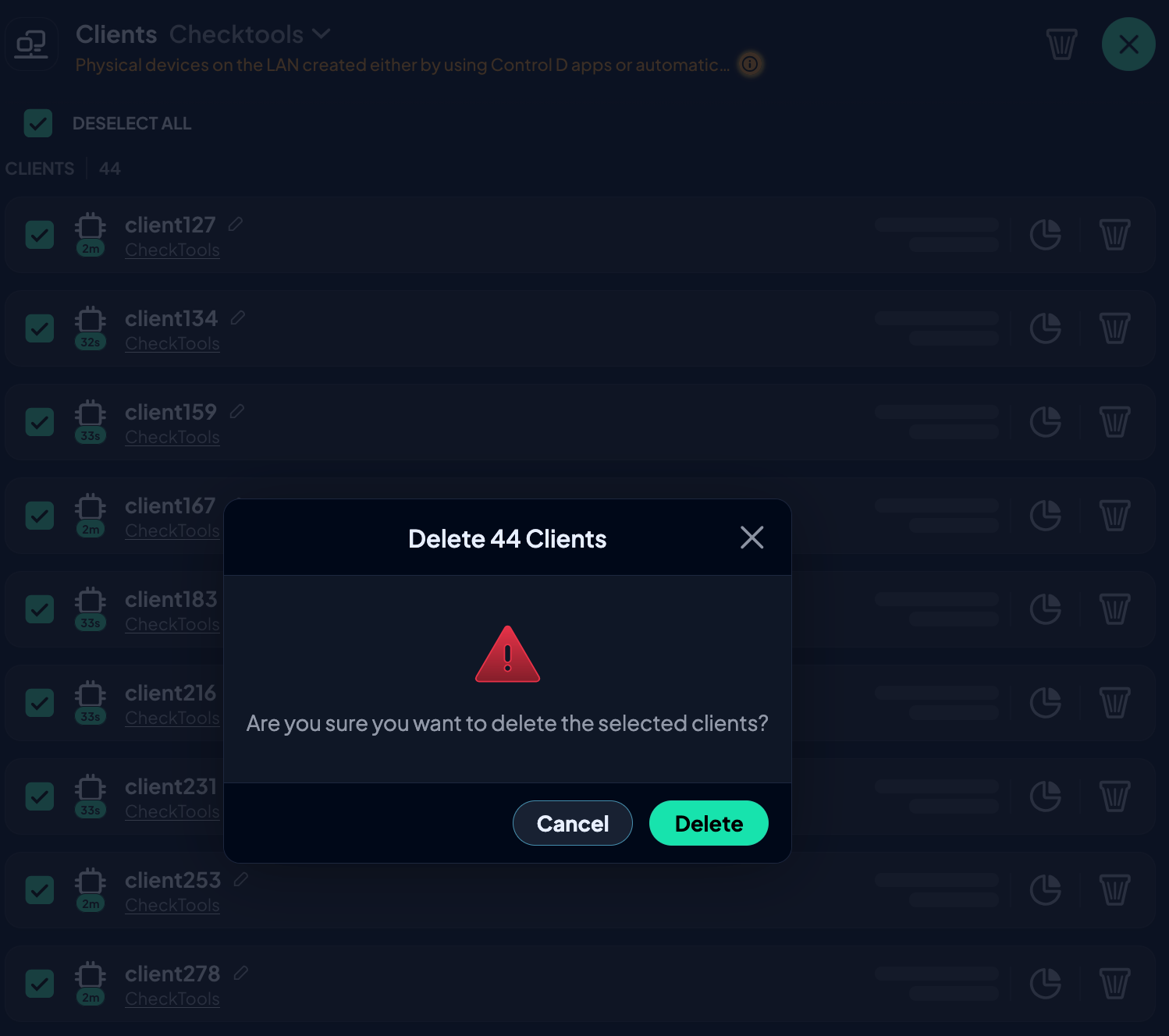
If you’ve ever opened an Endpoint and found a graveyard of old Clients, this one is for you.
Clients can accumulate quickly across shared devices, roaming setups, test installs, or devices that haven’t checked in for a while, and cleaning them up is one of those unglamorous tasks nobody wants to spend time on.
Instead of removing stale entries one by one, you can now bulk delete Clients based on a cutoff time. The Dashboard shows what will be affected before anything gets deleted, so you can review the changes before committing.
It’s a faster way to tidy up device history without turning routine housekeeping into a click-by-click chore.
5. Easier Advanced Rules
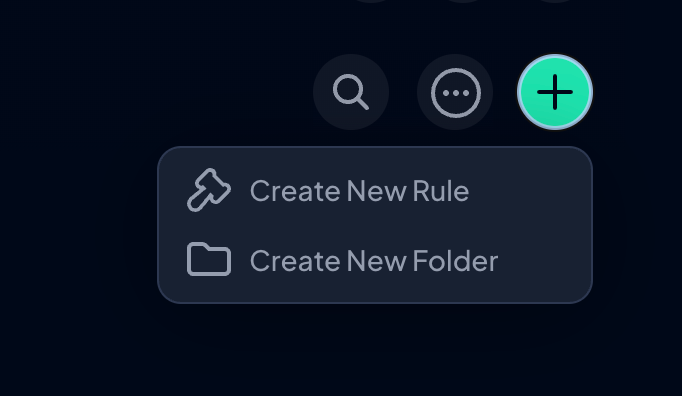
Magic Folders and Geo Custom Rules are exactly the kind of features Control D power users love. They’re flexible, specific, and capable of handling weird edge cases. The downside was that they were also a little too easy to miss unless you already knew they existed.
We’ve now split rule and Folder creation into separate flows, and added the advanced options where they actually belong:
- Magic Folders now live inside the Folder creation modal
- Geo-Custom Rules can be built from the rule creation screen using guided dropdowns
You still get the same granular control, just without needing to do homework first.
What Else?
- Fixed scrolling issue on the redirection location selection modal
- Accessibility improvements across the app
- Implemented exact matching instead of fuzzy search for searching rules
- Patched security issues found in an independent security audit
- New Industries page for ISPs
- Added False Positive / False Negative reporting to the Website Link Checker, making it easier to report incorrect domain classifications
- Improved Statistics page performance to reduce unnecessary CPU/GPU usage on Intel Macs
- Improved performance and maintainability of the app routing infrastructure
- Bug fixes related to Sub-Orgs, nav icons, payments, countries dropdown, invalid geo-rule handling, Custom Rules, and UI/UX
As always, head over to our Changelog for a full breakdown of every update.
What's Coming Soon?

We've got more in the pipeline. Here's a sneak peek:
- DNS Speed Test tool
- SSO Group Mapping UI
- Supercharged Barry
- Further improvements to Dragonfly's classification model
- Dragonfly-informed Analytics
- Dragonfly-powered Filters
- Multiple report templates
- More Analytics enhancements (e.g, refining by apex domain/TLD)
We're constantly improving Control D to make it the best customizable DNS service on the market, and your feedback remains integral to that process.
If there's a feature you'd like to see or a suggestion you’d like to share, let us know via our Suggest a Feature page.