Cloudflare Zero Trust Pricing: Is It Worth It?
Cloudflare Zero Trust pricing explained: plans, hidden costs, add-ons, and more, plus when a simpler option like Control D makes more sense.

Cloudflare Gateway, part of the Cloudflare Zero Trust platform, has become a popular choice for organizations looking to implement DNS security and web filtering across their network and devices.
But understanding the true cost goes beyond the sticker price. It has confusing pricing and feature tiers, along with trade-offs in complexity, scalability, and support, making you wonder: Is Cloudflare Zero Trust actually worth the investment?
In this guide, we'll break down Cloudflare’s Zero Trust pricing model, what features you actually get at each tier, and what to look out for to help you determine whether it's the right fit for your business.
TL;DR
| Product / Plan | Cost USD (per user per month) |
|---|---|
| Cloudflare Gateway / Zero Trust Free | $0 |
| Cloudflare Gateway / Zero Trust Pay-as-you-go | $7 |
| Cloudflare Gateway / Zero Trust Contract | Custom |
| Control D | $0.5–$2 |
Cloudflare Zero Trust Pricing Breakdown: What Each Plan Costs and What You Actually Get

Cloudflare Gateway operates on a per-user, per-month pricing model (paid annually) as part of the broader Cloudflare Zero Trust suite. There are three plans available; here’s how much Cloudflare Zero Trust costs and what it delivers.
1. Free Plan: $0
Cloudflare offers a free tier for up to 50 users, but there are hard user limits, a lack of detailed logs, and definitely no support if something goes wrong:
- Usage & limits
- Up to 50 users (no device limit).
- Up to 3 physical locations (data centers, branch offices, etc.) for network-level DNS filtering policies
- Logging & visibility
- Dashboard activity logging for up to 24 hours of DNS/HTTP/network events
- Support
- Community forum, docs, and Discord; no guaranteed SLA
- Zero Trust & SWG specifics
- Full Zero Trust Network Access (ZTNA) and Secure Web Gateway (SWG) capabilities
- Limited Data Loss Prevention (DLP)
- Restricted to predefined policies
It's perfect for personal or hobby projects and testing things out rather than a long-term solution.
2. Pay-as-you-go Plan: $7/user/month
Most businesses will need the Pay-as-you-go plan, and this is where Cloudflare’s Zero Trust pricing really starts. It’s billed at $7/user/month (paid annually) and is aimed at teams that don’t need premium support but have outgrown the free tier. You get:
- Usage, SLAs, & Scale
- No user limit
- 100% uptime SLA
- Up to 20 physical locations for network-level DNS and HTTP policies
- Better logging & visibility
- Activity logs retained for up to 30 days, which is a big jump from the 24-hour free plan limit
- Support
- Email and chat support
However, you’re still limited to:
- Predefined profiles for DLP
- 2 ready-only IP integrations for SaaS app control
Essentially, you’re upgrading from the free tier to $7/user/month for no user limit, 100% uptime guarantee, access to 30 days of query log retention, and actual support when it’s needed.
3. Contract Plan: Custom pricing
For larger organizations that need premium support, you’ll need the Contract plan. But, this comes with custom pricing, and you’ll have to contact their sales team to get a tailor-made quote based on your organization's size, needs, and requirements – again, paid annually.
Typically, this means significantly higher prices, but with that price increase, you get access to features like:
- Scale
- Up to 250 physical locations
- Logging, observability & integrations
- Log retention for up to 6 months
- Ability to export logs to SIEM / cloud storage via Logpush
- Stronger Zero Trust & CASB capabilities
- Multi-mode CASB, including unlimited API-driven SaaS app integrations
- mTLS authentication
- Premium support
- Emergency phone support, as well as email and chat support, with priority SLAs available 24/7
As you can see, this is the tier aimed squarely at organizations that want Zero Trust as a full Secure Access Service Edge (SASE) platform rather than “just” DNS and content filtering.
It’s important to note that some features that are pretty standard in other platforms – such as comprehensive analytics and SIEM log streaming – are either limited on lower tiers or effectively require jumping to the Contract plan. That can make it feel like you’re paying extra just to unlock capabilities that arguably should be baseline.
Additional Costs
1. DNS Query Limits per Seat
Cloudflare’s service-specific terms define a limit for Cloudflare Gateway: an average of 150,000 DNS queries per seat per month (about 5,000 queries per user per day). If you exceed this consistently, Cloudflare will require you to purchase additional seats.
For businesses with heavy traffic, shared devices, or lots of background processes, this behaves like an implicit usage cap on the “per user” pricing.
2. Log Retention and Log Explorer
The default log retention depends on the plan:
- Free: up to 24 hours of Zero Trust logs
- Pay-as-you-go: up to 30 days
- Contract: up to 6 months, plus export via Logpush
If you use Cloudflare’s Log Explorer to store and analyze HTTP and security event logs, the pricing is:
- Free for the first 10 GB, then
- $1 per GB per month after that (pay-as-you-go), with custom pricing on the Contract plan
For environments with lots of HTTP traffic and deep investigation needs, log costs can quickly add up.
3. Add-ons: RBI, Email Security, Dedicated Egress IPs, etc.
Some of the headline Zero Trust / Gateway features are add-ons on most plans:
- Remote Browser Isolation (RBI) – add-on unlocked on the Pay-as-you-go plan
- Email security – Business Email Compromise protection, etc. – add-on for the Contract plan only
- Dedicated egress IPs – add-on for the Contract plan only
- Expanded CASB, full-featured DLP profiles, & some SASE network services: add-on for the Contract plan only
A user comment on Cloudflare’s own community forum suggests Remote Browser Isolation costs $10/user/month.
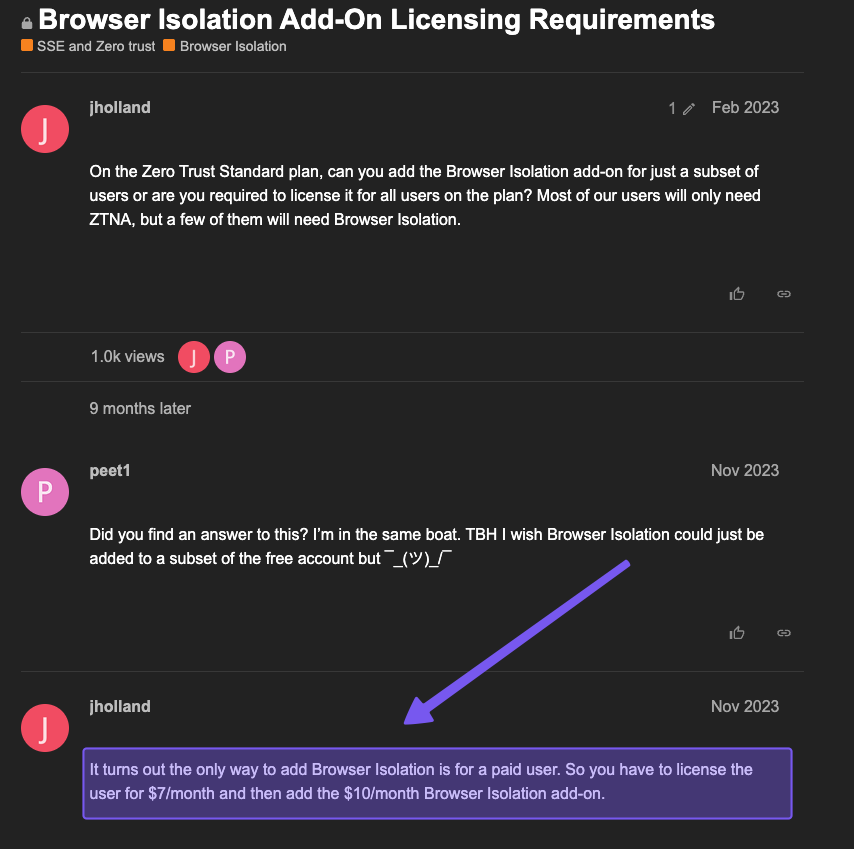
While the base Pay-as-you-go Cloudflare Zero Trust cost starts at $7/user/month, a “fully loaded” deployment on the Contract plan with RBI, email security, dedicated egress, and rich log analytics will significantly increase your per-user per-month cost.
Is Cloudflare Zero Trust Worth the Cost? 6 Things to Consider
Pricing and feature grids tell part of the story. Before you commit to Cloudflare, it’s worth thinking about who it’s built for, how complex it is to run, and how the pricing behaves as you scale, among other factors.
1. Who Is Cloudflare Zero Trust Really For?
Cloudflare Zero Trust is really aimed at mid-to-large companies with serious security needs. If you’ve got hundreds or thousands of users, multiple sites, remote workers, and you genuinely plan to use the full Zero Trust stack (Access for verifying user identity, SWG, DLP, CASB, etc.), it can make sense.
For most businesses, though, it’s more than you actually need. If you’re a small company, a startup, or an MSP, and your main goal is strong DNS security and web filtering, there are other tools that deliver that protection at a lower cost and with less complexity.
In those cases, Cloudflare Gateway often feels like buying an entire security platform – although powerful, overkill for most day-to-day needs – when what you really need is a well-focused DNS security and filtering service.
2. Is Cloudflare Zero Trust Easy to Use and Deploy?
The Cloudflare dashboard gives you tons of control, but it’s less “plug-and-play” than you might think, and you need to know what you're doing. A typical rollout isn’t just changing your DNS server. It usually looks like:
- Installing and configuring the WARP client on every device
- Hooking up your user identity provider (Okta, Entra ID, Google Workspace, etc.)
- Setting DNS resolvers at the network or device level
- Building filtering policies across multiple layers (DNS, HTTP, network)
- Adding extras like Access rules, device health and posture checks, CASB, DLP, RBI, or tunnels, if you want the full Zero Trust story
- Testing and tuning so you don’t break apps, APIs, or SaaS features people actually need
Cloudflare does offer plenty of documentation, but getting from “it works” to “it works well and doesn’t annoy users” takes time and some real expertise. For small businesses or IT teams with limited ops capacity, this can be noticeably more complex than alternatives that offer a cleaner user interface and smoother user experience.

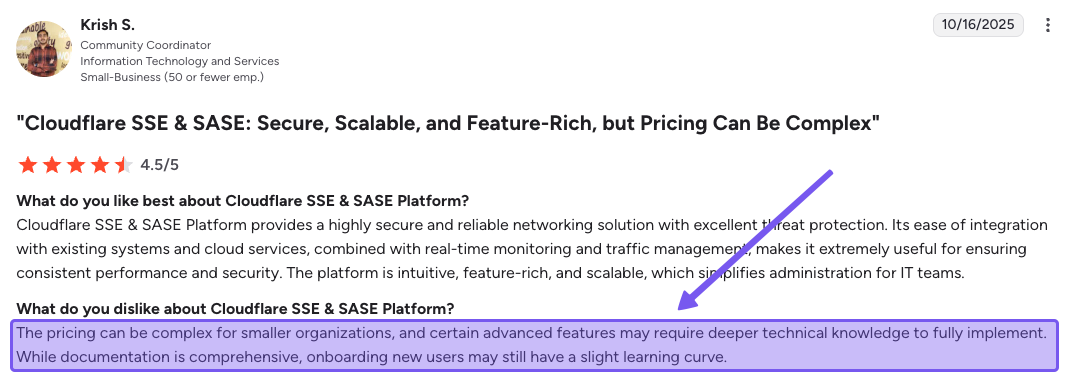
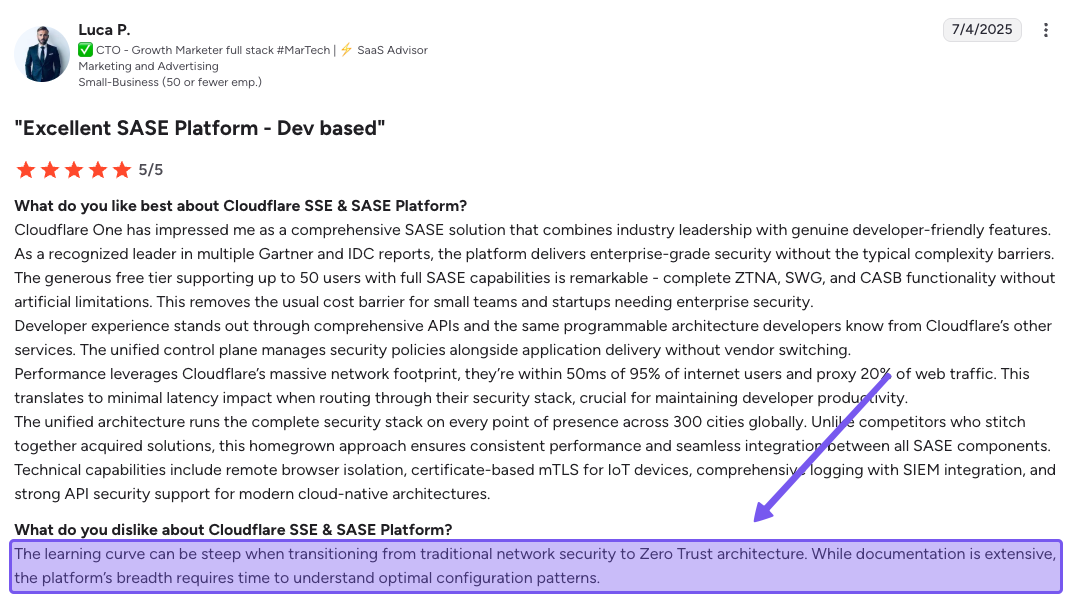
3. Pricing Transparency
Cloudflare’s Contract plan lives behind a “contact sales” wall. There’s no public calculator, no ballpark range, not even a “starts at $X/user” hint. You speak with a rep, explain your setup, and receive a custom quote.
To be fair, there are real factors that affect pricing: number of users, traffic levels, the extras you add (DLP, CASB, RBI, email security, network services), contract length, and so on. That part makes sense.
The part that feels less great is that your final number doesn’t just depend on your environment, it also depends on how well you negotiate. Two companies with very similar needs can walk away paying very different amounts for the same Contract plan simply because one pushed harder on discounts than the other.
All of that adds up to a pricing experience that feels more like a black box than a product. You don’t see how the number is put together, you can’t easily compare it to what others are paying, and it’s hard to explain internally why the deal is “good value” when you know the answer might be very different for the company next door.
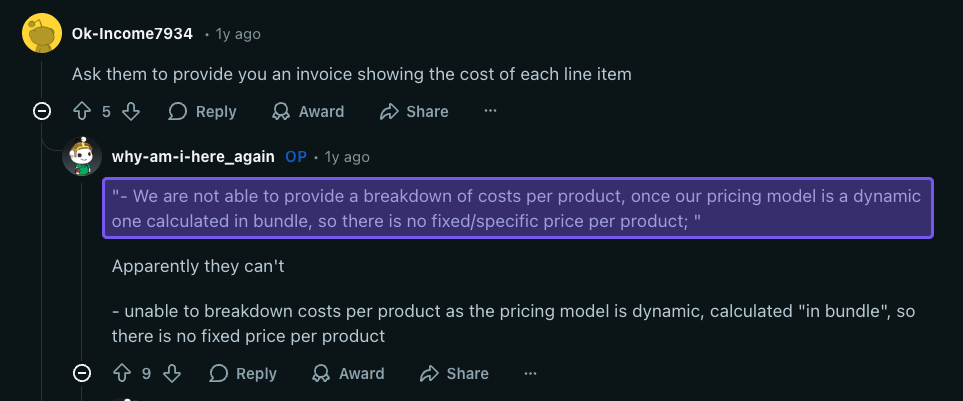
The above is an example of a real-world scenario of how this can play out. An Enterprise customer says they asked Cloudflare for a breakdown of what they were paying per product and were told pricing was calculated as a single “bundle,” so there was no fixed price for each component.
That case refers to a broader Cloudflare Enterprise deal, not Gateway/Zero Trust specifically, but it still shows how, even when you push for clarity, you may only get a lump-sum number rather than clean line items – exactly the kind of thing that makes a negotiated, opaque price feel even harder to trust.
4. Does Cloudflare Zero Trust Scale Well?
Technically, Cloudflare Zero Trust scales great. It runs on Cloudflare's global network with tons of capacity, so no problems there. But seeing as Cloudflare’s one of the most expensive solutions on the market, your wallet might not scale as well.
With per-user pricing, costs go up in a straight line as you add people. For instance, on the Pay-as-you-go plan, if you start with 50 users, that’s $350/month. If you grow to 500 users, suddenly you're at $3,500/month, and there aren't big volume discounts until you hit the Contract plan with thousands of users.
For SMBs, MSPs, or fast-growing companies that are bootstrapped for cash, those costs can grow faster than your budget and start to hurt pretty quickly.
5. Support Quality Is Mixed
As mentioned earlier, support channels vary significantly by plan tier:
- Free: Community support and Discord only
- Pay-as-you-go: Email support with no hard guarantees
- Enterprise Plans: 24/7 support with defined SLAs
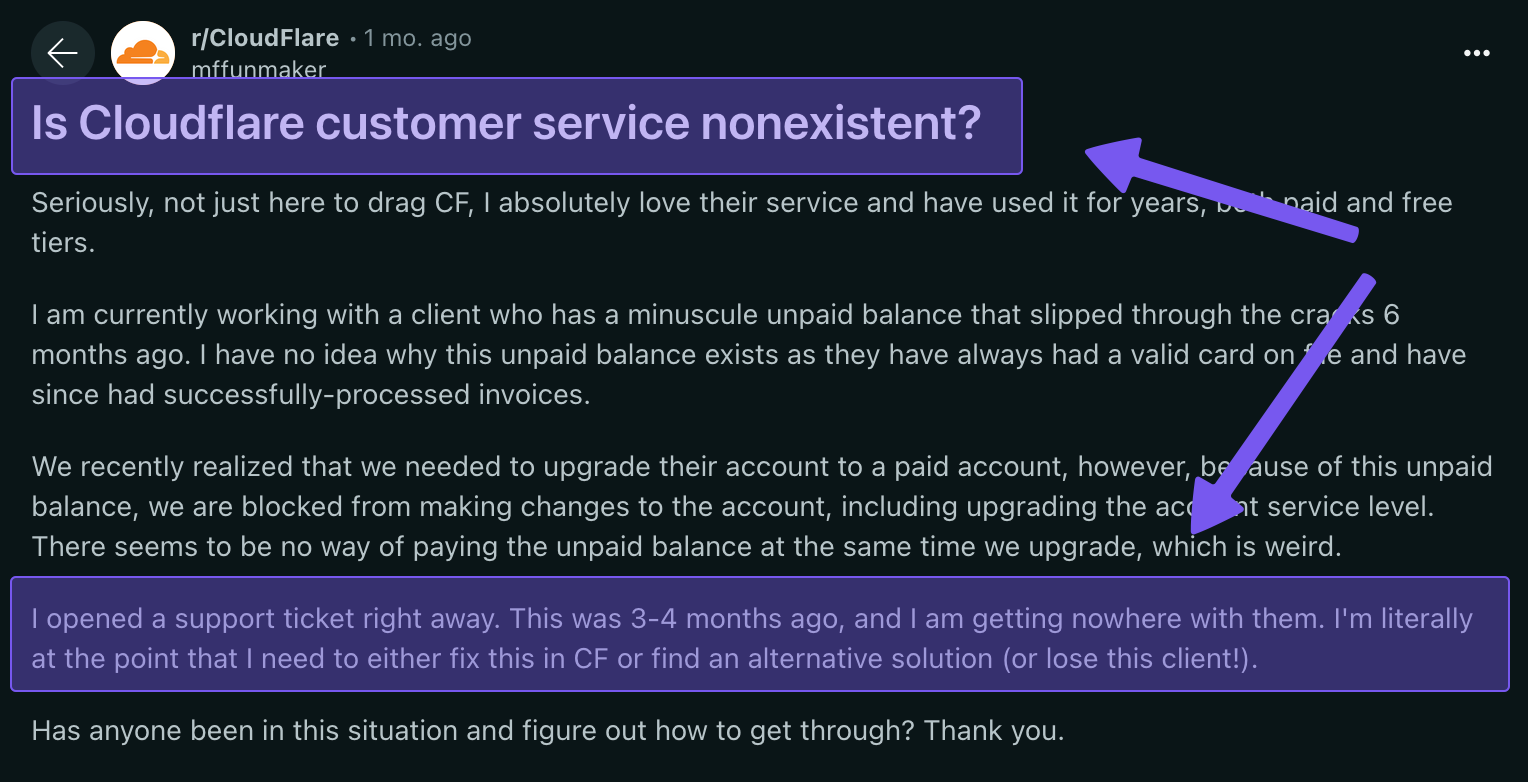
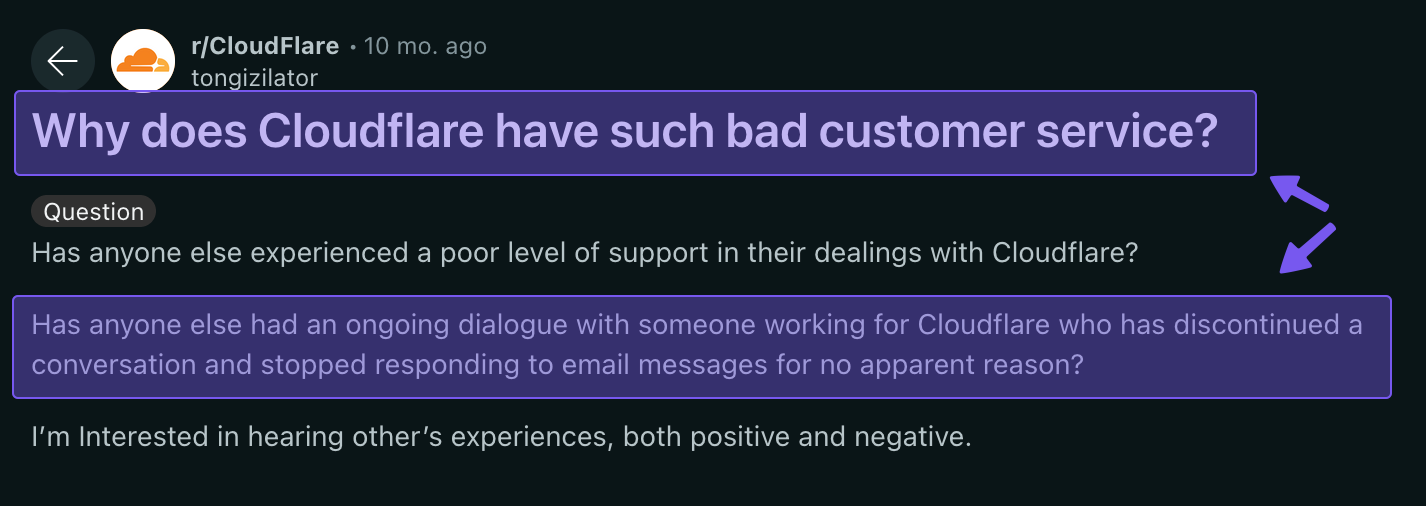
On paper, that all sounds reasonable. In practice, that means your support experience scales with your bill. Higher-tier customers can usually get a human on the case fairly quickly, but users on lower-priced plans often report tickets lingering for weeks, or in some cases, going unanswered completely.
If you’re not in that top tier with premium support, you should be prepared for help to be slower, more limited, or occasionally absent.
6. Ecosystem/Vendor Lock-in
Cloudflare Gateway / Zero Trust really shines when it’s part of the bigger Cloudflare stack. Sure, it can function as a standalone product, but most of the magic comes when you also use Cloudflare Access, the web application firewall, load balancing, CDN and tooling that optimizes performance, maybe even Magic WAN, and email security.
The more of those pieces you turn on, the smoother everything feels, because it’s all designed to work together.
As such, you're not just evaluating one product; you're potentially signing up for an ecosystem. That's not necessarily bad, but it means switching away from Gateway for something better or more affordable later will force you to rethink your entire security setup – and that kind of change usually isn’t quick or cheap.
Control D: Better Value Proposition than Cloudflare
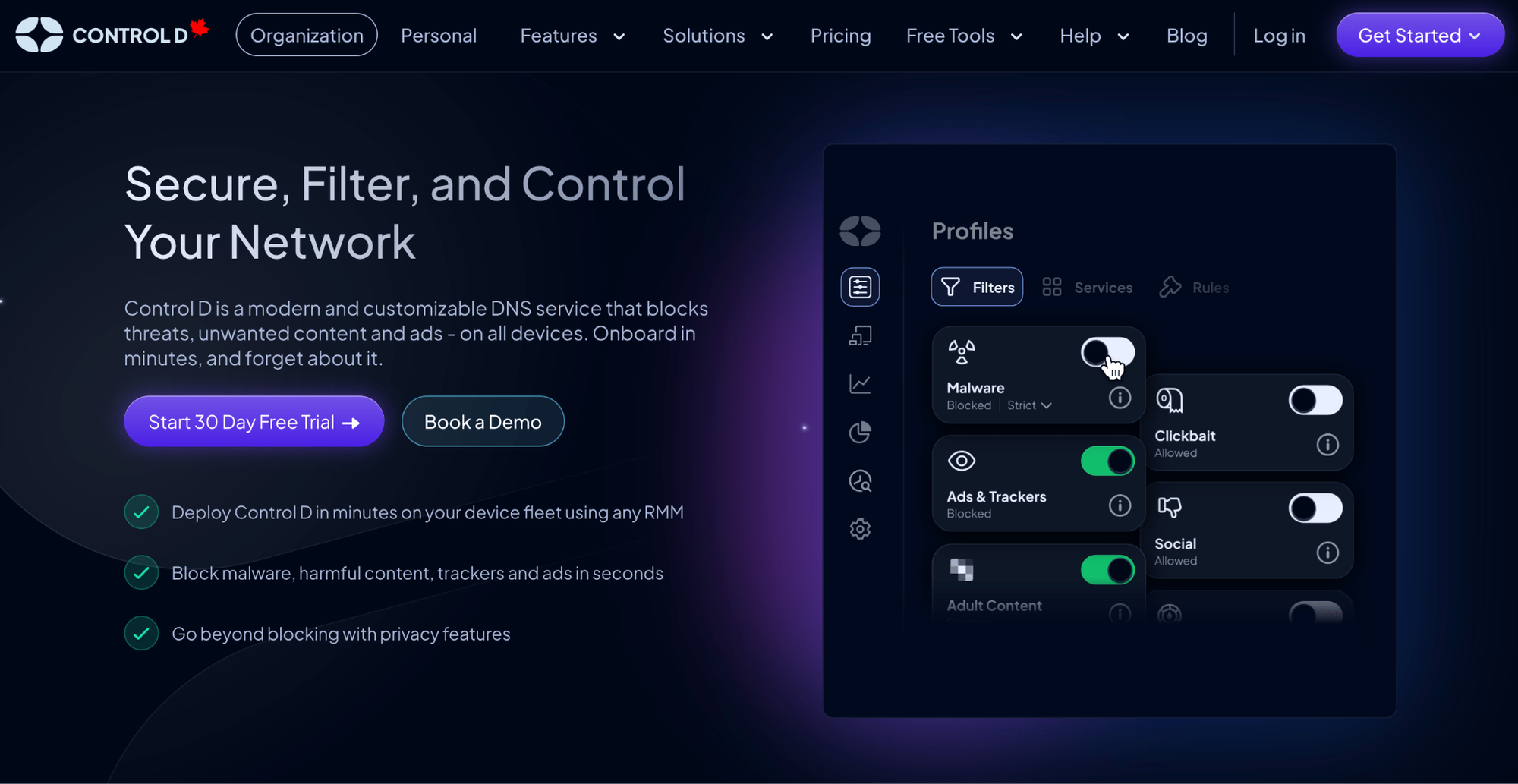
If Cloudflare Gateway feels powerful but heavy with a complex setup, expensive, and support that depends a lot on what you pay, consider a powerful alternative: Control D.
Control D gives you enterprise-grade DNS security without the enterprise bloat or cost: flat, transparent pricing, top-tier malware protection, and granular policy control without forcing you into a long, negotiated contract.
You don’t have to buy into a full SASE or Zero Trust; Control D gives you advanced features, analytics, and integrations, and you pay per endpoint instead of per user with no surprise add-ons.
In short: if you want Cloudflare-level security and control, but in a tool that’s easier to deploy, easier to manage, and easier to budget for, Control D is worth considering.
Control D Pricing Breakdown: Simple, Flat, and Upfront
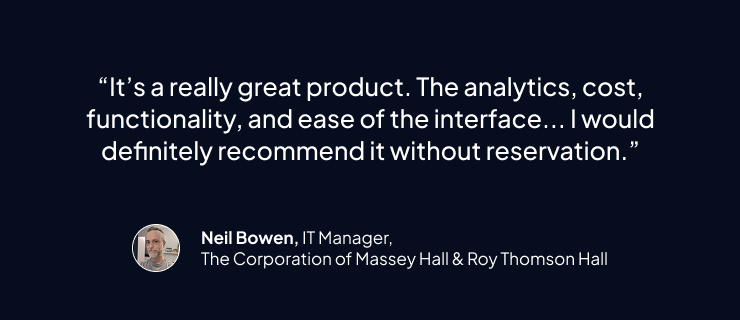
Control D offers flat, per-endpoint pricing with no hidden fees or extra costs. Pricing varies based on your organization type:
- School/Non-Profit: $0.50/endpoint/month
- MSP: $1/endpoint/month
- SMB: $2/endpoint/month
- Enterprise: Contact
With Control D, you don’t have to guess what your renewal will look like or wonder which features are hiding behind a higher business plan. You pay per endpoint, you get everything, and you can start small without a contract or minimum spend.
Here’s how the two compare at a high level:
| Product / Plan | Public Pricing? | List Price (USD) | Minimums / Notes |
|---|---|---|---|
| Control D (Enterprise) |
No | Contact | No minimums, no mandatory contracts; annual discounts available. |
| Control D (Startups & SMBs) |
Yes | $2/endpoint/month | No minimums, no mandatory contracts; annual discounts available. |
| Control D (MSPs) |
Yes | $1/endpoint/month | No minimums, no mandatory contracts; annual discounts available. |
| Control D (Schools / Non-Profits) |
Yes | $0.5/endpoint/month | Discounted rates; no long-term contracts required; annual discounts available. |
| Cloudflare Zero Trust / Gateway (Free) | Yes | $0/month | Up to 50 users; limited log retention; no formal support SLA. |
| Cloudflare Zero Trust / Gateway (Pay-as-you-go) | Yes | $7/user/month (paid annually) | No user limit; activity logs ~30 days; RBI and some extras raise effective per-user cost. |
| Cloudflare Zero Trust / Gateway (Contract) | No | Custom price/user/month | Must contact sales; price negotiated case-by-case; up to 6 months of logs and enterprise support. |
Control D Features: What You Actually Get
| Feature | Control D | Cloudflare Zero Trust / Gateway |
|---|---|---|
| Advanced ML-Based Malware Protection | ✅ | ✅ |
| Malware Filter Effectiveness | 99.98% | 95.82% |
| Flexible Content Blocking | ✅ | ✅ |
| Blockable Services | 1,000+ | Limited (200+) |
| Geo-Custom Rules | ✅ | Geo-IP blocking only |
| Modern DNS Protocol Support | ✅ | ✅ |
| Traffic Redirection | ✅ | ❌ |
| Ad & Tracker Blocking | ✅ | ❌ |
| Data Loss Prevention (DLP) | ❌ | Limited (full capabilities as an add-on) |
| Secure Web Gateway (SWG) | ❌ | ✅ |
| Cloud Access Security Broker (CASB) | ❌ | Limited (unlimited integrations as an add-on) |
| Remote Browser Isolation (RBI) | ❌ | Add-on |
| Multi-Tenancy | ✅ | ✅ |
| Clients, Apps, Integrations | Control D | Cloudflare Zero Trust / Gateway |
| Windows/MacOS/Linux | ✅ | ✅ |
| iOS/Android/Chrome | ✅ | ✅ |
| Full API Access | ✅ | ✅ |
| Analytics & Reporting | Control D | Cloudflare Zero Trust / Gateway |
| Query Log Retention | 1 month | Up to 6 months (depending on plan) |
| SIEM Log Streaming | ✅ | Contract plan only |
| Analytics Retention | Up to 1 year | Up to 6 months (depending on plan) |
| Scheduled Reporting | ✅ | ❌ |
| Data Storage Regions | NA/EU/AU + custom | NA/EU |
1. Best-in-Class Malware Protection
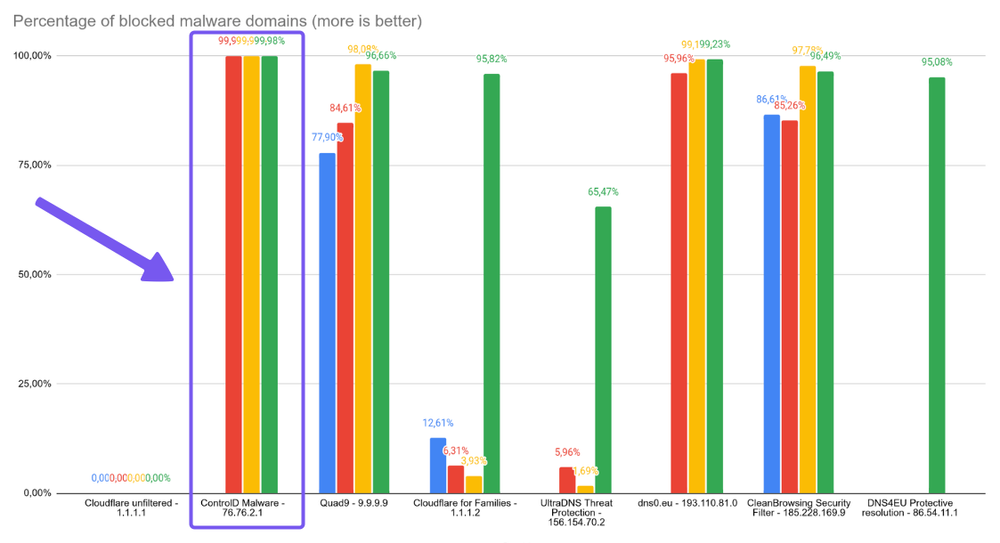
Independent testing of public DNS resolvers found that Control D’s malware filter blocked 99.98% of malicious domains, ranking it in first place.
In the same test, Cloudflare for Families (built on the same underlying tech that powers Gateway’s malware blocking) only blocked 95.82% of those domains.
Control D’s malware filter is powered by multiple threat intelligence feeds with its own machine learning and AI models to flag risky and newly registered domains in real time, not just when someone’s threat list gets refreshed. That means more malware and malicious domains are stopped before users ever reach them.
2. Advanced Content & Service Filtering
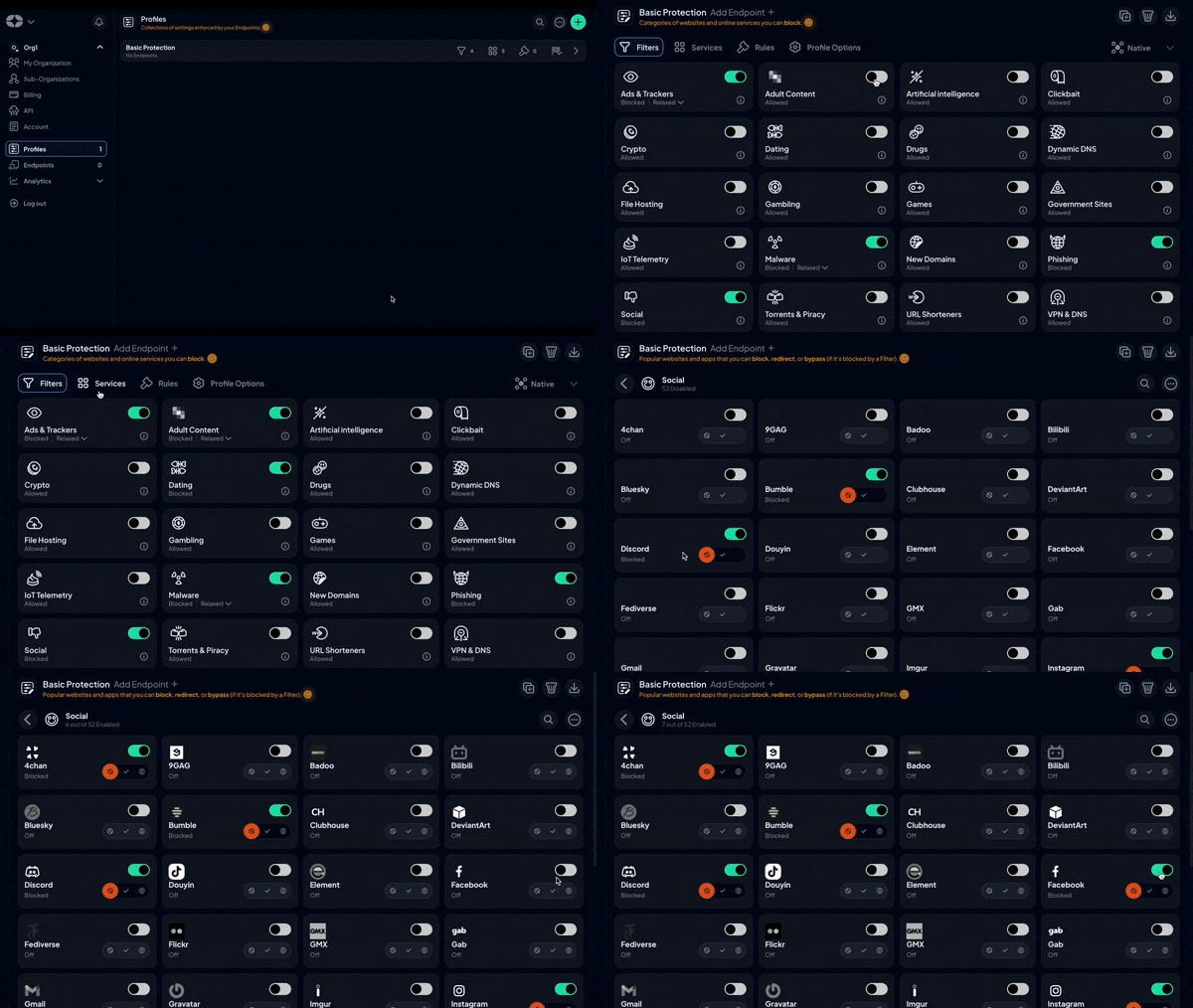
Control D provides granular control of filtering policies with easy-to-use single-click toggles:
- 20+ content categories (Filters) that cover malware, phishing, new domains, adult, gambling, social media, AI tools, games, telemetry, and more
- 1,000+ blockable Services (individual apps, platforms, tools, games, SaaS, streaming services, etc.), so you can be precise about what’s allowed and what’s not
- In comparison, Cloudflare only offers around 200 Services
- Built-in ad and tracker blocking with tunable levels, so you can reduce noise and tracking without breaking everything
- Cloudflare only supports ad blocking with a fixed level that you can’t tweak
Instead of choosing between “block all social media” or “allow everything,” you can do things like:
- Block the Social Media category but allow specific Services (e.g., LinkedIn)
- Leave a category open but block a single app (e.g., TikTok or specific games)
- Add one-off Custom Rules if some weird domain slips through
3. Support Quality and Availability
Cloudflare’s support is tiered:
- Free: docs + community forumd
- Pay-as-you-go: chat and ticket support
- Enterprise / Contract: 24/7 phone/chat/email with SLAs, but that’s attached to a large, negotiated contract
On the Control D side, all businesses get:
- Email support 7 days a week during extended hours (9am–9pm ET)
- Docs + guides that are actually kept up to date
- Active community on Reddit and Discord
- Barry, an AI assistant, is built into the dashboard to handle common questions and open tickets when needed
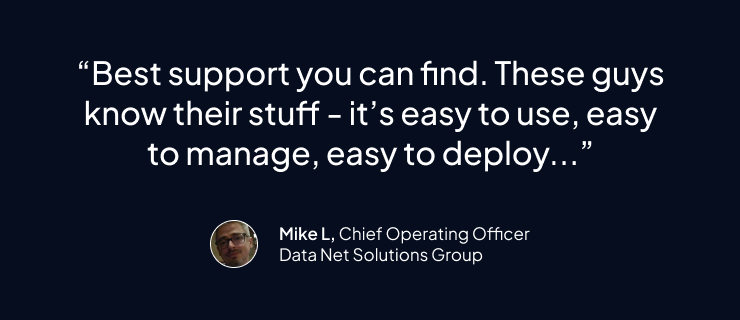
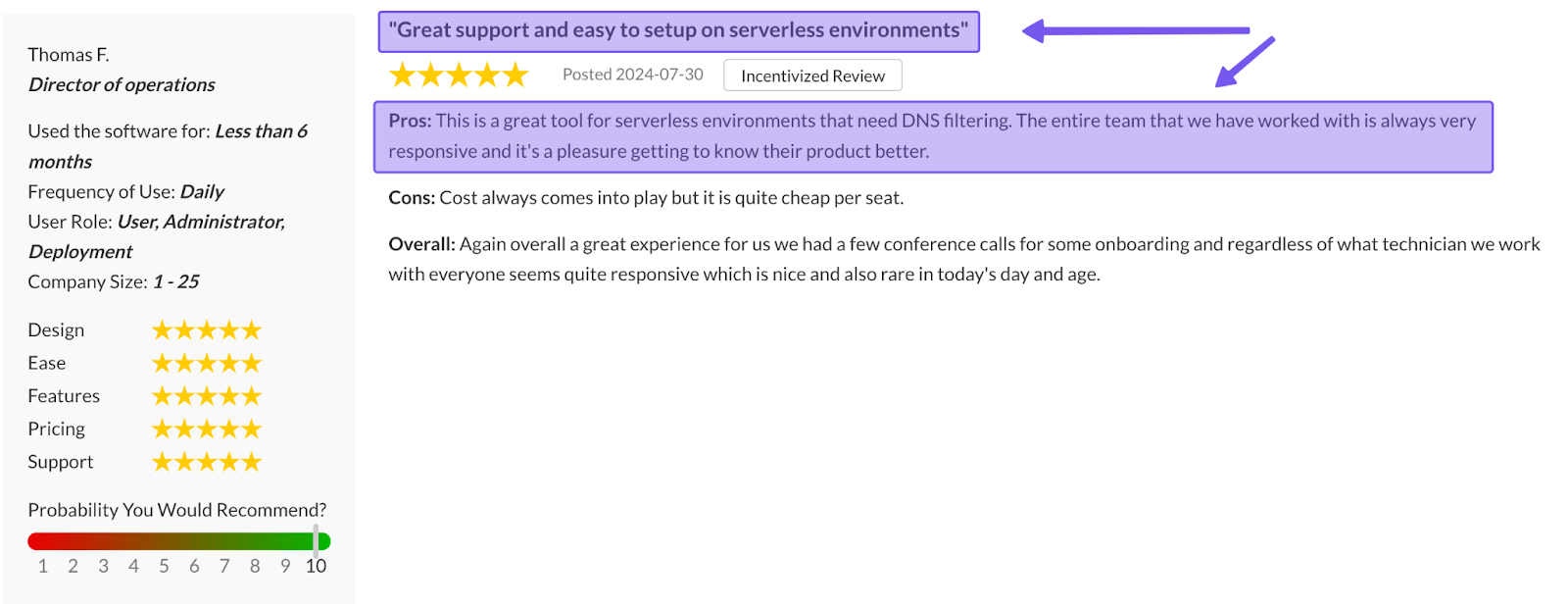
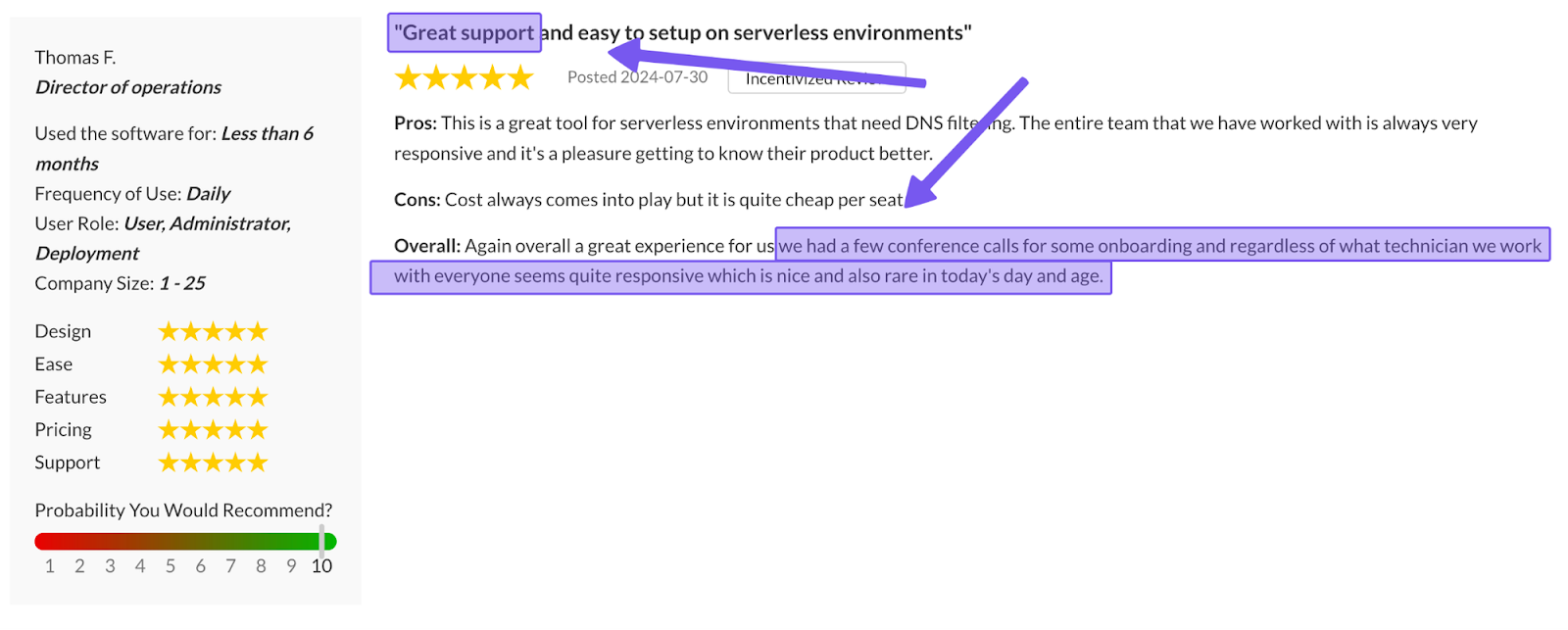
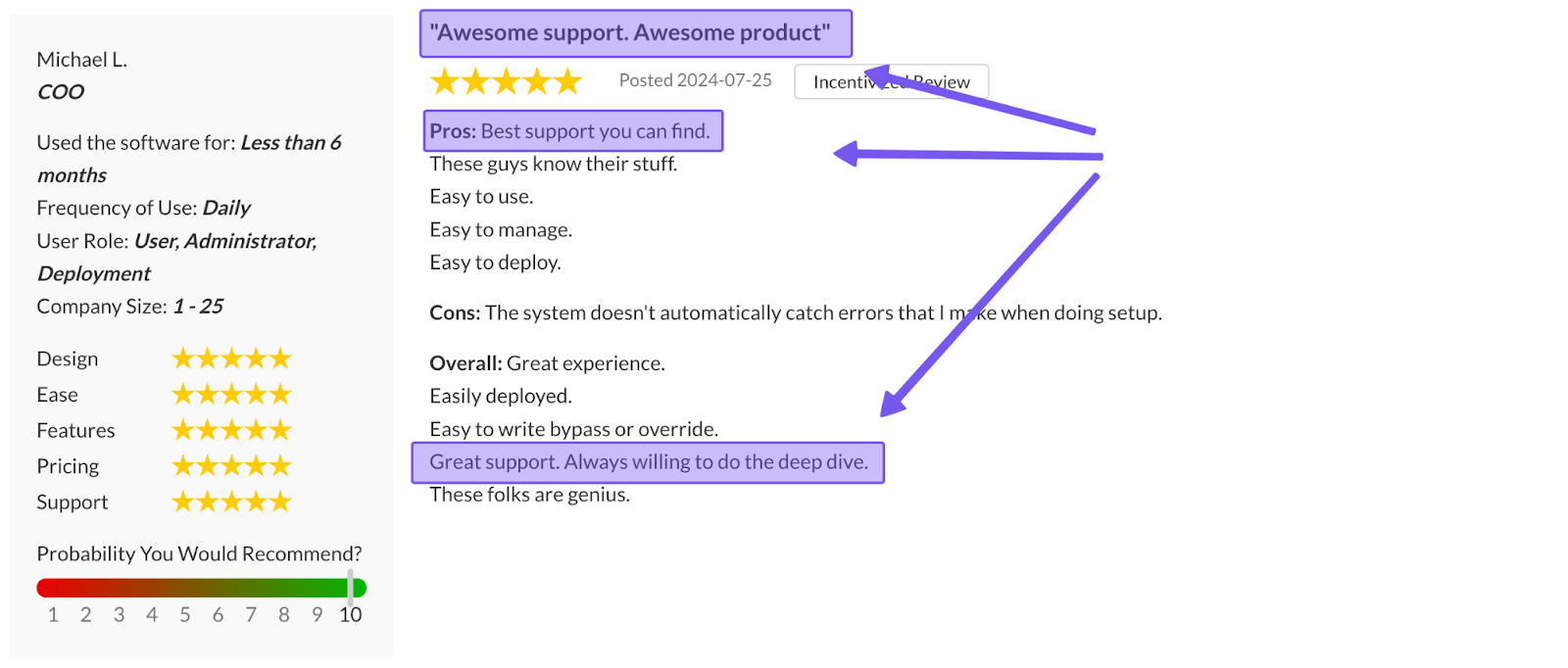
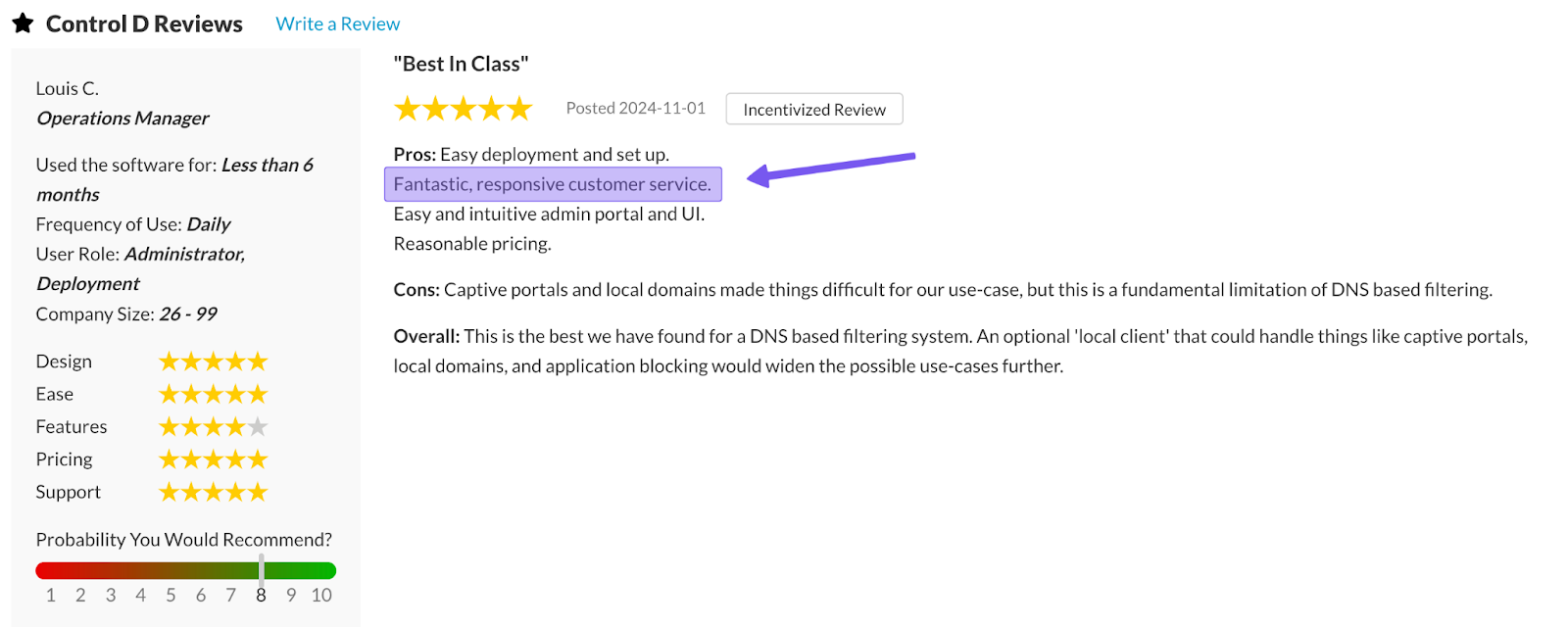
The key difference is that you don’t have to buy a giant enterprise contract to get real help. Engineers, and in some situations, the founders themselves jump into threads or tickets, resulting in a support experience that’s fast, thorough, and genuinely helpful.
4. Easy Deployment
Control D is designed to get you live quickly:
- Point your router or devices to Control D’s resolvers, or
- Use a Provisioning Code and roll it out to hundreds/thousands of endpoints via your RMM/MDM or scripts
For MSPs and larger organizations, multi-tenancy capabilities allow you to manage different clients, customers, departments, or user groups from a single dashboard, with clear separation between them.
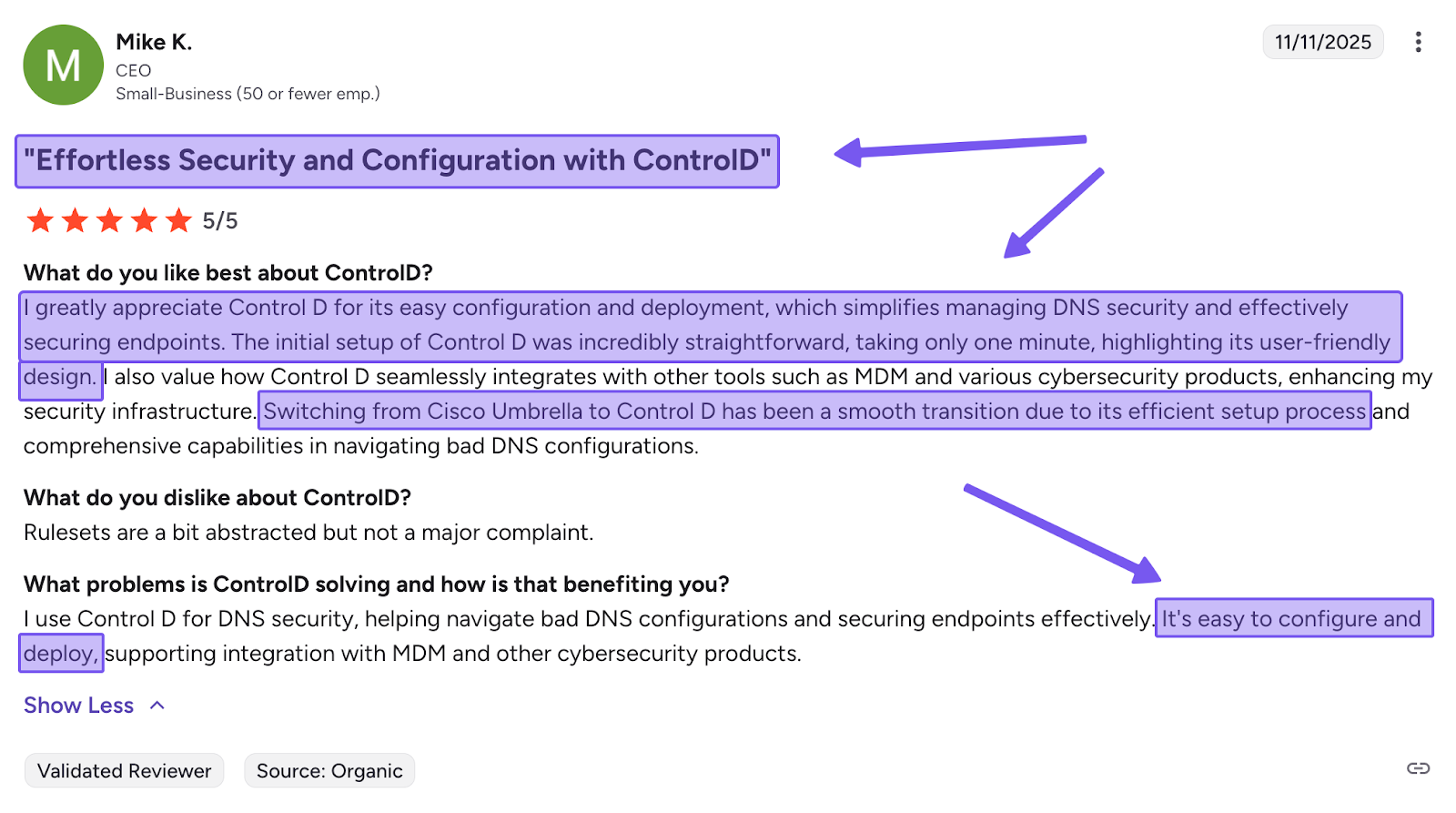
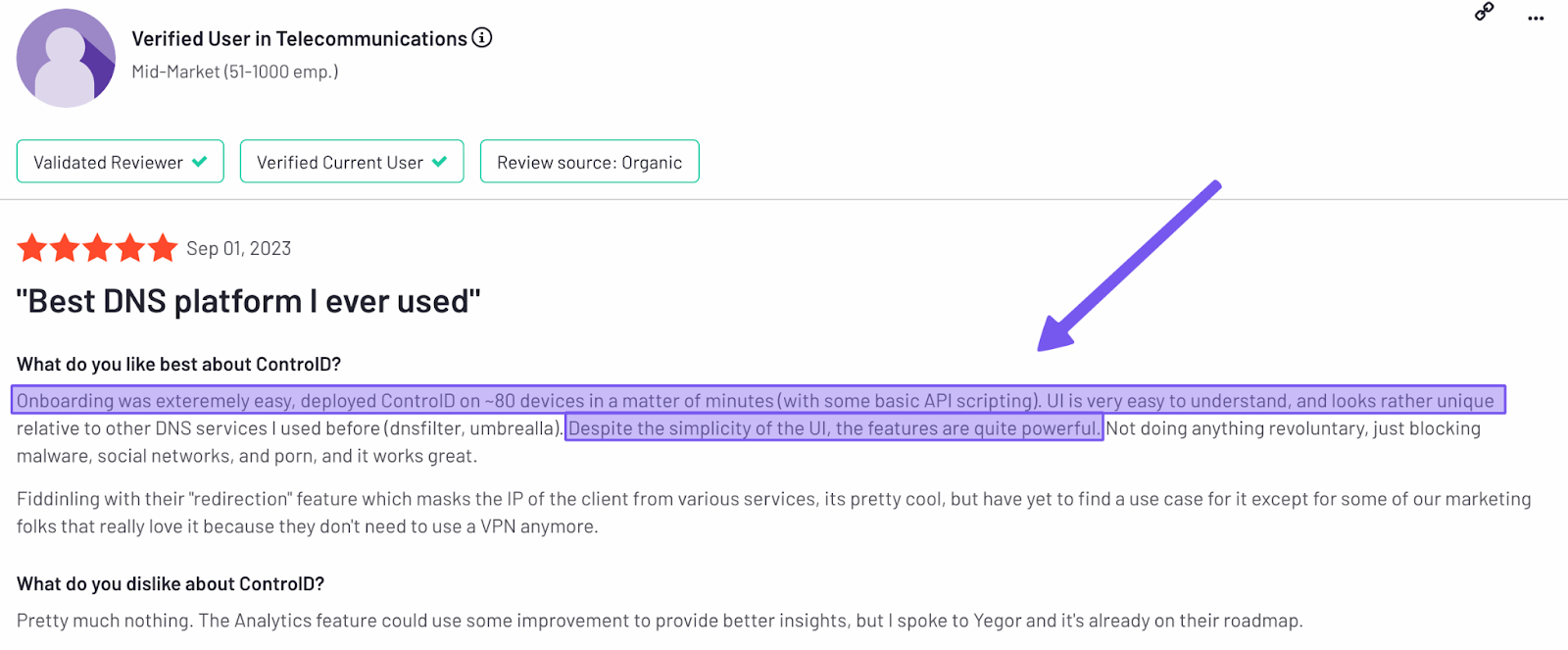
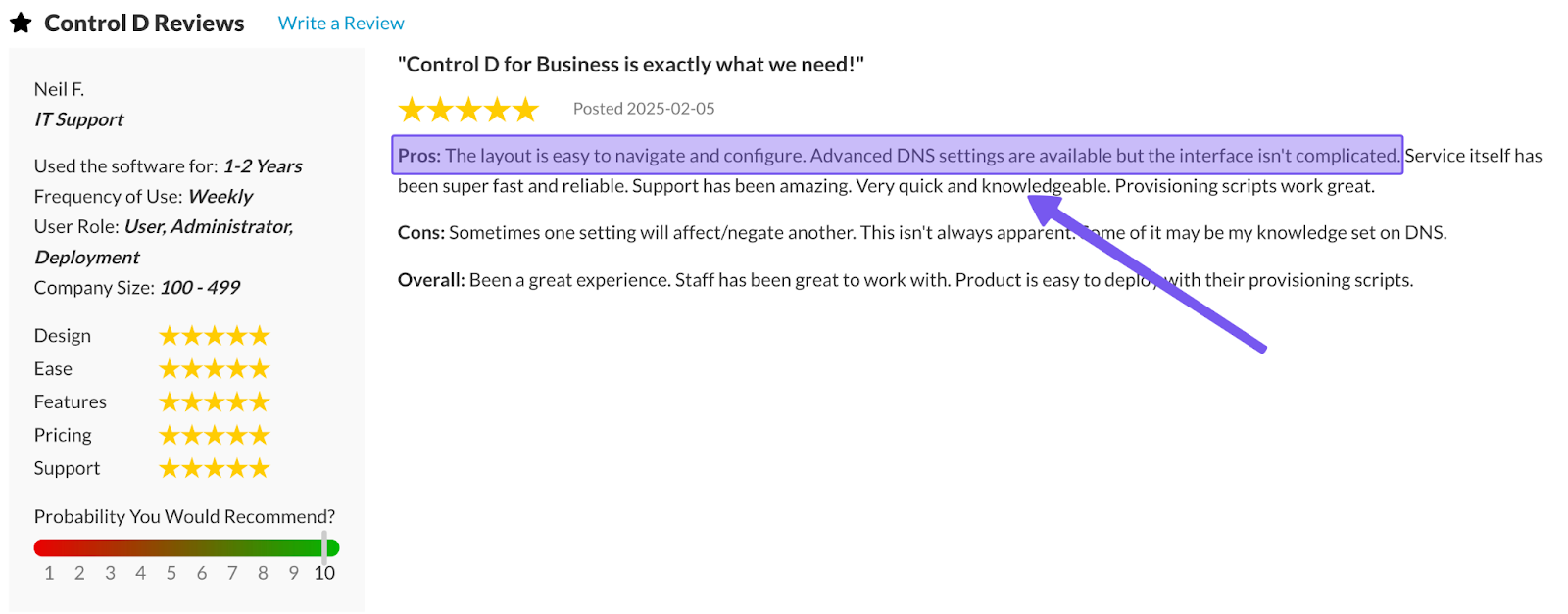
5. Traffic Redirection
This is one of the big feature gaps between Control D and Cloudflare: Traffic Redirection.
Control D lets you reroute DNS traffic through 100+ proxy locations in 60+ countries to spoof your IP address. Either set a default exit region for all queries, or only redirect specific domains or Services (e.g., “send Netflix via this country, but keep everything else local”).
You get location control and IP masking-style behavior without needing to use a traditional VPN.
6. Geo-Custom Rules
Geo-Custom Rules let you make traffic routing decisions based on source and destination:
- Block, bypass, or redirect queries that resolve to IPs in specific countries
- Block, bypass, or redirect queries that resolve to IPs outside specific countries
- Block, bypass, or redirect queries made from IPs in specific countries
- Block, bypass, or redirect queries made from IPs outside specific countries
- Block, bypass, or redirect queries that resolve to IPs owned by specific networks (ASNs) or not owned by them
- Combine multiple geo rules to build more complex location- or ASN-based policies
That’s handy for keeping traffic inside certain regions for compliance, blocking high-risk regions, or simply making sure traffic never resolves to, or from, specific networks or countries
While Cloudflare supports basic geo-IP blocking, it doesn’t offer the same depth of ASN- and country-based policies.
Check out Control D’s Geo Custom Rules documentation for more information.
7. Analytics & Reporting
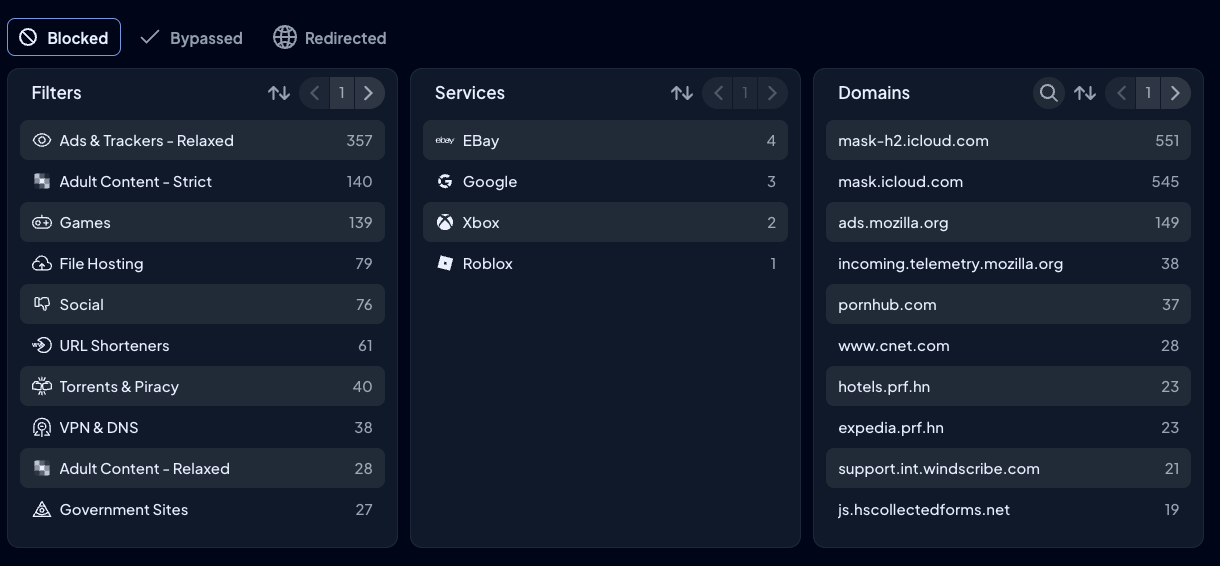
Control D bakes powerful analytics and reporting features for every user:
- Admin action logs for an audit trail
- Raw query logs are stored for up to 1 month, and aggregated analytics are stored for up to 1 year
- Rich filters and drill downs: device, Profile, Filter, Service, action (block/bypass/redirect), domain, country, ASN, and time range
- Scheduled reports sent by email (daily/weekly/monthly)
- SIEM streaming is included at no extra charge
The idea is simple: you get everything you need to understand what’s happening on your network, without needing a separate enterprise log-pipeline project or an upgrade to a “real” plan.
8. Modern Protocol & Ecosystem Support
Control D supports all modern encrypted DNS protocols, including DNS-over-HTTPS, DNS-over-TLS, DNS-over-HTTPS/3, and DNS-over-QUIC, as well as Legacy DNS and IPv4/IPv6 dual stack.
On the integration front, Control D is built to slot into all the tools you already have:
- Directory/identity: Active Directory, Okta, Entra ID
- RMM/MDM: NinjaOne, Datto, Kaseya, ConnectWise, Atera, etc
- SIEM: Splunk, IBM QRadar, and others via log streaming
9. Performance
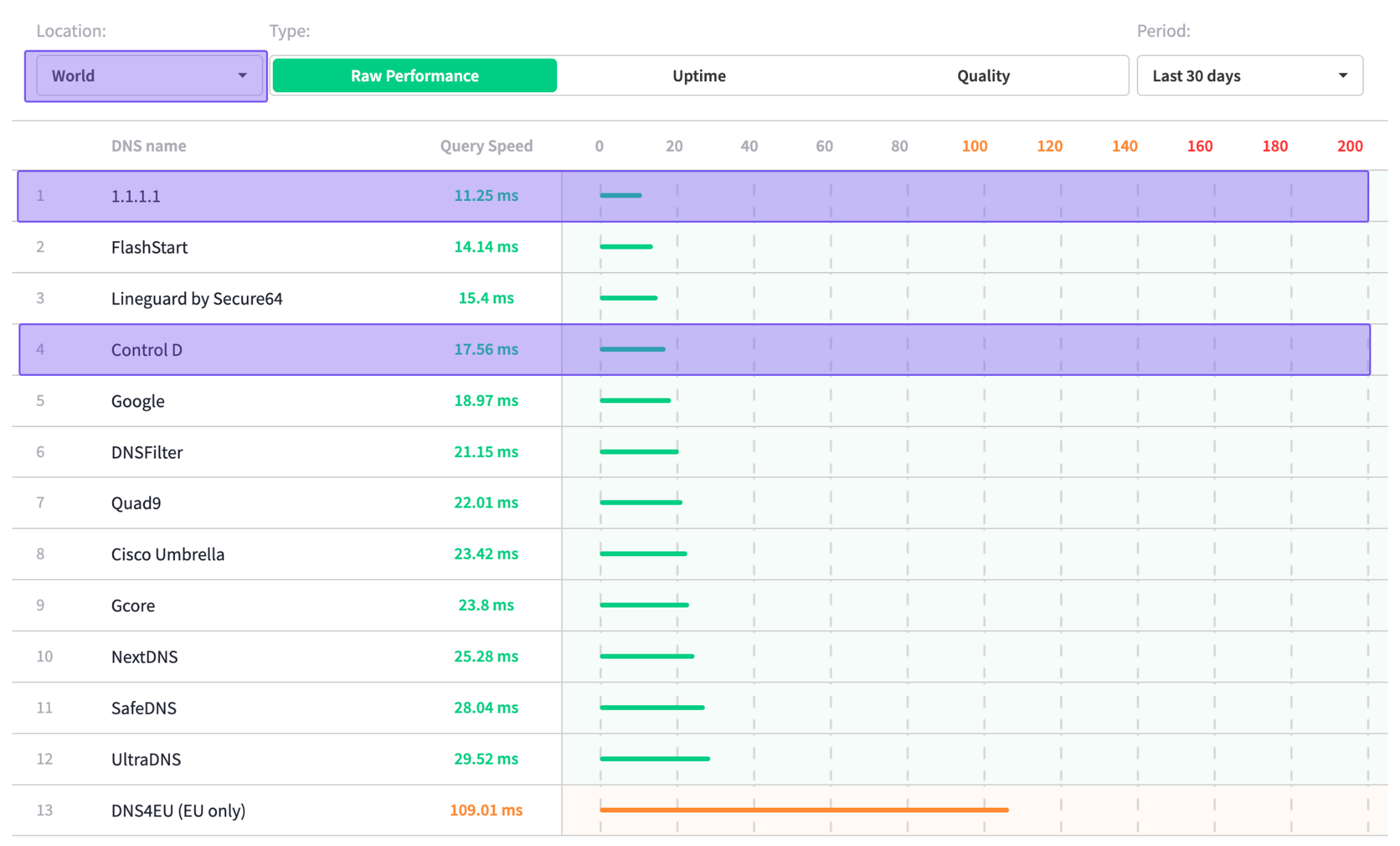
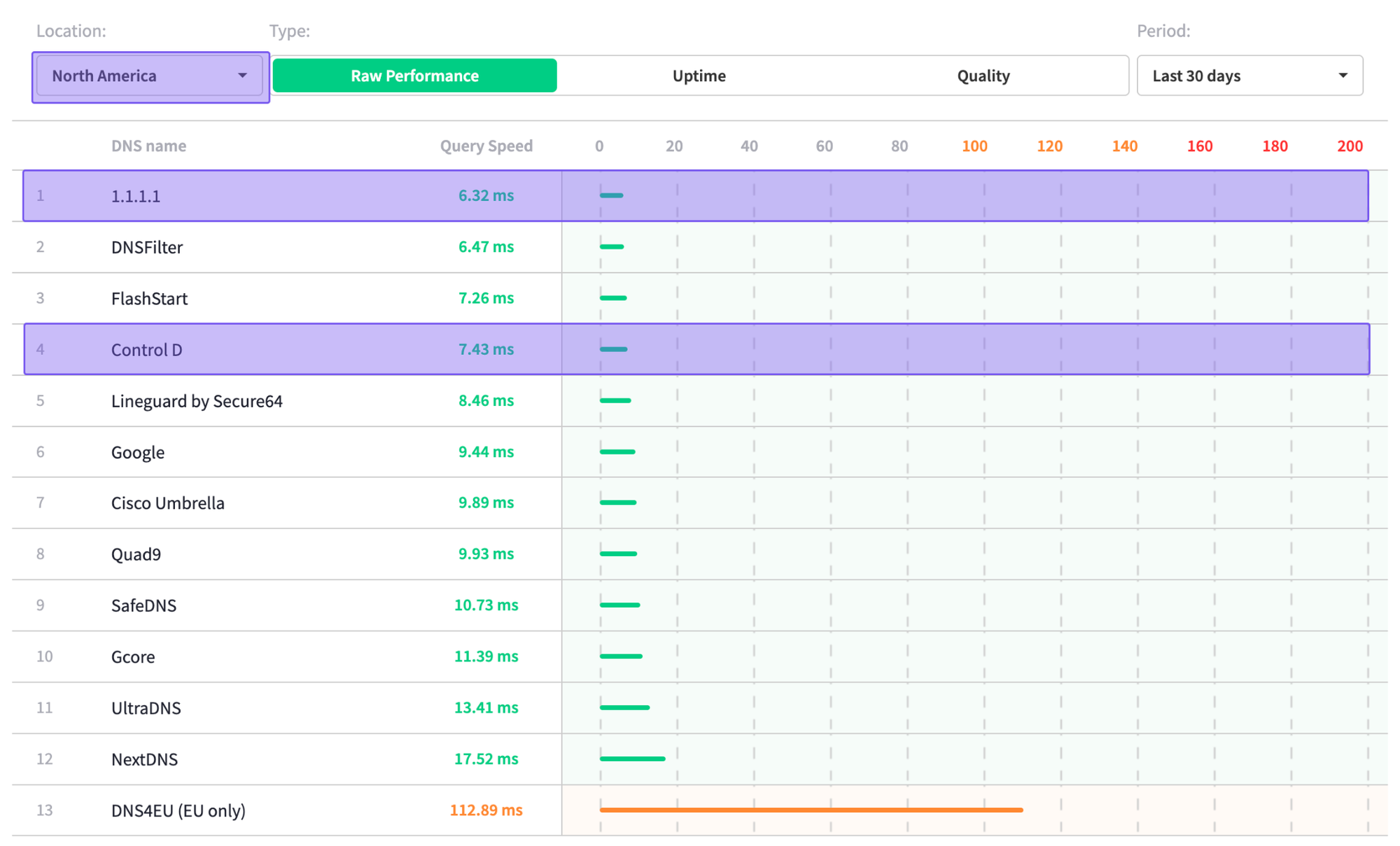
Sourced on: 24th November 2025
Cloudflare is known for its speed, and independent DNSPerf data still shows it at the top of global and North American latency charts, with scores of 11.25 ms and 6.32 ms, respectively.
Control D is also among the top performers, with average global speeds of 17.56 ms and average speeds in North America of 7.43 ms.
If pure raw speed is your only metric, Cloudflare still wins by a few milliseconds, but in practice, Control D’s query times are more than fast enough for real-world use. Plus, when factoring in Cloudflare’s outage history, a reliable and stable network may be more beneficial than a purely fast one.
Final Thoughts
Cloudflare Zero Trust is impressive on paper. You get fast global network performance, a full SWG, DLP, CASB, RBI, email security, and deep integrations, but this depends on whether you’re on the right plan and willing to pay for the add-ons.
For large organizations that want a single vendor for SASE and have the people and budget to manage it, it might be a fair trade. But for most companies that just want strong, reliable DNS security and filtering, the trade-offs are hard to ignore: being pushed into higher tiers for features others include by default, a complex deployment and tuning process, and support quality that depends heavily on what you pay. What starts at an already expensive “$7/user/month” can quickly turn into a solution that’s doing and costing much more than you actually need – at that point, the juice may not be worth the squeeze.
If you mainly care about strong DNS protection, flexible filtering, clear analytics, and predictable pricing, Cloudflare Zero Trust / Gateway is often overkill. In that space, Control D gives you enterprise-grade security, performance, and reliability, without the enterprise fluff and price tag. It's a simpler way to get the protection you want, without taking on a full Zero Trust project.
If you’re unsure which camp you’re in, write down your non-negotiables (DNS-only vs full Zero Trust, log retention, support expectations, budget per user/endpoint, etc.) and map them against the plans covered here. That alone usually makes it obvious whether Cloudflare Zero Trust / Gateway is truly worth the cost for your environment, or whether a lighter-weight option like Control D is the better fit.