Best Anti-Phishing Software in 2026: 10 Tools That Block Phishing Attacks
This guide ranks the top 10 anti-phishing solutions based on effectiveness, ease of deployment, customization, and integration capabilities.

Phishing attacks persist because they fit modern work perfectly. They arrive as invoices, shared docs, password resets, support tickets, and “quick favors” that sound routine until they are not. Phishing scams exploit human psychology, so even careful teams slip when they are moving fast.
For businesses, the stakes feel unfairly lopsided. A successful phishing attack can lead to account takeover, compromised credentials, data leakage, and data breaches. The financial impact can be direct theft of funds, followed by add-on costs for cleanup, legal fees, refunds, and identity restoration.
The longer-term damage is harder to price. Customers expect you to keep their sensitive information safe, so phishing attacks can cut trust in a week that took years to build.
This guide ranks the top 10 solutions based on effectiveness, ease of deployment, customization, and integration capabilities, drawing from industry reviews, user feedback, and expert analysis.
Anti-Phishing in Practice
Anti-phishing refers to the set of solutions that reduce phishing attacks across email, web traffic, and your domain identity. In practice, they blend a few layers:
- Email controls that filter incoming emails and catch malicious emails before users see them.
- Web and Domain Name System (DNS) controls that block phishing sites and malicious domains when users click on them.
- Domain authentication that reduces domain spoofing (when an attacker forges your “From” domain to make an email look like it came from your business) and impersonation attacks (messages that pretend to be a specific person at your company, like your CEO or finance lead).
- Training and testing that help people spot phishing indicators and report suspicious messages.
This layered approach matters a lot in 2026. Today, phishing campaigns target email, chat apps, QR codes, and deepfake impersonation. And a single layer will miss something, sooner rather than later.
10 Best Anti-Phishing Software in 2026
This top 10 list focuses on tools that support phishing protection for your business, including email security platforms, domain identity tools, and controls that block phishing at the destination layer.
Control D
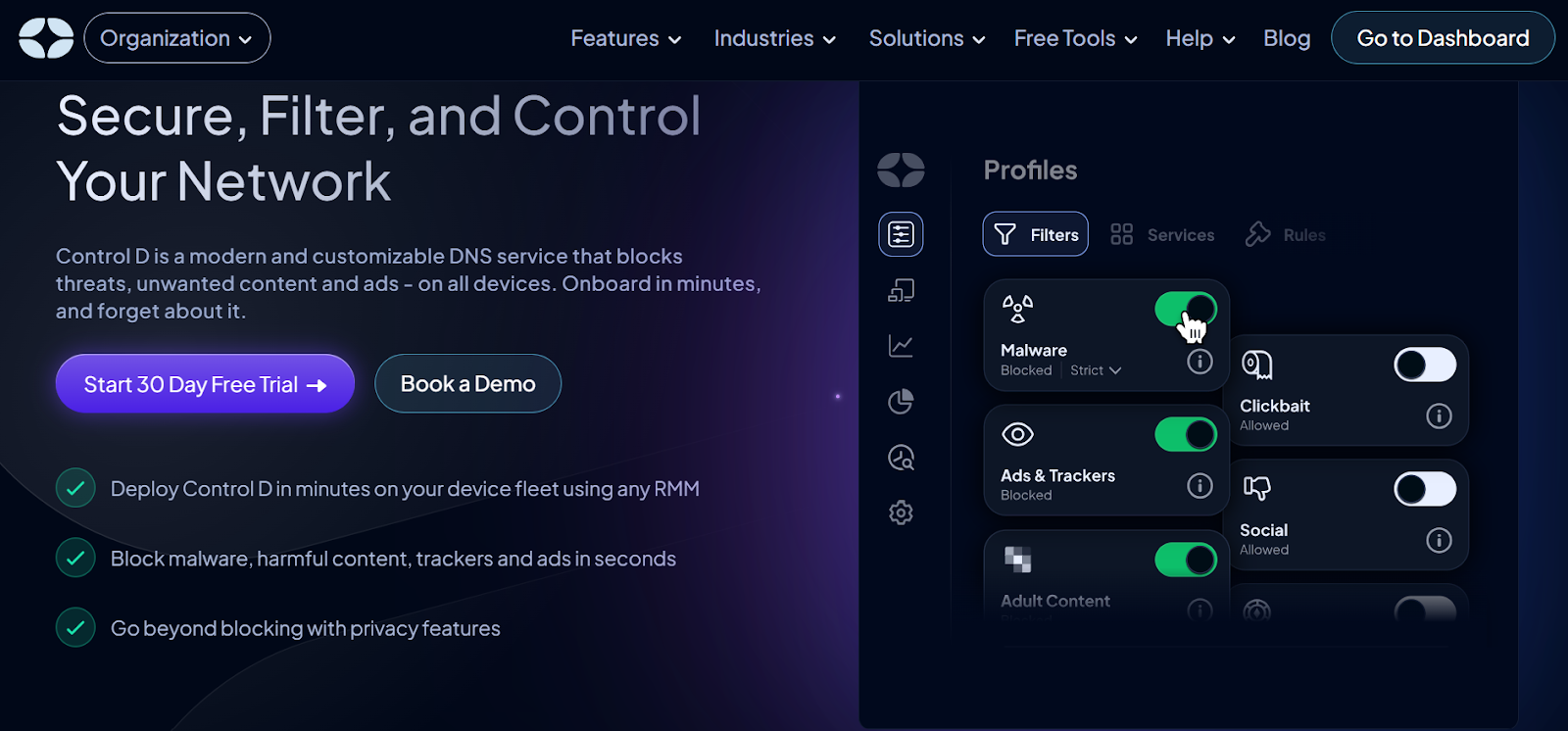
Control D works by filtering at the DNS layer. It blocks or redirects DNS lookups for risky domains that could host phishing sites, malware, and other potential threats. A user might click a fake link in an email, but the tool stops the process before the browser opens the page. It can protect a whole network at once via DNS settings. For roaming devices, you may pair them with device-level configuration or management controls.
Teams can set it up in a few steps. First, change your router or device DNS settings to point to Control D's servers. Next, log in to the dashboard and pick filters for phishing categories.
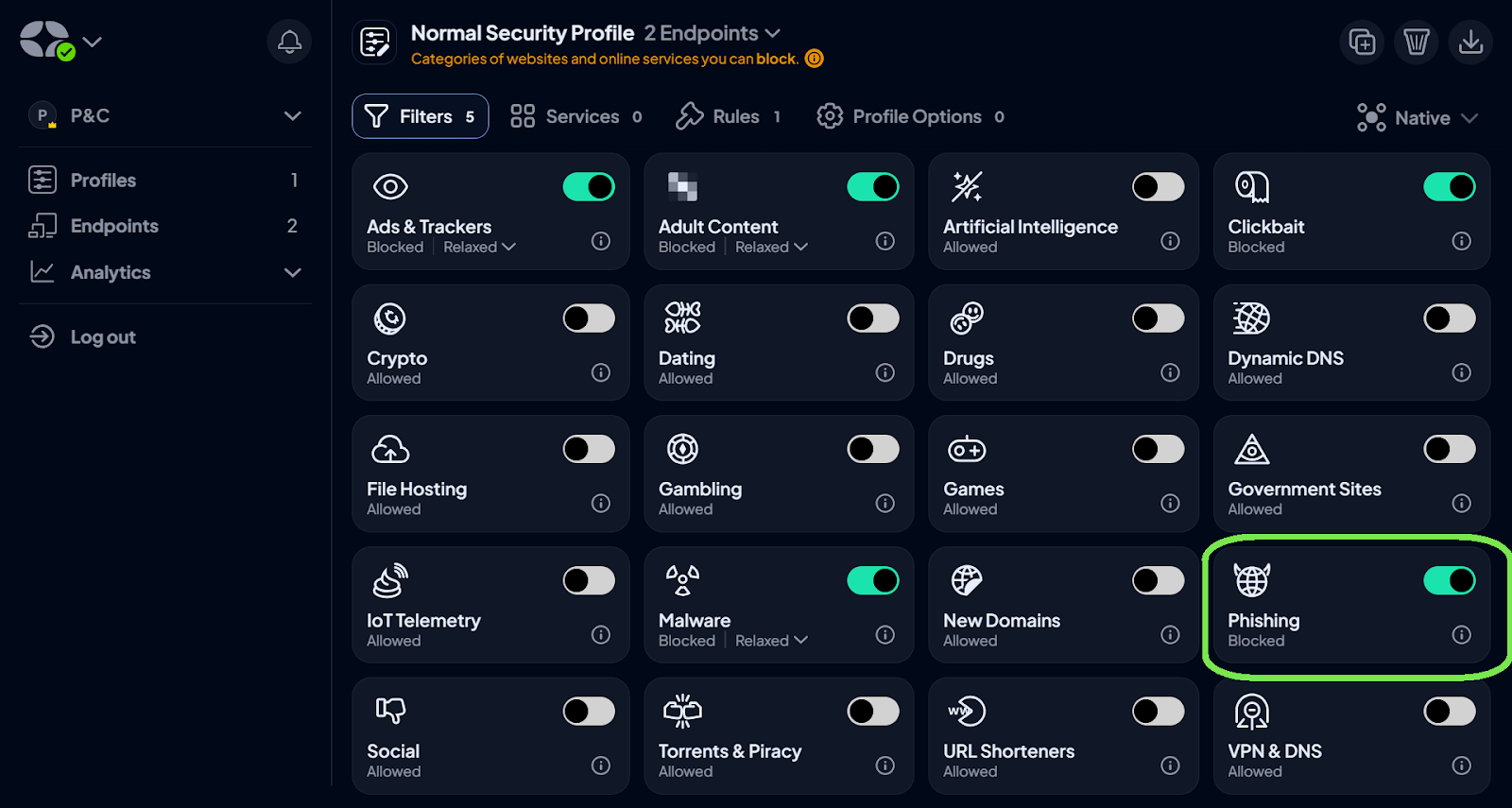
Test it with safe links to confirm blocks. For best results, combine it with employee training on how to spot suspicious emails. Then review logs weekly to spot attempt patterns and adjust rules.
Key Features
- You block phishing sites in groups like malware hosts or ad trackers, plus add your own lists of risky domains. This catches campaigns that switch addresses often.
- It routes queries through secure paths to avoid interception, using protocols such as DNS-over-TLS (a method for encrypting DNS lookups).
- Track all queries with timestamps and export data to tools like Splunk for deeper analysis. You can use this to identify repeat attempts and train staff.
Microsoft Defender for Office 365
Microsoft Defender for Office 365 is a strong fit for organizations already on M365, with built-in ties to other Microsoft security solutions. Microsoft Defender for Office 365 protects teams that rely on Microsoft 365 by scanning emails and files for phishing signs. It spots spoofing, where attackers fake sender details to seem trusted.
The tool also catches impersonation attempts, such as messages that mimic executives, and business email compromise, which targets accounts for fraud or data theft. Scans run in real time across apps like Outlook and Teams (though this might depend on your plan and settings), blocking bad content before it reaches inboxes.
Key Features
- Adjust settings like spoof guards and impersonation checks to cut false alerts while closing exposure points. This uses machine learning to adapt to your setup.
- It handles phishing in emails, attachments, and links within tools like SharePoint or OneDrive. This keeps threats out of daily tasks.
- Quarantine suspect items and log events for quick fixes. Integrate with response plans through alerts and bulk cleanups to speed recovery.
Proofpoint Core Email Protection
Proofpoint handles email security by checking messages for phishing before they hit inboxes. It targets attacks that focus on people, such as phishing emails that steal credentials or spread malware. The tool fits larger groups and expands small to medium businesses that handle more complex threats. It layers checks like reputation scans and behavior analysis to catch varied attacks.
Key Features
- Spot patterns in common techniques and in business email compromise, where attackers pose as leaders to request transfers or access data. It uses machine learning to flag anomalous sender behavior and reduce false positives.
- Rewrite links for safe scans on click and run files in isolated spaces to find hidden threats. This reduces the risk of malicious sites or infected add-ons.
- Automate fixes such as quarantines and alerts to help teams respond quickly to attempts. Pull data into plans to speed up cleanups and pattern spotting.
Mimecast Advanced Email Security
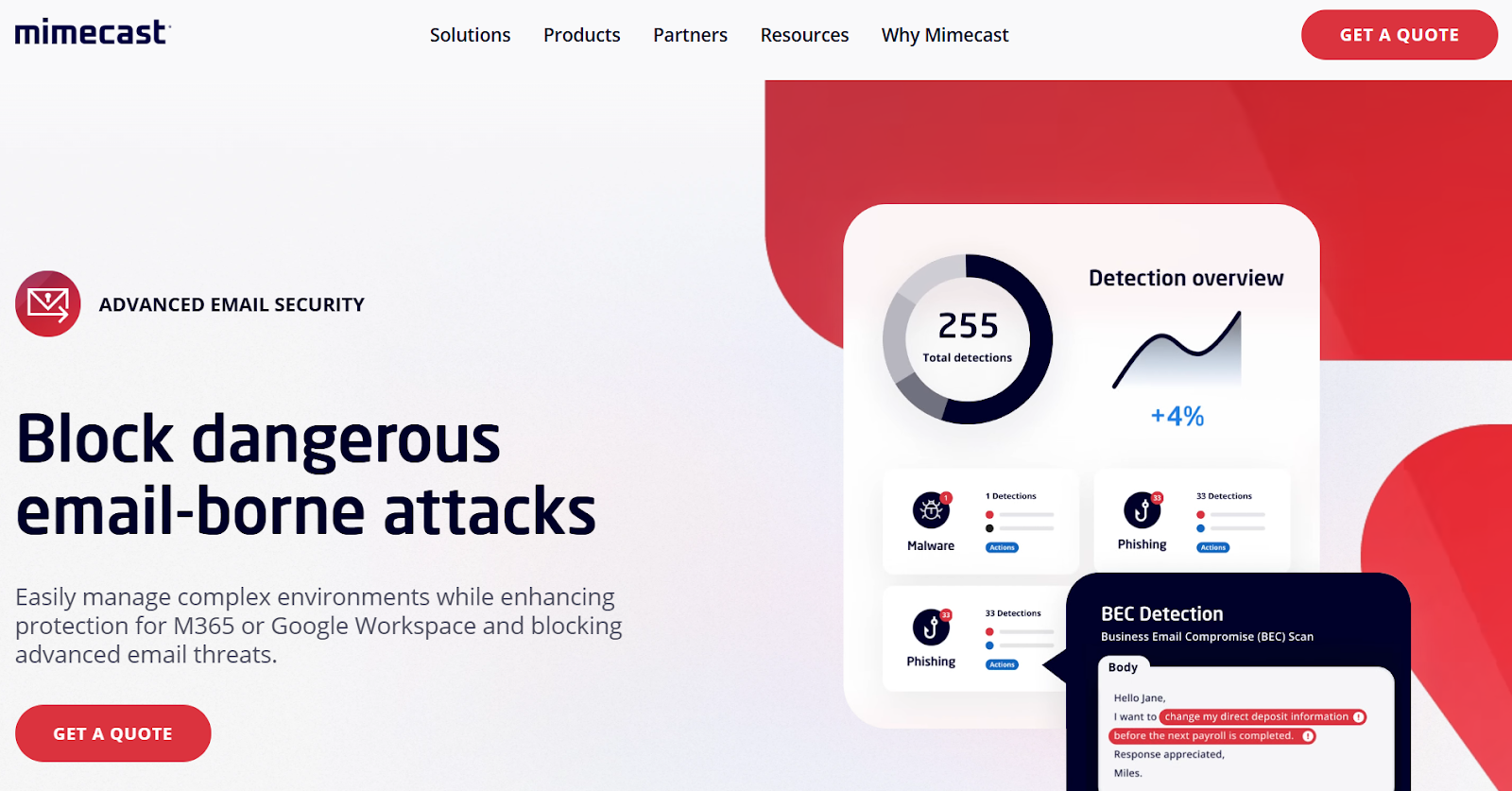
Mimecast builds its Advanced Email Security around clear views into phishing, business email compromise, ransomware, and zero-day attacks. It applies machine learning to spot risks across email and tools like Microsoft Teams or Slack. The system scans messages in real time, blocking bad content before delivery. This setup helps firms that handle high email volumes, from midsize to large businesses in regulated industries.
Key Features
- Rewrite links in emails and scan them on each click, catching delays in redirects from attackers. This stops users from reaching bad sites after initial safe looks.
- Inspect files deeply, run them in safe spaces, or change them to harmless types. This contains malware from phishing deliveries and speeds safe access.
- Pull in global data for quick spots of phishing trends. Teams use this for faster fixes, like quarantines or alerts in response plans.
IRONSCALES
IRONSCALES uses Adaptive AI to guard email systems against phishing. It learns normal communication patterns and flags anomalies as potential threats. The platform runs ongoing scans and automatic fixes to handle attacks like business email compromise or account takeovers. It suits mid-size firms and enterprises that want smart, low-effort protection. Integration happens via APIs with tools like Microsoft 365 or Google Workspace.
In tests, it blocks high rates of spam and phishing with real-time adjustments. It fits cloud email users well, with training add-ons. Learning phases might need time, and extras like simulations add to costs, so check needs first.
Key Features
- Checks email metadata (e.g., sender info and timestamps), content, and behavior signals to spot risks. This adapts to catch new threats without manual updates.
- Runs fixes like quarantines or deletions on phishing, even after inbox delivery. This uses AI to neutralize threats across similar messages fast.
- Draws from global insights and patterns to handle advanced attacks or fresh lures that skip standard checks. Teams get alerts for quick actions in response setups.
Abnormal Security
Abnormal focuses on behavioral analysis for social engineering and business email compromise, with emphasis on attacks that lack traditional malware indicators. It positions BEC as a financially damaging category driven by social engineering.
Key Features
- Detection that targets impersonation attacks and conversation hijacking.
- Focus on context and relationships, which helps when attackers use a realistic tone and timing.
- Coverage that helps prevent phishing attempts aimed at finance workflows and support teams.
Cofense
Cofense is known for combining phishing detection and response with user reporting and training. It positions its platform around detecting and remediating phishing threats, plus training employees to recognize and report real-world attacks that bypass traditional filters.
Key Features
- Strong user-reporting workflows so staff can flag suspicious messages fast.
- Response tooling that helps remove malicious emails across mailboxes.
- Phishing simulation and security awareness training that maps to what your business actually sees.
Valimail
Valimail focuses on domain identity, with products built around Domain-based Message Authentication, Reporting, and Conformance (DMARC), Sender Policy Framework (SPF), and DomainKeys Identified Mail (DKIM). It positions enforcement as a way to stop phishing and impersonation attacks, and its materials describe using DMARC to reduce spoofed senders.
Key Features
- DMARC enforcement support to reduce domain spoofing and protect brand trust.
- Visibility into unauthorized senders, which helps you spot email-based threats aimed at your domain.
- Controls that can reduce malicious emails that rely on exact-domain impersonation.
ZeroFox
ZeroFox positions its domain phishing protection to identify and disrupt phishing at its root cause, not just block phishing sites. It frames the value around taking down phishing infrastructure at the domain level.
Key Features
- Monitoring and response for phishing domains and spoofed websites.
- Domain-level actions that complement email filtering and DNS blocking.
- Brand protection coverage for customer-facing businesses that get impersonated.
Sublime Security
Sublime pulls in organization-specific details, such as communication patterns or VIP lists, to spot threats like lookalike domains or impersonations. The platform uses AI agents that adapt rules in real time, blocking attacks before they hit inboxes. It works for security teams in mid-size to large firms that value control and quick adjustments over vendor-locked systems.
Key Features
- Applies org-specific signals like VIP lists and sender habits to flag impersonations or fraud attempts.
- Scans for domain lookalikes, misspellings, and subtle tricks in emails. This adaptive logic handles QR codes, AI-generated content, and other new methods through custom, code-based rules.
- Provides full breakdowns of why detections fired, with tools for fast triage of reported emails.
Why Phishing Attacks Still Break Through
Phishing attacks do not need exotic malware to work. They need one moment of compliance. That is why attackers continue to invest in persuasion. They use phishing techniques that appear to be legitimate business communications, then slip in a misleading link, a fake login page, or a request to transfer money.
A lot of phishing attacks still succeed through the same paths:
- A link leads to phishing sites that harvest login credentials
- An attachment drops malware after a user enables macros or grants access
- A fake thread convinces someone to change bank details or approve a payment
Spear phishing shows up here as the “quiet” version. One person gets targeted, often in finance, HR, or IT. The email looks personal and plausible. Add AI-written copy and deepfake impersonation, and the classic “bad grammar” tell disappears. This is part of why anti-phishing measures increasingly rely on AI-powered threat detection in 2026, since text quality no longer separates real from fake.
Zero-day phishing attacks add another twist. New domains and fresh pages can show up before feeds label them as known phishing sites. This is where destination controls, identity hardening, and quick response matter most.
How Anti-Phishing Software Works
Anti-phishing software analyzes incoming communications and web traffic for signs of phishing attempts, then blocks or contains what it finds. Different products use different signals, so you will usually see the best results when you combine tools. In practice, those tools tend to fall into a few core layers:
Real-Time Email Filtering for Incoming Emails
Email security platforms evaluate incoming emails before delivery. They look at sender reputation, authentication results, and content cues. Some tools add banners that warn users about external senders, unusual reply-to addresses, or risky language. They can quarantine suspicious messages or route them for review, which reduces exposure when attackers blast a phishing campaign.
Malicious Link and URL Analysis
Most phishing attacks want a click, so link analysis is a core control. Tools evaluate URLs, expand redirects, and compare destinations against databases of known phishing sites. They can detect known malicious URLs and then block access. In some stacks, this includes URL rewriting and click-time checks to reduce delayed redirects.
You will see a few related terms in product docs and admin consoles:
- Malicious URLs: destinations known for credential theft or malware delivery
- Malicious link: a single link inside an email or message that leads to harm
- Known malicious URLs: URLs already tagged in threat feeds
- Spoofed websites: lookalike pages designed to steal sensitive information
Attachment and Payload Scanning
Phishing software scans attachments to catch malicious attachments and suspicious file behavior. This is a key layer for email-based threats that deliver malware. It is not perfect, yet it reduces the easy wins attackers get through file lures.
Pattern Recognition, Heuristics, and Machine Learning
Advanced anti-phishing tools use pattern recognition and heuristic analysis to detect suspicious emails that do not match known signatures. Machine learning helps by learning what “normal” looks like in your org, then flagging odd behavior, unusual sender relationships, and abnormal reply patterns. Many vendors describe this as automated detection that adapts to evolving attacks.
Threat Intelligence, Response, and Reporting
Threat intelligence matters because attackers change infrastructure quickly. When threat feeds update fast, tools can catch more phishing domains and block phishing sites earlier in the campaign.
For businesses, reporting capabilities are not just a vanity feature. You need reporting that shows what got blocked, what got through, and what users clicked. You can use that data to tune policies, reduce false positives, and measure whether security awareness training is improving.
6 Additional Ways to Protect Your Business Against Phishing
You do not need a sprawling program to reduce risk fast. You need a sequence that closes the most common gaps, then reinforces behavior.
Secure Your Domain Identity with DMARC, SPF, and DKIM
Attackers love spoofing because it scales. DMARC, SPF, and DKIM help stop spoofed messages that appear to come from your brand. Tools like Valimail and PowerDMARC focus on making that rollout easier, with monitoring and enforcement workflows that help you move toward stricter policies safely.
Tighten Email Security Policies
Tune impersonation protection, link scanning, and attachment rules for the teams that get targeted most. Finance, support, and HR usually sit in the blast radius. Define what happens when someone reports a message, and make the outcome predictable, fast, and consistent.
Add DNS-Layer Controls to Block Phishing Outside Email
Email filtering is necessary, yet attackers do not live inside email. DNS filtering helps you block phishing attempts that arrive through chat apps, shared documents, ads, and QR codes. Tools like Control D make that layer easier to roll out and tune. If you can block phishing at the destination layer, you reduce the “one click” problem that turns a phishing attempt into a real incident.
Use Phishing-Resistant Multi-Factor Authentication
Multi-factor authentication (MFA) limits damage after compromised credentials. It is one of the few controls that can turn credential theft into a contained event instead of a breach. Train users on what MFA prompts should look like, and set clear guidance for unexpected prompts.
Run Security Awareness Training and Phishing Simulation
Security awareness training works when it stays grounded in real examples your staff sees. Keep it short, repeat it, and tie it to reporting. Phishing simulation helps you measure readiness and spot teams that need extra attention. KnowBe4 and Hoxhunt are widely used platforms for simulated phishing attacks and training workflows, and many businesses use them to build repeatable practice.
Make Incident Response Boring on Purpose
Write a one-page incident response guide for phishing. Include who triages, how you confirm a phishing attempt, and what you do next: search and purge, password resets, session revokes, and customer comms if needed. When a real incident hits, “boring and repeatable” beats “heroic and improvised.”
Final Thoughts
Phishing attacks are not going away. They keep working because they target people and workflows, not just software. Businesses do best with a layered approach, not a single tool.
Start with strong email security for incoming emails, lock down domain identity to reduce domain spoofing, and use DNS filtering to block phishing sites and malicious domains when someone clicks. Then back it up with MFA, clear reporting capabilities, and a simple incident response plan.
FAQ about Anti-Phishing Software
What Does Anti-Phishing Software Do?
Anti-phishing software helps reduce phishing attacks by detecting, blocking, and containing phishing attempts before they cause real damage. In practice, it can filter incoming emails to catch phishing emails and malicious emails, scan for malicious URLs and suspicious links, and use threat intelligence to flag known phishing sites. Many anti-phishing solutions also block phishing at click time by preventing access to phishing sites and other malicious sites, often by blocking malicious domains.
What Should Staff Treat as Phishing Indicators?
Train staff to slow down when they see urgent payment requests, unexpected login prompts, odd sender domains, and mismatched display names. Ask them to report suspicious links and suspicious messages fast. Quick reporting gives security teams time to contain a phishing campaign before it spreads.
What Does a “Good” Anti-Phishing Stack Look Like for Your Business?
A practical stack usually includes email security, DNS filtering to block phishing sites, domain authentication to reduce spoofing, security awareness training, phishing simulation, and phishing-resistant MFA. Add response tooling that makes search, quarantine, and cleanup fast, and you will reduce risk without adding busywork.